1. Úvod
The GOBOULT Crown R Pro 2 Smartwatch is designed to enhance your daily life with advanced features and health monitoring capabilities. It features a 1.43-inch HD AMOLED display, Bluetooth Calling 5.2, and a comprehensive health suite. This manual provides instructions for setup, operation, and maintenance of your smartwatch.

Image: The GOBOULT Crown R Pro 2 Smartwatch, showcasinjeho elegantní design a zářivý displej.
2. Co je v krabici
Po vybalení zkontrolujte obsah balení:
- GOBOULT Crown R Pro 2 Smartwatch
- Nabíjecí kabel
- Uživatelská příručka
- Záruční list
3. Začínáme
3.1. Nabíjení zařízení
Před prvním použitím chytré hodinky plně nabijte. Připojte magnetický nabíjecí kabel k nabíjecím bodům na zadní straně hodinek a zapojte USB konec do napájecího adaptéru (není součástí balení) nebo do USB portu počítače.
- Doba nabíjení: Přibližně 150 minut pro plné nabití.
- Battery Life: Up to 7 days on a single charge, depending on usage.
3.2. Zapnutí/vypnutí
- Zapnutí: Press and hold the side button for a few seconds until the GOBOULT logo appears.
- Vypnout: Stiskněte a podržte boční tlačítko a poté na obrazovce vyberte možnost „Vypnout“.
3.3. Instalace a párování aplikace
Chcete-li plně využít potenciál svých chytrých hodinek, stáhněte si a nainstalujte doplněnou aplikaci do svého smartphonu.
- Scan the QR code in the manual or search for the 'BoultFit' app (or similar, as specified in the included manual) on your smartphone's app store (Google Play Store or Apple App Store).
- Install the application and create an account or log in.
- Ujistěte se, že je na vašem smartphonu povoleno Bluetooth.
- Open the app, navigate to 'Device' or 'Add Device', and select 'GOBOULT Crown R Pro 2' from the list of available devices.
- Potvrďte požadavek na párování na smartphonu i chytrých hodinkách.
4. Smartwatch Features and Operation
4.1. Displej a ciferníky
The smartwatch features a 1.43-inch HD AMOLED display with 600 Nits brightness for clear visibility in various lighting conditions.
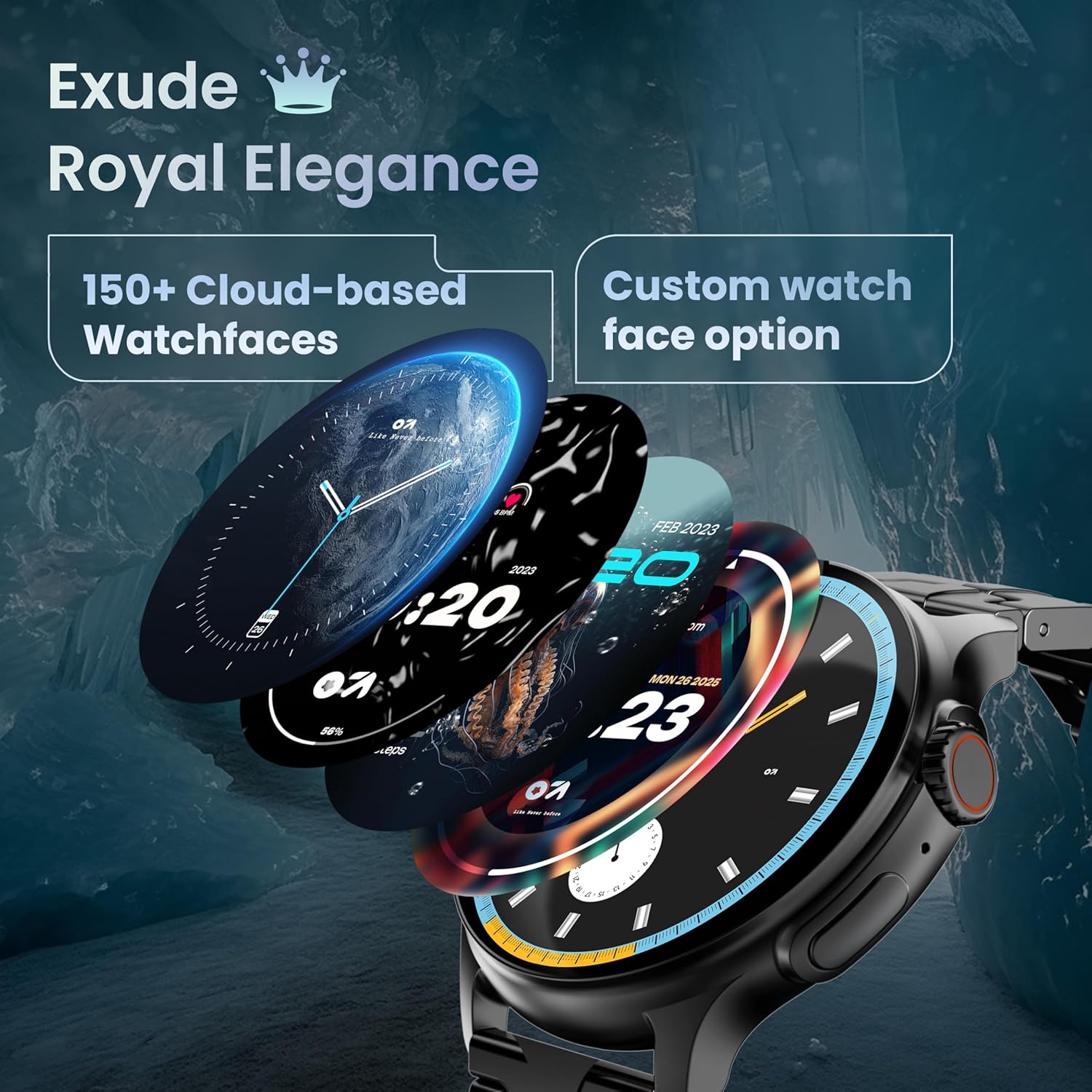
Image: A selection of over 150 watch faces available for customization.
- Změna ciferníků: Long-press the home screen to access watch face options. Swipe left or right to browse and tap to select. More watch faces are available through the companion app.
4.2. Navigace a ovládací prvky
Navigate the smartwatch interface using touch gestures and the functional 'Working Crown'.

Image: Detail of the working crown, used for navigation and customization.
- Přejeďte prstem dolů: Přístup k rychlým nastavením (např. jas, DND, spořič baterie).
- Přejeďte nahoru: View oznámení.
- Přejetí doleva/doprava: Access widgets and main features (e.g., activity, heart rate, weather).
- Working Crown: Rotate to scroll through menus or lists. Press to return to the home screen or confirm selections.
4.3. Volání přes Bluetooth
The smartwatch supports Bluetooth Calling v5.2, allowing you to make and receive calls directly from your wrist.

Image: Illustration of the smartwatch's Bluetooth calling capabilities with integrated microphone and speaker.
- Přijímání hovorů: Tap the green phone icon on the screen when a call comes in.
- Uskutečňování hovorů: Access the dial pad or contacts list from the smartwatch menu.
- Odmítání hovorů: Tap the red phone icon.
4.4. Sportovní režimy
Track over 120 sports and fitness activities with detailed analytics.

Image: The smartwatch interface showing active sports tracking and various sports icons.
- Access the 'Sports' menu to select your desired activity.
- The watch will record data such as duration, calories burned, and heart rate during your workout.
4.5. Monitorování zdraví
Monitor key health metrics in real-time.

Image: The health suite features, including heart rate, SpO2, and sleep monitoring.
- Monitor srdečního tepu: Provides 24x7 heart rate tracking.
- SpO2 Blood Oxygen Saturation Monitor: Měří hladinu kyslíku v krvi.
- Monitorování spánku: Sleduje spánkové vzorce a kvalitu spánku.
- Sledování menstruačního cyklu u žen: Pomáhá sledovat a předpovídat menstruační cykly.
- Sledování aktivity: Zaznamenává kroky, vzdálenost a spálené kalorie během dne.
- Dechový trénink: Řízená dechová cvičení pro relaxaci.
4.6. Hlasový asistent s umělou inteligencí
Control your smartwatch hands-free using voice commands.

Image: The AI voice assistant feature, activated by pressing a button for 3 seconds.
- Press the dedicated button (or specified gesture) for 3 seconds to activate the AI voice assistant.
- Use voice commands to ask questions, set reminders, or manage tasks.
4.7. Notifications and Utilities
Receive SMS and push notifications directly on your wrist. The smartwatch also includes useful utilities.

Image: The 'Find My Phone' feature, which causes the connected phone to ring or vibrate.
- Oznámení: Ensure notification permissions are enabled in the companion app for your desired applications.
- Kalkulačka: Access the calculator from the app menu for quick calculations.
- Najít můj telefon: Use this feature from the smartwatch to make your connected phone ring or vibrate, helping you locate it.
4.8. Odolnost proti vodě a prachu (IP67)
The smartwatch is IP67 rated, providing protection against dust and temporary immersion in water.
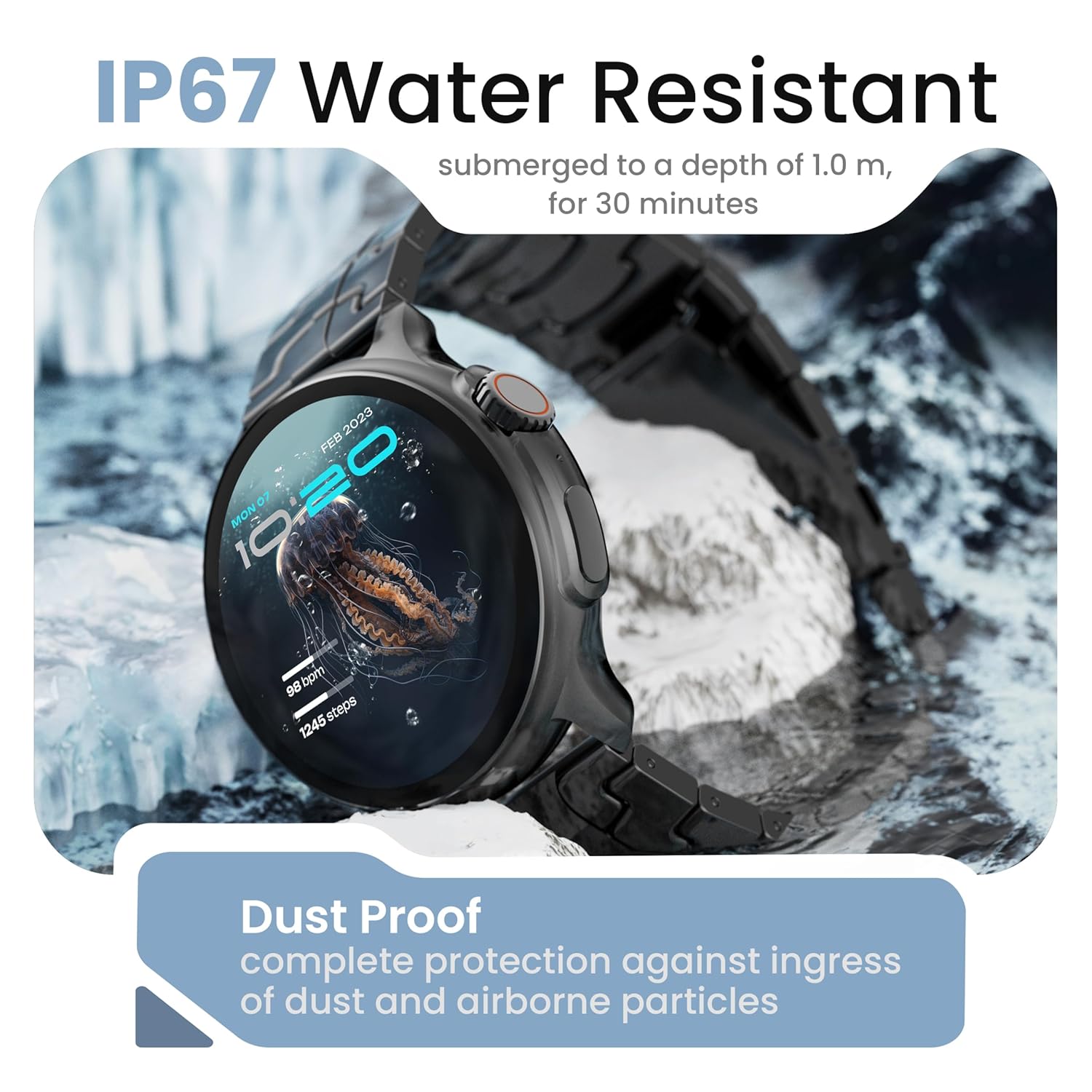
Image: The smartwatch demonstrating its IP67 water resistance, capable of being submerged up to 1 meter for 30 minutes.
- The device is resistant to sweat, splashes, and brief immersion in water up to 1 meter for 30 minutes.
- Avoid using the watch in hot water, saunas, or steam rooms.
- Nestiskávejte tlačítka, když jsou hodinky ponořené.
5. Péče a údržba
- Čištění: Hodinky a řemínek pravidelně otírejte měkkým, suchým hadříkem. V případě potřeby použijte lehceamp hadříkem a důkladně osušte.
- Vyhněte se chemikáliím: Nepoužívejte agresivní chemikálie, čisticí rozpouštědla ani silné čisticí prostředky, protože by mohly poškodit povrchovou úpravu a těsnění hodinek.
- Skladování: Když chytré hodinky nepoužíváte, uchovávejte je na chladném a suchém místě.
- Nabíjení: Používejte pouze dodaný nabíjecí kabel.
6. Řešení problémů
6.1. Smartwatch Not Turning On
- Ujistěte se, že jsou hodinky plně nabité. Připojte je k nabíječce alespoň na 30 minut.
- Press and hold the side button for an extended period (10-15 seconds) to force a restart.
6.2 Nelze spárovat se smartphonem
- Ujistěte se, že máte na svém smartphonu a chytrých hodinkách povoleno Bluetooth.
- Make sure the smartwatch is within the Bluetooth range of your phone (typically 10 meters).
- Restartujte chytrý telefon i chytré hodinky.
- Vymažte mezipaměť Bluetooth v telefonu (pokud je k dispozici) a zkuste spárování zopakovat.
- Ujistěte se, že je doprovodná aplikace aktualizována na nejnovější verzi.
6.3. Nepřesné zdravotní údaje
- Ujistěte se, že hodinky máte na zápěstí pevně připevněné, ne příliš těsné ani příliš volné.
- Vyčistěte senzory na zadní straně hodinek.
- Během měření se vyvarujte nadměrného pohybu.
- Note that smartwatch health data is for reference only and should not be used for medical diagnosis.
6.4. Oznámení se nezobrazují
- Check if notification permissions are granted for the companion app and individual applications on your smartphone.
- Ensure the smartwatch is connected to your phone via Bluetooth.
- Disable 'Do Not Disturb' mode on both your phone and smartwatch.
7. Specifikace
| Značka | GOBOULT |
| Název modelu | R Pro 2 |
| Velikost displeje | 1.43 palce |
| Typ zobrazení | HD AMOLED |
| Jas | 600 nitů |
| Verze Bluetooth | 5.2 |
| Voděodolnost | IP67 |
| Výdrž baterie (průměrná) | 7 dní |
| Doba nabíjení baterie | 150 minut |
| Operační systém | Android (kompatibilní) |
| Hmotnost položky | 56.5 g |
| Zahrnuté komponenty | Smartwatch, Charging Cable, User Manual, Warranty Card |
8. Záruka a podpora
8.1. Informace o záruce
Your GOBOULT Crown R Pro 2 Smartwatch comes with a standard manufacturer's warranty. Please refer to the included Warranty Card for specific terms, conditions, and duration of the warranty.
8.2. Zákaznická podpora
For any product-related queries, technical assistance, or warranty claims, please contact GOBOULT customer support through the following channels:
- Webmísto: Visit the official GOBOULT webweb s nejčastějšími dotazy a zdroji podpory.
- E-mail: Refer to your warranty card or the official webweb s e-mailovými adresami zákaznického servisu.
- Telefon: Contact numbers may be available on the official GOBOULT website or warranty card.
Please have your product model number (R Pro 2) and purchase details ready when contacting support.


