1. Úvod
This manual provides detailed instructions for the installation, operation, and maintenance of your Eonon UX6K-PRO-MAX Android 13 Car Stereo. Please read this manual thoroughly before using the product to ensure proper functionality and safety. The UX6K-PRO-MAX is a 10.1-inch double DIN car stereo featuring Android 13, 8GB RAM, 128GB ROM, 4G LTE, GPS navigation, wireless CarPlay, Android Auto, screen mirroring, Bluetooth 5.1, and a built-in DSP.

Image 1.1: Eonon UX6K-PRO-MAX Car Stereo with included accessories.
2. Nastavení a instalace
2.1 Obsah balení
Ověřte, zda jsou v balení přítomny všechny komponenty:
- Napájecí kabel (x1)
- GPS anténa (x1)
- 4G anténa (x1)
- USB kabel (x1)
- CarPlay USB cable (x1)
- Reversing input cable (x1)
- Audio cable (x1)
- AV conversion cable (x1)
- Spare fuse (x1)
- SIM card holder (x1)
- External microphone (x1)
- šrouby (8x)
- Návod k použití (x1)
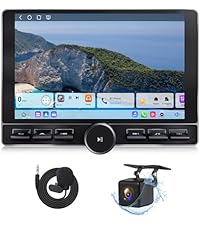
Image 2.1: Contents of the Eonon UX6K-PRO-MAX package.
2.2 Compatibility and Mounting
The UX6K-PRO-MAX is a double DIN car stereo. It is compatible with most dash kits if your original car radio's mounting size is 178x100mm (7.01"x3.94") and it uses an ISO power cord. Direct installation is possible under these conditions.
If your car's dashboard size is not 178x100mm or has an irregular frame, an additional mounting kit (not included) will be required. For vehicles without an ISO power cord, a compatible ISO adapter must be purchased separately.

Image 2.2: Applicable dashboard dimensions for installation.

Image 2.3: Guidance for installation with irregular frames or non-ISO wiring.
2.3 Schéma zapojení
Refer to the following diagram for proper wiring connections. Ensure all connections are secure before powering on the unit.

Image 2.4: Wiring diagram for the UX6K-PRO-MAX.
- GPS
- 4G anténa
- USB port
- USB port
- USB port pro CarPlay
- Vstup pro záložní kameru
- Ovládání řazení brzd
- Vstup RX/TX
- Zvukový výstup RL
- Zvukový výstup RR
- AMP
- Slot pro SIM kartu
- Externí mikrofon
- Zvukový výstup FL
- Zvukový výstup FR
- Audio vstup L
- Audio vstup R
- Video vstup
- Vstup pro přední kameru
- Výstup subwooferu
- Port ISO
- Osvětlovací drát
- SWC vodič 2
- Reverzní spouštěcí drát
- SWC vodič 1
- Anténa Bluetooth
- WiFi anténa
- Koaxiální
- Optický
3. Návod k obsluze
3.1 CarPlay & Android Auto & Screen Mirroring
- Bezdrátové CarPlay: Connect your iPhone via Bluetooth for a seamless in-vehicle experience.
- Android Auto: Access the full-featured Android Auto system via both Bluetooth and USB connections.
- Zrcadlení obrazovky: Project content from your mobile phone onto the large screen for enhanced viewIng.
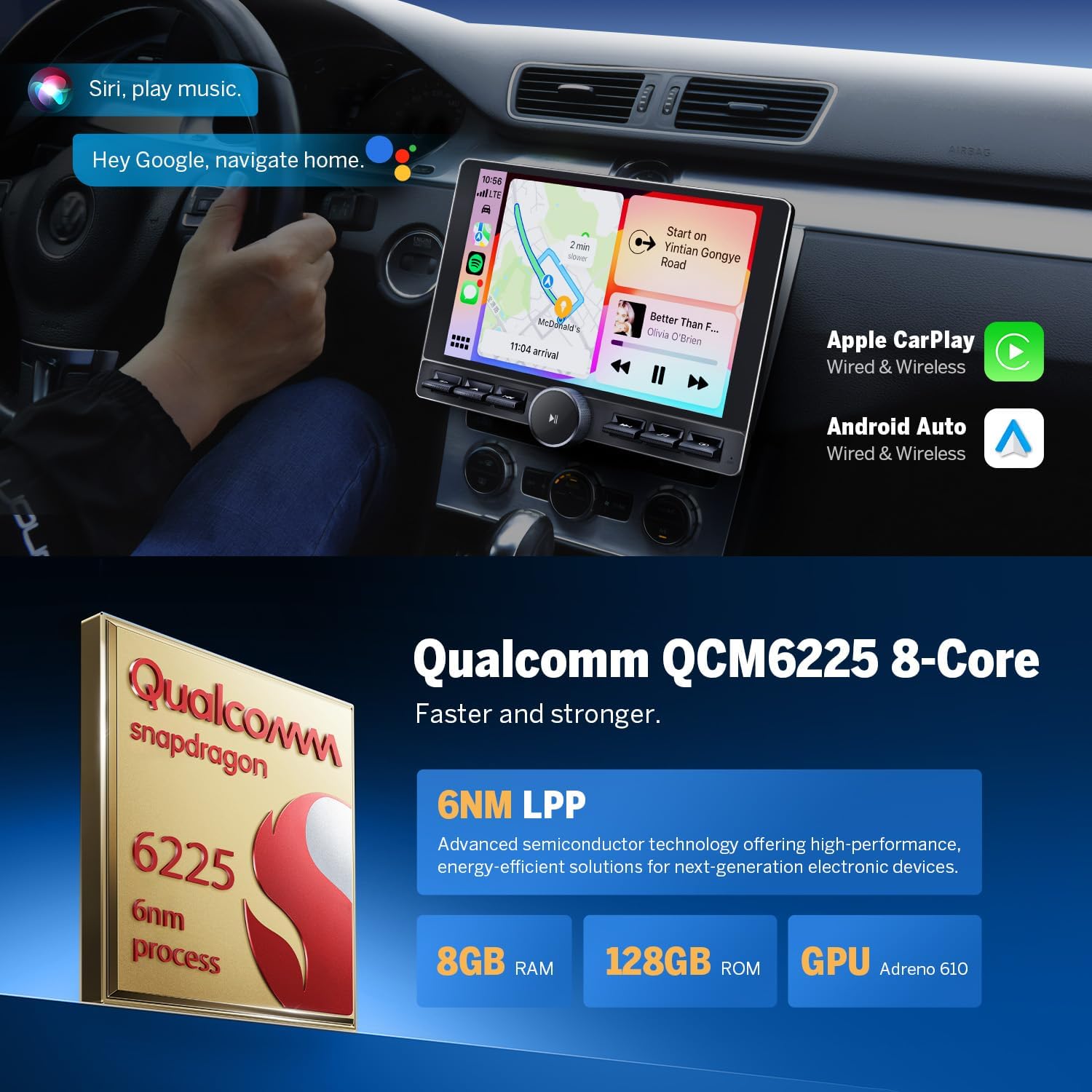
Image 3.1: CarPlay and Android Auto functionality.
3.2 Bluetooth 5.1
The built-in Bluetooth 5.1 system supports hands-free calls, contact synchronization, and music playback. An external microphone is included for clear call quality, enhancing driving safety.
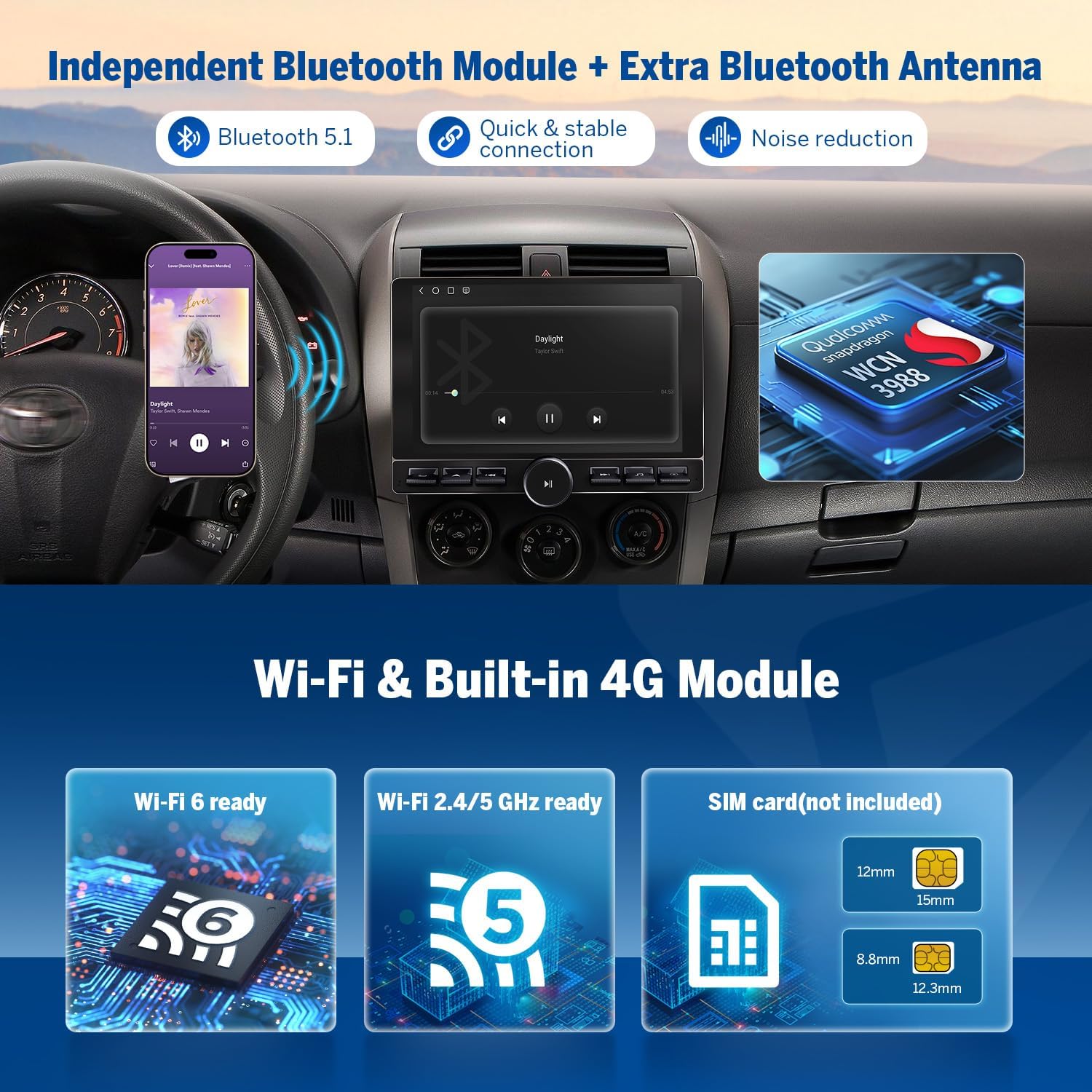
Image 3.2: Bluetooth 5.1 and 4G module features.
3.3 Digitální zvukový procesor (DSP)
The integrated DSP enables time alignment in car audio systems, ensuring sound waves from different speakers reach the listener simultaneously for improved sound quality and precision. It includes a 48-band graphic equalizer and six preset EQ modes for audio customization.

Image 3.3: Built-in DSP interface.
3.4 Split Screen Multitasking
The split-screen function allows you to view and use two applications simultaneously on the 10.1-inch display, enhancing multitasking capabilities.

Image 3.4: Split-screen multitasking in action.
3.5 User Interface (UI) Themes
The unit comes with four built-in UI themes that can be selected to personalize the display interface.

Image 3.5: Available UI themes.
4. Vlastnosti
4.1 Vysoce výkonný procesor
The Eonon UX6K-PRO-MAX is powered by a Qualcomm QCM6225 Quad-core processor with 8GB RAM and 128GB ROM. This configuration, utilizing 6nm Low-Power process technology, ensures responsive performance for daily tasks and high-performance capabilities.

Image 4.1: Qualcomm QCM6225 processor specifications.
4.2 10.1 Inch QLED Display
The unit features a 10.1-inch QLED capacitive touch screen with a 1280x720 HD resolution. This display provides vivid colors, increased brightness, and higher contrast from various viewing úhly.

Image 4.2: 10.1-inch QLED display features.
4.3 Konektivita
The UX6K-PRO-MAX includes Wi-Fi 6 and Wi-Fi 2.4/5 GHz support, along with a built-in 4G module (SIM card not included) for robust internet connectivity.
4.4 HD Backup Camera Support
The system supports 1080P HD reversing cameras, providing a safer and more efficient parking experience. The Eonon rearview camera (A0127) is included.
4.5 HDMI HD Video Output
The unit features HDMI HD video output, allowing connection to external displays.
4.6 Physical Buttons and Design
The stereo incorporates physical buttons for ease of use and a seamless bonded panel design for a sleek appearance.

Image 4.3: Physical buttons for intuitive control.

Image 4.4: Seamless bonded panel design.
4.7 Nastavitelné Viewúhel
Displej nabízí nastavitelný viewing angle to optimize visibility for the driver.

Obrázek 4.5: Nastavitelné viewúhel.
5. Údržba
5.1 Aktualizace softwaru (OTA)
The UX6K-PRO-MAX supports Over-the-Air (OTA) firmware updates. These updates address software issues and enhance security, keeping your head unit current. Note that these updates are for firmware and do not upgrade the Android operating system version.

Image 5.1: Over-the-Air Firmware Update information.
5.2 Obecná péče
To maintain the longevity and performance of your car stereo, regularly clean the screen with a soft, lint-free cloth. Avoid using harsh chemicals or abrasive materials. Ensure proper ventilation around the unit to prevent overheating.
6. Řešení problémů
If you encounter any issues with your Eonon UX6K-PRO-MAX car stereo, please refer to the following general troubleshooting steps:
- Bez napájení: Zkontrolujte všechna napájecí připojení a pojistky. Ujistěte se, že je zapnuté zapalování vozu.
- Žádný zvuk: Verify speaker connections, volume settings, and audio source selection. Check DSP settings.
- Dotyková obrazovka nereaguje: Restart the unit. If the issue persists, a factory reset may be necessary (consult support).
- Problémy se signálem GPS: Ujistěte se, že je GPS anténa správně nainstalována a má volný view z nebe.
- Problémy s připojením Bluetooth: Ujistěte se, že je Bluetooth povoleno na stereo i na vašem zařízení. Zkuste zařízení zrušit a znovu spárovat.
- CarPlay/Android Auto se nepřipojuje: Check USB cable connections (if wired). Ensure Bluetooth is enabled (if wireless). Verify your phone's compatibility and software version.
For more specific issues or persistent problems, please contact Eonon customer support.
7. Specifikace
| Funkce | Specifikace |
|---|---|
| Název modelu | UX6K-PRO-MAX |
| Operační systém | Android 13 |
| Procesor | Qualcomm QCM6225 Quad-core (6nm LPP) |
| BERAN | 8 GB |
| ROM | 128 GB |
| Velikost obrazovky | 10.1 palce |
| Typ zobrazení | QLED Capacitive Touchscreen |
| Rezoluce | 1280x720 HD |
| Verze Bluetooth | 5.1 |
| Wi-Fi standardy | Wi-Fi 6, Wi-Fi 2.4/5 GHz |
| 4G LTE | Built-in Module (SIM card not included) |
| Režim zvukového výstupu | Stereo, Optical + Coaxial + RCA |
| Maximální výstupní výkon | 4 x 48W |
| Speciální funkce | Android Auto, CarPlay, GPS, Backup Camera Support, Bluetooth, Screen Mirroring, Split Screen, Built-in DSP |
| Rozměry produktu | 17.8 x 17.8 x 10 cm |
| Hmotnost | 1.2 kg |
8. Záruka a podpora
The Eonon UX6K-PRO-MAX car stereo is backed by a full 2-YEAR Product Repair warranty. For any questions, technical assistance, or to resolve ongoing issues, please contact Eonon customer support.
You can find additional support resources and contact information on the official Eonon support webmísto: www.eononsupport.com


