Zavedení
The ZTE U50 Pro is a high-performance 5G portable WiFi router designed for reliable and fast internet access on the go. Featuring a powerful Qualcomm Snapdragon X62 processor, it supports dual-mode 5G and global roaming, ensuring connectivity in over 100 countries and regions. This device incorporates 5G NR carrier aggregation and low-frequency ENDC technologies for enhanced speeds and network capacity. With Wi-Fi 6 (802.11ax) technology, it delivers a peak rate of 3600 Mbps and can support up to 64 connected devices simultaneously, making it ideal for various personal and professional uses.
This manual provides essential information for setting up, operating, maintaining, and troubleshooting your ZTE U50 Pro router. Please read it thoroughly before use.
Obsah balení
Ujistěte se, že v balení jsou přítomny všechny položky:
- ZTE U50 Pro 5G Portable WiFi 6 Router
- Datový kabel USB Type-C
- Quick Guide (English)
- Built-in Lithium-ion Battery (10,000 mAh)
Zařízení skončiloview
Familiarize yourself with the components of your ZTE U50 Pro router.

Obraz: Přední view of the ZTE U50 Pro 5G Portable WiFi Router, showing its 2.4-inch touch screen interface with network status, data usage, and Wi-Fi indicators.

Obraz: Přední a zadní view of the ZTE U50 Pro 5G Portable WiFi Router, illustrating its compact design and the ZTE branding on the rear panel.
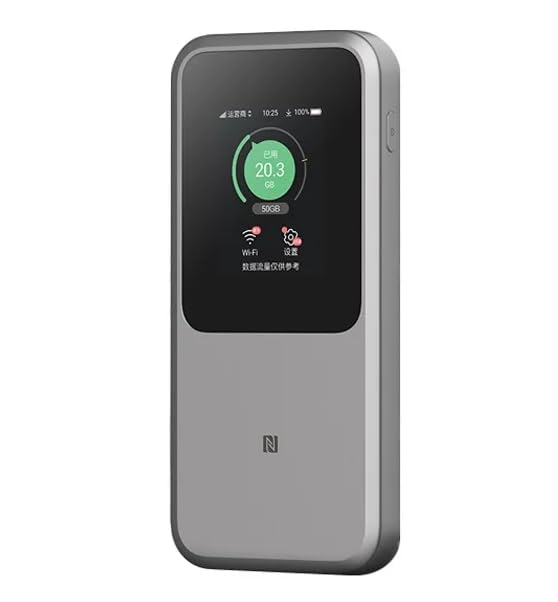
Obraz: The ZTE U50 Pro 5G Portable WiFi Router highlighting its main features: high-performance Snapdragon X62 chip, high-rate Wi-Fi 6 (3600Mbps), 10000mAh ultra-large capacity battery with 27W fast charge, and a 2.4-inch touch screen for easy device management.
Nastavení
1. Instalace SIM karty
- Vyhledejte slot SIM karty na zařízení.
- Opatrně otevřete kryt slotu pro SIM kartu.
- Vložte standardní kartu Nano-SIM do slotu zlatými kontakty směrem dolů a správně zarovnaným zkoseným rohem.
- Jemně zatlačte SIM kartu, dokud nezacvakne na místo.
- Bezpečně zavřete kryt slotu pro SIM kartu.
- Poznámka: The device is unlocked and compatible with any standard Nano-SIM card.
2. Zapnutí/vypnutí
- Zapnutí: Stiskněte a několik sekund podržte tlačítko napájení, dokud se obrazovka nerozsvítí.
- Vypnutí: Press and hold the Power button until a power-off option appears on the screen. Select "Power Off" or continue holding the button until the device shuts down.
3. Počáteční konfigurace
- Upon first power-on, the device may guide you through an initial setup wizard on its 2.4-inch touch screen.
- Follow the on-screen prompts to set basic preferences such as language, time zone, and initial Wi-Fi settings (SSID and password).
- Alternatively, you can connect to the device's default Wi-Fi network (SSID and password usually found on a sticker inside the SIM card slot or on the device packaging) and access the web management interface via a browser (e.g., 192.168.0.1 or 192.168.1.1).
Návod k obsluze
1. Připojení zařízení přes Wi-Fi
- Ensure your ZTE U50 Pro is powered on.
- On your device (smartphone, laptop, tablet, etc.), open the Wi-Fi settings.
- Vyhledejte dostupné sítě Wi-Fi.
- Select the network name (SSID) broadcast by your ZTE U50 Pro. The default SSID is usually printed on the device or its packaging.
- Enter the Wi-Fi password (key) when prompted. The default password is also typically printed on the device.
- Once connected, your device will have internet access through the ZTE U50 Pro.
- The router supports up to 64 simultaneous device connections.
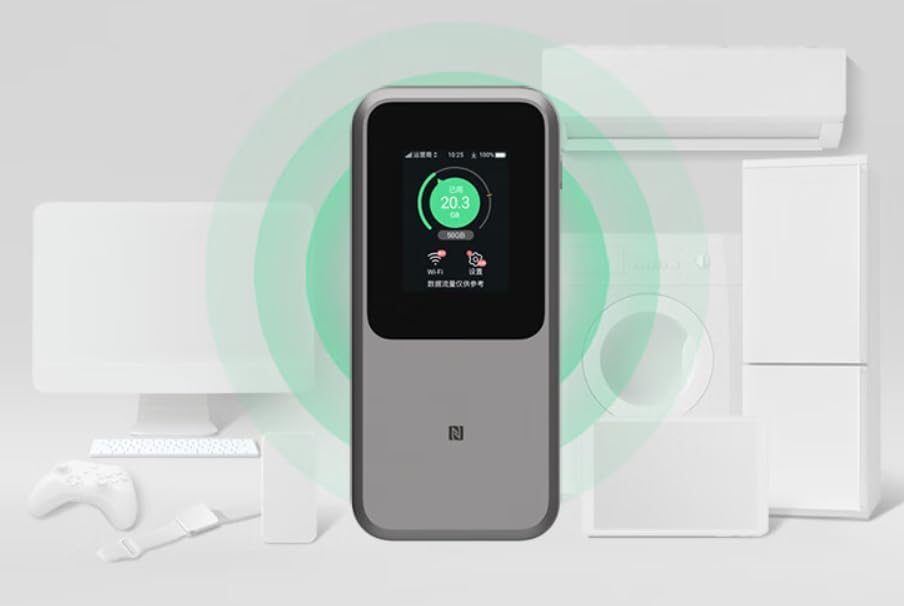
Obraz: The ZTE U50 Pro 5G Portable WiFi Router actively broadcasting a Wi-Fi signal, demonstrating its ability to connect to various devices such as computers, mobile phones, and gaming consoles simultaneously.
2. Správa nastavení
- Prostřednictvím dotykové obrazovky: Use the 2.4-inch touch screen to view network status, data usage, connected devices, and access quick settings.
- Přes Web Rozhraní pro správu: For advanced settings, connect a device to the router's Wi-Fi network and open a web browser. Enter the router's IP address (e.g., 192.168.0.1) in the address bar. Log in using the administrator username and password (default credentials are usually on the device or in the quick guide). Here you can configure Wi-Fi names, passwords, security settings, network modes, and more.
3. Nabíjení zařízení
- Connect the provided USB Type-C data cable to the charging port on the ZTE U50 Pro.
- Druhý konec kabelu připojte ke kompatibilnímu napájecímu adaptéru USB (není součástí balení) nebo k portu USB počítače.
- The device supports 27W fast charging. Use a compatible fast charger for optimal charging speed.
- Indikátor baterie na obrazovce bude zobrazovat stav nabíjení.
Údržba
- Péče o baterie: To prolong battery life, avoid exposing the device to extreme temperatures. For long-term storage, charge the battery to approximately 50% and store in a cool, dry place.
- Čištění: K čištění zařízení používejte měkký, suchý hadřík. Nepoužívejte tekuté čisticí prostředky ani aerosoly.
- Aktualizace softwaru: Pravidelně kontrolujte aktualizace firmwaru prostřednictvím web rozhraní pro správu pro zajištění optimálního výkonu a zabezpečení.
Odstraňování problémů
| Problém | Možná příčina | Řešení |
|---|---|---|
| Žádné připojení k internetu | SIM card not inserted correctly, no network signal, data plan expired, incorrect APN settings. |
|
| Nelze se připojit k Wi-Fi | Incorrect Wi-Fi password, Wi-Fi disabled, too many connected devices. |
|
| Pomalá rychlost internetu | Weak signal, network congestion, distance from router, too many connected devices. |
|
| Zařízení se nezapíná | Low battery, faulty charger/cable. |
|
Obnovení továrního nastavení
If the device experiences persistent issues, a factory reset may resolve them. This will erase all custom settings and restore the device to its original factory defaults. Refer to the Quick Guide or the web management interface for instructions on how to perform a factory reset.
Specifikace
| Značka | ZTE |
| Název modelu | U50 Pro |
| Operační systém | ZyNOS |
| Technologie připojení | 5G, LTE |
| Bezdrátové Standardní | 802.11ax (Wi-Fi 6) |
| Třída frekvenčního pásma | Dvoupásmové (2.4 GHz a 5 GHz) |
| Max Wi-Fi Rate | 3600 Mbps |
| Maximální počet připojených zařízení | 64 |
| Kapacita baterie | 10,000 mAh (lithium-iontová) |
| Nabíjení | 27W rychlé nabíjení (USB typu C) |
| Zobrazit | 2.4 palcový dotykový displej |
| Typ antény | Vnitřní |
| Doporučené použití | Venkovní/Cestování |
| Zahrnuté komponenty | USB Type-C Data Cable, Quick Guide |
| Země původu | Čína |
Bezpečnostní informace
- Nevystavujte zařízení extrémním teplotám, přímému slunečnímu záření nebo vysoké vlhkosti.
- Zabraňte pádu zařízení na zem nebo jeho vystavení silným nárazům.
- Use only approved accessories, such as the provided USB Type-C cable.
- Nepokoušejte se zařízení rozebírat ani upravovat. Ztratíte tak záruku.
- Udržujte zařízení mimo dosah vody a jiných kapalin.
- Zlikvidujte baterii a zařízení v souladu s místními předpisy.
Záruka a podpora
Information regarding specific warranty terms and conditions for the ZTE U50 Pro is typically provided with the product packaging or can be found on the manufacturer's official website. Please refer to the included Quick Guide for details on how to contact customer support for technical assistance or warranty claims.
For further assistance, please visit the official ZTE support webnebo kontaktujte svého prodejce.


