1. Úvod
The Machenike G1 Pro is a high-performance wireless gaming controller designed for precision and versatility across multiple platforms. Featuring advanced TMR (Tunnel Magnetoresistance) joysticks and triggers, it offers exceptional accuracy and durability. This manual provides detailed instructions for setting up, operating, and maintaining your G1 Pro controller.
Klíčové vlastnosti:
- Dual TMR Triggers: 255 levels of 1mm millisecond accuracy for stable, linear output.
- Dual TMR Joysticks: Zero-drift performance with 10-bit ADC sampling and 0.08ms response time, customizable circular/square gate options.
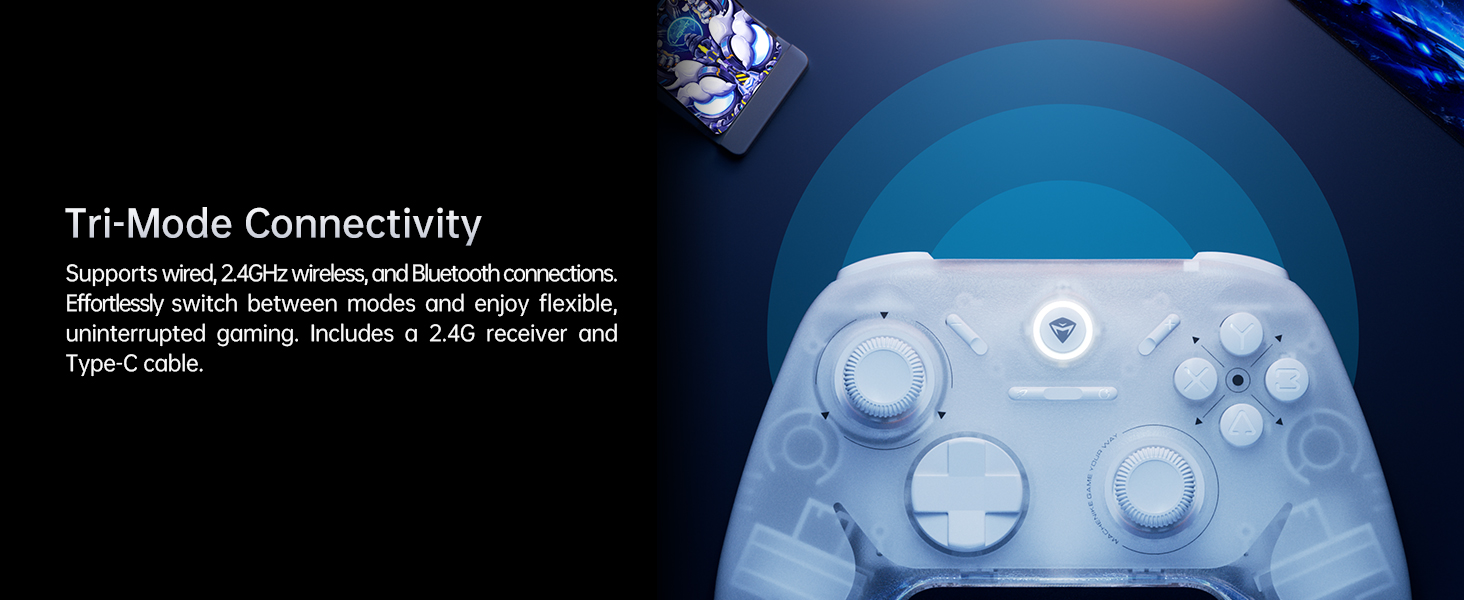
- Třírežimové připojení: Supports wired (USB 2.0), 2.4GHz wireless, and Bluetooth connections.
- Dlouhá výdrž baterie: 600mAh Li-Ion battery provides up to 8 hours of gaming.
- Ergonomický design: Asymmetrical grip and contoured joysticks for extended comfort.
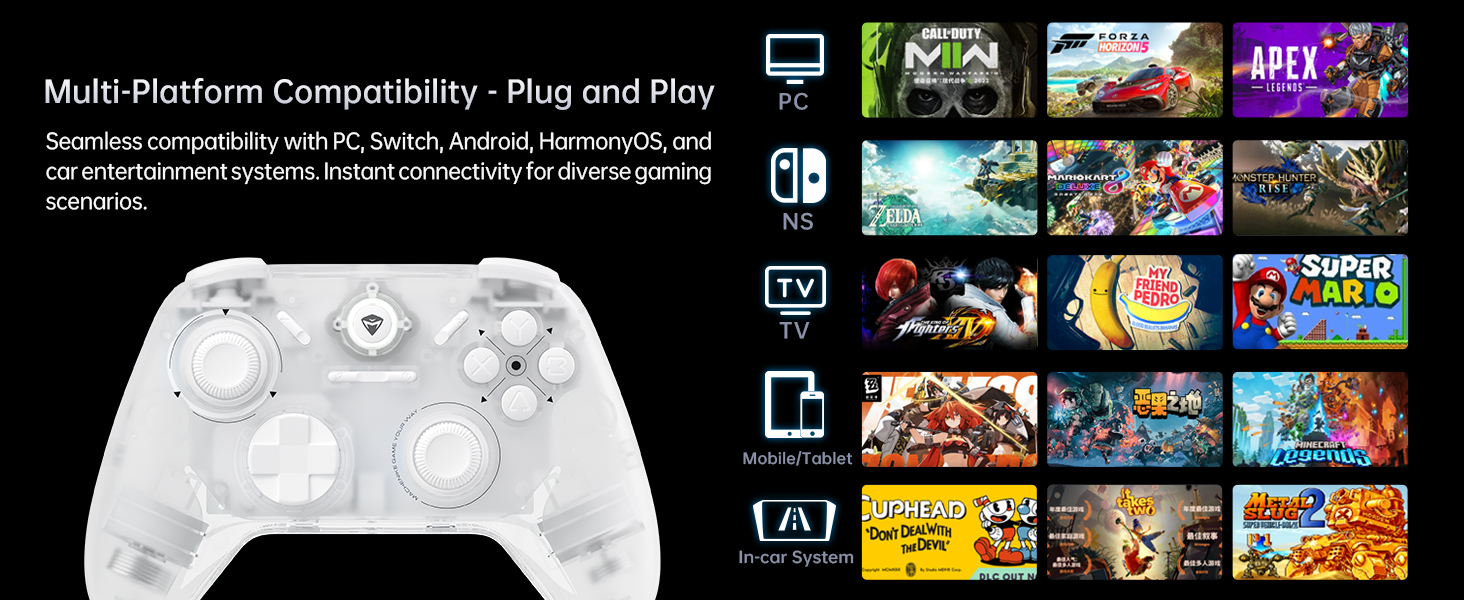
- Kompatibilita s více platformami: Seamlessly works with PC, Windows, Android, iOS, and Nintendo Switch.
- Frekvence dotazování 1000 Hz: Achieves ultra-low latency for responsive gameplay (2.4G wireless and wired).
2. Obsah balení
Prosím, ověřte, zda jsou v balení přítomny všechny položky:
- Machenike G1 Pro Wireless Gaming Controller
- 2.4GHz USB přijímač
- USB-C to USB-A Charging/Data Cable (2m)
- Uživatelská příručka (tento dokument)

3. Nastavení
3.1 Nabíjení ovladače
Before first use, fully charge the controller. Connect the USB-C end of the provided cable to the controller's USB-C port and the USB-A end to a USB power source (e.g., PC, wall adapter). The indicator light will show charging status and turn off when fully charged.
3.2 Wired Connection (PC/Windows)
Connect the controller directly to your PC using the provided USB-C to USB-A cable. The controller will be automatically recognized by your system. This mode supports a 1000Hz polling rate for ultra-low latency.
3.3 2.4GHz Wireless Connection (PC/Windows)
- Vložte 2.4GHz USB přijímač do volného USB portu na vašem počítači.
- Turn on the controller. It will automatically connect to the receiver.
- This mode also supports a 1000Hz polling rate for optimal wireless performance.
3.4 Bluetooth Connection (Android/iOS/Switch)
- Ujistěte se, že je ovladač vypnutý.
- Press and hold the Bluetooth pairing button (refer to controller diagram in Operating Instructions) until the indicator light flashes rapidly.
- On your device (Android, iOS, or Switch), go to Bluetooth settings and select "Machenike G1 Pro" from the list of available devices to pair.
- Po spárování bude kontrolka svítit nepřerušovaně.
4. Návod k obsluze
4.1 Rozložení a funkce tlačítek
The Machenike G1 Pro features a standard gaming controller layout with additional advanced components.

- Joysticky TMR: Left and Right analog sticks for precise 360-degree movement.
- D-Pad: Directional pad for digital input.
- Tlačítka ABXY: Standardní akční tlačítka.
- Ramenní knoflíky (LB, RB): Tlačítka namontovaná nahoře.
- TMR Triggers (LT, RT): Analog triggers with precise pressure detection.
- Funkční tlačítko: Used for special commands and mode switching.
- Tlačítko Domů: Central button for system functions.
4.2 TMR Joysticks and Triggers
The G1 Pro utilizes advanced TMR (Tunnel Magnetoresistance) technology for its joysticks and triggers. This provides superior accuracy, eliminates drift, and offers a more consistent and linear response compared to traditional Hall effect sensors.


4.3 Dvojité vibrační motory
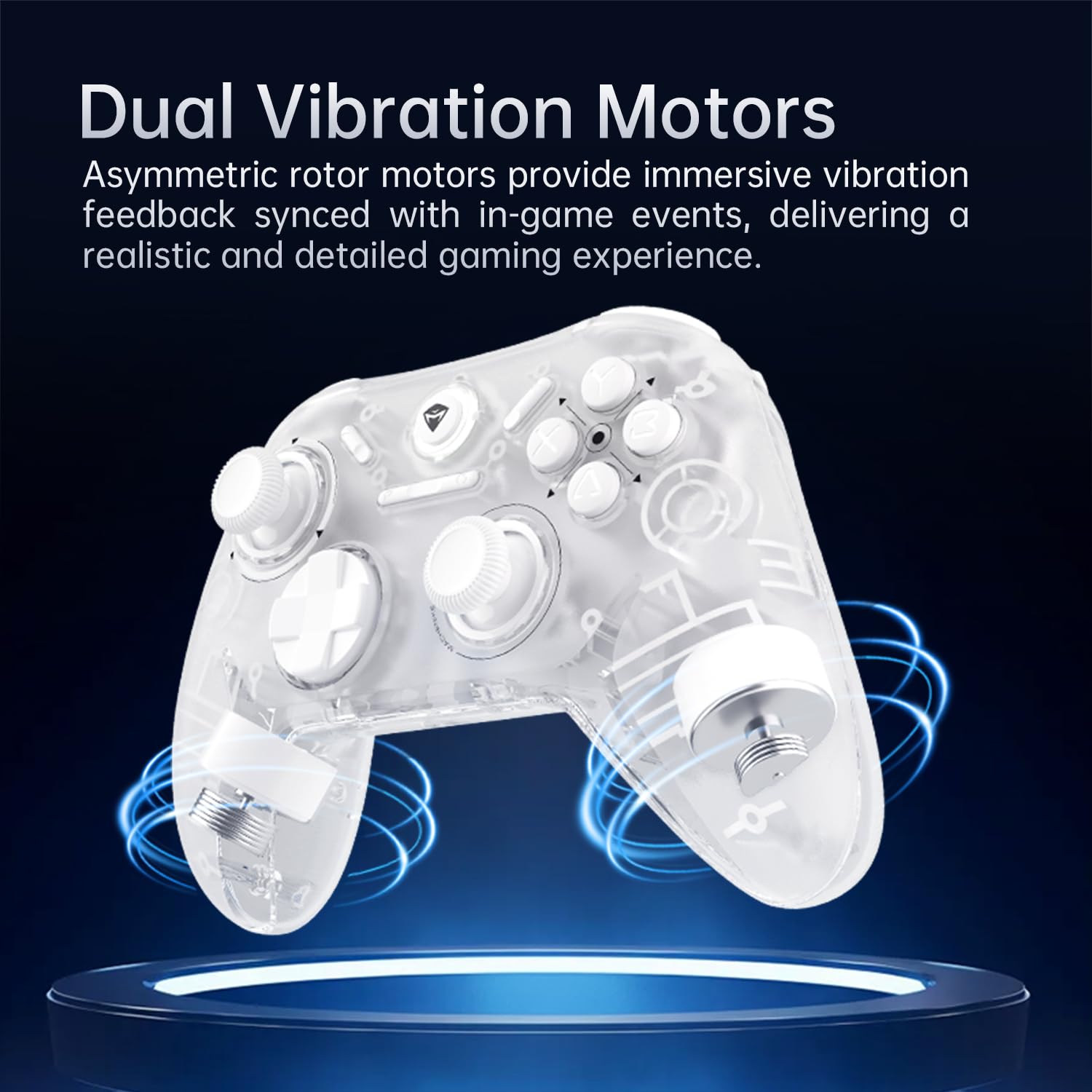
The controller is equipped with asymmetric rotor motors that provide immersive vibration feedback, synchronized with in-game events for a realistic gaming experience.
4.4 Kompatibilita s více platformami
The G1 Pro controller offers broad compatibility:
- PC/Windows: Connect via wired USB or 2.4GHz wireless receiver.
- Nintendo Switch: Connect via Bluetooth. Note that button legends on the controller are standard ABXY, while Switch uses BAYX. The controller supports remapping for Switch compatibility (refer to advanced settings).
- Android/iOS: Připojení přes Bluetooth.
4.5 Customization with Keylinker 2.0 App
Personalize your gaming experience using the Keylinker 2.0 App. This application allows for fine-tuning various controller settings:
- Button Settings (remapping)
- Vibration Intensity adjustment
- Joystick Sensitivity calibration
- Trigger Functionality adjustment
- Turbo Functions setup
- Controller Testing
Download the Keylinker 2.0 App from the official Machenike webwebu nebo v obchodě s aplikacemi vašeho zařízení.

4.6 Míra dotazování
The G1 Pro supports a 1000Hz polling rate for wired and 2.4GHz wireless connections, ensuring minimal input lag. Bluetooth connections operate at 125Hz.
4.7 Cooperative Play (Dual-Core Receiver)
The 2.4G receiver supports simultaneous connection with two controllers, enabling cooperative play. To set up:
- Connect G1 Pro via 2.4G mode.
- Power off Controller B, then connect Controller B via Bluetooth.
- Power on G1 Pro; it will automatically reconnect.
Note: Compatibility may vary for some controllers due to protocol differences. Contact customer support for details.
4.8 Oficiální produktová videa
Video 1: Konecview of the Machenike G1 Pro Wireless Gaming Controller, showcasinjeho vlastnosti a design.
Video 2: Demonstrating the Machenike G1 Pro PC Game Controller in action across various games and platforms.
5. Údržba
5.1 Čištění
K čištění ovladače použijte měkký, suchý hadřík. V případě odolných nečistot lehceampen the cloth with water or a mild, non-abrasive cleaner. Avoid using harsh chemicals or abrasive materials, as they can damage the controller's finish and internal components.
5.2 Skladování
Store the controller in a cool, dry place away from direct sunlight, extreme temperatures, and high humidity. When not in use for extended periods, ensure the controller is fully charged before storage to preserve battery health.
5.3 Péče o baterii
- Vyhněte se častému úplnému vybíjení baterie.
- Nevystavujte baterii extrémnímu horku ani chladu.
- If the controller will not be used for a long time, charge it to about 50% every few months to prevent deep discharge.
6. Řešení problémů
6.1 Řídicí jednotka se nepřipojuje
- Zkontrolujte baterii: Ujistěte se, že je regulátor dostatečně nabitý.
- Režim ověření: Make sure the controller is in the correct connection mode (wired, 2.4GHz, or Bluetooth) for your device.
- Opravit: For wireless connections, try re-pairing the controller with your device.
- USB přijímač: For 2.4GHz, ensure the USB receiver is securely plugged in and not obstructed. Try a different USB port.
- Problémy s ovladači (PC): On PC, check Device Manager for any driver conflicts. Reinstalling drivers might be necessary.
6.2 Input Lag or Unresponsive Controls
- Míra hlasování: Ensure you are using wired or 2.4GHz wireless for the lowest latency (1000Hz). Bluetooth has a higher latency (125Hz).
- Rušení: For wireless connections, move closer to the receiver/device and minimize other wireless interference sources.
- Úroveň baterie: Low battery can sometimes affect performance.
6.3 Posun nebo nepřesnost joysticku
- Rekalibrace: Use the Keylinker 2.0 App to recalibrate the joysticks.
- Aktualizace firmware: Check the Machenike website for any available firmware updates for the controller, which may address performance issues.
- Čištění: Ensure no debris is obstructing the joystick movement.
7. Specifikace
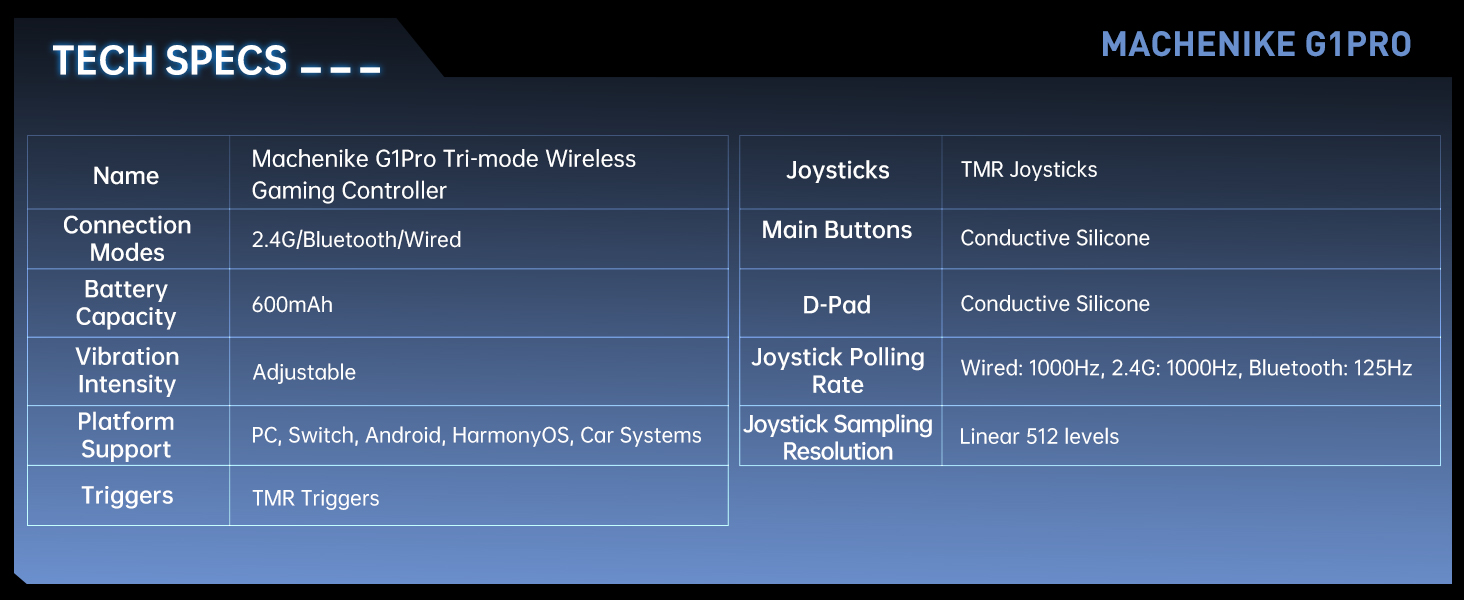
| Funkce | Detail |
|---|---|
| Název modelu | Machenike G1 Pro Tri-mode Wireless Gaming Controller |
| Režimy připojení | 2.4G / Bluetooth / Kabelové (USB-C) |
| Kapacita baterie | 600mAh lithium-kovová baterie (součástí balení) |
| Intenzita vibrací | Nastavitelný |
| Podpora platformy | PC, Switch, Android, iOS, HarmonyOS, Car Systems |
| Spouštěče | TMR Triggers (255 levels, <1mm response) |
| Joysticky | TMR Joysticks (10-bit ADC, 0.08ms response) |
| Hlavní tlačítka | Conductive Silicone (1 million press lifespan) |
| D-Pad | Vodivý silikon |
| Joystick Polling Rate | Kabelové: 1000 Hz, 2.4 G: 1000 Hz, Bluetooth: 125 Hz |
| Joystick Sampling rozlišení | Linear 512 levels |
| Rozměry produktu | 6.69 x 5.31 x 2.36 palce |
| Hmotnost položky | 11.7 unce |
| Výrobce | Machenike |
| Země původu | Čína |
| Datum první dostupnosti | 24. září 2024 |
8. Záruka a podpora
For warranty information, technical support, and frequently asked questions, please visit the official Machenike webnebo se obraťte přímo na jejich zákaznický servis. Uschovejte si účtenku jako doklad o koupi pro případ reklamace.
Oficiální Machenike Webmísto: www.machenike.com
Machenike US Store on Amazon: Amazon Store Link


