Zavedení
Thank you for choosing the OSCAL Hibuds 6 Wireless Earbuds. This manual provides detailed instructions for setting up, operating, and maintaining your earbuds to ensure optimal performance and longevity. Please read this manual thoroughly before use.
Co je v krabici
Ověřte, zda jsou v balení přítomny všechny položky:
- OSCAL Hibuds 6 Wireless Earbuds (Left and Right)
- Bezdrátové nabíjecí pouzdro
- Nabíjecí kabel USB-C
- Uživatelská příručka
- Two Extra Pairs of Eartips (Small, Medium, Large)

Image: Contents of the OSCAL Hibuds 6 package, showing the earbuds, charging case, USB-C cable, user manual, and additional eartips.
Konec produktuview
The OSCAL Hibuds 6 are designed for comfort and high-fidelity audio. Key features include 13mm dynamic drivers, Bluetooth 5.4 connectivity, and an IPX7 water-resistant rating.
Sluchátka a nabíjecí pouzdro

Image: The OSCAL Hibuds 6 wireless earbuds resting in their charging case. The case features an LED display indicating the battery percentage pro pouzdro i jednotlivá sluchátka.
Lehký design

Image: A person wearing the OSCAL Hibuds 6 earbuds, demonstrating their lightweight and comfortable fit. The image also shows the compact charging case, emphasizing portability.
Dynamic Driver and Noise Cancelling Mic

Obrázek: Explodoval view diagram of an earbud, highlighting the 13mm dynamic driver responsible for rich bass and crisp mids. Text also indicates the use of DNS algorithms for clearer calls.
Silikonové špičky do uší

Image: A visual representation of an earbud with three different sizes of silicone ear tips (Small, Medium, Large) to ensure a comfortable and secure fit for various ear shapes.
Nastavení
1. Nabíjení sluchátek a pouzdra
Before first use, fully charge the earbuds and the charging case. Connect the USB-C charging cable to the charging port on the case and to a power source. The LED display on the case will show the charging status and battery levels.
- A full charge provides up to 8 hours of playtime for the earbuds and a total of 40 hours with the charging case.
- A 10-minute quick charge can provide approximately 50 minutes of listening time.

Image: The OSCAL Hibuds 6 charging case with its LED display showing a full charge (100%), illustrating the extended 40-hour total playtime capability.
2. Spárování se zařízením
The OSCAL Hibuds 6 utilize Bluetooth 5.4 for stable and fast connections.
- Otevřete nabíjecí pouzdro. Sluchátka se automaticky přepnou do režimu párování.
- Na svém zařízení (chytrý telefon, tablet, notebook) povolte Bluetooth a vyhledejte dostupná zařízení.
- Select "OSCAL Hibuds 6" from the list of found devices to connect.
- Po spárování se sluchátka po vyjmutí z pouzdra automaticky připojí k vašemu zařízení.

Image: The OSCAL Hibuds 6 earbuds and charging case shown connecting to both a tablet and a smartphone, demonstrating the multipoint connection feature.
Návod k obsluze
Smart Tap Control
The earbuds feature touch controls for easy management of audio playback and calls:
- Přehrát/pozastavit: Jediným klepnutím na jedno sluchátko.
- Další skladba: Dvakrát klepněte na pravé sluchátko.
- Předchozí skladba: Dvakrát klepněte na levé sluchátko.
- Přijmout/ukončit hovor: Jediným klepnutím na jedno sluchátko.
- Odmítnout hovor: Stiskněte a podržte jedno ze sluchátek po dobu 2 sekund.
- Aktivovat Voice Assistant: Press and hold the right earbud for 2 seconds (in standby or music mode).
Funkce volání
The integrated AI-enhanced ENC microphones suppress ambient noise, ensuring clear voice transmission during calls, gaming chats, or voice recordings.
Vícebodové připojení
The Hibuds 6 can connect to two devices simultaneously, allowing for seamless switching between them without manual re-pairing.

Image: A visual representation of the OSCAL Hibuds 6 maintaining simultaneous connections to both a tablet and a smartphone, illustrating the multipoint connection feature for seamless device switching.
Údržba a péče
Čištění
Pravidelně čistěte sluchátka a nabíjecí pouzdro, abyste zachovali optimální výkon a hygienu.
- K otření sluchátek a nabíjecího pouzdra použijte měkký, suchý hadřík, který nepouští vlákna.
- Jemně odstraňte veškerý ušní maz nebo nečistoty z ušních nástavců a mřížky reproduktoru pomocí malého měkkého kartáčku nebo vatového tamponu.
- Nepoužívejte abrazivní čisticí prostředky, alkohol ani chemická rozpouštědla.
Voděodolnost (IPX7)
The earbuds are IPX7 rated, meaning they are protected against immersion in water up to 1 meter for 30 minutes. This makes them suitable for use during sports, light rain, or sweating.
- Nabíjecí pouzdro je ne water-resistant. Avoid exposing the charging case to liquids.
- Před vložením sluchátek zpět do nabíjecího pouzdra se ujistěte, že jsou zcela suchá, abyste předešli jejich poškození.
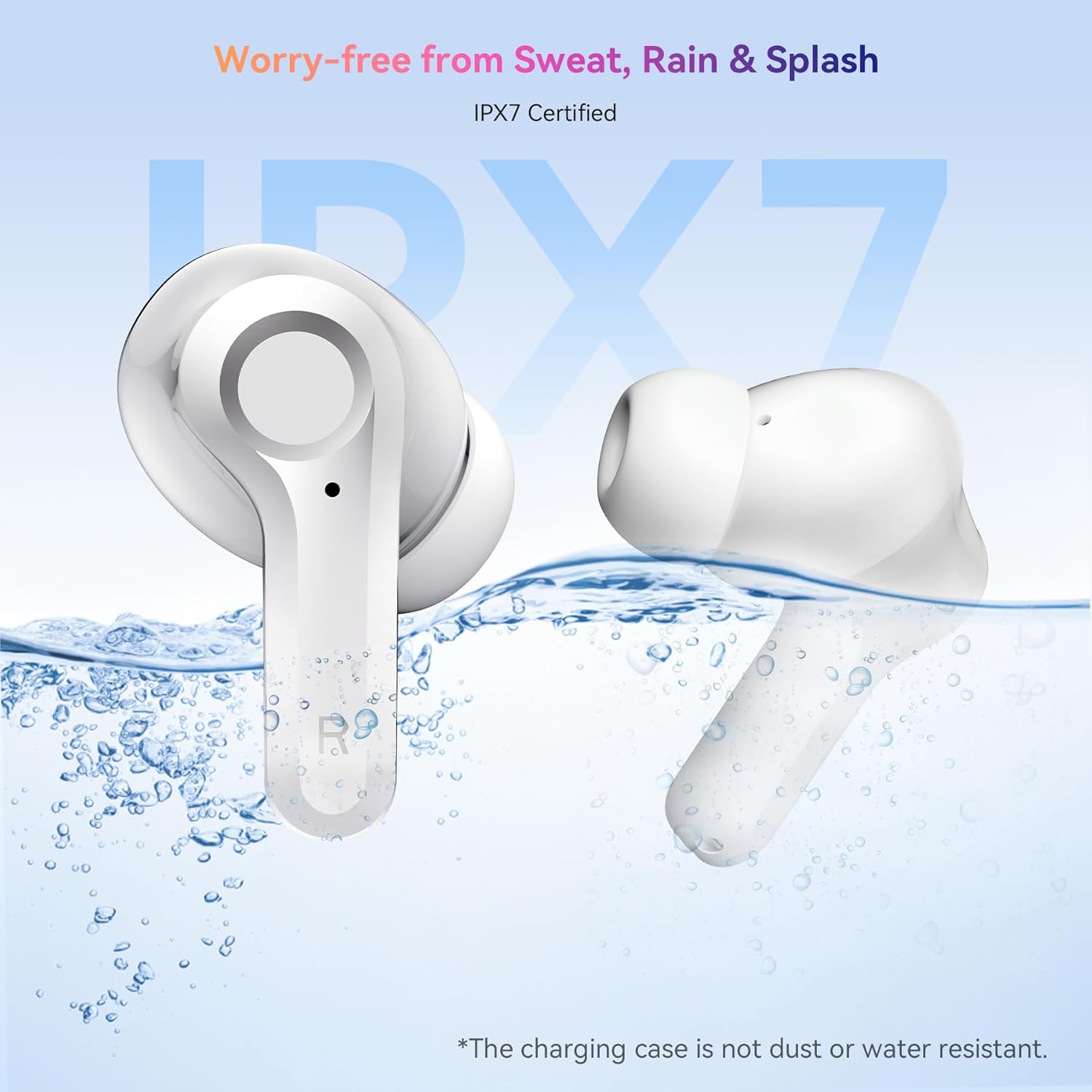
Image: The OSCAL Hibuds 6 earbuds shown partially submerged in water, visually confirming their IPX7 water-resistant certification. A note clarifies that the charging case is not water-resistant.
Odstraňování problémů
If you encounter issues with your OSCAL Hibuds 6, refer to the following common solutions:
| Problém | Řešení |
|---|---|
| Sluchátka se nespárují | Ensure earbuds are charged. Place them back in the case, close, then reopen. Check your device's Bluetooth settings and try re-pairing. |
| Funkční pouze jedno sluchátko | Ensure both earbuds are charged. Try placing both back in the case, closing it, and then taking them out again to re-establish the connection. |
| Nízká hlasitost nebo špatná kvalita zvuku | Adjust volume on your device. Clean ear tips and speaker mesh. Ensure ear tips provide a good seal in your ear. |
| Nabíjecí pouzdro se nenabíjí | Zkontrolujte kabel USB-C a napájecí adaptér. Ujistěte se, že je kabel bezpečně připojen k pouzdru i ke zdroji napájení. |
| Sluchátka se v pouzdře nenabíjejí | Ensure the charging case has power. Clean the charging contacts on both the earbuds and inside the case. |
Specifikace
Detailed technical specifications for the OSCAL Hibuds 6 Wireless Earbuds:
| Funkce | Specifikace |
|---|---|
| Název modelu | Hibuds 6 |
| Verze Bluetooth | 5.4 |
| Velikost zvukového ovladače | 13 mm dynamický ovladač |
| Kontrola hluku | AI-enhanced ENC Microphones |
| Voděodolnost | IPX7 (pouze sluchátka) |
| Výdrž baterie (sluchátka) | Až 8 hodin na jedno nabití |
| Celková doba přehrávání (s pouzdrem) | Až 40 hodin |
| Nabíjecí port | USB-C |
| Typ ovládání | Dotykové ovládání |
| Hmotnost sluchátek | Approximately 4.15g (0.15oz) each |
| Hmotnost nabíjecího pouzdra | Přibližně 35 g |
| Kompatibilita | Zařízení iOS, Android a Windows |
| UPC | 810175529004 |
Záruka a podpora
OSCAL products are designed for reliability and performance. For specific warranty details, please refer to the warranty card included in your product packaging or visit the official OSCAL webmísto.
If you require technical assistance or have questions not covered in this manual, please contact OSCAL customer support through their official channels.


