Zavedení
This manual provides detailed instructions for the proper use and maintenance of your Docooler BT-Controller. Please read this manual thoroughly before using the device to ensure optimal performance and safety. This device is designed for convenient control of calls and music while riding motorcycles, electric bicycles, or standard bicycles.

Image: The Docooler BT-Controller, a compact black device with illuminated blue buttons for call, volume, power, and voice assistant functions.
Nastavení
Obsah balení
Než budete pokračovat, ověřte si prosím, zda jsou v balení přítomny všechny položky:
- 1 x Wireless Key Controller (DX1 device)
- 1 x nabíjecí kabel
- 1 x Fixed Mounting Bracket
- 1 x Uživatelská příručka

Image: The components included in the product package: the DX1 device, fixed fittings (mounting bracket), charging cable, and manual.
Nabíjení zařízení
The device is powered by a built-in 90 mAh lithium battery. For first use, or if the battery is low, charge the device using the provided charging cable.
- Connect the charging cable to the charging port on the controller.
- Connect the other end of the cable to a standard USB power source (e.g., computer USB port, USB wall adapter).
- The charging indicator (red) will illuminate during charging.
- A full charge takes approximately 1 hour. The indicator light will change or turn off once charging is complete.

Image: An illustration showing the battery performance of the controller, indicating a standby time of 30 days, duration of use of 22 days, and a charging time of 1 hour.
Instalace
The controller is designed for easy installation on various handlebars of motorcycles, electric bicycles, and standard bicycles.
- Select a suitable position on your handlebar that allows for easy access to the buttons without obstructing your view nebo ovládání.
- Use the fixed mounting bracket to secure the controller firmly to the handlebar. Ensure it is tight enough to prevent movement during riding.

Image: The Docooler BT-Controller securely mounted on a motorcycle handlebar, positioned for easy access by the rider's thumb.
Párování pomocí Bluetooth
The device uses BT 5.4 technology for a stable and fast connection to your smartphone.
- Ujistěte se, že je ve vašem smartphonu zapnutá funkce Bluetooth.
- Turn on the Docooler BT-Controller by pressing and holding the Power On/Off button (center button with power icon) until the BT indicator (blue) starts flashing, indicating it's in pairing mode.
- On your smartphone, search for available Bluetooth devices.
- Select "DX1" or a similar name from the list of found devices to initiate pairing.
- Once paired, the blue BT indicator light will become solid, indicating a successful connection.
Návod k obsluze
The Docooler BT-Controller features intuitive buttons for managing calls, music, and voice assistant functions.

Image: A diagram illustrating the function of each button on the Docooler BT-Controller, including call, volume, power/play/pause, and voice assistant controls.
Funkce tlačítka Overview
- Call Button (Top, Phone Icon): Manages phone calls.
- Volume Down / Previous Song Button (Left, Minus Icon): Sníží hlasitost nebo přeskočí na předchozí skladbu.
- Power On/Off / Play/Pause Button (Center, Power Icon): Zapíná/vypíná zařízení a ovládá přehrávání hudby.
- Volume Up / Next Song Button (Right, Plus Icon): Zvyšuje hlasitost nebo přeskočí na další skladbu.
- Voice Assistant Button (Bottom, Microphone Icon): Activates the smartphone's voice assistant.
Správa hovorů
Effortlessly manage your calls while riding:
- Accept/Hang Up: Krátce stiskněte tlačítko Volat.
- Znovu vytočit poslední číslo: Double-click the Call button.
- Odmítnout příchozí hovor: Dlouze stiskněte tlačítko Volat.

Image: An illustration demonstrating the one-touch operation for wireless calls, showing how short press, double-click, and long press actions on the call button correspond to answering/hanging up, redialing, and rejecting calls, respectively.
Ovládání hudby
Control your music playback with ease:
- Přehrát/pozastavit: Short press the Power On/Off / Play/Pause button.
- Další skladba: Short press the Volume Up / Next Song button.
- Předchozí skladba: Short press the Volume Down / Previous Song button.
- Zvýšit hlasitost: Long press the Volume Up / Next Song button.
- Snížit hlasitost: Long press the Volume Down / Previous Song button.
Hlasový asistent
Enjoy hands-free functionality for calls and music with simple voice commands:
- Aktivovat Voice Assistant: Short press the Voice Assistant button.
Once activated, you can issue commands such as "Play music" or "Open navigation" to your smartphone's voice assistant.

Image: An illustration showing the intelligent voice assistant operation, where a short press of the microphone button activates the voice assistant, allowing commands like "play music" or "open navigation."
Údržba
Čištění
To maintain the device's appearance and functionality, clean it regularly:
- Use a soft, dry cloth to wipe the surface of the controller.
- Pro odolnou špínu lehceamphadřík vodou. Nepoužívejte agresivní chemikálie ani abrazivní čisticí prostředky.
Voděodolnost
The Docooler BT-Controller features an IPX6 waterproof design, meaning it is protected against powerful water jets. This makes it suitable for use in various weather conditions, including rainy days.
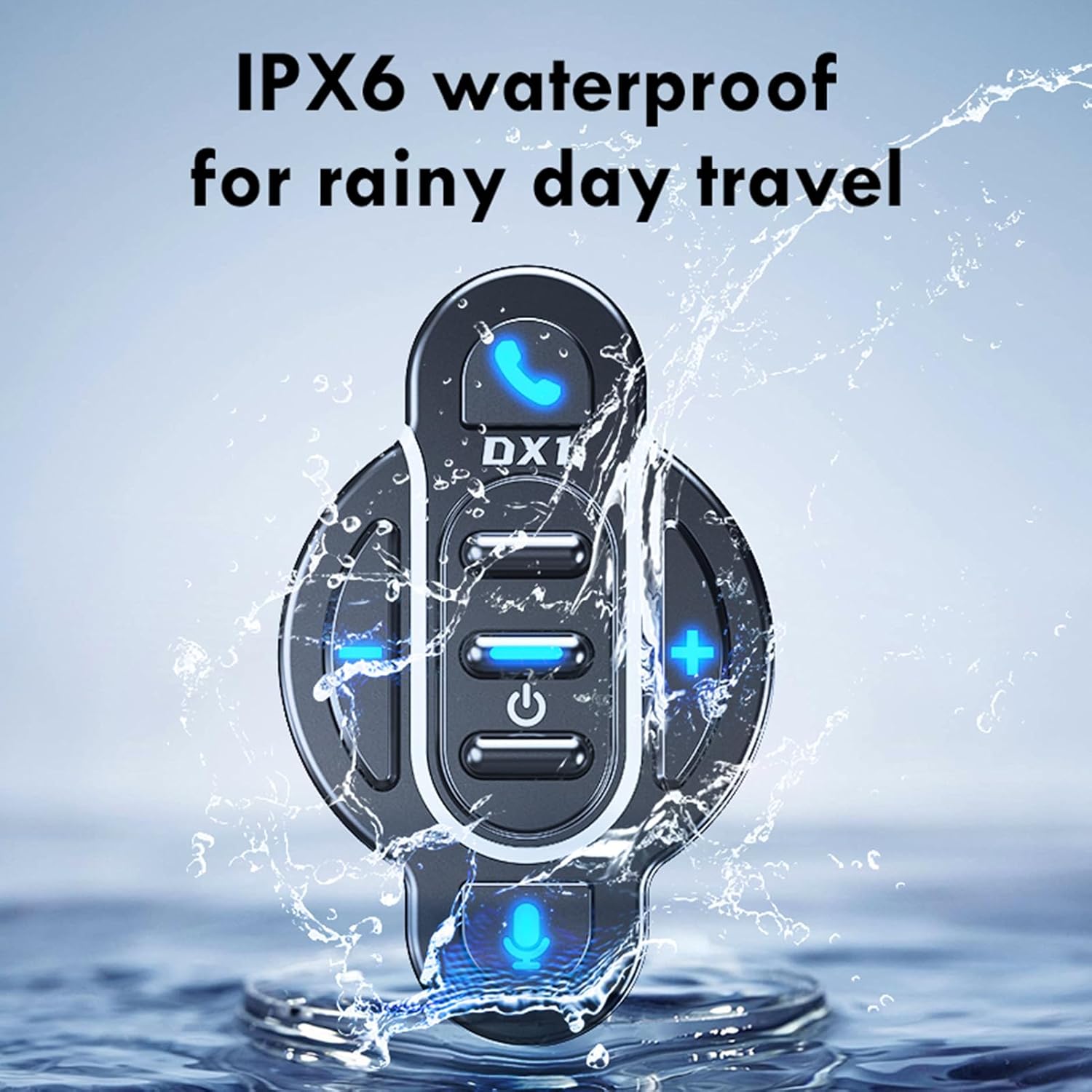
Image: The Docooler BT-Controller being splashed with water, illustrating its IPX6 waterproof rating for use in rainy conditions.
While the device is water-resistant, avoid submerging it in water or exposing it to high-pressure water streams for extended periods.
Skladování
Pokud zařízení delší dobu nepoužíváte, skladujte jej na chladném a suchém místě mimo dosah přímého slunečního záření a extrémních teplot.
Odstraňování problémů
If you encounter issues with your Docooler BT-Controller, refer to the following common problems and solutions:
| Problém | Možná příčina | Řešení |
|---|---|---|
| Zařízení se nezapne. | Baterie je vybitá. | Nabíjejte zařízení alespoň 1 hodinu. |
| Nelze spárovat se smartphonem. | Bluetooth is off on smartphone; device not in pairing mode; too far from smartphone. | Ensure smartphone Bluetooth is on. Put controller in pairing mode (flashing blue light). Move device closer to smartphone (within 10 meters). |
| No sound or control response. | Device not connected; volume too low; app issue. | Verify Bluetooth connection. Increase volume on both controller and smartphone. Restart music/call app. |
| Tlačítka nereagují. | Zařízení zamrzlo; slabá baterie. | Try turning the device off and on again. Charge the device. |
If the problem persists after trying these solutions, please contact Docooler customer support for further assistance.
Specifikace
| Funkce | Detail |
|---|---|
| Verze BT | 5.4 |
| Dosah převodovky | 10 metrů (bez překážek) |
| Typ baterie | Vestavěná 3.7V lithiová polymerová baterie |
| Kapacita baterie | 90 XNUMX mAh |
| Provozní doba | Cca. 22 dní |
| Pohotovostní doba | Cca. 30 dní |
| Doba nabíjení | Přibl. 1 hodina |
| Hodnocení voděodolnosti | IPX6 |
| Barva | Černý |
| Velikost položky | Cca. 5.5 x 3.5 x 3 cm |
| Hmotnost položky | Přibl. 20 gramů |
| Počet tlačítek | 8 |
| Maximální počet podporovaných zařízení | 1 |
| Číslo modelu | NPT6954248697367MU |
Záruka a podpora
Konkrétní informace o záruce pro tento produkt nejsou v této příručce uvedeny. Podrobnosti týkající se záručního krytí, vrácení zboží nebo technické podpory naleznete na obalu produktu, v pokynech prodejce. website where you purchased the device, or contact Docooler customer service directly.
For the latest support information and frequently asked questions, please visit the official Docooler webwebu nebo kontaktujte jejich kanály podpory.


