Vítejte
Thank you for choosing the TOPUTURE 4-in-1 Foldable Walking Pad with Incline. This versatile fitness equipment is designed for both home and office use, offering a compact and efficient way to stay active. With its powerful yet silent motor, adjustable incline, and smart features, you can enjoy a comprehensive workout experience. Please read this manual thoroughly before operation to ensure safe and optimal use of your new walking pad.
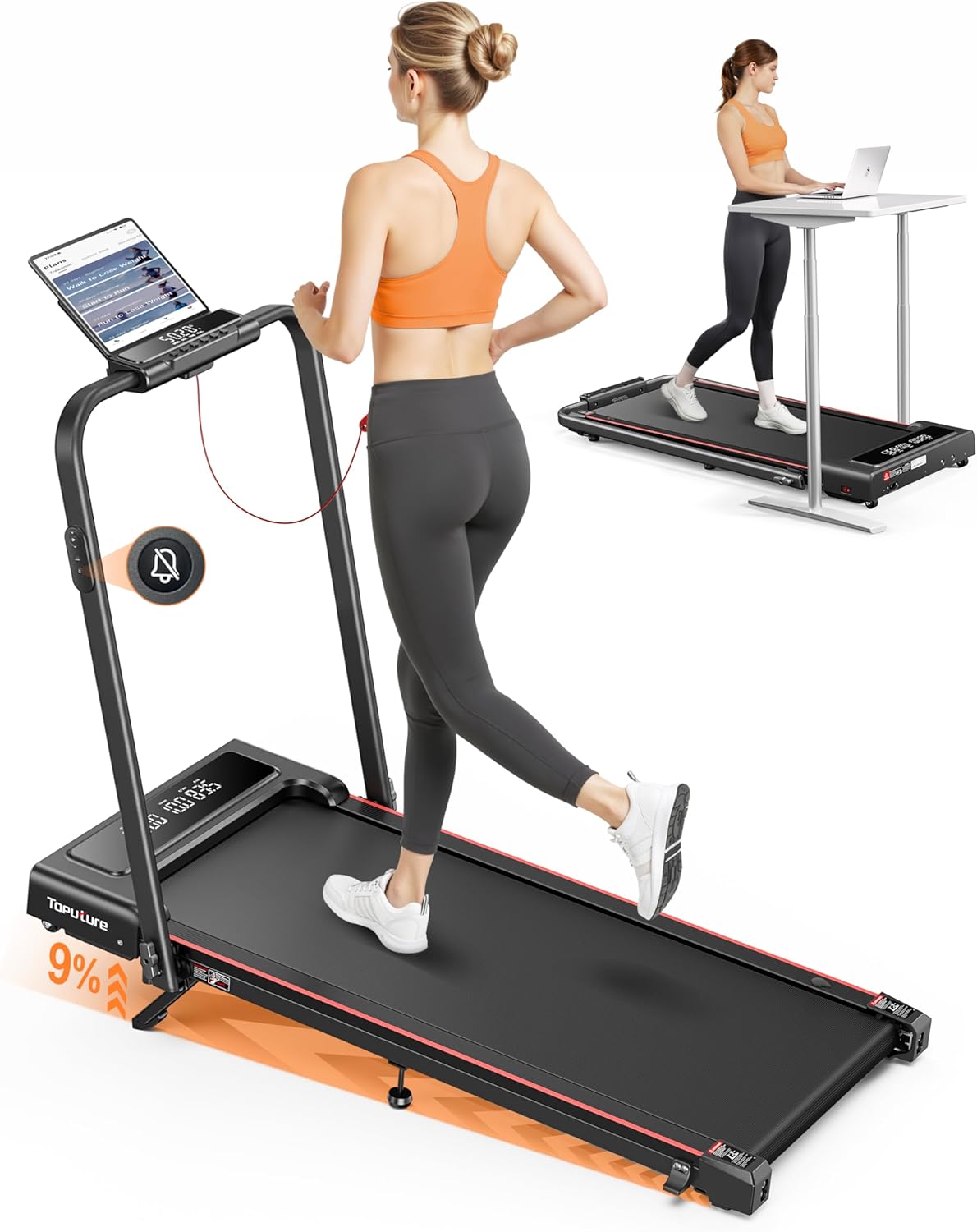
Image: The TOPUTURE 4-in-1 Foldable Walking Pad in its upright running configuration and folded flat for under-desk use, demonstrating its versatility.
Důležité bezpečnostní pokyny
To reduce the risk of serious injury, read all instructions before using this product. The manufacturer is not responsible for personal injury or property damage sustained by or through the use of this product.
- Podložku na chůzi vždy umístěte na rovný a stabilní povrch.
- Během provozu udržujte děti a domácí zvířata mimo dosah zařízení.
- Ensure adequate clearance around the walking pad (at least 2 feet on all sides).
- Nepřekračujte maximální nosnost uživatele 300 liber (přibližně 136 kg).
- Noste vhodnou sportovní obuv a oblečení.
- Pokud se cítíte mdlo, točí se vám hlava nebo pociťujete bolest, okamžitě přestaňte cvičit.
- Always unplug the walking pad from the power outlet when not in use, before cleaning, or performing maintenance.
- Use the emergency stop feature if necessary.
Konec produktuview
The TOPUTURE TP4 is designed with user convenience and effective workouts in mind. Key features include:
- 9% Manual Incline & M Mode: Adjust the incline to simulate uphill running and burn more calories. M Mode allows setting goals based on time, calories, or distance.
- Silent Remote Control & Dual Display: Enjoy quiet operation with a noiseless remote. The dual-screen display shows real-time data like time, speed, distance, and calories.
- No Assembly & Space-Saving Design: Ready to use out of the box. Lightweight and portable with front wheels for easy mobility. Folds compactly for storage under beds or sofas.
- 2.5HP Powerful Silent Motor: Delivers speeds of 0.6-7.6 MPH with a 300 lbs load capacity.
- Pokročilé tlumení nárazů: Features a 5-layer anti-slip belt, 8 silicone shock absorbers, and 2 soft rubber pads for double shock absorption, protecting your knees.
- Připojení chytrých aplikací: Connect to a compatible app (e.g., FitShow) to sync exercise data, access training plans, and track progress.
Režimy produktu

Image: The walking pad supports both walking (0.6-5 MPH) and running (5-7.6 MPH) modes, adapting to various fitness needs.

Image: This diagram illustrates the four primary modes of operation: Running (3-7.6 MPH), Climbing (0.6-3 MPH), Walking (1.5-3 MPH), and Working (0.6-1.5 MPH), highlighting the treadmill's versatility.
Funkce sklonu

Image: The adjustable 0-9% manual incline feature allows for a more challenging workout, boosting calorie expenditure.
Displej a ovládání

Image: The dual LED screen provides clear, real-time data, while the silent remote control offers convenient operation.
Motor and Noise Level

Image: The 2.5HP motor operates quietly (under 45dB), making it suitable for use in shared spaces without disturbance.
Integrace aplikací

Image: Enhance your workout experience by connecting to a smart app for real-time data synchronization and personalized training plans.
Running Belt and Shock Absorption

Image: The multi-layer belt and advanced shock absorption system provide a comfortable and joint-friendly running surface.
Počáteční nastavení
The TOPUTURE TP4 is designed for installation-free setup, meaning it's ready to use almost immediately out of the box.
Rozbalení a umístění
- Opatrně vyjměte pochůzkovou podložku z obalu.
- Place the walking pad on a firm, level surface. Ensure there is sufficient space around the unit for safe operation and movement.
- Unfold the handle/handrail if you intend to use it in running mode.
- Zapojte napájecí kabel do uzemněné elektrické zásuvky.
Folding and Unfolding for Storage
The compact design allows for easy storage.

Image: The treadmill easily folds flat to a compact size (50x23x4.5 inches) and features transport wheels for convenient storage under furniture or against a wall.
Adjusting the Manual Incline
The walking pad features a 9% manual incline for varied workouts.

Image: Follow these three steps to adjust the incline: 1. Unfold the footpad. 2. Insert the pin into the desired incline slot. 3. Adjust the middle footpad for stability.
Návod k obsluze
Zapnutí/vypnutí
- To power on, ensure the safety key is in place and press the power button on the console or remote.
- To power off, press the power button again or remove the safety key.
Pomocí dálkového ovládání
The remote control allows for convenient adjustment of speed and mode without reaching the console.
- Start/Stop: Press to begin or end your workout.
- Rychlost +/-: Adjust the walking/running speed.
- režim: Cycle through different workout modes (e.g., M Mode for time, distance, calorie goals).
- Ztlumit: Press the mute button for quiet operation, especially useful for under-desk use.

Image: The remote control features a mute button, allowing for silent operation, perfect for office environments.
Pochopení displeje
The dual LED display provides essential workout metrics:
- Čas: Délka vašeho tréninku.
- Rychlost: Aktuální rychlost v mph.
- Vzdálenost: Celková ujetá vzdálenost.
- Kalorie: Odhad spálených kalorií.
Připojení aplikací
For enhanced tracking and personalized workouts, connect your walking pad to a compatible fitness app (e.g., FitShow).
- Download the recommended app from your device's app store.
- Povolte na svém mobilním zařízení Bluetooth.
- Open the app and follow the on-screen instructions to pair with your TOPUTURE TP4.
- Once connected, you can sync exercise data, access training plans, and participate in challenges.
Údržba a péče
Pravidelná údržba zajistí dlouhou životnost a optimální výkon vaší pojízdné podložky.
Mazání
Běžecký pás vyžaduje pravidelné mazání, aby se snížilo tření a prodloužila jeho životnost. Používejte pouze mazivo na běžecké pásy na bázi silikonu.

Image: The treadmill features a dedicated lubrication port for easy maintenance of the running belt.
- Unplug the walking pad from the power outlet.
- Locate the lubrication port (as shown in the image).
- Apply a small amount of lubricant into the port.
- Plug in the walking pad and run it at a low speed (e.g., 1 MPH) for 2-3 minutes to distribute the lubricant evenly.
- Promazávejte každé 3–6 měsíců v závislosti na používání.
Nastavení pásu
If the running belt feels loose or is slipping, it may need adjustment. Use the included tool kit to tighten the belt tension screws located at the rear of the walking pad.
- Turn the screws clockwise in small increments (quarter turns) until the belt feels appropriately tensioned.
- Ensure the belt remains centered. If it drifts to one side, adjust the screw on the opposite side.
Čištění
- Otřete pochozí podložku reklamouamp hadříkem po každém použití k odstranění potu a prachu.
- Nepoužívejte abrazivní čisticí prostředky nebo rozpouštědla.
Skladování
When not in use, fold the walking pad and store it in a dry, cool place away from direct sunlight and moisture.
Průvodce řešením problémů
This section addresses common issues you might encounter with your TOPUTURE TP4 walking pad.
| Problém | Možná příčina | Řešení |
|---|---|---|
| Chůzková podložka se nezapne. | Power cord not connected; Safety key not in place; Power switch off. | Ensure power cord is securely plugged in; Insert safety key fully; Turn on the main power switch. |
| Belt slips or hesitates during use. | Příliš volný řemen; Nedostatečné mazání. | Adjust belt tension (see Maintenance section); Lubricate the running belt. |
| Unusual noise from the motor area. | Nedostatek mazání; Uvolněné součásti. | Lubricate the running belt; Check for any loose screws and tighten them. If noise persists, contact customer support. |
| Displej nezobrazuje správná data. | Sensor issue; Loose connection. | Restart the walking pad; Check connections. If problem persists, contact customer support. |
Specifikace produktu
| Specifikace | Hodnota |
|---|---|
| Číslo modelu | TP4 |
| Rozměry produktu (rozložený) | 126 x 12 x 62 cm (50 x 23 x 42 palce) |
| Skládací Velikost | 50 x 23 x 4.5 palce |
| Hmotnost položky | 25 kg (55 lb) |
| Materiál | Legovaná ocel |
| Výkon motoru | 2.5 HP |
| Rozsah rychlosti | 0.6 - 7.6 mph |
| Procento maximálního sklonutage | 9 % (Manuální) |
| Maximální nosnost uživatele | 300 libry (přibližně 136 kg) |
| Úroveň hluku | <45 dB |
| Zobrazovací metriky | Rychlost, Spálené kalorie, Čas, Vzdálenost |
| Speciální funkce | Shock Absorbent, Lightweight, Manual Incline, Foldable, Compact Design |
| Zahrnuté komponenty | User Manual, Power Cord, Tool Kit |
Záruka a zákaznická podpora
TOPUTURE products are manufactured to high-quality standards and are backed by a manufacturer's warranty. Please refer to the warranty card included in your packaging for specific terms and conditions regarding coverage and duration.
For any questions, technical assistance, or warranty claims, please contact TOPUTURE customer support. Contact information can typically be found on the product packaging, the official TOPUTURE webstránky nebo záruční list.
Please have your model number (TP4) and purchase information ready when contacting support to ensure efficient service.


