1. Úvod
This manual provides detailed instructions for the UMIDIGI G100A Unlocked Phone. It covers device setup, operation, key features, and maintenance to ensure optimal performance and user experience. The UMIDIGI G100A features a 6.9-inch HD+ 120Hz display, runs on Android 14, is powered by a UNISOC T615 8-core processor, and includes a 6000mAh battery.
2. Co je v krabici
Upon unboxing your UMIDIGI G100A, verify that all the following items are included:
- 1x UMIDIGI G100A Phone
- 1x Pre-applied Screen Protector
- 1x pouzdro na telefon
- 1x napájecí adaptér
- 1x USB kabel (Type-C na Type-C)
- 1x vyhazovač zásobníků SIM
- Příručka rychlého spuštění 1x

Image: Contents of the UMIDIGI G100A retail box.
3. Nastavení
3.1 Instalace SIM karty a karty MicroSD
Instalace SIM karty (kart) a/nebo karty microSD:
- Vyhledejte držák SIM karty na boku telefonu.
- Vložte nástroj pro vysunutí SIM karty do malého otvoru vedle držáku a jemně zatlačte, dokud držák nevyskočí.
- Place your Nano SIM card(s) and/or microSD card into the designated slots on the tray. The UMIDIGI G100A supports two Nano SIM cards or one Nano SIM card and one microSD card.
- Opatrně vložte zásobník zpět do telefonu, dokud nezacvakne na místo.

Image: SIM card and TF card insertion diagram.
3.2 Zapnutí a počáteční konfigurace
Press and hold the power button located on the side of the phone until the UMIDIGI logo appears. Follow the on-screen prompts to complete the initial setup, including language selection, Wi-Fi connection, and Google account login.
3.3 Rozšíření paměti RAM
The UMIDIGI G100A supports RAM expansion to enhance performance. To adjust this setting:
- Přejít na Nastavení.
- Najděte a vyberte Rozšíření paměti.
- Klikněte Set RAM extend Size.
- Select your desired RAM expansion option (e.g., 2GB, 4GB, 8GB).
- Confirm and restart your phone for the changes to take effect.

Image: RAM expansion settings.
4. Obsluha vašeho zařízení
4.1 Displej a uživatelské rozhraní
The UMIDIGI G100A features a 6.9-inch HD+ display with a 120Hz refresh rate, providing a smooth visual experience. The phone runs on Android 14, offering an intuitive and customizable interface.

Image: 6.9-inch display comparison.

Image: 120Hz refresh rate demonstration.

Image: Android 14 interface.
4.2 Bezpečnostní funkce
The UMIDIGI G100A supports both AI Face Unlock and Fingerprint Unlock for secure and convenient access to your device.
4.3 Funkce usnadnění přístupu
The device includes features such as auto-generated subtitles for spoken content and comprehensive parental controls.

Image: Auto-generated subtitles feature.

Image: Parental controls setup.
5. Funkce fotoaparátu
The UMIDIGI G100A is equipped with a versatile camera system:
- Zadní kamera: 13MP hlavní fotoaparát
- Přední kamera: 8MP for selfies and video calls
- Hloubková kamera: 2MP for enhanced portrait effects
The camera offers various modes to capture different scenes:
- Pro režim: Manual settings for advanced photography, ideal for low-light conditions.
- Režim snímání: Intelligent motion tracking to keep subjects in focus.
- Režim Portrét: Pro profesionálně vypadající fotografie s rozmazaným pozadím.
- Noční režim: Optimized for clear shots in dark environments.

Image: Camera modes overview.
6. Konektivita
6.1 Network Support
The UMIDIGI G100A is an unlocked 4G dual SIM phone, compatible with a wide range of global carriers. It supports 27 frequency bands, including:
- 4G LTE: B1, B2, B3, B4, B5, B7, B8, B12, B17, B18, B19, B20, B26, B28AB, B34, B39, B38, B40, B41, B66
- 3G: WCDMA B1, B2, B4, B5, B8
- 2G: GSM B2, B3, B5, B8

Image: Supported network bands.
6.2 Bezdrátové připojení
The device supports Wi-Fi 2.4G/5G for high-speed internet access and Bluetooth 5.2 for efficient and low-latency connections with other devices.
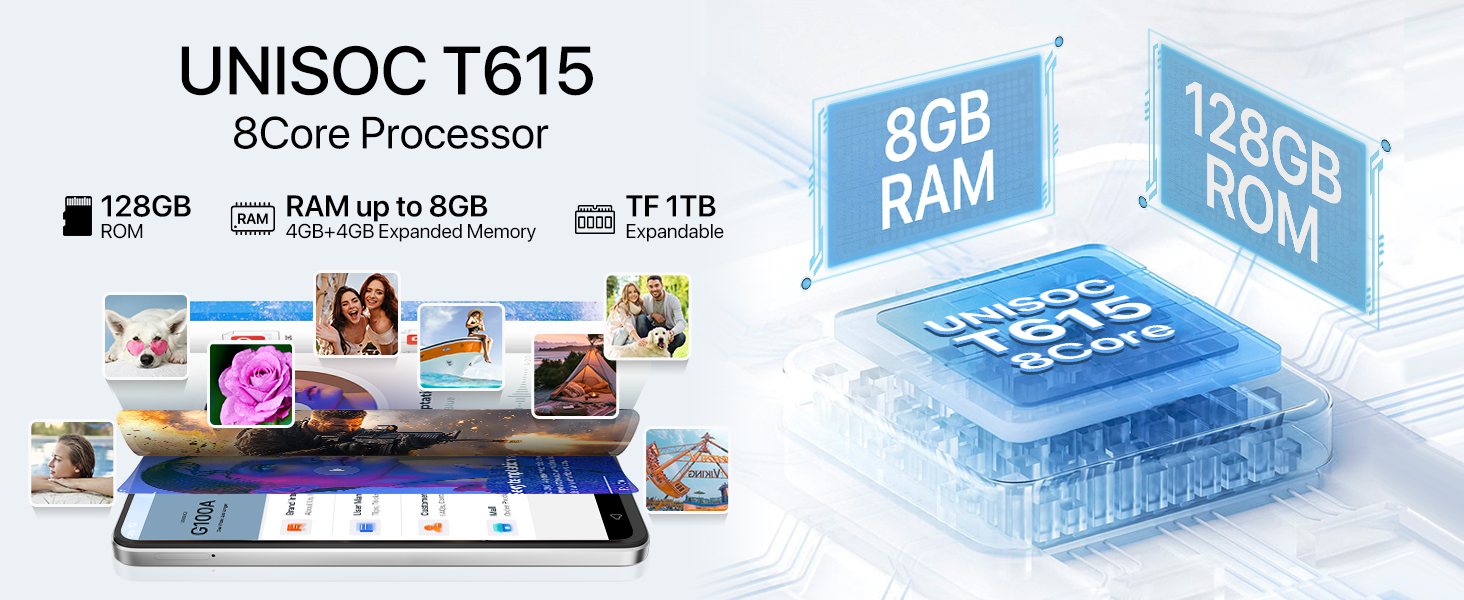
Image: Bluetooth 5.2 data transfer.
6.3 Navigation and Audio
Integrated GPS, Glonass, Beidou, and Galileo systems provide accurate positioning. The phone also includes an FM Radio and a 3.5mm audio jack for wired headphones.

Image: FM Radio and 3.5mm audio jack.
7. Baterie
The UMIDIGI G100A is powered by a 6000mAh battery, designed for extended usage. It supports 20W fast charging for quick power-ups. Additionally, the phone is OTG (On-The-Go) ready, allowing it to charge other devices when needed.

Image: 6000mAh battery and OTG charging.
8. Specifikace
| Funkce | Specifikace |
|---|---|
| Rozměry produktu | 6.73 x 3.03 x 0.31 palce |
| Hmotnost položky | 14.9 unce |
| Číslo modelu položky | G100A |
| Operační systém | Android 14 |
| Rychlost CPU | 1.6 GHz (UNISOC T615) |
| Velikost obrazovky | 6.9 palce |
| Rezoluce | 720x1640 |
| Obnovovací frekvence | 120 Hz |
| Velikost nainstalované paměti RAM | 4 GB (rozšiřitelné na 8 GB) |
| Kapacita paměti | 128 GB (rozšiřitelné až na 1 TB pomocí microSD) |
| Kapacita baterie | 6000 miliamp hodiny |
| Technologie připojení | Bluetooth 5.2, USB, Wi-Fi (2.4G/5G) |
| GPS | True (GPS, Glonass, Beidou, Galileo) |
| Speciální funkce | Built-In GPS, Dual SIM, Expandable Memory, Fast Charging Support, AI Face ID, Fingerprint Unlock |
| Audio Jack | 3.5 mm |
| Výrobce | UMIDIGI |
9. Záruka a podpora
UMIDIGI is committed to providing excellent customer service. Your UMIDIGI G100A comes with:
- 30denní záruka vrácení peněz: For returns and refunds.
- 1letá omezená záruka: Krytí výrobních vad.
- Nepřetržitá online podpora: Dedicated one-on-one assistance.
For further assistance, you can utilize the UMIDIGI Customer Center App:
- Find the "Service Center" App on your phone.
- Enter the "Customer Service" section.
- Click on "Questions" to browse FAQs or submit an inquiry.
- Fill in the required content according to the prompts.

Image: UMIDIGI Customer Center App.

Image: After-sales support details.
10. Oficiální video produktu
Pro lepší představu se podívejte na toto oficiální videoview of the UMIDIGI G100A Unlocked Phone:
Video: UMIDIGI G100A Unlocked Phones 6.9" HD+ 120Hz Display. This video showcases the design, display, and key features of the UMIDIGI G100A smartphone.


