1. Úvod
This manual provides essential information for setting up, operating, and maintaining your GenMachine Mini PC AMD Ryzen 7 7735HS. Please read this manual thoroughly before using the device to ensure proper functionality and safety.
2. Bezpečnostní informace
Dodržujte následující bezpečnostní pokyny, abyste předešli poškození zařízení nebo zranění:
- Nevystavujte zařízení vodě, vlhkosti ani extrémním teplotám.
- Zajistěte správné větrání, aby nedošlo k přehřátí. Neblokujte ventilační otvory.
- Používejte pouze dodaný napájecí adaptér.
- Zabraňte pádu zařízení nebo jeho vystavení silným nárazům.
- Nepokoušejte se zařízení otevírat ani opravovat sami. Veškerý servis svěřte kvalifikovanému personálu.
3. Obsah balení
Ověřte, zda jsou v balení přítomny všechny položky:
- GenMachine Mini PC
- Uživatelská příručka
- Napájecí adaptér
- HDMI kabel
- Montážní držák (se šrouby)

Obrázek: Obsah balení. This image displays the items included in the GenMachine Mini PC box: the Mini PC unit, user manual, power adapter, HDMI cable, and a mounting bracket with screws.
4. Konec produktuview
The GenMachine Mini PC is a compact, high-performance computer designed for various applications, from home office tasks to multimedia consumption. Its small footprint allows for versatile placement.

Obrázek: Přední strana View of GenMachine Mini PC. This image shows the front panel of the GenMachine Mini PC, featuring the power button, USB-C port, audio jack, and two USB 3.0 ports.
4.1 Přední panel
- Vypínač: Stiskněte pro zapnutí/vypnutí zařízení.
- Port USB-C: Pro přenos dat a zobrazení na displeji.
- Audio jack: Pro sluchátka nebo externí reproduktory.
- Porty USB 3.0 (x2): Pro připojení periferií, jako jsou klávesnice, myši nebo externí úložiště.
4.2 Zadní panel

Obrázek: Zadní View of GenMachine Mini PC. This image illustrates the rear panel of the Mini PC, highlighting the power input, HDMI ports, Ethernet ports, and additional USB ports.
- Vstupní napájení (DC IN): Zde připojte napájecí adaptér.
- HDMI porty (x2): Connect to monitors or TVs for video output. Supports 4K resolution.
- Ethernet Ports (x2): For wired network connections (Dual 2.5G).
- Porty USB 2.0 (x2): Pro připojení různých USB zařízení.
4.3 Konstrukce a rozměry

Image: GenMachine Mini PC Size Comparison. This image compares the compact size of the GenMachine Mini PC to a traditional tower chassis, illustrating its space-saving design. Dimensions are shown as 126mm x 130mm x 40mm.
The GenMachine Mini PC features an ultra-durable, lightweight metal casing. Its compact design (approximately 126 x 130 x 40 mm) makes it significantly smaller than traditional desktop computers, ideal for any work environment.
5. Nastavení
5.1 Připojení periferních zařízení
- Connect your monitor(s) to the HDMI ports or the USB-C port using appropriate cables.
- Připojte klávesnici a myš USB k dostupným portům USB.
- If using wired internet, connect an Ethernet cable to one of the Ethernet ports.
- Connect the power adapter to the DC IN port on the Mini PC, then plug it into a power outlet.
5.2 Zapnutí
Press the power button on the front panel of the Mini PC. The power indicator light will illuminate, and the system will begin to boot.
5.3 Initial Operating System Setup
Upon first boot, you will be guided through the operating system setup process (e.g., Windows 11). Follow the on-screen instructions to configure language, region, network, and user accounts.
6. Návod k obsluze
6.1 Síťové připojení
- Wi-Fi: During initial setup or via the operating system's network settings, select your Wi-Fi network and enter the password. The Mini PC supports Wi-Fi 6 for faster and more stable wireless connections.
- Ethernet: If an Ethernet cable is connected, the system should automatically detect and connect to the wired network. The Mini PC features dual 2.5G network ports for enhanced connectivity.
6.2 Zařízení Bluetooth
The Mini PC supports Bluetooth 5.2. To pair a Bluetooth device (e.g., headphones, keyboard, mouse):
- Enable Bluetooth on your device and set it to pairing mode.
- On the Mini PC, go to the operating system's Bluetooth settings.
- Hledat and select your device from the list, then follow any on-screen prompts to complete pairing.
6.3 Nastavení více displejů
The GenMachine Mini PC supports up to four displays simultaneously, utilizing its two HDMI ports and one full-function USB-C port (which supports 4K display output).
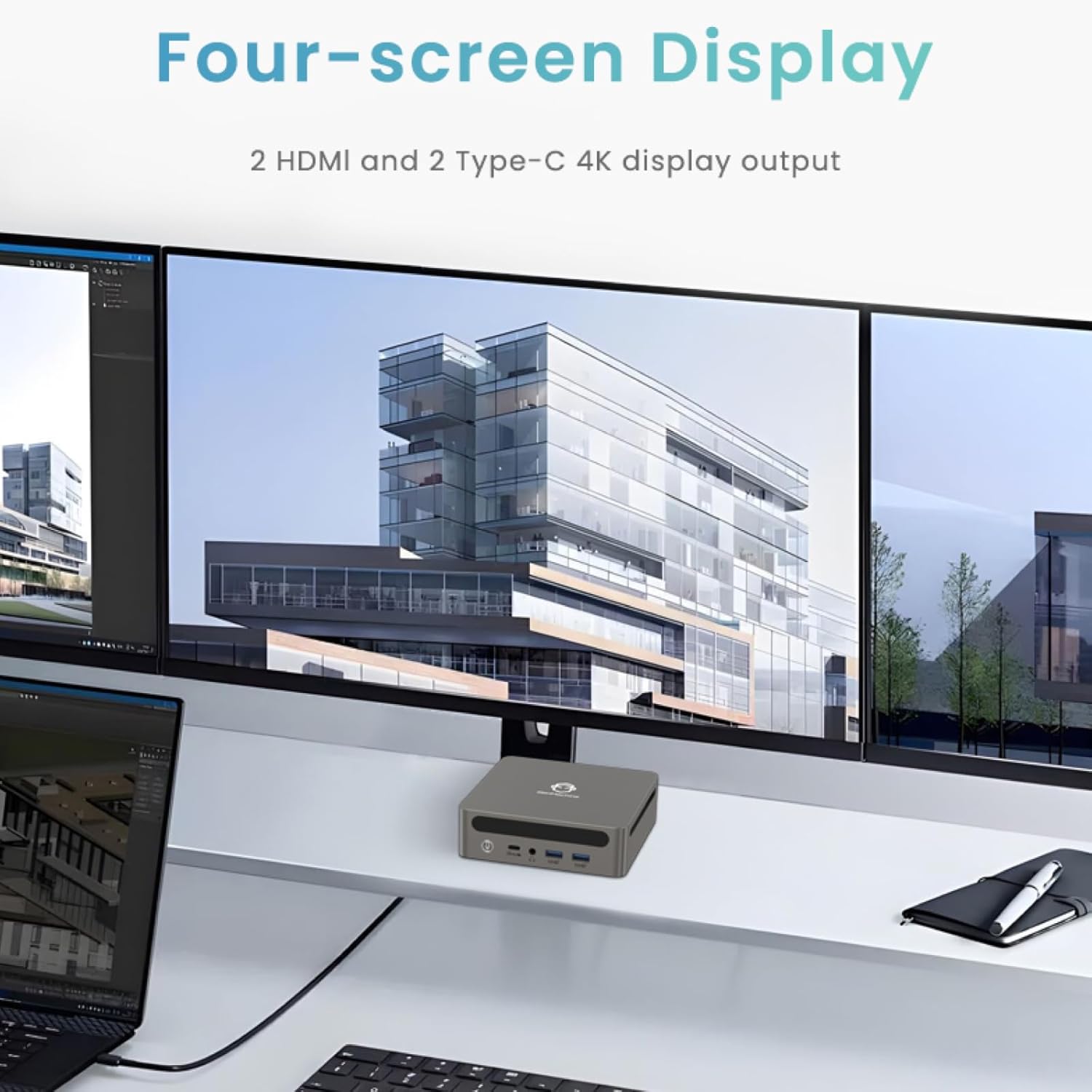
Image: Four-Screen Display Setup. This image demonstrates the GenMachine Mini PC connected to four monitors, showcasing its multi-display capabilities for enhanced productivity.
To configure multiple displays, connect your monitors and then adjust display settings within your operating system (e.g., Extend, Duplicate, or Second screen only).
7. Údržba
7.1 Čištění
Regularly clean the exterior of the Mini PC with a soft, dry cloth. For stubborn dirt, slightly dampen the cloth with water. Do not use harsh chemicals or abrasive cleaners. Ensure ventilation openings are free of dust buildup.
7.2 Aktualizace softwaru
Keep your operating system and drivers updated to ensure optimal performance and security. Check for updates regularly through your operating system's settings.
7.3 Skladování
When not in use for extended periods, store the Mini PC in a cool, dry place, away from direct sunlight and extreme temperatures.
8. Řešení problémů
| Problém | Možná příčina | Řešení |
|---|---|---|
| Žádná síla | Napájecí adaptér není připojen; zásuvka je vadná. | Ujistěte se, že je napájecí adaptér bezpečně připojen k Mini PC a k funkční zásuvce. Zkuste jinou zásuvku. |
| Žádné zobrazení na monitoru | Monitor not connected; incorrect input source selected on monitor; faulty cable. | Check HDMI/USB-C cable connections. Ensure the monitor is set to the correct input source. Try a different cable or monitor. |
| Wi-Fi se nepřipojuje | Incorrect password; router issue; Wi-Fi adapter driver issue. | Verify Wi-Fi password. Restart your router. Check operating system settings for Wi-Fi adapter status and drivers. |
| Systém je pomalý nebo nereaguje | Příliš mnoho spuštěných aplikací; nedostatek volného úložiště; zastaralé ovladače. | Close unnecessary applications. Free up disk space. Update operating system and drivers. Restart the Mini PC. |
9. Specifikace
The following table details the technical specifications of the GenMachine Mini PC AMD Ryzen 7 7735HS:
| Funkce | Detail |
|---|---|
| Procesor | AMD Ryzen 7 7735HS (3.2 GHz, 8 Cores, 16 Threads, up to 4.75 GHz Max Boost Clock) |
| Grafika | AMD Radeon Graphics (Integrated, 680 MB RAM) |
| BERAN | 32GB LPDDR5 (up to 6400 Mb/s) |
| Skladování | 512GB 2280 SSD (PCIE x 16 interface) |
| Operační systém | OS (Windows 11 typically pre-installed) |
| Video výstup | 2x HDMI (4K @ 60Hz), 1x USB-C (4K display output), supports up to 3 displays |
| USB porty | 2x USB 3.0, 2x USB 2.0, 1x USB-C (full-function USB 4.0 port) |
| vytváření sítí | Wi-Fi 6, Bluetooth 5.2, Dual 2.5G Ethernet |
| Zvuk | Audio Jack |
| Rozměry | 6.34 x 6.3 x 3.62 palců (přibližně 16.1 x 16 x 9.2 cm) |
| Hmotnost | 2.4 libry (přibližně 1.09 kg) |
| Barva | Sliver |

Image: AMD Ryzen 7 7735HS Processor. This image highlights the specifications of the AMD Ryzen 7 7735HS processor, including its 8 cores, 16 threads, and up to 4.75 GHz max boost clock.

Image: LPDDR5 Memory Performance. This image illustrates the enhanced speed of LPDDR5 RAM, showing a 50% increase in maximum DRAM bandwidth compared to LPDDR4X, reaching up to 6400 Mb/s.
10. Záruka a podpora
For warranty information and technical support, please refer to the documentation included with your purchase or visit the official GenMachine webUschovejte si doklad o koupi pro případ reklamace.
For further assistance, you may contact GenMachine customer service through their official channels.


