1. Úvod
Thank you for choosing the Hiwill HiElite A41 4.1 Dolby Atmos Soundbar System. This manual provides essential information for setting up, operating, and maintaining your new sound system. Please read it thoroughly before use to ensure proper functionality and to maximize your audio experience.
The HiElite A41 is designed to deliver a vast and immersive soundstage, featuring 4.1 channel audio with Dolby Atmos for a truly three-dimensional spatial sound experience. With 300W peak power, a dedicated 5.25-inch wired subwoofer, and two wired front surround speakers, it transforms your living space into a home cinema. Advanced features like HXS-Processing ClearVoice and adjustable bass/treble controls ensure crystal-clear dialogues and rich, powerful sound.

Image 1.1: Hiwill HiElite A41 Soundbar System components including the soundbar, subwoofer, and two surround speakers, positioned in front of a television.
2. Obsah balení
Zkontrolujte prosím balení, zda neobsahuje následující položky:
- Soundbar
- Kabelový subwoofer
- 2 x Wired Front Surround Speakers
- Napájecí adaptér
- Stereo kabel 3.5 mm
- Kabel HDMI ARC
- Optický kabel
- Dálkové ovládání
- 2 x AAA baterie (pro dálkové ovládání)
- Sada pro montáž na stěnu
- Uživatelská příručka
3. Průvodce nastavením
3.1 Umístění
For optimal sound performance, place the soundbar centrally below your TV. Position the wired front surround speakers to the left and right of your viewing area, ideally at ear level. The subwoofer can be placed on the floor near the soundbar, ensuring it has enough space for proper bass dispersion.

Image 3.1: Diagram illustrating the recommended placement of the soundbar, subwoofer, and two front surround speakers for an optimal 4.1 channel Dolby Atmos experience.
3.2 Připojení komponent
- Připojení prostorových reproduktorů: Connect the two wired front surround speakers to the corresponding ports on the soundbar.
- Připojení subwooferu: Připojte kabelový subwoofer k vyhrazenému výstupnímu portu pro subwoofer na soundbaru.
- Připojení napájení: Connect the power adapter to the soundbar's DC input and then plug it into a wall outlet.
3.3 Připojení k televizoru/zařízení
The HiElite A41 offers multiple connectivity options:
- HDMI eARC (doporučeno): For the best audio quality, especially with Dolby Atmos content, connect the soundbar to your TV's HDMI eARC/ARC port using the provided HDMI cable. Ensure your TV's audio output is set to HDMI ARC/eARC.
- Optický: Connect the soundbar to your TV's optical output using the optical cable. Select 'Optical' input on the soundbar.
- AUX: Use the 3.5mm stereo cable to connect the soundbar to your device's audio output. Select 'AUX' input on the soundbar.
- Bluetooth 5.3: For wireless connection, select 'Bluetooth' input on the soundbar. Pair with your smartphone, tablet, or other Bluetooth-enabled device.

Image 3.2: Illustration of the two wired front speakers mounted on a wall, enhancing the sound experience.
4. Návod k obsluze
4.1 Ovládací prvky
Soundbar lze ovládat pomocí tlačítek na jednotce nebo dodaným dálkovým ovladačem.
Tlačítka soundbaru:
- Moc: Turn the soundbar On/Off.
- Vstup: Cycle through input modes (eARC, Optical, Bluetooth, AUX, USB).
- Hlasitost +/-: Upravte hlavní hlasitost.
- Přehrát/pozastavit: Control media playback (Bluetooth/USB mode).
Dálkové ovládání:
The remote control provides full functionality, including power, input selection, volume, mute, sound modes, and bass/treble adjustments.

Image 4.1: Remote control for the HiElite A41, showing options for adjusting sound profiles and bass/treble levels.
4.2 Zvukové režimy
Optimize your listening experience with three preset equalizer modes:
- Režim zpráv: Enhances vocal clarity for dialogues and news broadcasts.
- Režim filmu: Nabízí dynamický a pohlcující zvuktage, ideal for films and gaming.
- Hudební režim: Delivers balanced and rich audio reproduction for music.
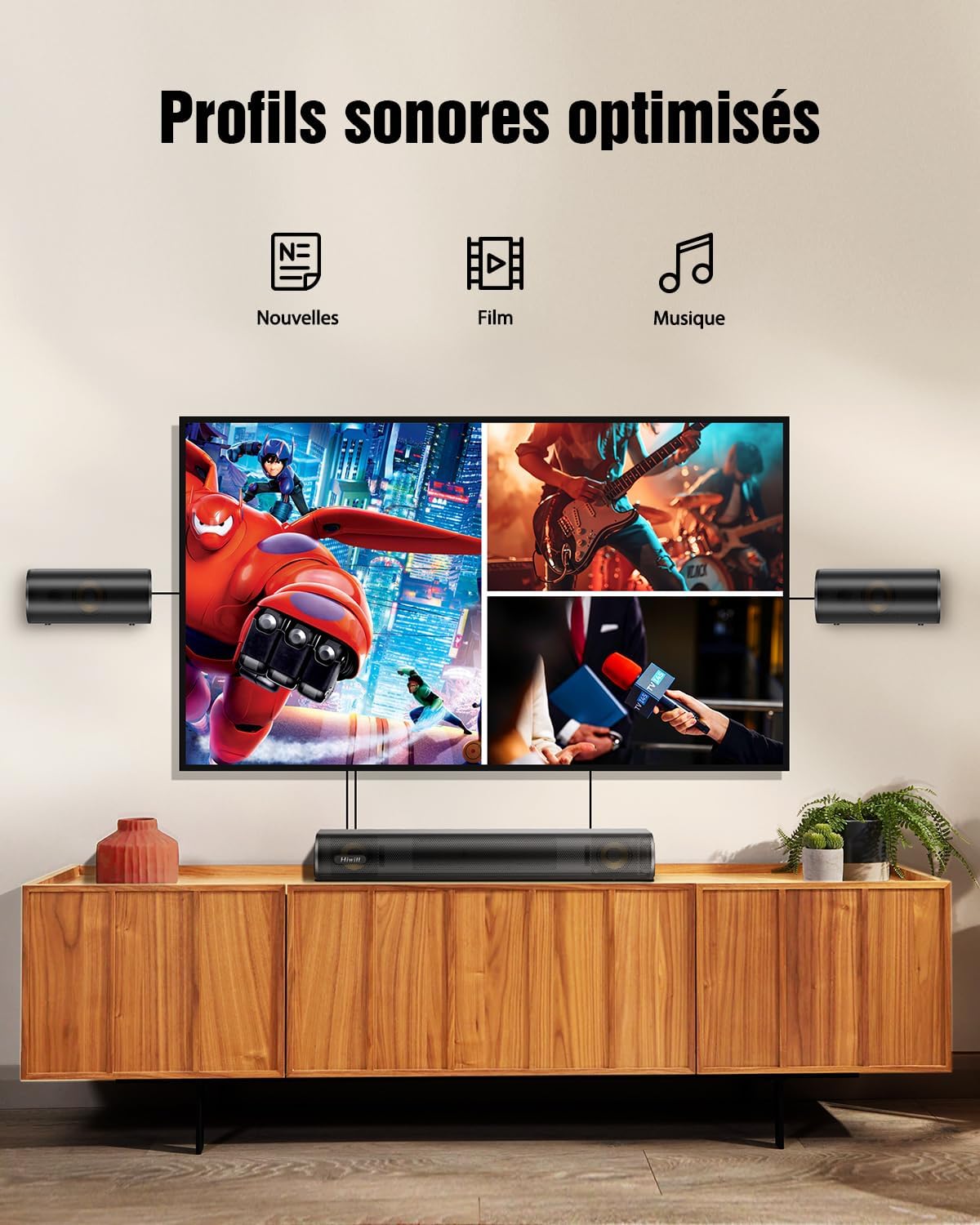
Image 4.2: Visual representation of optimized sound profiles for News, Movie, and Music content.
4.3 Nastavení basů a výšek
Customize your audio further by adjusting the bass and treble levels using the remote control. This allows you to tailor the sound to your personal preference and room acoustics.

Image 4.3: Adjustable bass feature, allowing users to customize low-frequency output.

Image 4.4: Adjustable treble feature, enhancing clarity and detail in high frequencies.
4.4 Dolby Atmos
The HiElite A41 supports Dolby Atmos, providing a multi-dimensional sound experience where sound moves around you in three-dimensional space. For Dolby Atmos content, ensure your source device (TV, Blu-ray player, streaming box) is also configured to output Dolby Atmos via HDMI eARC.

Image 4.5: Illustration of superior precision in creating three-dimensional soundscapes with Dolby Atmos.

Image 4.6: Dolby Atmos certification, signifying high-quality immersive audio.
5. Údržba
5.1 Čištění
To clean the soundbar and speakers, use a soft, dry cloth. Do not use liquid cleaners or aerosol sprays, as they may damage the finish or internal components. Ensure the unit is unplugged before cleaning.
5.2 Skladování
Pokud budete soundbar skladovat delší dobu, odpojte jej ze zásuvky a uložte jej na chladném a suchém místě, mimo dosah přímého slunečního záření a extrémních teplot.
6. Řešení problémů
| Problém | Možná příčina | Řešení |
|---|---|---|
| Žádná síla | Napájecí kabel není připojen; zásuvka nefunguje. | Ujistěte se, že je napájecí kabel bezpečně připojen. Zkuste jinou zásuvku. |
| Žádný zvuk | Nesprávně zvolený vstup; hlasitost příliš nízká; kabely nejsou správně připojeny. | Select the correct input mode. Increase volume. Check all audio cables. Ensure TV audio output is correctly configured (e.g., HDMI ARC/eARC enabled). |
| Dálkové ovládání nefunguje | Batteries depleted; obstruction between remote and soundbar. | Vyměňte baterie. Odstraňte všechny překážky. Ujistěte se, že dálkový ovladač míří na senzor soundbaru. |
| Problémy s párováním pomocí rozhraní Bluetooth | Soundbar not in pairing mode; device too far. | Ensure soundbar is in Bluetooth mode and ready for pairing. Move device closer to the soundbar. Forget the device on your Bluetooth list and try pairing again. |
| Zkreslený zvuk | Volume too high; poor audio source quality. | Reduce volume. Try a different audio source. Check cable connections for damage. |
7. Specifikace
- Název modelu: HiElite A41
- Značka: Hiwill
- Typ reproduktoru: Soundbar with Wired Subwoofer and 2 Wired Front Surround Speakers
- Konfigurace kanálu prostorového zvuku: 4.1
- Maximální výstupní výkon reproduktoru: 300 wattů
- Frekvenční odezva: 45 Hz - 20 kHz
- Technologie připojení: HDMI eARC, Bluetooth 5.3, Optical, AUX
- Režim výstupu zvuku: Dolby Atmos
- Speciální vlastnosti: Dolby Atmos enabled, Aluminum-Magnesium alloy diaphragms, HarmonicX Sound (HXS-Processing), Adjustable Bass and Treble
- Kompatibilní zařízení: Chytrý telefon, tablet, televize
- Rozměry produktu (D x Š x V): Soundbar: 41.6 x 11.3 x 6 cm; Surround Speakers: 16 x 11.3 x 6 cm; Subwoofer: 13.5 x 30 x 43.8 cm
- Hmotnost položky: 5 kg
- Typ ovladače: Tlačítko, dálkové ovládání
- Výrobce: Hiwill
- Země původu: Čína
7.1 Speaker Technology
The HiElite A41 features high-quality speaker components designed for superior audio performance:
- Aluminum-Magnesium Alloy Diaphragms: These advanced diaphragms offer exceptional sensitivity, delivering richer bass and purer treble compared to traditional paper cones.
- High-Quality Copper Rings: Each driver includes a high-quality copper ring to improve audio clarity, reduce distortion, and stabilize the magnetic field for deeper bass and crisper highs.
- Zpracování HXS ClearVoice: Hiwill's exclusive HarmonicX Sound processing enhances voices and refines sound details for clear dialogues and immersive surround sound.

Obrázek 7.1: Detailní view of the speaker components, highlighting the aluminum-magnesium alloy diaphragm and high-quality copper ring.

Obrázek 7.2: Vnitřní view of the 5.25-inch wired subwoofer, designed for powerful and deep bass.
8. Záruka a podpora
8.1 Záruka výrobce
The Hiwill HiElite A41 Soundbar System comes with a 2letá záruka výrobce od data nákupu. Tato záruka se vztahuje na vady materiálu a zpracování při běžném používání. Uschovejte si prosím doklad o koupi pro případ uplatnění záruky.
8.2 Zákaznická podpora
For technical assistance, warranty claims, or any questions regarding your Hiwill product, please contact Hiwill Technologies Inc. customer support. Refer to the contact information provided on the product packaging or the official Hiwill webmísto.
Poznámka: Firmware updates may be available upon request to enhance performance and features. Please contact customer support for details.

Image 8.1: Information regarding potential firmware upgrades for enhanced features and performance.


