1. Úvod
Thank you for choosing the MESWAO 15.6 inch Android 14 Tablet Pro. This tablet is designed to provide a superior visual and performance experience with its large Full HD display, powerful octa-core processor, and extended battery life. This manual will guide you through the setup, operation, maintenance, and troubleshooting of your new device, ensuring you get the most out of its advanced features.
2. Co je v krabici
Zkontrolujte prosím obsah balení. Pokud některé položky chybí nebo jsou poškozené, kontaktujte zákaznickou podporu.
- 1 x MESWAO 15.6 inch Android Tablet
- 1 x napájecí adaptér
- 1 x kabel typu C
- 1 x Uživatelská příručka
- 1 x adaptér typu C na USB
- 1 x Stuck pin (SIM ejector tool)

Image: Visual representation of the MESWAO tablet and its included accessories.
3. Konec produktuview
3.1 Klíčové vlastnosti
- 15.6-inch 1080P FHD IPS Display: Large screen with 1920x1080p resolution, 16:9 aspect ratio, 85% screen-to-body ratio, and 350 nits adjustable brightness for clear visuals.
- Operační systém Android 14: Latest Android version for faster app launches, intuitive user interface, split-screen multitasking, and GMS certification for Google Play access.
- MediaTek Helio G99 CPU: Octa-core processor (6nm, up to 2.2GHz) and ARM Mali-G57 GPU for smooth performance in multitasking, streaming, and gaming.
- 12,000mAh Mega Battery & 30W Fast Charging: Provides up to 15 hours of video playback and 12+ hours of daily use, with 90% charge in 3 hours.
- 6 GB RAM + 128 GB ROM (rozšiřitelné až na 1 TB): Ample storage for apps, photos, and videos, with expandable memory via microSD card (FAT32 format).
- Dvoupásmové Wi-Fi a Bluetooth 5.0: High-speed 2.4G/5G Wi-Fi and efficient Bluetooth connectivity for peripherals.
- 5MP Front + 32MP Rear Cameras: Capture moments and conduct clear video calls.
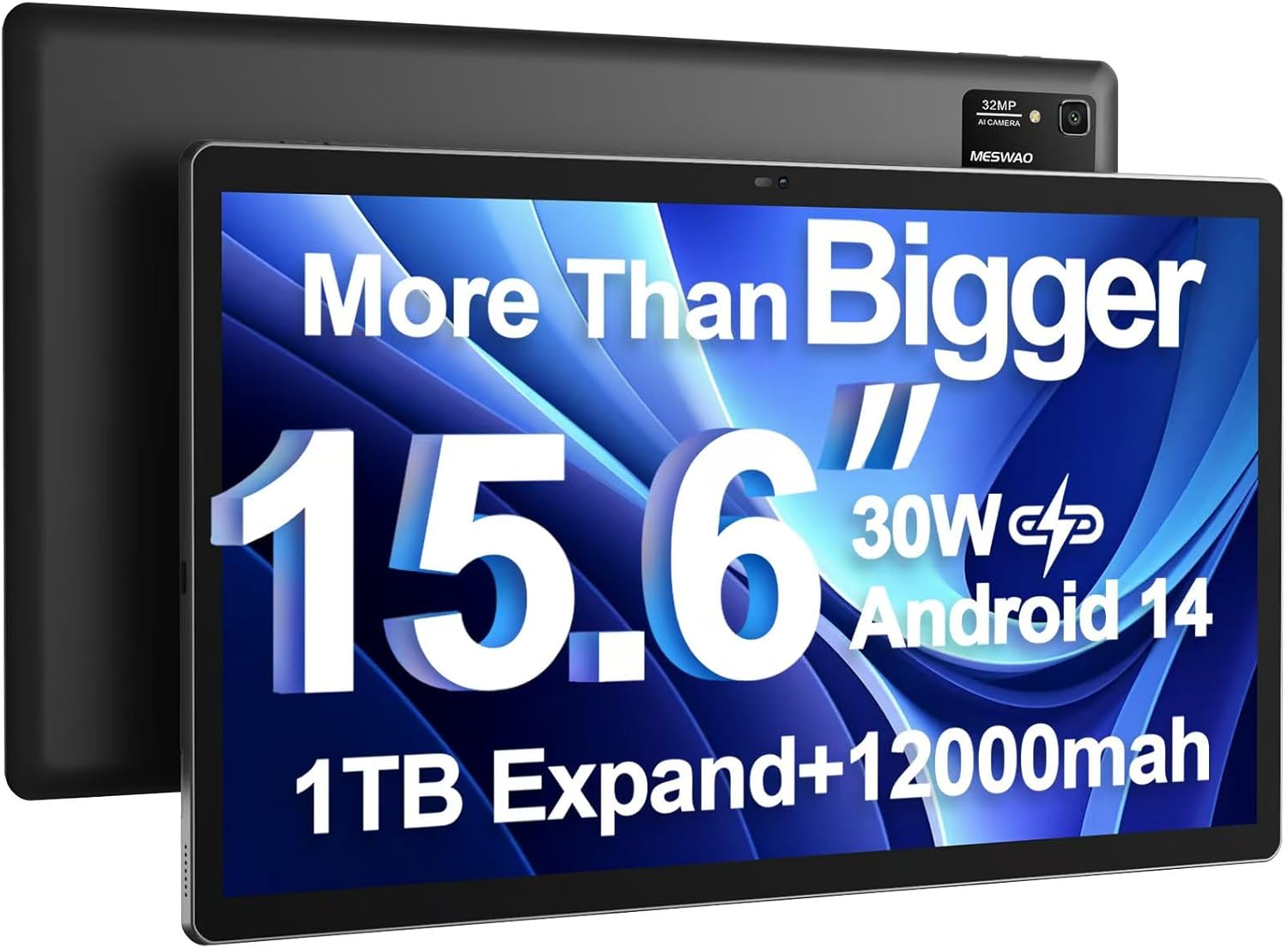
Image: The MESWAO 15.6 inch Android 14 Tablet Pro, showcasing its large display and rear camera module.

Image: Visual comparison highlighting the significantly larger screen area of the 15.6-inch tablet compared to a standard 10-inch tablet.

Image: Illustration of the tablet's 12,000mAh ultra-large capacity battery and 30W fast charging, indicating quick charge times and extended usage.
3.2 Součásti tabletu
Familiarize yourself with the physical components of your MESWAO tablet:
- Vypínač: Nachází se na boku, slouží k zapnutí/vypnutí tabletu nebo k probuzení/uspání obrazovky.
- Tlačítka hlasitosti: Adjust audio output levels.
- Přední kamera: 5MP fotoaparát pro videohovory a selfie.
- Zadní kamera: 32MP camera with flash for high-resolution photos and videos.
- Port typu C: Pro nabíjení a přenos dat.
- Slot na kartu TF: For expanding storage with a microSD card.
- Stereo reproduktory: Čtyři reproduktory pro vylepšený zvukový zážitek.
- 3.5mm Jack pro sluchátka: For wired audio connection (requires included Type-C to 3.5mm adapter).
4. Nastavení
4.1 Počáteční zapnutí
- Stiskněte a podržte Tlačítko napájení until the MESWAO logo appears on the screen.
- Postupujte podle pokynů na obrazovce a vyberte jazyk, region a připojte se k síti Wi-Fi.
- Sign in with your Google account or create a new one to access Google Play Store and other services.
4.2 Nabíjení tabletu
Before first use, fully charge the tablet. Use the provided power adapter and Type-C cable.
- Connect the Type-C cable to the tablet's Type-C port.
- Zapojte napájecí adaptér do elektrické zásuvky.
- The charging indicator will appear on the screen. A full charge takes approximately 3 hours with the 30W fast charger.
4.3 Vložení karty MicroSD
To expand storage, insert a microSD card (FAT32 format, up to 1TB, sold separately).
- Vyhledejte slot pro TF kartu na boku tabletu.
- Use the provided stuck pin to gently press into the small hole next to the slot to eject the tray.
- Vložte kartu microSD do slotu zlatými kontakty směrem dolů.
- Opatrně zasuňte zásobník zpět do slotu, dokud nezacvakne na místo.
5. Návod k obsluze
5.1 Základní navigace
- Domovská obrazovka: Přejetím prstem doleva nebo doprava můžete procházet mezi domovskými obrazovkami.
- Zásuvka aplikace: Access all installed applications (if using a launcher with an app drawer, otherwise apps are on home screens).
- Oznámení a rychlé nastavení: Přejetím prstem od horního okraje obrazovky dolů zobrazíte oznámení a rychlé nastavení (Wi-Fi, Bluetooth, Jas atd.).
- Nedávné aplikace: Klepněte na čtvercovou ikonu (nebo přejeďte prstem nahoru a podržte odspodu, pokud používáte navigaci gesty) pro view a přepínání mezi naposledy použitými aplikacemi.
5.2 Multitasking with Split Screen
The Android 14 OS supports split-screen functionality for enhanced productivity.
- Open the first app you want to use.
- Go to the Recent Apps view.
- Tap the app icon at the top of the first app's card and select 'Split screen'.
- Choose the second app from your recent apps or app drawer to open it in the other half of the screen.
- Adjust the size of each app by dragging the divider in the middle.

Obrázek: Overview of key features of the Android 14 operating system on the tablet, including multitasking capabilities.
5.3 Konektivita
- Wi-Fi: Přejít na Nastavení > Síť a internet > Wi-Fi to connect to available networks. Supports 2.4Ghz and 5Ghz bands.
- Bluetooth: Přejít na Nastavení> Připojená zařízení> Předvolby připojení> Bluetooth to pair with Bluetooth headphones, keyboards, or other devices.
- Vysílání obrazovky: The tablet supports wireless screen casting to compatible displays. Access this feature from Quick Settings or Nastavení > Připojená zařízení > Předvolby připojení > Přenos.

Image: Depiction of the tablet's stable dual-band Wi-Fi and Bluetooth 5.0 capabilities, enabling seamless wireless connections.
6. Údržba
6.1 Péče o baterii
- Vyhněte se extrémním teplotám (horkým nebo nízkým), protože mohou snížit životnost baterie.
- Nenechávejte baterii často úplně vybíjet. Nabijte ji dříve, než dosáhne 0 %.
- Use only the provided charger or a certified 30W PD fast charger.
6.2 Čištění
- K čištění obrazovky a těla používejte měkký hadřík, který nepouští vlákna.
- Na odolné šmouhy lehce otřeteampOtřete hadřík vodou nebo čističem obrazovek. Vyhněte se agresivním chemikáliím.
- Nestříkejte tekutiny přímo na tablet.
6.3 Aktualizace softwaru
Pravidelně kontrolujte a instalujte aktualizace systému, abyste zajistili optimální výkon a zabezpečení.
- Connect your tablet to a stable Wi-Fi network.
- Přejít na Nastavení > Systém > Aktualizace systému.
- Postupujte podle pokynů na obrazovce a stáhněte a nainstalujte všechny dostupné aktualizace.
7. Řešení problémů
Pokud se s tabletem setkáte s problémy, podívejte se na následující běžná řešení:
| Problém | Možná příčina | Řešení |
|---|---|---|
| Tablet se nezapne | Vybitá baterie; Havárie systému | Nabíjejte tablet alespoň 30 minut. Stiskněte a podržte tlačítko napájení po dobu 10–15 sekund pro vynucení restartu. |
| Slow performance/Lag | Příliš mnoho spuštěných aplikací; Nedostatek úložiště; Zastaralý software | Zavřete aplikace na pozadí. Vymažte mezipaměť. Uvolněte úložiště. Zkontrolujte aktualizace systému. |
| Problémy s připojením Wi-Fi | Incorrect password; Router issue; Tablet Wi-Fi off | Ensure Wi-Fi is on. Re-enter password. Restart router. Forget and reconnect to network. |
| Baterie se rychle vybíjí | High screen brightness; Background apps; Heavy usage | Reduce screen brightness. Close unused apps. Limit background data. Check battery usage in settings. |
| Touchscreen unresponsive/Phantom touches | Temporary software glitch; Defective unit | Restart the tablet. If the issue persists, contact MESWAO customer support for assistance. |
If the problem persists after trying these solutions, please contact MESWAO customer support for further assistance.
8. Specifikace
| Funkce | Detail |
|---|---|
| Název modelu | MES-B3 Pro |
| Operační systém | Android 14 |
| Velikost obrazovky | 15.6 palce |
| Rozlišení obrazovky | 1920 x 1080 pixelů (Full HD IPS) |
| Procesor | Osmijádrový procesor MediaTek Helio G99 (až 2.2 GHz) |
| Grafický koprocesor | ARM Mali-G57 |
| BERAN | 6 GB |
| Interní úložiště (ROM) | 128 GB |
| Rozšiřitelné úložiště | Up to 1TB via MicroSD card (FAT32 format) |
| Kapacita baterie | 12,000 XNUMX mAh |
| Výdrž baterie (průměrná) | 13 hodin (až 15 hodin přehrávání videa) |
| Nabíjení | Rychlé nabíjení 30W PD |
| Bezdrátové připojení | 802.11a/b/ac/ax (2.4G/5G Dual-band Wi-Fi), Bluetooth 5.0 |
| Přední kamera | 5 MP |
| Zadní kamera | 32 MP |
| Hmotnost položky | 4.42 libry (přibližně 2 kg) |
| Rozměry produktu | 14.49 x 8.66 x 0.39 palce (36.8 x 22 x 1 cm) |
9. Záruka a podpora
MESWAO products come with a standard manufacturer's warranty. Please refer to the warranty card included in your package for specific terms and conditions. For technical support, troubleshooting assistance, or warranty claims, please contact MESWAO customer service through the contact information provided on the official MESWAO webweb nebo vaše nákupní platforma.
Kontaktní údaje: Please visit the official MESWAO website or refer to the support card included in your product packaging for the most up-to-date contact details.


