Zavedení
This manual provides comprehensive instructions for the MoKo 10X Rechargeable Magnifying Glass with 21 LED Lights. Designed for enhanced visual clarity, this device is ideal for reading, inspection, and exploring small details. It features a powerful 10X magnification, adjustable LED lighting, and a comfortable ergonomic design for extended use.
Před použitím produktu si prosím pečlivě přečtěte tento návod k obsluze, abyste zajistili jeho správný provoz a údržbu.
Co je v krabici
- MoKo 10X Rechargeable Magnifying Glass
- USB nabíjecí kabel
- Čisticí hadřík
- Skladovací pouzdro
- Uživatelská příručka
Nastavení
1. Počáteční nabíjení
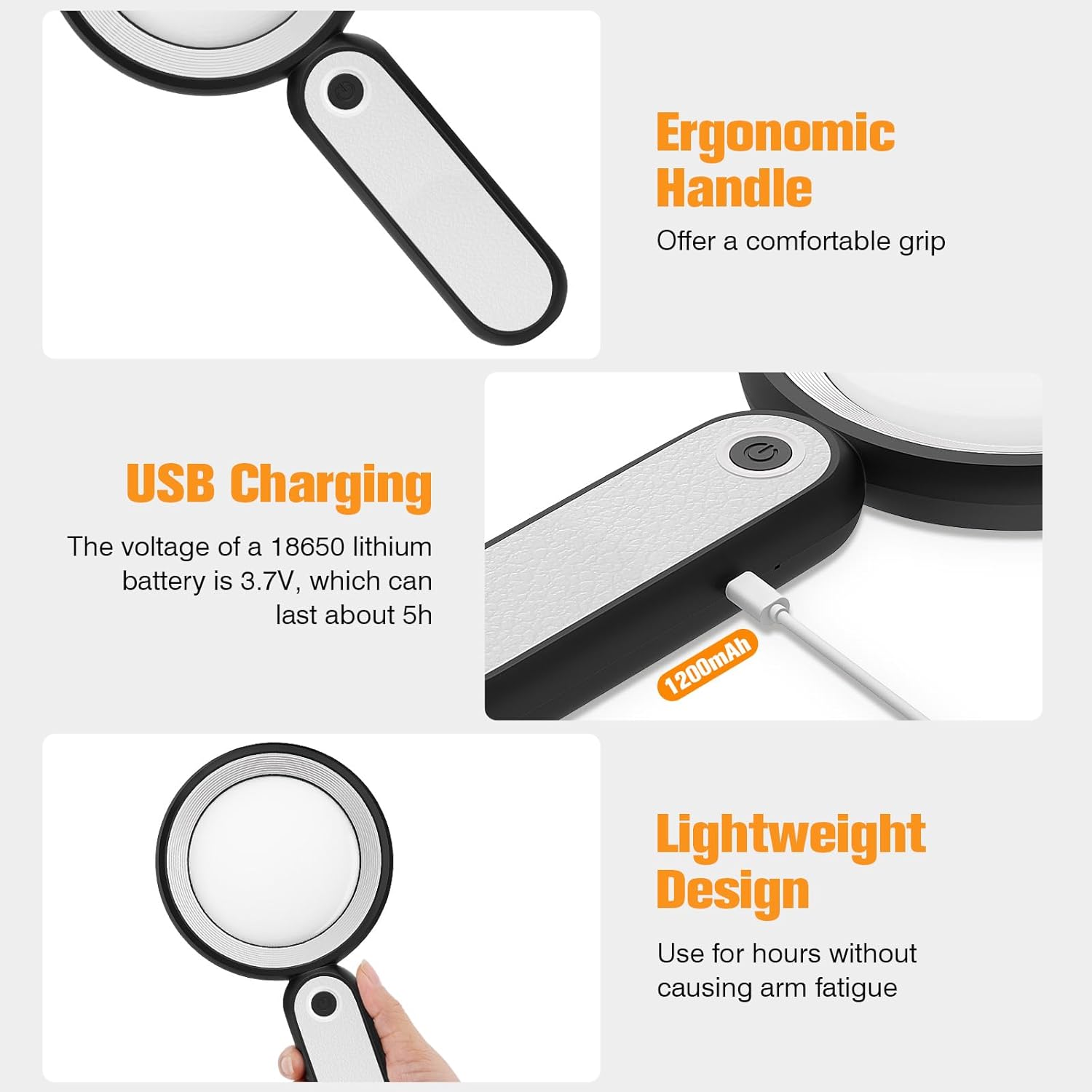
Before first use, fully charge the magnifying glass. Locate the USB charging port on the handle of the device.

Image: USB charging port on the handle.
- Connect the provided USB charging cable to the charging port on the magnifying glass.
- Zapojte druhý konec kabelu USB do kompatibilního napájecího adaptéru USB (není součástí balení) nebo do portu USB počítače.
- The charging indicator lights (if present) will show the charging status. Allow the device to charge until fully powered, typically around 5 hours for a full charge.
2. Nastavení rukojeti
The magnifying glass features an adjustable handle for comfortable use.

Image: Ergonomic handle design.
- Gently pivot the handle to your desired angle for handheld use.
- The handle can be folded for compact storage or extended for a comfortable grip during use.
Návod k obsluze
1. Zvětšení
The MoKo Magnifying Glass provides 10X magnification for clear viewing of small text and objects.

Image: Magnifying glass in use, showing 10X magnification on text.
- Hold the magnifying glass approximately 3-5 inches (7.5-12.5 cm) above the object you wish to magnify.
- Adjust the distance slightly until the object comes into clear focus.
2. LED Lighting Modes
The device is equipped with 21 LED lights and three lighting modes to suit various environments and reduce eye strain.

Image: Three adjustable lighting modes (cool, warm, mixed) for the LED lights.
- Locate the power button on the handle.
- Press the power button once to activate the Chladné světlo režimu.
- Stiskněte tlačítko napájení podruhé pro přepnutí do Teplé světlo režimu.
- Press the power button a third time to activate the Mixed Light režimu.
- Press the power button a fourth time to turn off the LED lights.
Choose the lighting mode that provides the most comfortable and clear viewing experience for your specific task and ambient light conditions.
Údržba
1. Čištění čočky
To maintain optimal clarity, keep the optical glass lens clean.
- Use the provided soft cleaning cloth to gently wipe the lens surface.
- Avoid using abrasive materials, paper towels, or chemical cleaners, as these can scratch or damage the lens.
- Na odolné šmouhy lehceampen the cleaning cloth with a small amount of lens cleaning solution or water, then gently wipe and dry.
2. Skladování
When not in use, store the magnifying glass in the provided storage pouch to protect it from dust and scratches.

Image: Magnifying glass being stored in its protective pouch.
- Skladujte na chladném a suchém místě mimo dosah přímého slunečního záření a extrémních teplot.
Odstraňování problémů
| Problém | Možná příčina | Řešení |
|---|---|---|
| Světla se nerozsvěcují. | Slabá baterie nebo je zařízení vypnuté. | Charge the device using the provided USB cable. Ensure the power button is pressed correctly to cycle through modes. |
| Magnification is blurry or distorted. | Incorrect distance from object or dirty lens. | Adjust the distance between the lens and the object. Clean the lens with the provided cleaning cloth. |
| Handle is stiff or difficult to adjust. | Minor friction in the hinge. | Apply gentle, consistent pressure. Avoid forcing the hinge. |
Specifikace
| Funkce | Detail |
|---|---|
| Značka | MoKo |
| Číslo modelu | 10X |
| Síla zvětšení | 10X |
| Materiál čočky | Optické sklo |
| LED světla | 21 LED korálků |
| Režimy osvětlení | 3 (Cool, Warm, Mixed) |
| Zdroj napájení | Rechargeable USB (1200mAh battery, 3.7V) |
| Životnost baterie (nepřetržité používání) | Přibližně 5 hodiny |
| Rozměry produktu | 9.57 x 4.72 x 1.02 palce (24.3 x 12 x 2.6 cm) |
| Hmotnost položky | 7.05 unce (200 g) |
| UPC | 840401442876 |
Obrázek: Rozměry produktu.
Záruka a podpora
MoKo products are designed for reliability and performance. For warranty information or technical support, please refer to the contact details provided with your purchase or visit the official MoKo webmísto.
Uschovejte si účtenku jako doklad o koupi pro případné reklamace.
Důležité bezpečnostní informace
- Do not expose the magnifying glass to direct sunlight for extended periods, as this may cause fire or damage to surfaces.
- Uchovávejte mimo dosah dětí.
- Zabraňte pádu zařízení nebo jeho vystavení silným nárazům.
- Do not attempt to disassemble or modify the magnifying glass.


