Zavedení
Děkuji za nákupasing the ECHTPower Wireless Switch Controller. This controller is designed to provide a versatile and immersive gaming experience across multiple platforms, including Nintendo Switch, Switch Lite, iOS, Android, and PC. Its unique design combines nostalgic retro aesthetics with modern performance features.

Image: The ECHTPower Wireless Switch Controllers in purple and starry sky blue, showcasing their distinct designs.
1. Nastavení
1.1 Počáteční nabíjení
Before first use, fully charge the controller. Connect the provided USB cable to the controller's charging port and the other end to a USB power source (e.g., console, PC, or USB wall adapter). The indicator lights on the controller will show charging status and turn off when fully charged.
1.2 Pairing with Nintendo Switch/Switch Lite
- Turn on your Nintendo Switch/Switch Lite console.
- V nabídce HOME vyberte „Ovladače“ > „Změnit úchop/pořadí“.
- On the controller, press and hold the SYNC button (usually a small button on the top or back) for 3-5 seconds until the indicator lights start flashing rapidly.
- Once paired, the corresponding player indicator light(s) on the controller will remain solid.
1.3 Connecting to PC (Wired/Wireless)
Kabelový režim: Connect the controller to your PC using the USB cable. The PC should automatically detect and install the necessary drivers.
Bezdrátový režim (Bluetooth):
- Ujistěte se, že váš počítač má povolenou technologii Bluetooth.
- Go to "Bluetooth & other devices" settings on your PC.
- Vyberte „Přidat Bluetooth nebo jiné zařízení“ > „Bluetooth“.
- On the controller, press and hold the SYNC button until the indicator lights flash rapidly.
- Select the controller from the list of available devices on your PC to pair.
1.4 Připojení k zařízením se systémem iOS/Android
- Enable Bluetooth on your iOS/Android device.
- On the controller, press and hold the SYNC button until the indicator lights flash rapidly.
- Hledat and select the controller from the list of available Bluetooth devices on your mobile device to pair.
2. Návod k obsluze
2.1 Základní ovládací prvky
The controller features standard gaming buttons including A/B/X/Y, D-pad, Left/Right Analog Sticks, L/R/ZL/ZR shoulder buttons, Home, Capture, Plus (+), Minus (-), and a Turbo button.

Obrázek: Podrobný view of the purple controller, highlighting its button layout and ergonomic design.
2.2 Funkce Turbo
The controller supports both manual and auto turbo functions, allowing for rapid button presses. The manual turbo function can achieve up to 25 shots per second.
- Setting Turbo: Press and hold the button you wish to set for turbo (e.g., A) then press the Turbo button once. The button will now rapidly repeat when held down.
- Setting Auto Turbo: Press and hold the turbo-enabled button (e.g., A) and press the Turbo button a second time. The button will now automatically repeat without being held down.
- Clearing Turbo: Press and hold the turbo-enabled button and press the Turbo button a third time to clear the turbo setting for that button. To clear all turbo settings, press and hold the Turbo button for 5 seconds.
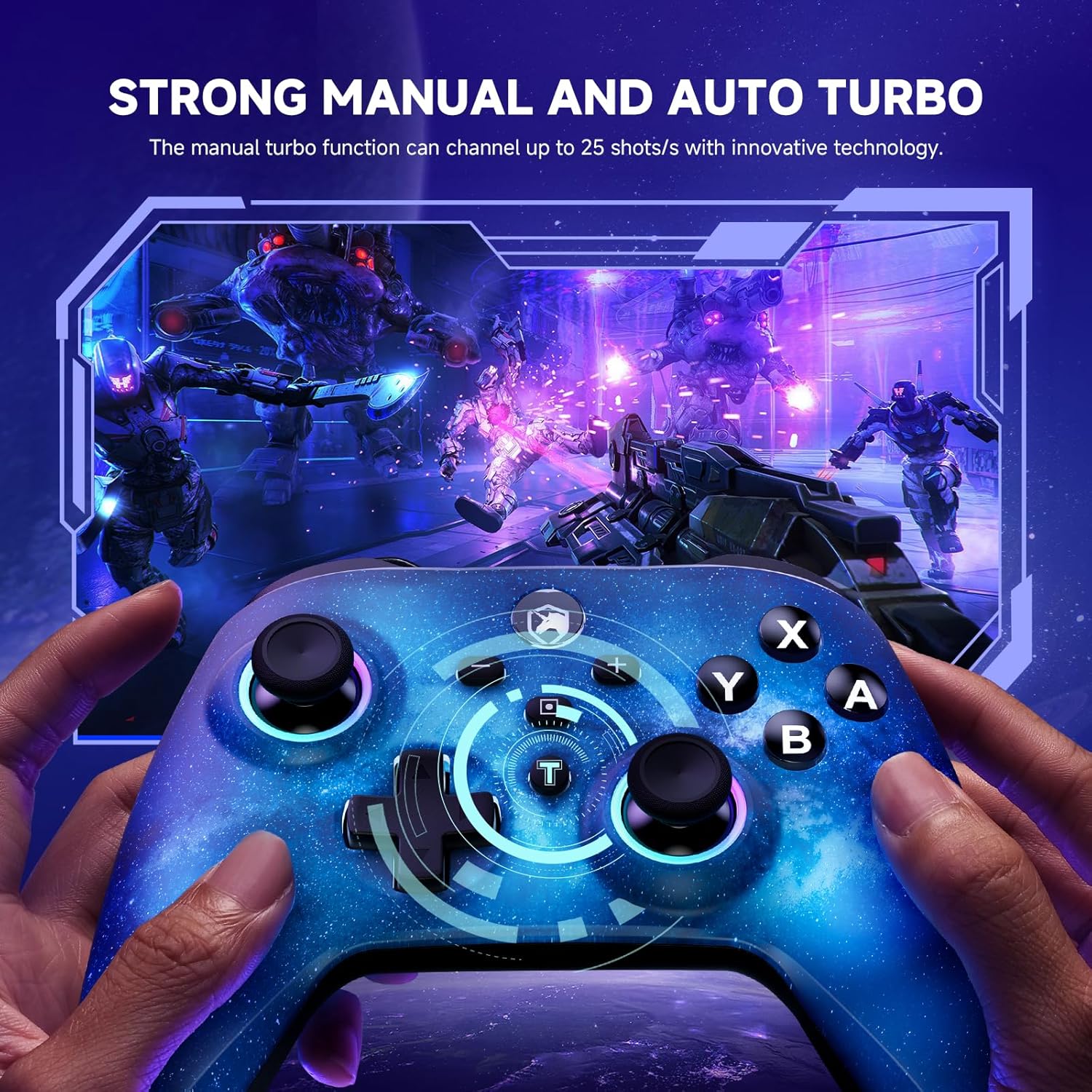
Image: The starry sky blue controller in use, demonstrating the rapid fire capability of the turbo function in a gaming scenario.
2.3 Dvojité vibrace
The controller features adjustable dual vibration motors, offering 4 vibration speed intensities for a more realistic gaming experience.
- Adjusting Vibration: While connected, press the Turbo button and the Up/Down direction on the D-pad simultaneously to cycle through vibration intensities.
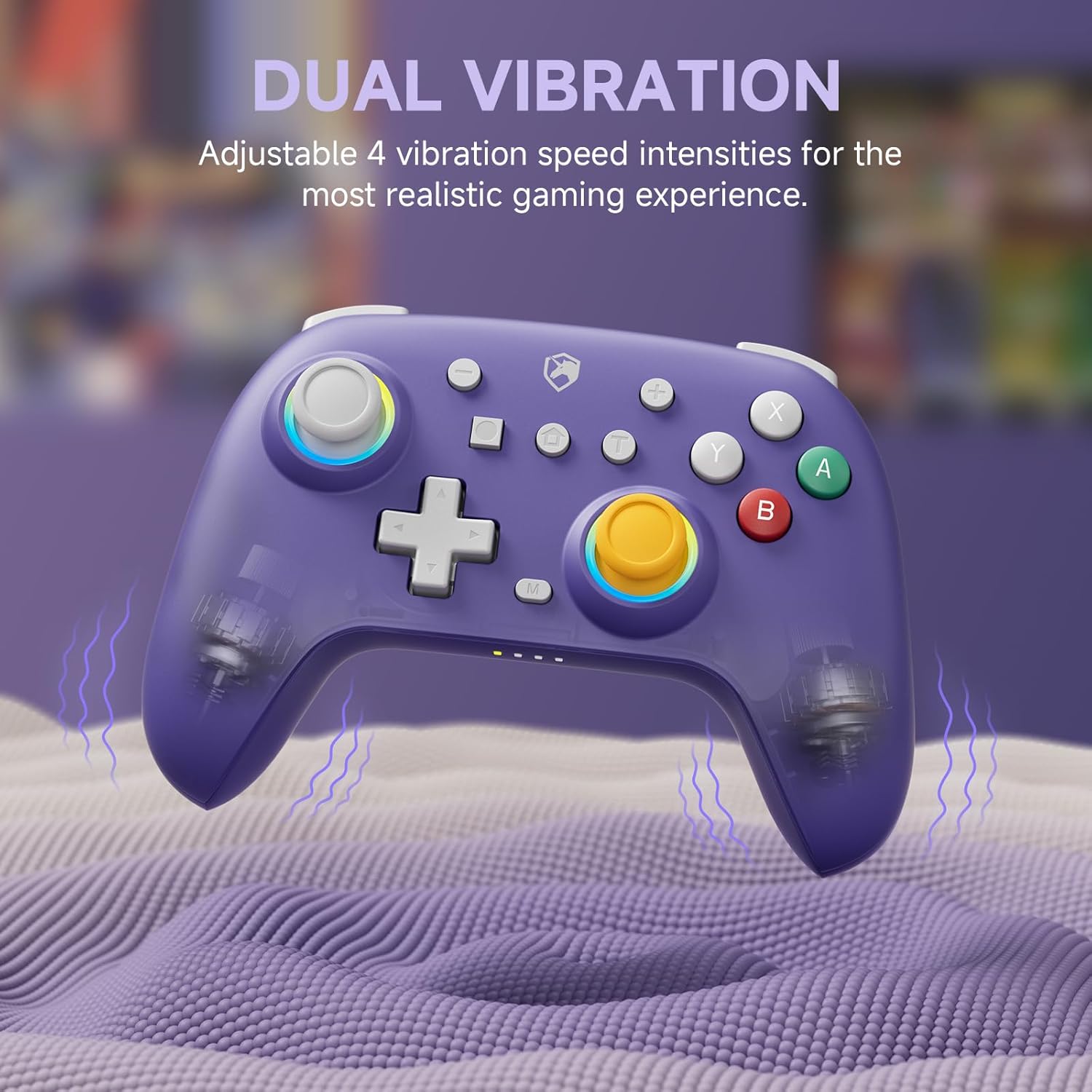
Image: The purple controller illustrating its dual vibration feature, enhancing tactile feedback during gameplay.
2.4 RGB osvětlení
The controller features sparkly 9 RGB lighting colors and 4 light modes, adding a visual flair to your gaming setup.

Image: The starry sky blue controller showcasing its customizable RGB lighting, creating an immersive visual effect.
2.5 Hallovy tyčinky
Equipped with Hall Effect sticks, the controller offers precise and durable position detection, reducing stick drift and extending lifespan.

Image: A diagram explaining the Hall Effect stick technology, emphasizing its precision and durability for accurate input.
3. Údržba
- Čištění: K čištění ovladače použijte měkký, suchý hadřík. V případě odolných nečistot lehceampOpláchněte hadřík vodou. Nepoužívejte agresivní chemikálie ani abrazivní čisticí prostředky.
- Skladování: Regulátor skladujte na chladném a suchém místě mimo dosah přímého slunečního záření a extrémních teplot.
- Péče o baterie: Chcete-li prodloužit životnost baterie, vyvarujte se častého úplného vybíjení ovladače. Pravidelně jej nabíjejte, i když jej delší dobu nepoužíváte.
- Vyhněte se kapkám: Chraňte ovladač před pády a nárazy, které by mohly poškodit vnitřní součásti.
4. Řešení problémů
| Problém | Možná příčina | Řešení |
|---|---|---|
| Controller won't turn on. | Slabá baterie. | Nabíjejte ovladač alespoň 30 minut. |
| Nelze spárovat se zařízením. | Controller not in pairing mode; device Bluetooth off; interference. | Ensure controller is in pairing mode (flashing lights). Check device Bluetooth settings. Move closer to the device. Try resetting the controller (if applicable, usually a small pinhole button). |
| Vstupní zpoždění nebo odpojení. | Vzdálenost od zařízení; slabá baterie; bezdrátové rušení. | Move closer to the device. Charge the controller. Reduce other wireless device interference. |
| Buttons/sticks not responding correctly. | Calibration issue; physical damage; software glitch. | Try recalibrating sticks/buttons via console/PC settings. Reset the controller. If issues persist, contact support. |
5. Specifikace
- Značka: ECHTPower
- Model: B0DNN27RS5
- Konektivita: Wireless (Bluetooth), Wired (USB)
- Kompatibilní zařízení: Nintendo Switch, Nintendo Switch Lite, iOS, Android, PC
- Barva: Purple, Starry Sky Blue
- Zdroj napájení: Napájení z baterie
- Typ ovladače: Gamepad
- Speciální vlastnosti: Dual Vibration, Turbo Function, Hall Effect Sticks, RGB Lighting
6. Záruka a podpora
ECHTPower products come with a standard manufacturer's warranty. For specific warranty details, please refer to the product packaging or contact ECHTPower customer support.
If you encounter any issues not covered in this manual or require further assistance, please contact ECHTPower customer support via their official webwebu nebo prodejce, kde jste produkt zakoupili.
Online podpora: Visit the ECHTPower Store on Amazon


