Zavedení
Thank you for choosing the ProtoArc XK01 TP Foldable Keyboard with Touchpad. This portable Bluetooth keyboard is designed for convenience and productivity on the go, offering a full-size typing experience with an integrated multi-touch trackpad. Please read this manual carefully to ensure proper setup and operation of your device.
Obsah balení
Ověřte, zda jsou v balení přítomny všechny položky:
- Folding keyboard with touchpad
- PU Leather Bag
- Stojan na telefon
- USB C Charge Cable
- Uživatelská příručka

Image: The ProtoArc XK01 TP keyboard shown with its included accessories: a phone stand, USB-C charging cable, and a protective PU leather bag.
Nastavení a párování
Pro připojení klávesnice k zařízení postupujte takto:
- Nabíjení klávesnice: Before first use, connect the keyboard to a power source using the provided USB-C cable. The charging indicator will show its status.
- Zapnutí: Unfold the keyboard to automatically power it on.
- Vstupte do režimu párování: Press and hold one of the Bluetooth channel keys (BT1, BT2, or BT3) for 3 seconds until the corresponding indicator light flashes, indicating it's in pairing mode.
- Povolte Bluetooth na svém zařízení: On your laptop, PC, smartphone, or tablet, go to Bluetooth settings and turn on Bluetooth.
- Vyberte klávesnici: Look for 'ProtoArc XK01 TP' in the list of available devices and select it to pair.
- Potvrdit připojení: Once paired, the indicator light for the selected Bluetooth channel will stop flashing and remain solid.
- Přepnout zařízení: To switch between paired devices, simply short press the corresponding Bluetooth channel key (BT1, BT2, or BT3).
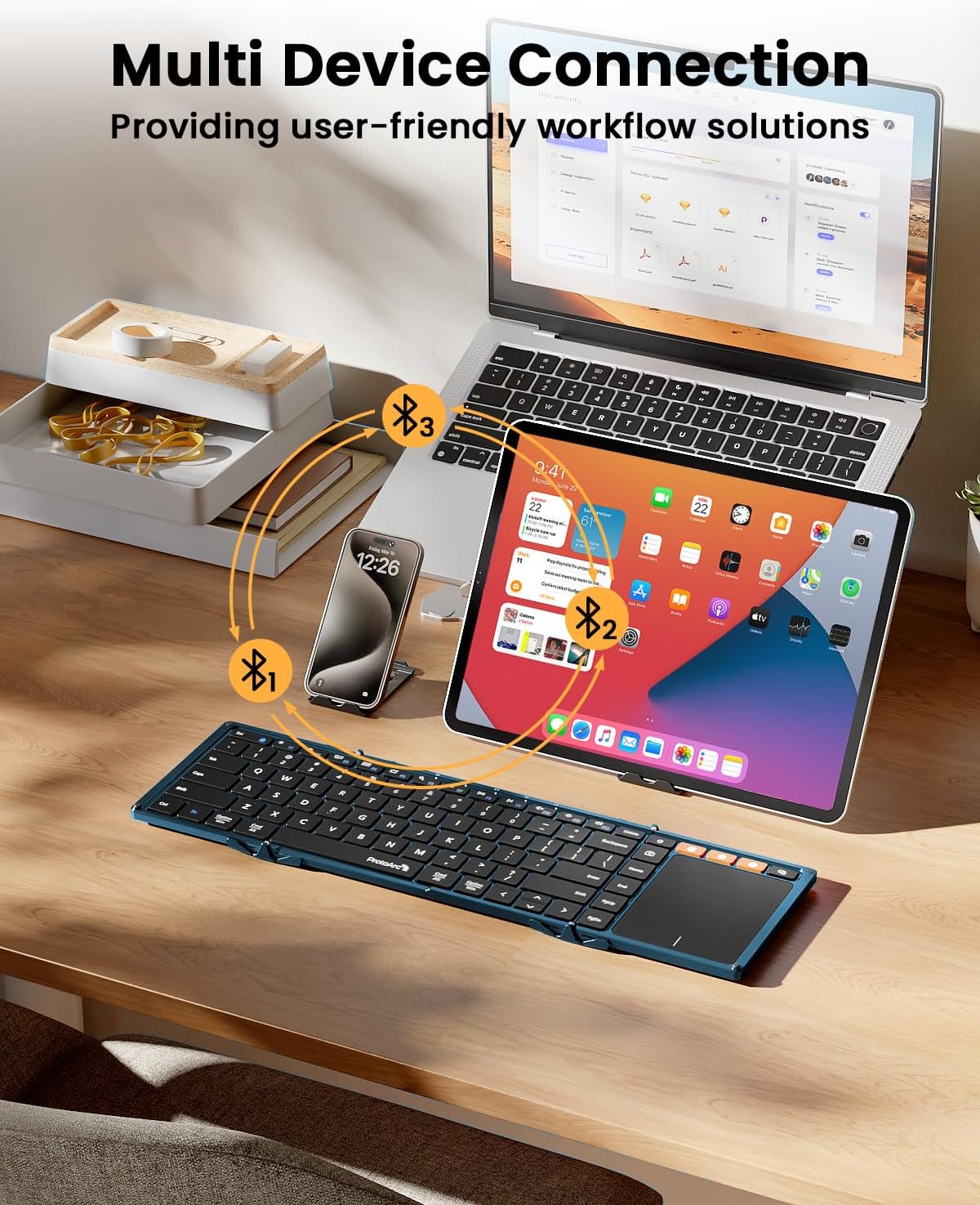
Image: The keyboard demonstrating multi-device Bluetooth connectivity to a smartphone, tablet, and laptop.
Video: A demonstration of the ProtoArc XK01 TP keyboard's portability and ease of setup for travel and business use.
Návod k obsluze
Keyboard Layout and Keys
The XK01 TP features an 88-key QWERTY layout with 16.5mm keycaps, providing a comfortable and familiar typing experience similar to a full-size laptop keyboard. It includes a full row of shortcut keys for various functions.

Image: User's hands typing on the ProtoArc XK01 TP keyboard, highlighting its standard full-size keys and integrated trackpad.
Gesta trackpadu
The multi-touch trackpad supports various gestures for efficient navigation:
- Klepnutí jedním prstem: Klikněte levým tlačítkem myši
- Klepnutí dvěma prsty: Klikněte pravým tlačítkem myši
- Pinch with Two Fingers: Přiblížit nebo oddálit
- Three Fingers Tap: Windows 10/11 Search
Note: For iPad users, please enable "AssistiveTouch" in your device settings for full trackpad functionality. Some gestures may not be available depending on the application. You can adjust scroll direction in your device settings.

Obrázek: Detailní záběr view of the keyboard's large, smooth trackpad, demonstrating precise navigation and scrolling.
Nabíjení
The keyboard has a built-in 300mAh battery. It takes approximately 2 hours for a full charge and offers up to 120 days of standby time. It will enter sleep mode after 60 minutes of inactivity to conserve power. Press any key to reactivate. To power off, simply fold the keyboard. Unfolding it will power it on.

Image: Visual representation of the keyboard's 300mAh battery, 2-hour charge time, and 150-day standby time.
Údržba
To ensure the longevity and optimal performance of your ProtoArc XK01 TP keyboard, please follow these maintenance guidelines:
- Čištění: Use a soft, dry cloth to wipe the keyboard surface and trackpad. For stubborn dirt, slightly dampOmyjte hadřík vodou nebo jemným, neabrazivním čisticím prostředkem. Zabraňte nadměrné vlhkosti.
- Skladování: When not in use, fold the keyboard to protect the keys and trackpad. Store it in the provided PU leather bag to prevent scratches and dust accumulation.
- Vyhněte se extrémním podmínkám: Do not expose the keyboard to extreme temperatures, direct sunlight, or high humidity. Keep it away from liquids and corrosive substances.
- Zacházejte opatrně: Avoid dropping the keyboard or applying excessive force to the keys or hinges. While durable, rough handling can cause damage.
- Nabíjení: K nabíjení používejte pouze dodaný kabel USB-C. Nepoužívejte poškozené kabely ani nabíječky.
Odstraňování problémů
Pokud máte problémy s klávesnicí, vyzkoušejte následující řešení:
- Klávesnice se nepřipojuje:
- Ensure the keyboard is charged and powered on (unfolded).
- Ověřte, zda je na vašem zařízení povoleno Bluetooth.
- Put the keyboard into pairing mode by long-pressing a BT channel key.
- Zapomeňte na zařízení v nastavení Bluetooth vašeho zařízení a zkuste spárování znovu.
- Trackpad not responding or gestures not working:
- For iPad users, ensure "AssistiveTouch" is enabled in Accessibility settings.
- Some applications may not fully support all trackpad gestures.
- Ensure the trackpad surface is clean and dry.
- Klávesy nereagují:
- Zkontrolujte stav baterie a v případě potřeby ji dobijte.
- Ensure the keyboard is properly unfolded and locked into position.
- Znovu připojte připojení Bluetooth.
- Unstable typing experience:
- The keyboard is designed for use on flat surfaces. Using it on uneven surfaces may affect stability due to the fold hinge.
Specifikace
| Číslo modelu | XK01 TP |
| Značka | ProtoArc |
| Konektivita | Bluetooth 5.1 (3 channels) |
| Rozložené rozměry | 15.19 cm D x 4.68 cm Š x 0.78 cm V |
| Rozměry ve složeném stavu | 8.46 cm D x 4.68 cm Š x 0.78 cm V |
| Hmotnost položky | 10.5 unce |
| Kapacita baterie | 300 XNUMX mAh |
| Pohotovostní doba | Až 120 dní |
| Doba nabíjení | Přibl. 2 hodin |
| Klíčenky | 16.5mm, 88-key QWERTY layout |
| Materiál | Plast |
| Kompatibilní zařízení | Laptop, PC, Smartphone, Tablet (Android, Windows, iOS) |

Image: The keyboard shown in both folded and unfolded states, illustrating its compact design for portability.
Záruka a podpora
The ProtoArc XK01 TP keyboard comes with a 5-year warranty. For any product inquiries, technical support, or warranty claims, please contact ProtoArc customer service. Contact information is typically provided in the included warranty card or user manual.
You can also visit the official ProtoArc website for additional support resources and FAQs: ProtoArc Store


