1. Úvod
Thank you for choosing the TOMLOV P30 Digital Microscope. This handheld microscope is designed to provide an engaging and educational experience for users of all ages, especially children, allowing for detailed observation of the micro-world. With its dual magnification levels, HD camera, and portable design, the P30 is an excellent tool for scientific exploration at home, outdoors, or in educational settings.
This manual provides comprehensive instructions for setting up, operating, and maintaining your TOMLOV P30 Digital Microscope to ensure optimal performance and longevity.
2. Konec produktuview
2.1 Klíčové vlastnosti
- Dvojité úrovně zvětšení: Offers 1-100X standard magnification for general observation and 500-1000X high magnification for detailed examination of slides. Includes 4X digital zoom.
- HD Camera & Video: Equipped with a 16MP camera for capturing high-resolution photos and 1080P video recording. A 16GB SD card is included for storage.
- 2palcový LCD displej: Provides a clear, visible display for live viewing and instant replay of captured discoveries, facilitating easy sharing.
- Přenosný a lehký design: Weighing just 6 oz, it is ideal for outdoor exploration and easy handling by children.
- Dlouhá výdrž baterie: Vestavěná dobíjecí baterie s kapacitou 800 mAh nabízí až 3 hodin nepřetržitého používání.
- Included P10 Magnifying Glass: Comes with an additional pocket magnifying glass for broader exploration.
2.2 Komponenty a příslušenství
The TOMLOV P30 package includes the following items:
- TOMLOV P30 Digital Microscope
- TOMLOV P10 Pocket Magnifying Glass
- USB nabíjecí kabel
- 16GB Micro SD karta (předinstalovaná nebo dodávaná samostatně)
- Uživatelská příručka
2.3 Schéma produktu

Figure 2.3.1: The TOMLOV P30 Digital Microscope (pink, right) and the TOMLOV P10 Pocket Magnifying Glass (grey, left). The P30 features a screen at the top, a power button, and a ribbed grip, with a clear base for viewing. The P10 is a handheld magnifying glass with a screen and control buttons.

Obrázek 2.3.2: Detailní záběr view of the TOMLOV P10 Pocket Magnifying Glass, held in a hand, showing its screen displaying a magnified view of plant material and its control buttons.
3. Nastavení
3.1 Nabíjení zařízení
Before first use, fully charge the TOMLOV P30 microscope. Connect the included USB charging cable to the microscope's charging port and the other end to a standard USB power adapter (not included) or a computer USB port. The charging indicator light will show the charging status and turn off when fully charged. A full charge provides up to 3 hours of use.

Figure 3.1.1: Two children are shown outdoors, one holding the pink TOMLOV P30 microscope. An icon indicates "3H Battery working time," emphasizing the device's long battery life for outdoor exploration.
3.2 Vložení Micro SD karty
The TOMLOV P30 comes with a 16GB Micro SD card for storing photos and videos. Locate the Micro SD card slot on the side of the microscope. Gently insert the card with the gold contacts facing down until it clicks into place. To remove, push the card in slightly until it springs out.
4. Návod k obsluze
4.1 Zapnutí/vypnutí
Press and hold the Power button (usually marked with a circle and vertical line) for a few seconds to turn the microscope on. The LCD screen will light up. To turn off, press and hold the Power button again until the screen shuts down.
4.2 Nastavení zvětšení
The P30 offers two primary magnification ranges: 1-100X for standard observation and 500-1000X for high-detail viewing. The microscope automatically adjusts focus within these ranges. For digital zoom, use the designated zoom buttons (if available) or navigate through the menu options.
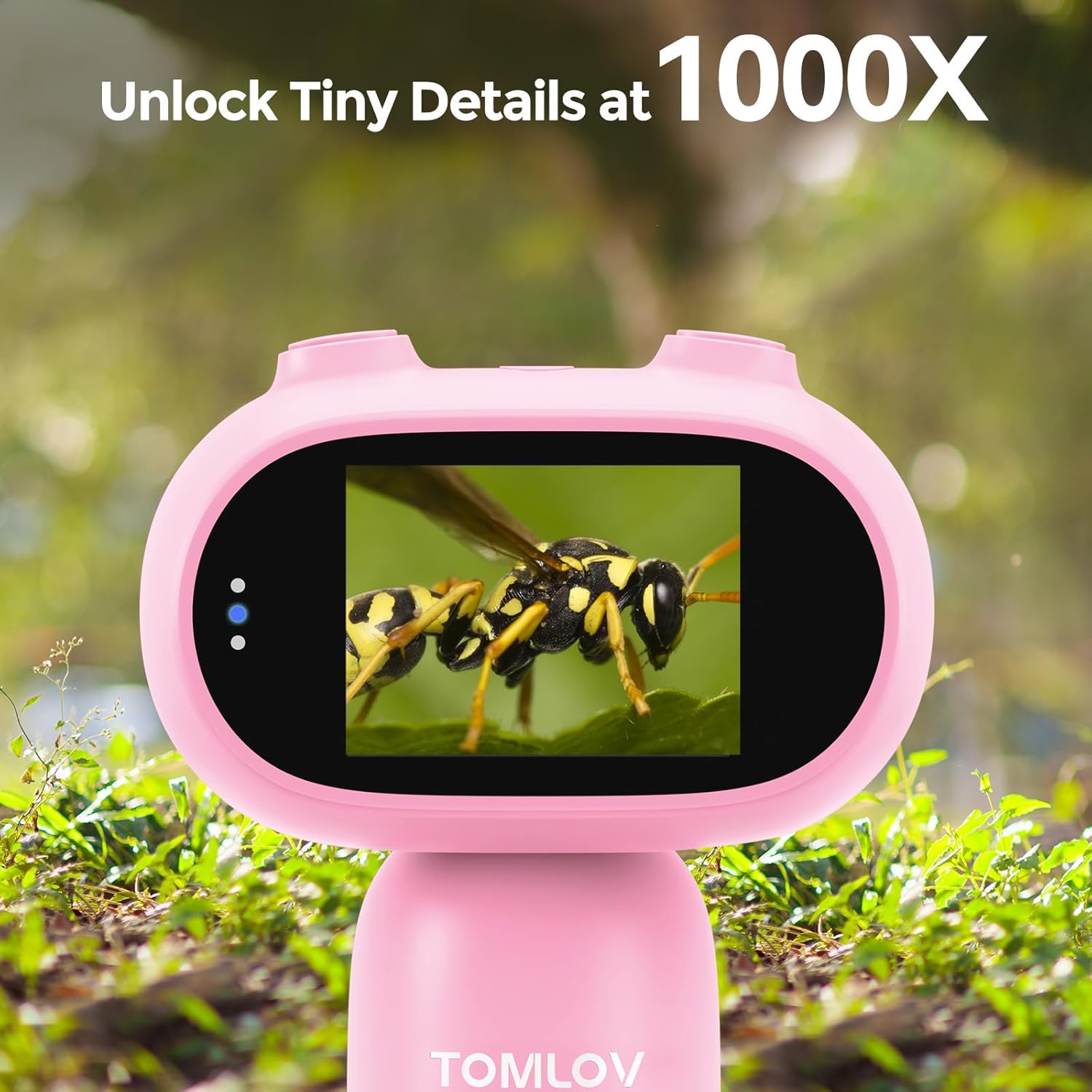
Figure 4.2.1: A close-up of the TOMLOV P30 microscope's screen, displaying a highly magnified image of a bee, illustrating its capability to "Unlock Tiny Details at 1000X".
4.3 Pořizování fotografií a videí
While observing, press the Photo button to capture a still image. Press the Video button to start recording; press it again to stop. All captured media will be saved to the inserted Micro SD card.

Figure 4.3.1: A graphic illustrating the TOMLOV P30's capabilities: 1080P Video recording, 16MP Photo capture, and Playback functionality, with examples of magnified insects.
4.4 Viewing and Sharing Discoveries
Můžete znovuview your captured photos and videos directly on the 2-inch LCD screen. Navigate through your media using the directional buttons. The screen allows for easy sharing of observations with others.

Figure 4.4.1: A group of children gathered around the TOMLOV P30 microscope, looking at its 2-inch screen, highlighting its "Shareable Screen" feature for collaborative viewIng.
K převodu files to a computer, connect the microscope to your PC using the USB cable. The microscope will appear as a removable disk drive, allowing you to copy files. Alternatively, you can remove the Micro SD card and insert it into a card reader connected to your computer.

Figure 4.4.2: A young girl and an adult are shown at a desk, with the TOMLOV P30 microscope connected via USB to a laptop, demonstrating the ease of editing and sharing discoveries on a PC.
5. Údržba
5.1 Čištění
- Use a soft, dry cloth to clean the body of the microscope.
- For the lens and screen, use a lens cleaning cloth or a microfiber cloth specifically designed for optics. Do not use abrasive cleaners or solvents.
- Před čištěním se ujistěte, že je zařízení vypnuté.
5.2 Skladování
Store the TOMLOV P30 in a cool, dry place away from direct sunlight and extreme temperatures. Keep it in its original packaging or a protective case when not in use to prevent dust accumulation and damage.
6. Řešení problémů
| Problém | Možná příčina | Řešení |
|---|---|---|
| Zařízení se nezapne. | Slabá baterie. | Zařízení plně nabijte pomocí dodaného kabelu USB. |
| Obrazovka je prázdná nebo zamrzlá. | Softwarová závada. | Stiskněte a podržte tlačítko napájení po dobu 10 sekund pro vynucení restartu. |
| Nelze ukládat fotografie/videa. | SD karta je plná nebo není správně vložena. | Check if the SD card is properly inserted. Delete old files or replace the SD card if full. |
| Obrázek je rozmazaný. | Incorrect distance from object or dirty lens. | Adjust the distance between the microscope lens and the object. Clean the lens if necessary. |
7. Specifikace
- Model: P30
- Značka: TOMLOV
- Zvětšení: 1-100X (Standard), 500-1000X (High)
- Digitální zoom: 4X
- Rozlišení fotoaparátu: 16 MP
- Rozlišení videa: 1080P
- Velikost obrazovky: 2palcový LCD
- Typ zdroje světla: LED
- Zdroj napájení: Napájení z baterie (vestavěná dobíjecí baterie s kapacitou 800 mAh)
- Životnost baterie: Až 3 hodin
- Materiál: Plast
- Barva: Růžový
- Hmotnost: Přibližně 6 oz
- Skladování: Supports Micro SD card (16GB included)
- ASIN: B0DM94LXT8
- Datum první dostupnosti: 7. listopadu 2024
8. Záruka a podpora
TOMLOV products are designed for reliability and performance. For specific warranty information, please refer to the warranty card included with your product or visit the official TOMLOV website. If you encounter any issues or have questions regarding your TOMLOV P30 Digital Microscope, please contact TOMLOV customer support through their official channels or the retailer from whom you purchased the product.
Pro další pomoc můžete navštívit TOMLOV Store on Amazon.


