Zavedení
The Thermalright Aqua Elite 240 ARGB V4 is an all-in-one liquid CPU cooler designed to provide efficient and quiet cooling for a wide range of Intel and AMD processors. This manual provides detailed instructions for installation, operation, and maintenance to ensure optimal performance and longevity of your cooler.
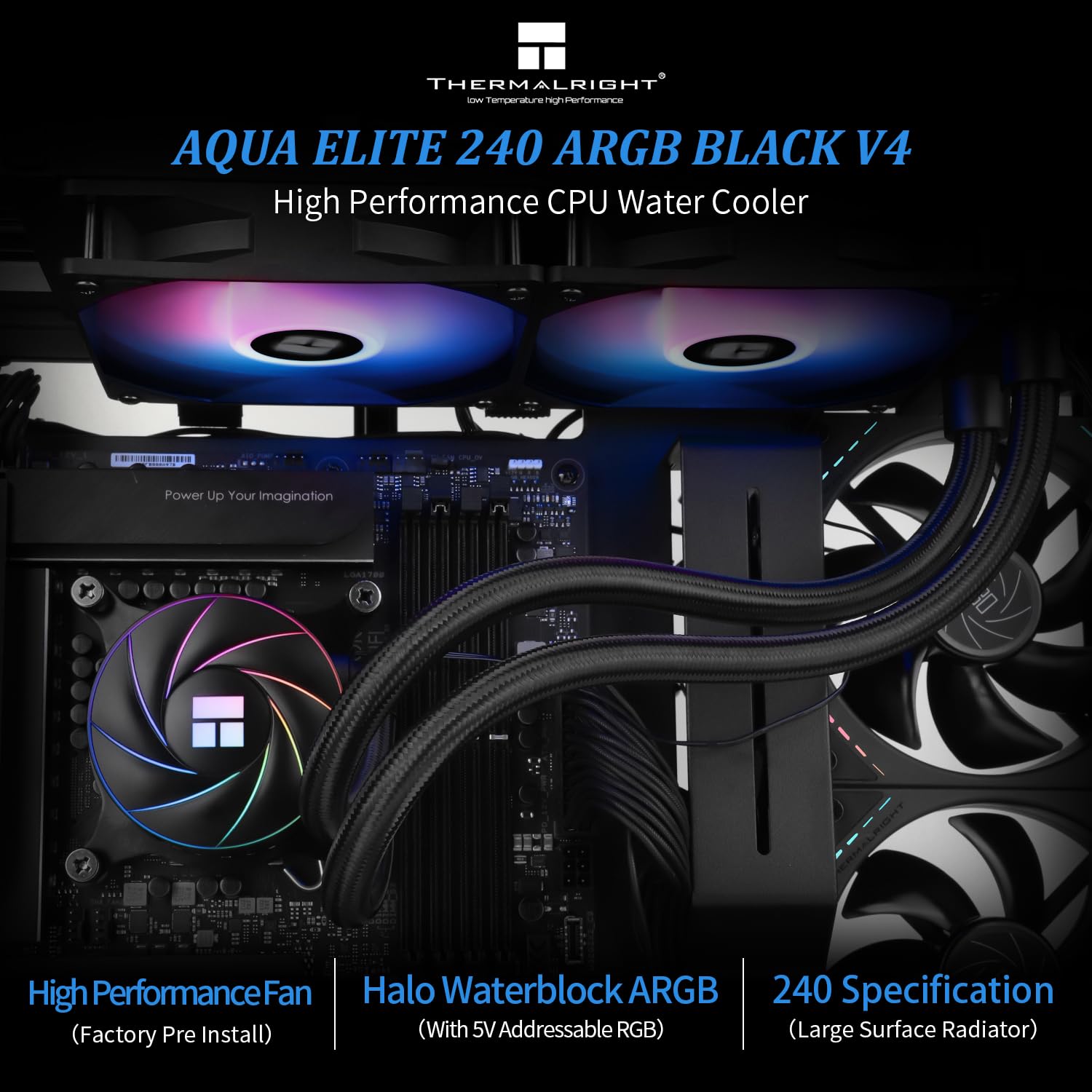
Image: The Thermalright Aqua Elite 240 ARGB V4 CPU AIO Cooler, showcasing its dual-fan radiator and illuminated water block.
Obsah balení
Před zahájením instalace se prosím ujistěte, že jsou všechny komponenty přítomny:
- AIO Water Cooler (Radiator with two 120mm ARGB fans, pump/water block, and tubing)
- Intel Mounting Brackets and Hardware (for LGA1851/1700/1150/1151/1155/1156/1200/2011/2066)
- AMD Mounting Brackets and Hardware (for AM4/AM5)
- Tepelná sloučenina
- Rozdělovací kabel ventilátoru
- ARGB Lighting Cables
- Uživatelská příručka

Obrázek: Overview of the Thermalright Aqua Elite ARGB V4 CPU Cooler Series components, including the radiator, fans, pump, and various mounting hardware for Intel and AMD platforms.
Specifikace
| Komponent | Specifikace |
|---|---|
| Rozměry vodního bloku | 72 mm * 72 mm * 48 mm |
| Rozměry chladiče | 282 mm * 120 mm * 27 mm |
| Rychlost čerpadla | 6400 ot./min ±10 % |
| Konektor čerpadla | 4-Pin PWM |
| Podpora RGB | +5V Addressable RGB (3-Pin) |
| Model ventilátoru | TL-C12C-S ARGB (x2) |
| Rozměry ventilátoru | 120 mm * 120 mm * 25 mm |
| Fan Rated Speed | 1550 ot./min ±10 % |
| Hladina hluku ventilátoru | ≤25.6 dBA |
| Proudění vzduchu ventilátorem | 66.17 CFM (MAX) |
| Statický tlak ventilátoru | 1.53 mmH2O (MAX) |
| Typ ložiska ventilátoru | S-FDB Bearing |
| Kompatibilní zásuvky | Intel: LGA1851/1700/1150/1151/1155/1156/1200/2011/2066; AMD: AM4/AM5 |
Průvodce instalací
Follow these steps to properly install your Thermalright Aqua Elite 240 ARGB V4 CPU AIO Cooler. Refer to the video below for visual guidance.
Video: Detailed installation guide for the Thermalright Aqua Elite ARGB V4 CPU Cooler Series, covering both AMD and Intel platforms.
Instalace AMD AM4/AM5
- Příprava vodního bloku: Remove the protective sticker from the coldplate. Align the arrow on the AMD bracket with the water block and rotate to install it.
- Naneste tepelně izolační pastu: Apply an appropriate amount of thermal compound onto the CPU Integrated Heat Spreader (IHS).
- Montáž vodního bloku: Place the water block onto the CPU, ensuring the buckles on the AMD bracket engage with the motherboard's stock retention module.
- Bezpečný vodní blok: Tighten both screws on the bracket with a screwdriver to apply even mounting pressure.
Instalace Intel LGA1700
- Příprava zadní desky: Adjust the mounting hole position on the Intel backplate to 1700.
- Instalace zadní desky: Install the backplate from the backside of the motherboard.
- Nainstalujte Standoffs: Install the 1700 standoffs onto the backplate screws from the front side of the motherboard.
- Příprava vodního bloku: Remove the protective sticker from the coldplate. Align the arrow on the Intel bracket with the water block and rotate to lock it in place.
- Naneste tepelně izolační pastu: Apply an appropriate amount of thermal compound onto the CPU IHS.
- Montáž vodního bloku: Align the mounting holes on the bracket to the standoffs and install the water block.
- Bezpečný vodní blok: Secure the metal brackets and water block with four nuts, applying appropriate mounting pressure.
Cable Connections (Common for all platforms)
- Síla čerpadla: Connect the pump power cable to the CPU_OPT or AIO_PUMP header on your motherboard.
- Výkon ventilátoru: Connect the fan PWM cables to the fan splitter cable. Then, connect the PWM splitter cable to the motherboard's CPU_FAN socket to power the fans.
- ARGB osvětlení: Remove the protective caps from the ARGB 3-pin connectors. Connect the fan ARGB cables to sync the lighting signal. Connect the ARGB lighting cable to the motherboard's 3-pin +5V ARGB socket for lighting control. Poznámka: This cooler supports 5V 3-pin ARGB only, NOT 12V 4-pin RGB.
Operace
The Thermalright Aqua Elite 240 ARGB V4 is designed for automatic and efficient operation. Once installed and connected, the cooler will manage CPU temperatures and fan speeds based on system load.
- PWM ventilátory: The included TL-C12C-S ARGB fans utilize PWM (Pulse Width Modulation) control, allowing their speed to automatically adjust according to the CPU temperature. This ensures optimal cooling performance while minimizing noise during lighter loads.
- ARGB osvětlení: The addressable RGB lighting on both the water block and fans can be controlled and synchronized via compatible motherboard software (e.g., ASUS Aura Sync, MSI Mystic Light, Gigabyte RGB Fusion, ASRock Polychrome Sync). Ensure your motherboard has a 3-pin +5V ARGB header for this functionality.
- High Performance Pump: The pump operates at speeds up to 6400 RPM ±10%, ensuring consistent and effective liquid circulation for superior heat dissipation.

Image: Diagram showing the ARGB 5V 3-pin lighting interface and the +12V DC/4-pin water pump connection for the cooler.
Údržba
Regular maintenance helps ensure the longevity and optimal performance of your AIO liquid cooler.
- Čištění prachu: Pravidelně čistěte prach z žeber chladiče a lopatek ventilátoru stlačeným vzduchem. Během čištění se ujistěte, že se ventilátory neotáčejí, aby nedošlo k jejich poškození.
- Zkontrolujte potrubí: Inspect the tubing for any signs of kinks, leaks, or damage. While the polymer compilation protection water pipe is designed for durability, regular checks are recommended.
- Teplovodní pasta: If you ever need to remove and re-install the water block, it is recommended to clean off the old thermal paste and apply a fresh layer for optimal heat transfer.
- Aktualizace softwaru: Keep your motherboard's BIOS and ARGB control software updated to ensure compatibility and access to the latest features and performance improvements.
Odstraňování problémů
If you encounter issues with your cooler, consider the following common troubleshooting steps:
- Vysoké teploty procesoru:
- Ensure the water block is securely mounted and making full contact with the CPU.
- Zkontrolujte, zda byla teplovodivá pasta nanesena správně a rovnoměrně.
- Check that the pump is running (listen for a faint hum or check monitoring software).
- Confirm that radiator fans are spinning and are not obstructed by dust or cables.
- Zajistěte správné proudění vzduchu uvnitř skříně počítače.
- Fans Not Spinning/ARGB Not Lighting Up:
- Check all power and ARGB connections to the motherboard and between components.
- Verify that the motherboard's fan and ARGB headers are enabled in the BIOS/UEFI.
- Ensure you are using a 3-pin +5V ARGB header, not a 4-pin +12V RGB header.
- Update or reinstall your motherboard's ARGB control software.
- Neobvyklé zvuky:
- A slight gurgling sound initially is normal as air settles in the loop. If persistent, try gently tilting your PC case to help trapped air move to the radiator.
- Ensure fan cables are not hitting fan blades.
- If the pump is making excessive noise, ensure it is receiving adequate power and is not running dry (though unlikely in a sealed AIO).
If issues persist, please contact Thermalright customer support for further assistance.
Záruka a podpora
For warranty information, technical support, or service inquiries, please refer to the official Thermalright webnebo se obraťte na jejich zákaznický servis. Uschovejte si doklad o koupi pro případ reklamace.
The water cooling head has a life span of up to 40,000 hours, and the S-FDB bearings in the fans are designed for extended life.


