1. Konec produktuview
The ROCAM 1025pro is a versatile alarm clock radio designed for modern living spaces. It integrates an FM radio, Bluetooth speaker, and night light, along with convenient charging ports and essential alarm functions.

Obrázek 1.1: Přední strana view of the ROCAM 1025pro Alarm Clock Radio, displaying the time and various icons.
Klíčové vlastnosti:
- Kompaktní design: Stylish and modern fabric design suitable for any room.
- Čistý digitální displej: Large, easy-to-read numbers with adjustable brightness (5 levels).
- FM rádio: Auto-scan and save up to 20 preset stations (87.5MHz to 108.0MHz).
- Bluetooth reproduktor: Seamless pairing for audio streaming with 16 volume settings.
- Duální režimy alarmu: Wake up to a classic beep or your favorite radio station.
- Noční světlo: Integrated warm night light function.
- Nabíjecí porty: USB and Type-C ports for device charging.
- Bateriová záloha: Maintains time and settings during power outages (requires plug-in for full function).
- Uživatelsky přívětivé ovládání: Intuitive buttons and rotary knobs for easy operation, including DST mode.

Image 1.2: The ROCAM 1025pro highlighting its 3-in-1 functionality: Alarm Clock, FM Radio, and Bluetooth Speaker, shown on a bedside table.
2. Obsah balení
Zkontrolujte prosím balení, zda neobsahuje následující položky:
- ROCAM 1025pro Alarm Clock Radio
- DC 5V/2A napájecí adaptér
- 60" USB-DC Power Cable (Type-C interface)
- CR2032 Button Battery (pre-installed for backup)
- Uživatelská příručka (tento dokument)
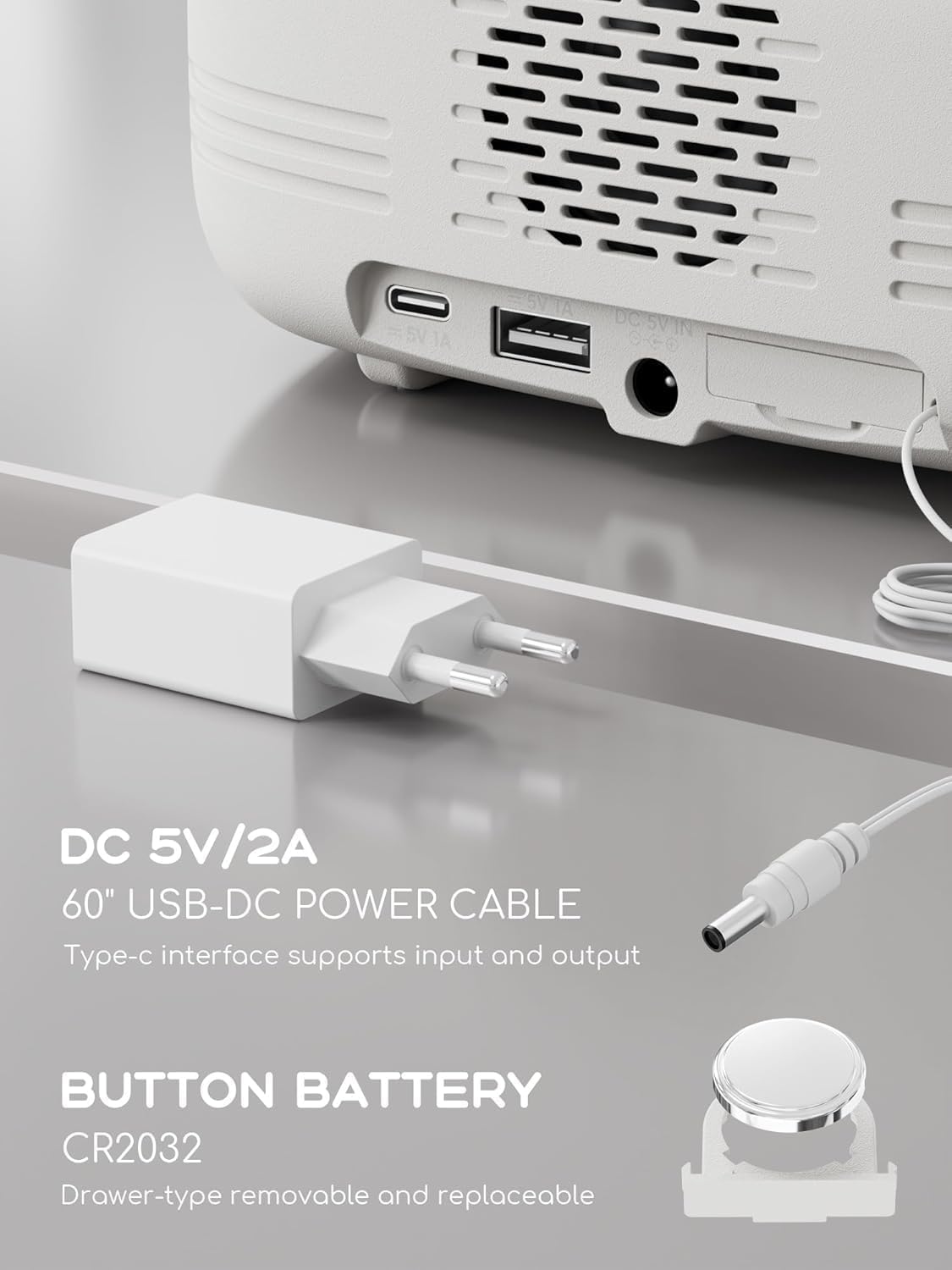
Obrázek 2.1: Zadní strana view of the ROCAM 1025pro showing the DC 5V/2A power input, USB-A, and Type-C ports, alongside the power adapter and CR2032 button battery.
3. Nastavení
3.1 Připojení napájení
- Connect the provided USB-DC power cable to the DC 5V IN port on the back of the alarm clock.
- Zapojte napájecí adaptér do standardní zásuvky.
- Displej se rozsvítí, což znamená, že je zařízení zapnuté.
Poznámka: The CR2032 button battery is pre-installed and provides backup power for time and settings during power outages. The clock requires continuous plug-in power for full functionality.
3.2 Počáteční nastavení času
Upon first power-on or after a prolonged power disconnection without battery backup, you may need to set the time.
- Press and hold the "Time/12-24" button (usually located on the top panel) until the hour digits flash.
- Rotate the "Time/Volume" knob (typically on the right side) to adjust the hour.
- Press the "Time/12-24" button again to switch to minute adjustment.
- Rotate the "Time/Volume" knob to adjust the minutes.
- Press the "Time/12-24" button once more to confirm the time.
- To switch between 12-hour and 24-hour format, briefly press the "Time/12-24" button when the time is displayed.
4. Návod k obsluze
4.1 Nastavení alarmu
Zařízení podporuje dva nezávislé alarmy.
- Press the "Alarm" button (usually on the top panel) to select Alarm 1 or Alarm 2. The corresponding alarm icon will flash.
- Press and hold the "Alarm" button until the hour digits flash.
- Rotate the "Time/Volume" knob to adjust the alarm hour.
- Press the "Alarm" button again to switch to minute adjustment.
- Rotate the "Time/Volume" knob to adjust the alarm minutes.
- Press the "Alarm" button again to select the alarm source (Buzzer or FM Radio).
- Rotate the "Time/Volume" knob to choose. If FM Radio is selected, the last tuned station will be used.
- Press the "Alarm" button once more to confirm and activate the alarm. The alarm icon will remain lit.
- To deactivate an alarm, press the "Alarm" button until the alarm icon disappears.

Image 4.1: The ROCAM 1025pro displaying an alarm icon, indicating an active alarm setting.
4.2 Funkce odložení
When the alarm sounds, press the "SNOOZE/LIGHT" button to activate the snooze function. The alarm will pause for approximately 9 minutes and then sound again.
4.3 Stmívač displeje
To adjust the display brightness, repeatedly press the "SNOOZE/LIGHT" button when the alarm is not sounding. There are 5 levels of brightness, from very bright to off.
4.4 Provoz FM rádia
- Press the "Power/Mode" button to switch to FM Radio mode. The frequency will be displayed.
- Automatické skenování: Press and hold the "Scan" knob (usually on the right side) to automatically scan and save available FM stations. Up to 20 stations can be stored.
- Ruční ladění: Briefly rotate the "Scan" knob to manually tune the frequency.
- Přednastavené stanice: Press the "Preset/Pair" button to cycle through saved preset stations.
- Nastavení hlasitosti: Rotate the "Time/Volume" knob to adjust the radio volume (16 levels).

Image 4.2: The ROCAM 1025pro displaying an FM radio frequency, indicating FM radio mode is active.
4.5 Párování Bluetooth reproduktorů
- Press the "Power/Mode" button to switch to Bluetooth mode. The Bluetooth icon will flash, indicating it's ready for pairing.
- On your mobile device, enable Bluetooth and search for "ROCAM 1025pro" (or similar name).
- Select the device to pair. Once connected, the Bluetooth icon on the clock display will stop flashing and remain solid.
- You can now stream audio from your device to the alarm clock.
- Nastavení hlasitosti: Rotate the "Time/Volume" knob to adjust the Bluetooth audio volume (16 levels).

Obrázek 4.3: Rozložený view of the ROCAM 1025pro, showing the internal speaker components and highlighting its Bluetooth capabilities.
4.6 Funkce nočního světla
The device features a warm night light. To activate or deactivate it, locate the dedicated night light button (if available, otherwise it might be integrated with the SNOOZE/LIGHT button or a separate touch area). The image suggests a touch-sensitive bar below the display.
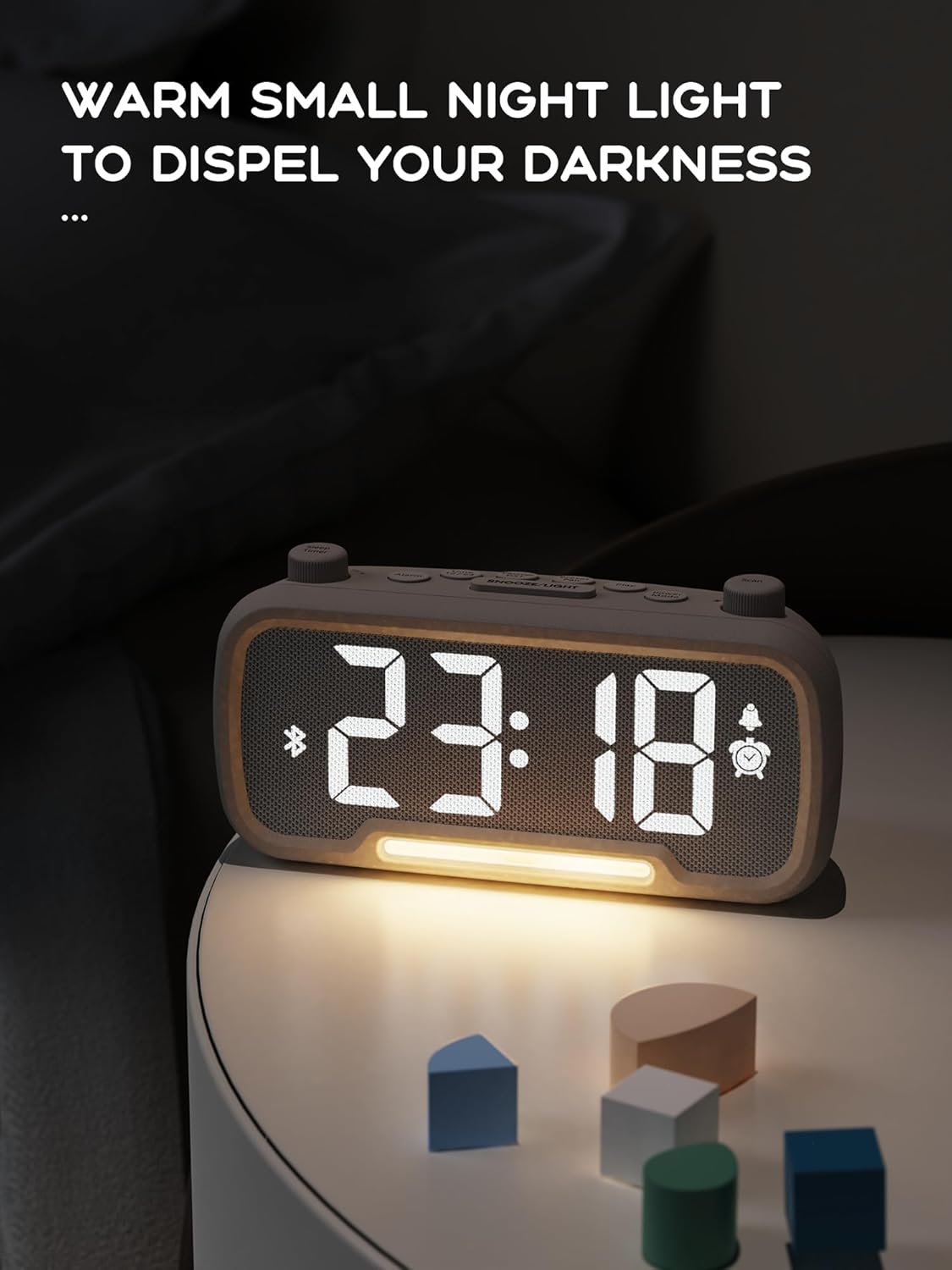
Image 4.4: The ROCAM 1025pro with its warm night light illuminated, providing ambient lighting in a dark room.
4.7 Nabíjecí porty USB a typu C
The alarm clock is equipped with a standard USB-A port and a Type-C port on the back for charging external devices.
- Connect your device's charging cable to the appropriate USB-A or Type-C port.
- Ensure the alarm clock is powered on and connected to a wall outlet for charging functionality.
4.8 Letní čas (DST)
To enable or disable Daylight Saving Time, briefly press the "DST" button (if available, or a combination of buttons as per specific model design). This will adjust the time by one hour forward or backward.
5. Údržba
5.1 Čištění
- Před čištěním odpojte napájecí adaptér.
- K otření vnějších částí zařízení používejte měkký, suchý hadřík.
- Do not use liquid cleaners, aerosols, or abrasive materials, as these may damage the surface.
5.2 Výměna baterie (CR2032)
The CR2032 button battery provides backup for time and settings. If the time and settings are lost during a brief power outage, může být nutné vyměnit baterii.
- Locate the battery compartment on the back or bottom of the unit. It is typically a drawer-type compartment.
- Open the compartment using a small screwdriver or by sliding the tray out.
- Vyjměte starou baterii CR2032.
- Vložte novou baterii CR2032 kladnou (+) stranou nahoru.
- Bezpečně uzavřete přihrádku na baterie.
- Starou baterii zlikvidujte zodpovědně v souladu s místními předpisy.
6. Řešení problémů
| Problém | Možná příčina | Řešení |
|---|---|---|
| Display is off or not working. | Not connected to power; power outage. | Ensure the power adapter is securely plugged into a working outlet. Check household power. |
| Displej je příliš jasný/tmavý. | Nastavení jasu je nesprávné. | Repeatedly press the "SNOOZE/LIGHT" button to cycle through brightness levels. |
| Alarm se nespustí. | Alarm is not set or deactivated; volume is too low. | Verify alarm settings and ensure the alarm icon is lit. Increase alarm volume using the "Time/Volume" knob. |
| Nelze spárovat zařízení Bluetooth. | Clock not in Bluetooth mode; device too far; already paired with another device. | Ensure the clock is in Bluetooth mode (flashing icon). Move device closer. Disconnect from other Bluetooth devices. |
| Příjem FM rádia je špatný. | Slabý signál; anténa není vysunutá. | Adjust the position of the clock. Ensure the FM antenna (if external) is fully extended. Try auto-scanning again. |
| Ztráta času/nastavení po výpadku napájenítage. | CR2032 backup battery is depleted or missing. | Replace the CR2032 button battery as described in Section 5.2. |
7. Specifikace
| Funkce | Detail |
|---|---|
| Značka | ROCAM |
| Číslo modelu | 1025 pro |
| Rozměry produktu | 16.8 x 3.81 x 8.4 cm (6.6 x 1.5 x 3.3 palce) |
| Hmotnost položky | 350 g (0.77 lb) |
| Zdroj napájení | Elektrický s kabelem (DC 5V/2A) |
| Zálohování baterie | 1 x lithium-kovová baterie CR2032 (součástí balení) |
| Typ zobrazení | Digitální LED |
| Frekvenční rozsah FM | 87.5 MHz - 108.0 MHz |
| Verze Bluetooth | 5.0 |
| Nabíjecí porty | USB-A, typ-C |
| Speciální funkce | Alarm, Bluetooth Speaker, FM Radio, Night Light, Sleep Timer, Snooze, DST, Adjustable Dimmer |
8. Záruka a podpora
ROCAM products are designed for reliability and performance. For warranty information, technical support, or customer service inquiries, please refer to the contact information provided on the product packaging or the official ROCAM webmísto.
Uschovejte si prosím doklad o koupi pro uplatnění záruky.