Zavedení
Thank you for choosing the FLEXISPOT Q5 Standing Desk with Drawer. This manual provides essential information for the safe assembly, operation, and maintenance of your new electric adjustable height desk. Please read these instructions carefully before beginning assembly and retain them for future reference.
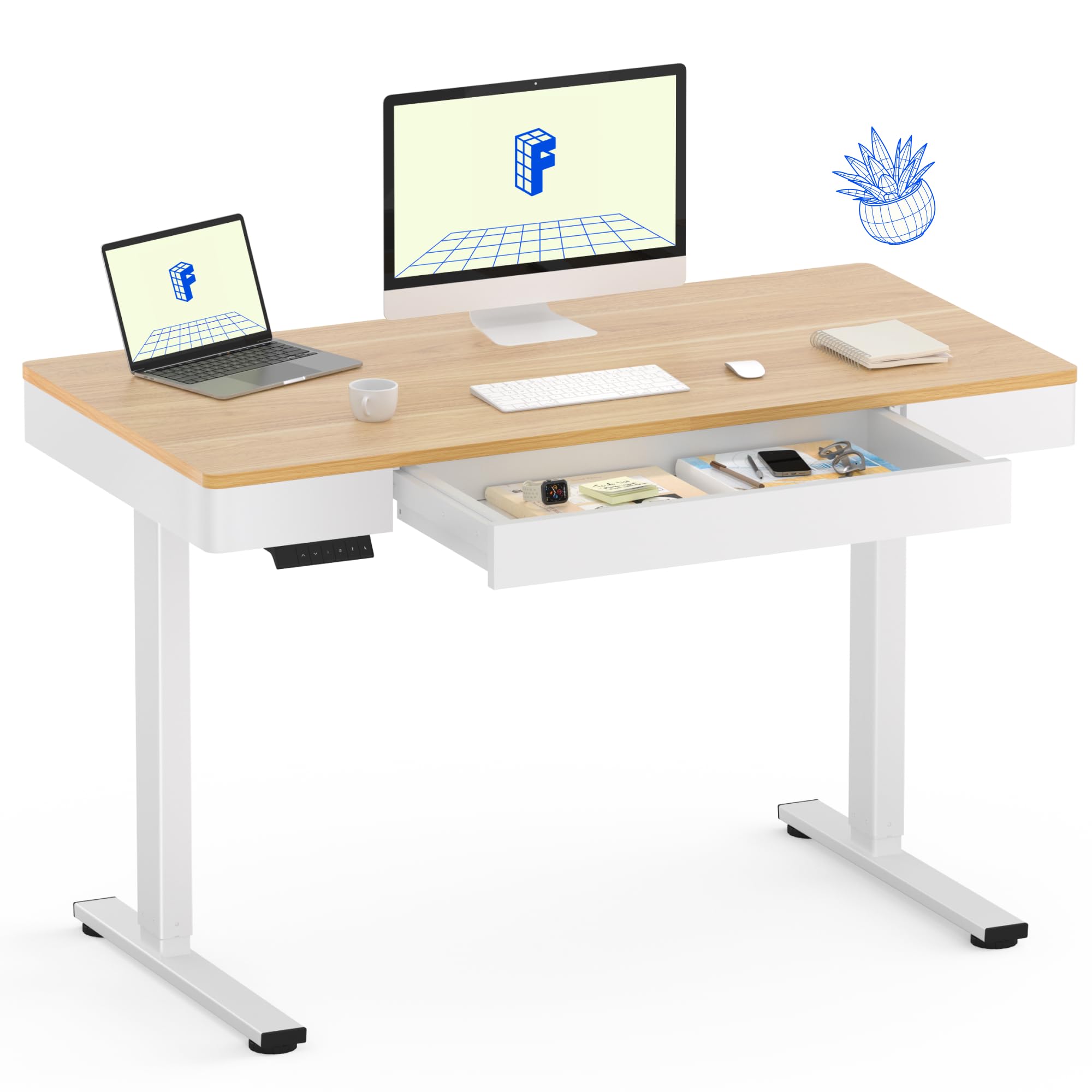
Image: The FLEXISPOT Q5 Standing Desk with Drawer, featuring a maple wooden desktop and white frame, set up in a modern office environment.
Bezpečnostní informace
Always assemble the desk according to the provided instructions. Be cautious when handling heavy components to avoid injury. Ensure the desk is properly assembled and stable before use. Do not exceed the weight limit of 110 lbs (50 kg) to maintain stability and prevent accidents. Keep children and pets away from the desk during operation to prevent injury from moving parts.
Obsah balení
Před montáží ověřte, zda jsou všechny níže uvedené díly přítomny a nepoškozené. Pokud některé díly chybí nebo jsou poškozené, kontaktujte zákaznickou podporu.
- Desktop (Whole-piece wooden desktop)
- Desk Frame (Alloy Steel)
- Electric Motor and Control Panel
- Drawer Components (Front, back, side panels, bottom, rails)
- Support Plates and Crossbeam
- Legs with Adjustable Feet
- Assembly Hardware (Screws, wooden dowels, connectors, tools)
Montážní návod
For a visual guide, please watch the official installation video below. Follow the steps carefully to ensure correct assembly.
Video: Official installation guide for the FLEXISPOT Q5 Standing Desk. This video demonstrates the step-by-step assembly process for the desktop, drawer, and frame components.
Desktop and Drawer Assembly
- Příprava pracovní plochy: Lay the desktop upside down on a soft, clean surface to prevent scratches.
- Install Connectors and Dowels: Insert the 3-in-1 connectors and wooden dowels into the designated holes on the desktop.
- Attach Front and Side Panels: Secure the front left and right panels, followed by the left and right side panels, using the provided screws and right-angle connectors.
- Sestavte zásuvku: Insert wooden dowels into the drawer side panels. Attach the drawer bottom and back panel to form the drawer box.
- Instalace kolejnic zásuvek: Attach the railway installation pipes to the drawer box.
- Pre-install Drawer: Carefully place the assembled drawer into its position on the desktop, ensuring it aligns with the pre-drilled holes. Insert plastic parts as shown in the instructions.
Sestava rámu
- Assemble Motor and Lifting Column: Attach the motor to the left lifting column using the provided hardware.
- Install Crossbeam: Connect the crossbeam between the two lifting columns. Ensure all screws are loosely fitted initially.
- Připevněte nohy: Secure the feet to the bottom of each lifting column.
- Zarovnejte a utáhněte: Loosen the screws on the crossbeam to allow for adjustment. Carefully align the entire frame with the desktop, then tighten all screws securely.

Image: An illustration of the FLEXISPOT Q5 Standing Desk with Drawer, highlighting its dimensions: 47.2 inches width, 23.6 inches depth, and an adjustable height range of 28.9 to 46.5 inches.
Návod k obsluze
The FLEXISPOT Q5 Standing Desk features an intuitive control panel for easy height adjustment and memory presets.
Nastavení výšky
- Použijte Nahoru (^) a Dolů (v) arrows on the control panel to raise or lower the desk to your desired height. The current height is displayed digitally.
- The desk offers a wide height range from 28.9" to 46.5" to accommodate various ergonomic preferences.
Předvolby paměti
Save your preferred sitting and standing heights for quick adjustments:
- Nastavte si stůl do požadované výšky.
- Stiskněte tlačítko M. (nebo podobné tlačítko pro nastavení paměti, je-li k dispozici) a poté jedno z očíslovaných tlačítek předvoleb (1, 2, 3 nebo 4). Displej potvrdí nastavení.
- To recall a saved height, simply press the corresponding numbered preset button.
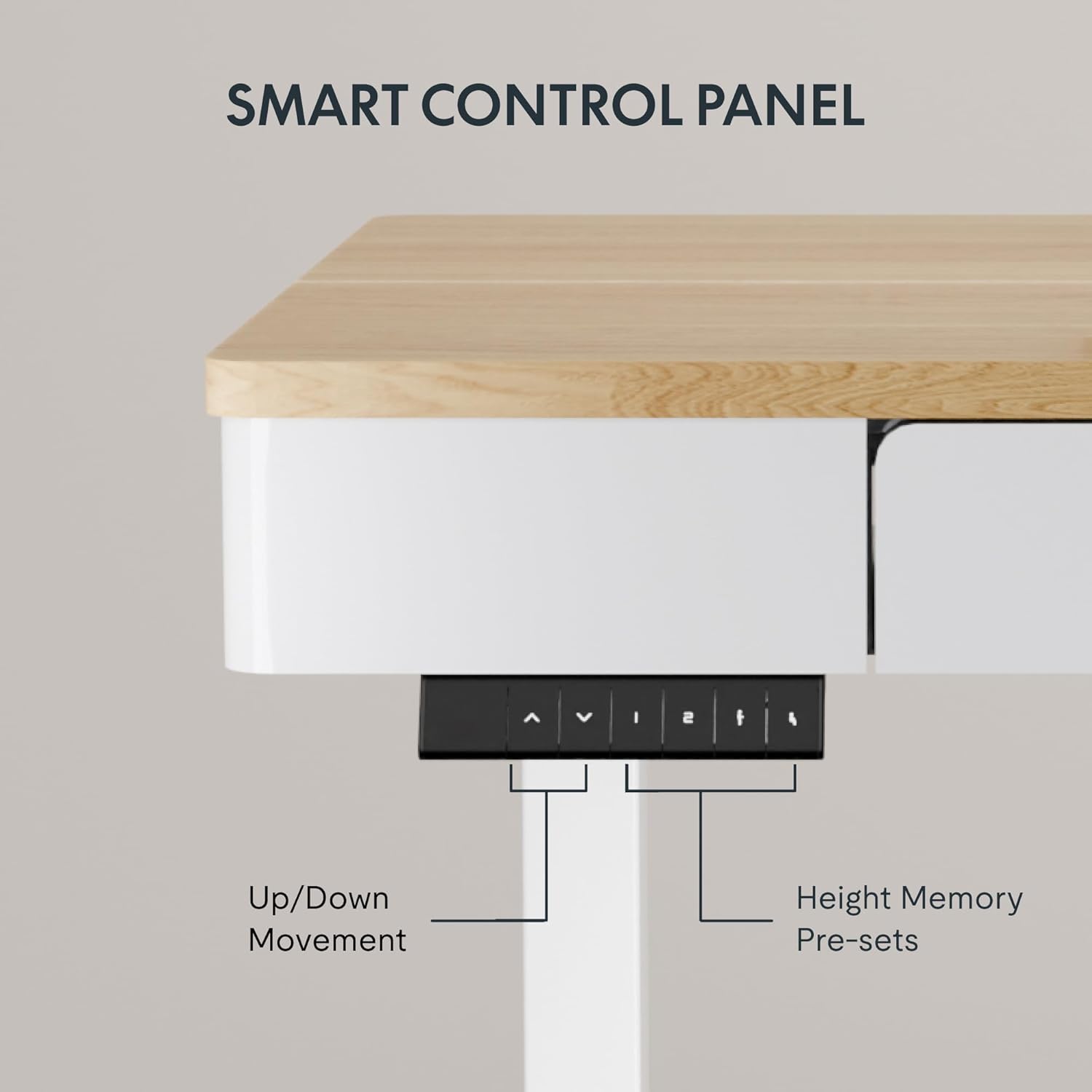
Image: Close-up of the smart control panel on the FLEXISPOT Q5 Standing Desk, showing up/down movement buttons and four height memory presets.
Funkce proti kolizi
The desk is equipped with a multi-level sensitivity anti-collision system. If the desktop encounters an obstacle while moving, it will automatically stop and reverse slightly to prevent damage or injury. This feature helps protect users, children, and pets.

Image: The FLEXISPOT Q5 Standing Desk illustrating its anti-collision feature, which prevents the desk from continuing to move if it detects an obstruction.
Péče a údržba
- Čištění: Otřete pracovní plochu a rám měkkým hadříkemamp hadříkem. Nepoužívejte agresivní chemikálie ani abrazivní čisticí prostředky, které by mohly poškodit povrchovou úpravu.
- Hmotnostní limit: Do not place items exceeding the maximum weight capacity of 110 lbs (50 kg) on the desk.
- Správa kabelů: Ensure all cables are properly managed to prevent entanglement with moving parts of the desk.
- Pravidelné kontroly: Pravidelně kontrolujte všechny šrouby a spoje, abyste se ujistili, že jsou pevně utažené.
Specifikace
| Funkce | Detail |
|---|---|
| Značka | FLEXISPOT |
| Model | Q5 |
| Rozměry pracovní plochy | 48 cm Š x 24 cm H |
| Výškový rozsah | 28.9" až 46.5" |
| Materiál pro stolní počítače | Wood (Maple finish) |
| Materiál rámu | Legovaná ocel |
| Maximální nosnost | 110 liber |
| Počet zásuvek | 1 |
| Drawer Inner Space | 24.6"x11.8"x2.3" |
| Speciální funkce | Electric Height Adjustment, 4 Memory Presets, Anti-Collision System |

Image: Two FLEXISPOT Q5 Standing Desks, one at its minimum height of 28.9 inches and another at its maximum height of 46.5 inches, demonstrating the large adjustable range.
Záruka a podpora
The FLEXISPOT Q5 Standing Desk comes with a comprehensive warranty:
- Dvouleté krytí: Applies to the desk frame and motor.
- Dvouletá ochrana: Applies to the control panel and electronics.
For customer support or warranty claims, please contact FlexiSpot Customer Service. Please note that the product ships in two separate packages which may arrive separately.


