Konec produktuview
The KOSUMOSU ACD-330 is a versatile digital alarm clock designed for various indoor environments. It features a clear 6.7-inch LED display, dual alarm functionality, automatic and manual dimming, and displays time, date, day of the week, and indoor temperature.

Obrázek: Přední strana view of the KOSUMOSU Digital Alarm Clock displaying 10:30 AM, 68°F, and May 27.
Obsah balení
- KOSUMOSU Digital Alarm Clock (Model: ACD-330)
- USB Power Cable (1.5 meters, permanently attached)
- Základna držáku
- Knoflíková baterie CR2025 (předinstalovaná pro záložní napájení)
- Uživatelská příručka
Note: A 5V/1A AC adapter is required for operation and is NOT included. Please prepare your own adapter.

Image: Diagram showing the included items: Digital Clock, USB cable, User Manual, CR2025 Button Cell, and Bracket Base.
Pokyny pro nastavení
- Připojení napájení: Connect the attached USB power cable to a 5V/1A AC adapter (not included) and plug it into a power outlet. The clock will power on.
- Bateriová záloha: The clock includes a pre-installed CR2025 button cell battery. This battery is for time preservation during power outages and does not power the display.
- Připevněte stojan: Securely attach the provided bracket base to the bottom of the clock for tabletop use. The clock can also be wall-mounted using the keyhole slot on the back.
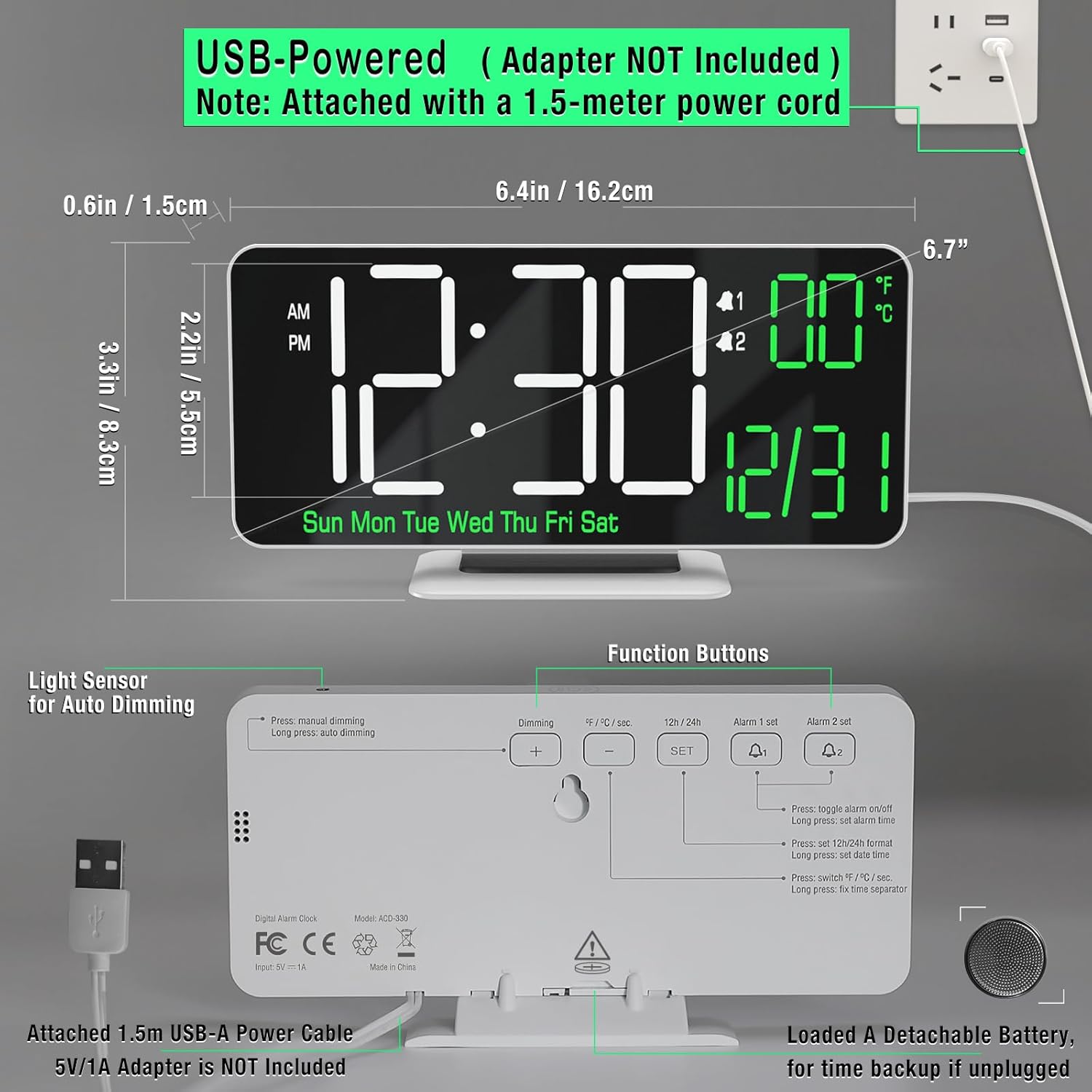
Obrázek: Zadní view of the clock highlighting the USB power input, battery slot, and control buttons.
Návod k obsluze
Nastavení času a data
- Stiskněte a podržte SOUBOR button on the back of the clock to enter time setting mode.
- Použijte + a - tlačítka pro nastavení hodiny. Stiskněte SOUBOR pro potvrzení a přechod na minuty.
- Repeat for minutes, then date (month/day), and year.
- Stiskněte SOUBOR znovu pro opuštění režimu nastavení.
Adjusting Brightness (Dimming)
The clock offers both manual and automatic dimming options.
- Manuální stmívání: Stiskněte tlačítko + button (labeled "Dimming") to cycle through High, Medium, Low, and LED display off brightness levels.
- Automatické stmívání: Dlouze stiskněte + button to activate or deactivate auto-dimming. The clock will adjust brightness based on ambient light.
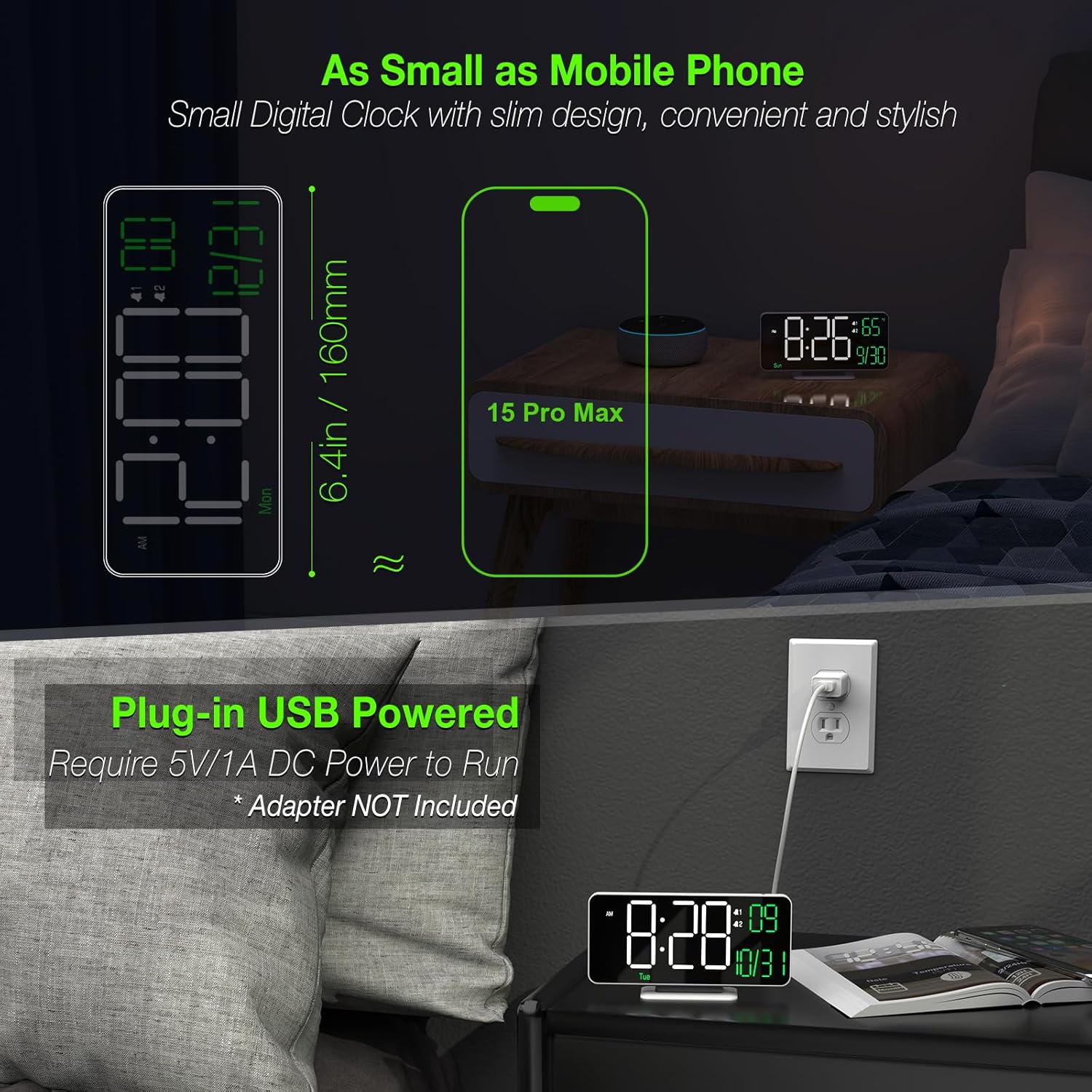
Image: Visual representation of the clock's display at various manual and auto-dimming settings.
Nastavení budíků
Hodiny podporují dva nezávislé budíky.
- Stiskněte tlačítko Alarm 1 Set or Alarm 2 Set button (bell icons) to select an alarm.
- Long press the selected alarm button to enter alarm time setting mode.
- Použijte + a - buttons to adjust the hour, then press the alarm button to confirm and move to minutes.
- After setting minutes, you can select the alarm cycle: Workdays, Weekends, or Every Day.
- Press the alarm button again to exit setting mode.
- To toggle an alarm on/off, short press its respective alarm button.

Image: The clock displaying an alarm time with the snooze button highlighted.
Funkce Snooze
Když zazní alarm, stiskněte velké PODŘIMOVAT button on top of the clock to activate snooze. The alarm will sound again after 5 minutes.
Changing Time Format (12H/24H)
Stiskněte tlačítko 12H/24H button on the back to switch between 12-hour and 24-hour time formats.
Changing Temperature Unit (°F/°C)
Stiskněte tlačítko °F/°C / Sec button on the back to switch between Fahrenheit and Celsius for temperature display. This button also cycles through displaying seconds.


