1. Úvod
The GIGABYTE Z890 AORUS Elite X ICE motherboard is designed to support Intel Core Ultra Processors (Series 2) with an LGA 1851 socket. This ATX motherboard features advanced power delivery, high-speed storage options, and comprehensive connectivity to optimize system performance. Key features include DDR5 memory support, multiple M.2 slots, PCIe 5.0, Thunderbolt 4, WIFI7, and 2.5GbE LAN.
This manual provides essential information for the proper installation, operation, maintenance, and troubleshooting of your motherboard.

Obrázek 1: Shora dolů view of the GIGABYTE Z890 AORUS Elite X ICE motherboard.
2. Nastavení a instalace
2.1 Instalace CPU
This motherboard supports Intel Core Ultra Processors (Series 2) with an LGA 1851 socket. Ensure the CPU is correctly oriented before placing it into the socket. Refer to the CPU manufacturer's instructions for specific installation steps.

Obrázek 2: Detail view of the LGA 1851 CPU socket.
2.2 Instalace paměti (RAM)
The motherboard features four DDR5 DIMM slots. Install DDR5 memory modules by aligning the notch on the module with the key in the DIMM slot. Press firmly until the clips on both ends lock the module into place. For optimal performance, refer to the motherboard's qualified vendor list (QVL) for compatible memory and install modules in the recommended slots for dual-channel operation.
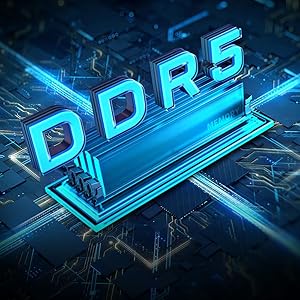
Figure 3: Illustration of DDR5 memory installation.
2.3 Instalace paměťového zařízení
The Z890 AORUS Elite X ICE includes five M.2 slots for high-speed NVMe SSDs, with one supporting PCIe 5.0. Utilize the M.2 EZ-Latch mechanism for tool-less installation of M.2 drives. Additionally, there are SATA 6Gb/s ports for traditional hard drives and SSDs.

Figure 4: PCIe 5.0 and M.2 slots with EZ-Latch feature.
2.4 Instalace rozšiřující karty
The motherboard features a PCIe 5.0 x16 slot for graphics cards and other expansion cards. The PCIe EZ-Latch simplifies the removal of expansion cards. Ensure cards are securely seated in their respective slots and fastened with screws.
2.5 Připojení napájení
Connect the 24-pin ATX main power connector and the 8-pin CPU power connector from your power supply unit (PSU) to the corresponding ports on the motherboard. Ensure all power cables are firmly connected.
2.6 Připojení I/O na předním panelu a zadní straně
Connect your case's front panel connectors (power button, reset button, USB ports, audio jacks) to the appropriate headers on the motherboard. The rear I/O panel provides various ports including USB 2.0, USB 3.2 Gen 1, USB 3.2 Gen 2, Thunderbolt 4 with DP-Alt, 2.5GbE LAN, Wi-Fi 7 antenna connectors, and audio jacks.

Figure 5: Labeled diagram of motherboard ports and features.

Figure 6: Rear I/O panel connections.
3. Návod k obsluze
3.1 First Boot and BIOS Access
After assembling your system, power it on. To access the BIOS/UEFI setup, press the DEL key during the boot process. The BIOS allows you to configure system settings, boot order, and enable features like XMP for memory optimization.
3.2 Aktualizace BIOSu (Q-Flash Plus)
The motherboard supports Q-Flash Plus, allowing you to update the BIOS without installing a CPU, memory, or graphics card. This is useful for ensuring compatibility with newer processors. Refer to the GIGABYTE website for detailed Q-Flash Plus instructions and the latest BIOS versions.
3.3 EZ-Debug Zone
The EZ-Debug Zone features LED indicators that provide diagnostic feedback during the boot process. These LEDs can help identify issues related to the CPU, DRAM, VGA, or Boot device, simplifying troubleshooting.
3.4 Síťové připojení
The motherboard includes an integrated WIFI7 module and a 2.5GbE LAN port. Connect the provided Wi-Fi antenna to the rear I/O panel for wireless connectivity. For wired connections, plug an Ethernet cable into the 2.5GbE LAN port.
4. Údržba
4.1 Čištění systému
Regularly clean your computer system to prevent dust buildup, which can lead to overheating. Use compressed air to clear dust from fans, heatsinks (including VRM Thermal Armor and M.2 Thermal Guard), and other components. Ensure the system is powered off and unplugged before cleaning.
4.2 Aktualizace ovladačů
Keep your motherboard drivers updated for optimal performance and stability. Visit the official GIGABYTE website for the latest chipset, LAN, Wi-Fi, audio, and other relevant drivers for your Z890 AORUS Elite X ICE motherboard.
5. Řešení problémů
5.1 No Power or Boot Issues
- Ověřte, zda jsou všechny napájecí konektory (24pinový ATX, 8pinový CPU) bezpečně usazeny.
- Check the EZ-Debug Zone LEDs for diagnostic codes. The lit LED indicates the component causing the boot failure.
- Ujistěte se, že je napájecí zdroj (PSU) funkční a zapnutý.
5.2 Memory (RAM) Instability
- Ensure RAM modules are fully seated in their slots.
- Pokud dochází k nestabilitě s XMP profiles, try disabling XMP in the BIOS or selecting a lower XMP profile. Some memory configurations may require manual tuning for stability at higher speeds.
- Test memory modules individually to identify a faulty stick.
5.3 Component Not Detected
- Reseat the component (CPU, GPU, M.2 SSD, SATA drive) and check its power and data cables.
- Ensure the component is compatible with the motherboard.
5.4 General System Instability
- Ujistěte se, že všechny ovladače jsou aktuální.
- Zkontrolujte teploty systému, abyste vyloučili přehřátí.
- Perform a clean installation of your operating system if software conflicts are suspected.
6. Specifikace
| Funkce | Specifikace |
|---|---|
| Značka | GIGABYTE |
| Název modelu | Z890 AORUS ELITE X ICE |
| Zásuvka CPU | LGA 1851 |
| Kompatibilní procesory | Procesory Intel Core Ultra 200 (řada 2) |
| Technologie paměti RAM | DDR5 |
| Maximální velikost paměti RAM | 256 GB |
| Rychlost paměti | 5600 MHz (podporuje XMP) |
| Typ čipové sady | Intel Z890 |
| PCIe sloty | PCIe 5.0 x16 |
| M.2 Sloty | 5x M.2 Slots (including PCIe 5.0) |
| LAN | 2.5GbE LAN |
| Bezdrátové připojení | WIFI 7 |
| USB porty | Thunderbolt 4, Front USB-C, various USB 3.2 and 2.0 |
| Form Factor | ATX |
| Rozměry (DxŠxV) | 10.87 x 13.3 x 3.31 palce |
| Hmotnost položky | 4.41 libry |
7. Záruka a podpora
7.1 Informace o záruce
The GIGABYTE Z890 AORUS Elite X ICE motherboard comes with a 5-year warranty. Please retain your proof of purchase for warranty claims. For detailed warranty terms and conditions, refer to the official GIGABYTE webmísto.
7.2 Technická podpora
For further technical assistance, driver downloads, BIOS updates, or detailed product documentation, please visit the official GIGABYTE support webmísto:
You can also find additional resources and product information on the GIGABYTE brand store:
8. Produktová videa
V poskytnutých datech pro tento model nebyla nalezena žádná oficiální produktová videa od prodejce.


