1. Úvod
This manual provides essential information for setting up, operating, maintaining, and troubleshooting your ASUS ROG G22CH-DH564 Gaming Desktop PC. Please read this guide thoroughly before using your new system.
The ASUS ROG G22CH-DH564 is a compact gaming desktop featuring a 14th Gen Intel Core i5-14400F processor and an NVIDIA GeForce RTX 4060 Dual graphics card. Designed for performance in a small form factor, it is suitable for gaming and multimedia applications.

Obrázek: Přední strana view of the ASUS ROG G22CH-DH564 Gaming Desktop PC.
2. Co je v krabici
Ověřte, zda balení produktu obsahuje všechny následující položky:
- ASUS ROG G22CH-DH564 Gaming Desktop PC
- Drátová optická myš (USB)
- Wired keyboard (USB)
- Napájecí kabel
- Dokumentace (Stručná úvodní příručka, Záruční list)
3. Počáteční nastavení
3.1 Připojení periferních zařízení
- Připojení monitoru: Connect your monitor to the graphics card's DisplayPort or HDMI output ports on the rear of the PC.
- Připojení klávesnice a myši: Plug the wired USB keyboard and mouse into the available USB ports on the rear or front of the PC.
- Připojení k síti (volitelné): For a wired internet connection, connect an Ethernet cable from your router or modem to the RJ45 port on the rear of the PC.
- Připojit zvuk (volitelné): If using external speakers or a headset, connect them to the appropriate audio jacks.

Image: Rear and top view of the ASUS ROG G22CH-DH564, illustrating the available ports for connecting peripherals. This includes HDMI, DisplayPort, USB 2.0, USB 3.2 Gen 1 Type-A, USB 3.2 Gen 2 Type-A, USB 3.2 Gen 2x1 Type-C, RJ45, and audio jacks.
3.2 Zapnutí
- Připojte napájení: Plug the power cable into the power input on the rear of the PC, then connect the other end to a power outlet.
- Zapnutí: Press the power button located on the front or top of the PC.
- Počáteční nastavení Windows: Follow the on-screen instructions to complete the Windows 11 operating system setup. This includes selecting your region, connecting to a network, and creating a user account.
4. Operating Your ROG G22CH
4.1 Klíčové vlastnosti
- Kompaktní design: The G22CH features a small form factor, measuring 4.53 inches wide and 11.3 inches tall, allowing it to fit into various spaces.
- Vysoký výkon: Equipped with an Intel Core i5-14400F Processor and an NVIDIA GeForce RTX 4060 Dual graphics card, providing capabilities for demanding applications and gaming.
- Windows 11: Předinstalovaný operační systém Windows 11 Home.
- Synchronizované RGB osvětlení Aura: Customizable RGB lighting for personalization.
- Pokročilý zvuk: Supports Dolby Atmos audio and features Two-Way AI Noise-Cancellation technology for clear communication.
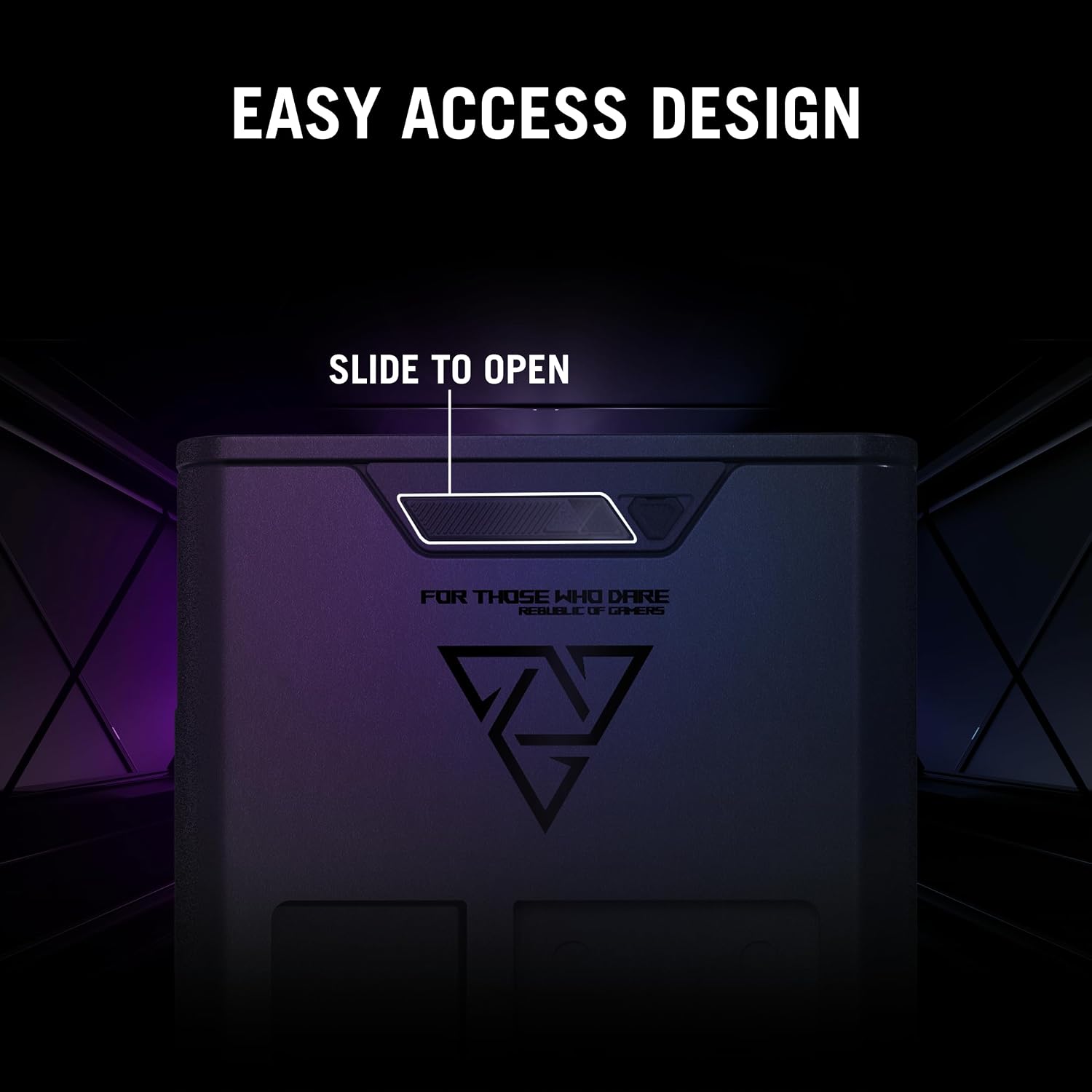
Image: The ASUS ROG G22CH-DH564 desktop PC showcasing its customizable Aura Sync RGB lighting, integrated into a gaming setup with a monitor, keyboard, mouse, and headset.

Image: The ASUS ROG G22CH-DH564 desktop PC highlighting its audio capabilities, including Dolby Atmos and Two-Way AI Noise Cancellation, shown in a multimedia environment.
4.2 Základní obsluha
- Vypnout: To properly shut down the PC, click the Start button, then Power, and select "Shut down".
- Restartovat: To restart the PC, click the Start button, then Power, and select "Restart".
- Režim spánku: To put the PC into sleep mode, click the Start button, then Power, and select "Sleep".
5. Údržba
5.1 Čištění
- Vnější: Použijte měkký, damp hadříkem k čištění vnějších povrchů. Nepoužívejte abrazivní čisticí prostředky.
- Odstranění prachu: Periodically clean dust from the ventilation grilles using compressed air. Ensure the PC is powered off and unplugged before cleaning.
5.2 Aktualizace softwaru
- Aktualizace systému Windows: Pravidelně kontrolujte a instalujte aktualizace systému Windows, abyste zajistili stabilitu a zabezpečení systému. Přejděte do Nastavení > Windows Update.
- Aktualizace ovladačů: Keep graphics drivers (NVIDIA) and other component drivers updated for optimal performance. Visit the ASUS support webweb nebo NVIDIA webstránky pro nejnovější ovladače.
5.3 Internal Access and Upgrades
The G22CH features an easy-access design, allowing for swift and effortless component upgrades or maintenance.

Image: The ASUS ROG G22CH-DH564 with its side panel removed, illustrating the internal layout and components, emphasizing the easy access design for maintenance and upgrades.
- To access internal components, slide the side panel open. Refer to the detailed instructions in the full user manual for specific procedures.
- Ensure the PC is powered off and unplugged before opening the chassis.
6. Řešení problémů
6.1 Běžné problémy a řešení
- Bez napájení:
- Ujistěte se, že je napájecí kabel bezpečně připojen k počítači i k elektrické zásuvce.
- Zkontrolujte, zda je elektrická zásuvka funkční.
- Bez displeje:
- Check that the monitor is powered on and connected to the correct video output port on the graphics card.
- Ujistěte se, že je správně vybrán vstupní zdroj monitoru.
- Zpomalení systému:
- Zavřete nepotřebné aplikace běžící na pozadí.
- Zkontrolujte a nainstalujte všechny čekající aktualizace systému Windows nebo ovladačů.
- Ensure adequate ventilation and clean dust from the system.
- Žádný zvuk:
- Verify speakers or headphones are correctly connected.
- Check audio settings in Windows and ensure volume is not muted.
- Aktualizujte ovladače zvuku.
Podrobnější informace o řešení problémů naleznete v komplexní uživatelské příručce dostupné na stránkách podpory ASUS. webmísto.
7. Technické specifikace
| Funkce | Specifikace |
|---|---|
| Model | G22CH-DH564 |
| Operační systém | Windows 11 Home |
| Procesor | Intel Core i5-14400F |
| Grafická karta | NVIDIA GeForce RTX 4060 Dual (8 GB GDDR6) |
| BERAN | 16 GB DDR5 RAM |
| Skladování | 1 TB SSD (Gen 4) |
| Maximální rozlišení obrazovky | 3840 x 2160 |
| Porty USB 2.0 | 2 |
| Porty USB 3.0 | 2 |
| Rozměry (DxŠxV) | 4.53 x 12.72 x 11.3 palce |
| Hmotnost položky | 26.6 libry |
| Barva | Šedá |
8. Záruka a podpora
8.1 Záruka na produkt
Your ASUS ROG G22CH-DH564 Gaming Desktop PC comes with a limited manufacturer's warranty. Please refer to the warranty card included in your product packaging for detailed terms, conditions, and registration information. Keep your proof of purchase for warranty claims.
8.2 Technická podpora
Pro technickou pomoc, stažení ovladačů nebo další informace o produktu navštivte oficiální stránky podpory ASUS. webmísto:
You may also contact ASUS customer service directly using the contact information provided on their support portal.


