Zavedení
This manual provides essential information for the safe and efficient installation, operation, and maintenance of your GIGABYTE AORUS Elite P1000W Ice Power Supply. Please read this manual thoroughly before using the product and retain it for future reference.

Obrázek 1: Úhlové view of the GIGABYTE AORUS Elite P1000W Ice Power Supply, highlighting the 1000W rating.
Bezpečnostní informace
Vždy dodržujte následující bezpečnostní opatření, abyste předešli zranění a poškození zařízení:
- Před instalací nebo manipulací se ujistěte, že je zdroj napájení odpojen od zásuvky střídavého proudu.
- Neotevírejte napájecí jednotku. Vysoká hlasitosttagUvnitř se nacházejí žádné části a neobsahují žádné součásti, které by mohl uživatel opravit.
- Nainstalujte napájecí zdroj v dobře větraném prostoru, mimo dosah zdrojů tepla a přímého slunečního záření.
- Používejte pouze modulární kabely dodané s tímto napájecím zdrojem. Použití nekompatibilních kabelů může způsobit poškození.
- Nevystavujte napájecí zdroj vlhkosti nebo extrémním teplotám.
Obsah balení
Ověřte, zda jsou v balení přítomny všechny položky:
- GIGABYTE AORUS Elite P1000W Ice Power Supply Unit
- Modular Cable Set (including ATX 24-pin, EPS/CPU 8-pin, PCIe 6+2-pin, 12VHPWR, SATA, Peripheral)
- AC Power Cord (EU Plug)
- Montážní šrouby
- Uživatelská příručka (tento dokument)
Vlastnosti produktu
- ATX 3.0 and PCIe Gen 5.0 ready (ATX 3.1 compatible)
- Certified 80 PLUS Platinum efficiency
- 100% Japanese Capacitors for enhanced reliability
- 120mm Dynamic Fluid Ball Bearing (FDB) Fan for quiet and efficient cooling
- Compact design for easier installation
- Fully modular design for improved cable management
- Powerful single rail +12V output
- Comprehensive protection features: OVP (Over Voltage Protection), OPP (Over Power Protection), SCP (Short Circuit Protection), UVP (Under Voltag(ochrana e), OCP (ochrana proti nadproudu), OTP (ochrana proti přehřátí)
Nastavení a instalace
Pro instalaci napájecího zdroje postupujte podle těchto kroků:
- Připravte si systém: Ensure your computer case is open and all existing power supply cables are disconnected.
- Montáž napájecího zdroje: Carefully place the GIGABYTE AORUS Elite P1000W into the power supply bay of your computer case. Secure it with the provided mounting screws.

Obrázek 2: Celkově view of the GIGABYTE AORUS Elite P1000W Ice Power Supply. This image shows the main unit with its fan grill and modular cable ports.
- Připojení modulárních kabelů: Identify the necessary cables for your motherboard and components (CPU, GPU, storage drives). Connect the appropriate modular cables to the power supply's output ports.

Obrázek 3: Detailní view of the modular cable connectors on the GIGABYTE AORUS Elite P1000W Ice Power Supply. This image illustrates the clearly labeled ports for M/B, CPU/PCI-E, Peripheral, and 12VHPWR connections.
- 24pinový ATX kabel: Připojte k hlavnímu napájecímu konektoru základní desky.
- 8-pin EPS/CPU Cable: Connect to the motherboard's CPU power connector.
- PCIe 6+2-pin Cables: Connect to your graphics card(s) if they require additional power.
- Kabel 12VHPWR: Connect to PCIe Gen 5.0 graphics cards that utilize this connector.
- SATA kabely: Connect to SSDs, HDDs, and optical drives.
- Periferní kabely (Molex): Connect to other components requiring Molex power.
- Připojení ke komponentám: Route the connected modular cables neatly to their respective components and plug them in securely.
- Připojte AC napájení: Ensure the power supply's main switch is in the OFF (0) position. Connect the AC power cord to the power supply and then to a wall outlet.
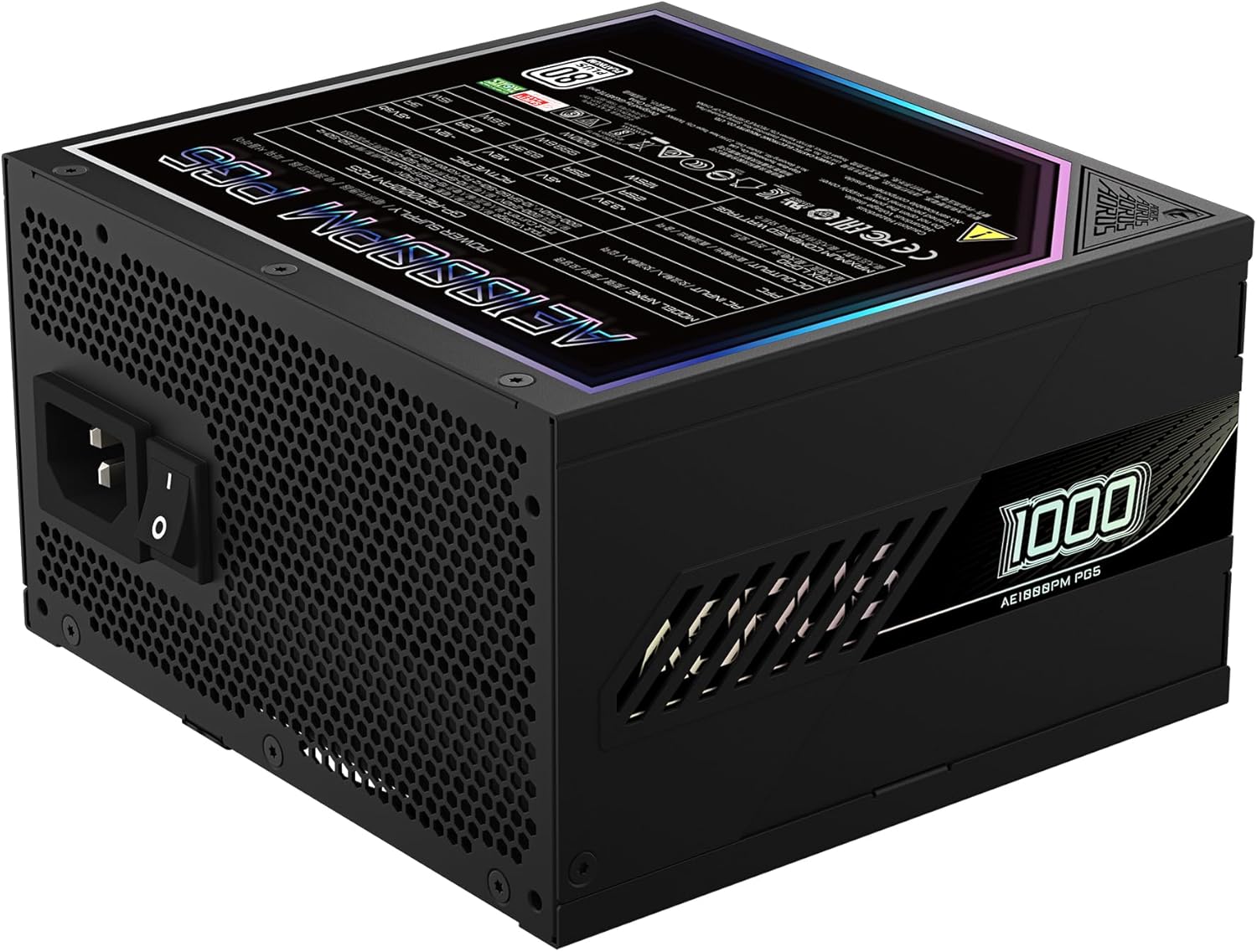
Figure 4: Rear panel of the GIGABYTE AORUS Elite P1000W Ice Power Supply, showing the AC power input and power switch. Ensure the switch is set to '0' before connecting the AC cord.
Návod k obsluze
After installation, follow these steps to power on your system:
- Zapnutí: Přepněte hlavní vypínač na zadní straně napájecího zdroje do polohy ON (I).
- Spouštění systému: Stiskněte tlačítko napájení na skříni počítače pro spuštění systému.
- Vypnout: To shut down your system, perform a proper shutdown through your operating system. Once the system is off, you may flip the power supply's main switch to the OFF (0) position for complete power disconnection.

Obrázek 5: Shora dolů view of the 120mm fan with the AORUS logo on the GIGABYTE AORUS Elite P1000W Ice Power Supply. The fan provides active cooling during operation.
Údržba
Pravidelná údržba pomáhá zajistit dlouhou životnost a optimální výkon vašeho zdroje napájení:
- Čištění prachu: Periodically clean dust from the power supply's fan grill and vents using compressed air. Ensure the power supply is turned off and unplugged before cleaning.
- Správa kabelů: Ujistěte se, že kabely jsou úhledně vedeny a nebrání proudění vzduchu uvnitř skříně počítače.
- Podmínky prostředí: Maintain a cool, dry, and well-ventilated environment for your computer system.
Odstraňování problémů
Pokud narazíte na problémy, postupujte podle následujících běžných kroků pro řešení potíží:
- Bez napájení:
- Zkontrolujte, zda je napájecí kabel bezpečně připojen k napájení i k elektrické zásuvce.
- Ujistěte se, že je hlavní vypínač zdroje napájení v poloze ZAPNUTO (I).
- Verify that all modular cables are correctly seated in both the power supply and the components.
- Otestujte zásuvku ve zdi pomocí jiného zařízení, abyste se ujistili, že je pod proudem.
- Systém se neočekávaně vypne:
- This could indicate an overload or overheating. Ensure your system's power requirements do not exceed the PSU's 1000W capacity.
- Check for proper ventilation and clear any dust buildup.
- Ověřte, zda jsou všechna napájecí připojení bezpečná.
- Neobvyklé zvuky:
- A clicking sound might indicate a protective mechanism engaging. Disconnect power and recheck all connections.
- If the fan is making excessive noise, ensure it is free from obstructions.
If issues persist after following these steps, contact GIGABYTE customer support.
Specifikace

Figure 6: Product label on the GIGABYTE AORUS Elite P1000W Ice Power Supply, displaying electrical specifications and certifications. Refer to this label for detailed electrical ratings.
| Funkce | Detail |
|---|---|
| Název modelu | AORUS ELITE P1000W |
| Číslo modelu položky | GP-AE1000PM PG5 EU |
| Výstupní Wattage | 1000 wattů |
| Certifikace 80 PLUS | Platina |
| Form Factor | ATX |
| ATX Version Compatibility | ATX 3.0 (ATX 3.1 compatible) |
| PCIe Version Compatibility | PCIe Gen 5.0 |
| Velikost ventilátoru | 120 mm |
| Typ ventilátoru | Dynamic Fluid Ball Bearing (FDB) |
| Kondenzátory | 100% japonské kondenzátory |
| Modulární design | Plně modulární |
| Ochrany | OVP, OPP, SCP, UVP, OCP, OTP |
| Rozměry produktu (D x Š x V) | 5.51 x 5.91 x 3.39 palce |
| Hmotnost položky | 6.79 libry (3080 gramů) |
Informace o záruce
The GIGABYTE AORUS Elite P1000W Ice Power Supply comes with a 10-letá záruka from the date of purchase. This warranty covers defects in materials and workmanship under normal use. Please retain your proof of purchase for warranty claims. For full warranty terms and conditions, refer to the official GIGABYTE webwebu nebo kontaktujte zákaznickou podporu.
Podpora
For technical assistance, troubleshooting beyond this manual, or warranty inquiries, please visit the official GIGABYTE support website or contact their customer service department. You can typically find contact information on the GIGABYTE webmístě nebo na obalu produktu.
Oficiální GIGABYTE Webmísto: www.gigabyte.com


