1. Bezpečnostní informace
Please read all safety instructions carefully before operating the OSCAL PowerMax 6000. Failure to follow these instructions may result in electric shock, fire, or serious injury.
- Jednotku nerozebírejte, neopravujte ani neupravujte.
- Keep the unit away from heat sources, direct sunlight, humidity, and water.
- Během používání zajistěte řádné větrání, aby nedošlo k přehřátí.
- Neblokujte ventilační otvory.
- Používejte pouze originální nebo certifikované nabíjecí kabely a příslušenství.
- Uchovávejte mimo dosah dětí a domácích zvířat.
- V případě požáru použijte práškový hasicí přístroj. Voda může způsobit úraz elektrickým proudem.
- The unit is equipped with an advanced Battery Management System (BMS) for protection against various electrical faults.
2. Obsah balení
Po otevření balení se prosím ujistěte, že obsahuje všechny následující položky:
- Přenosná elektrárna OSCAL PowerMax 6000
- AC nabíjecí kabel
- Nabíjecí kabel do auta
- Solární nabíjecí kabel
- Uživatelská příručka (tento dokument)
- Záruční list
3. Konec produktuview
The OSCAL PowerMax 6000 is a high-capacity portable power station designed to provide reliable power for various applications, from home emergencies to outdoor adventures. It features a robust LiFePO4 battery, multiple output ports, and smart control capabilities.
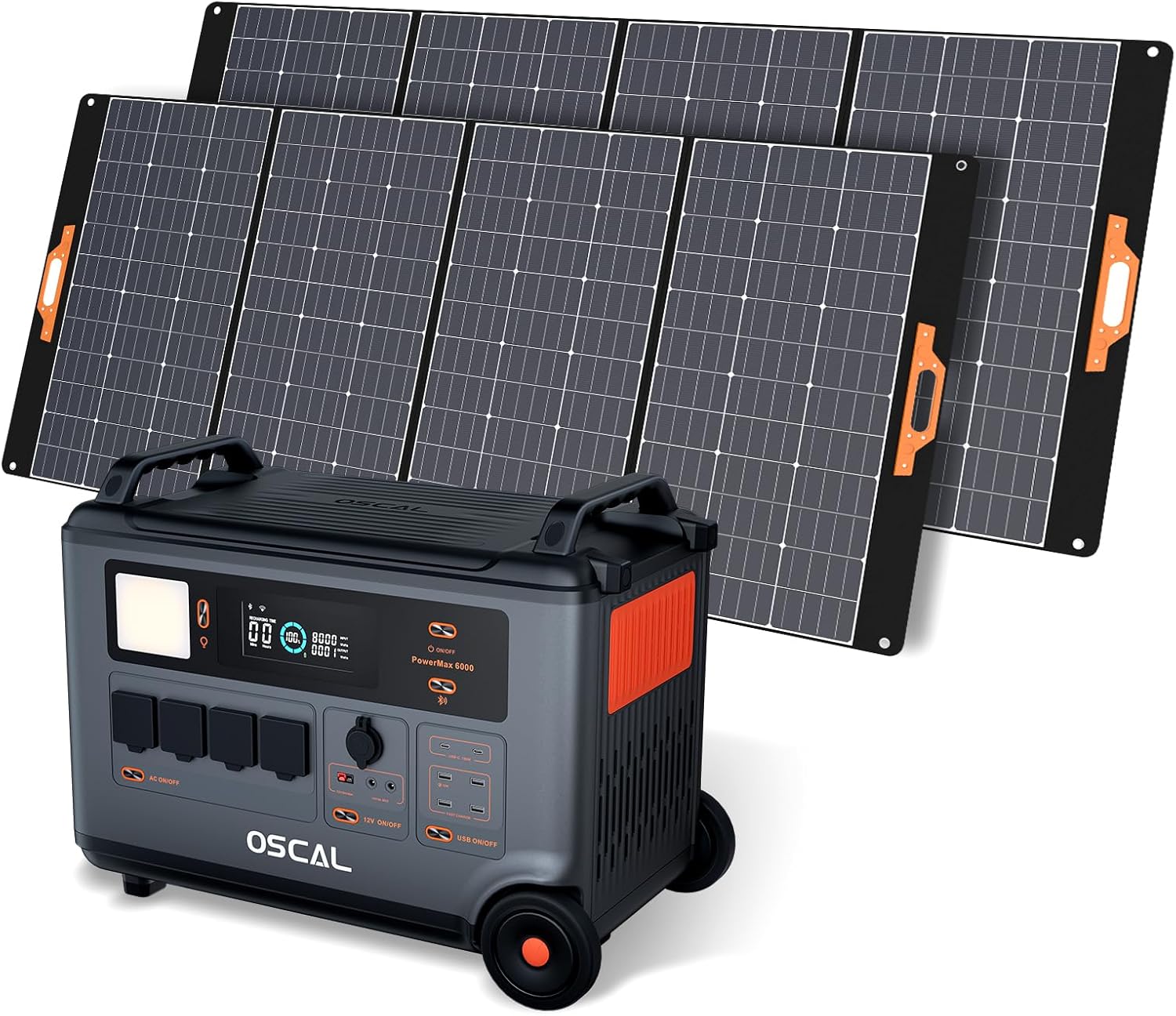
Obrázek 3.1: OSCAL PowerMax 6000 with accompanying solar panels, showcasing its portable design and solar charging capability.
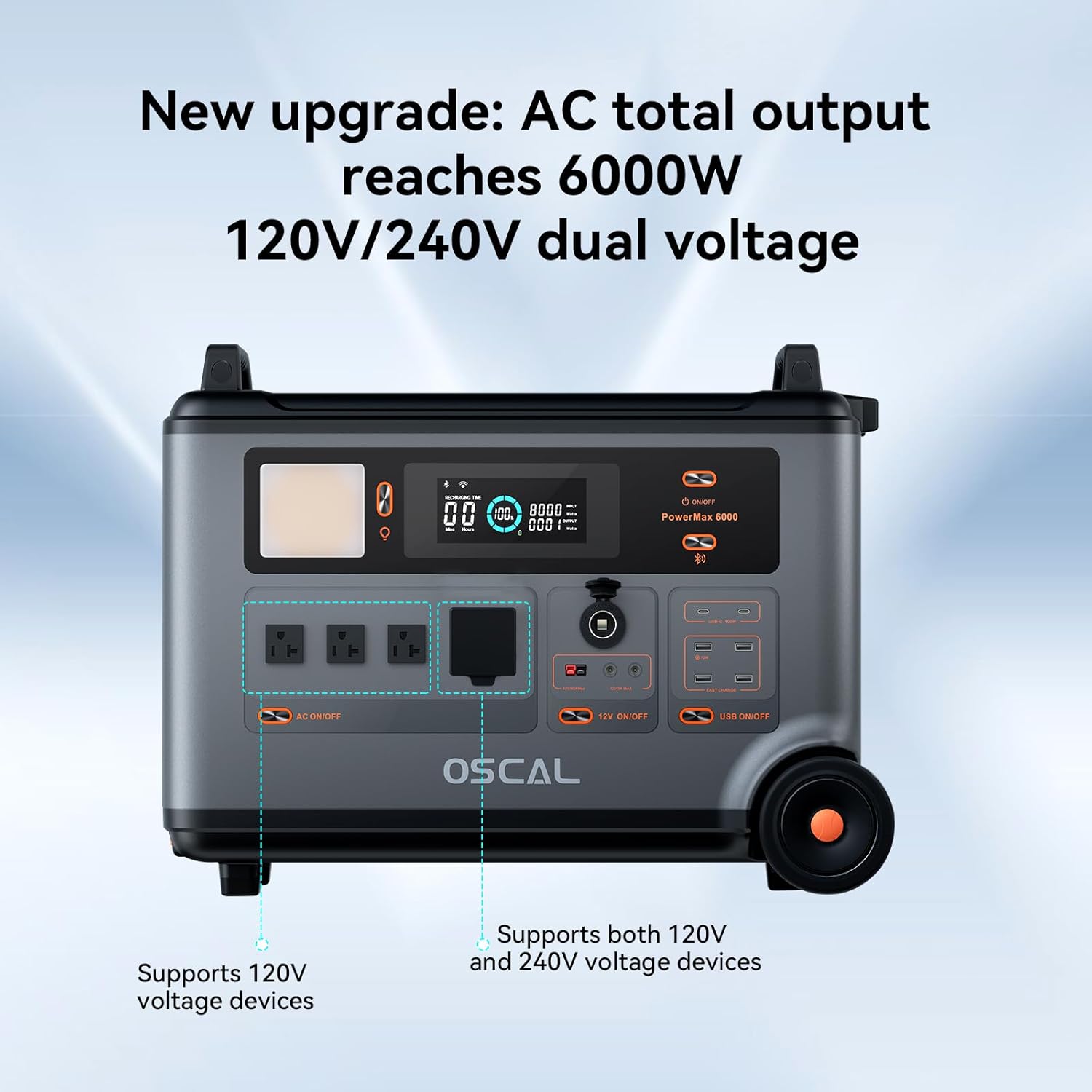
Obrázek 3.2: Front panel of the PowerMax 6000, highlighting the AC outlets, DC outputs, USB ports, and control buttons for various functions.
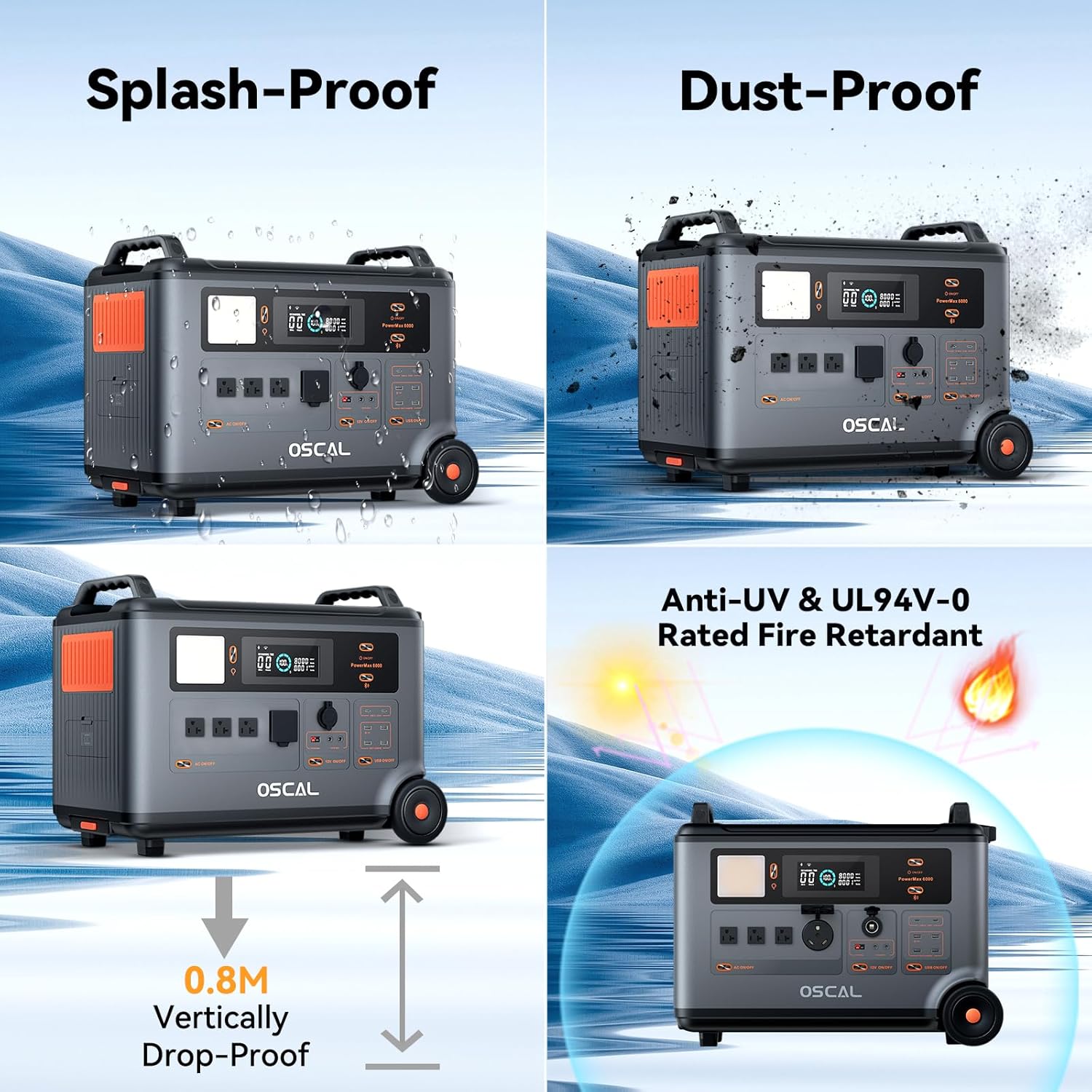
Obrázek 3.3: Visual representation of the PowerMax 6000's robust construction, demonstrating its splash-proof, dust-proof, 0.8m drop-proof, and UL94V-0 rated fire retardant properties.
Klíčové vlastnosti:
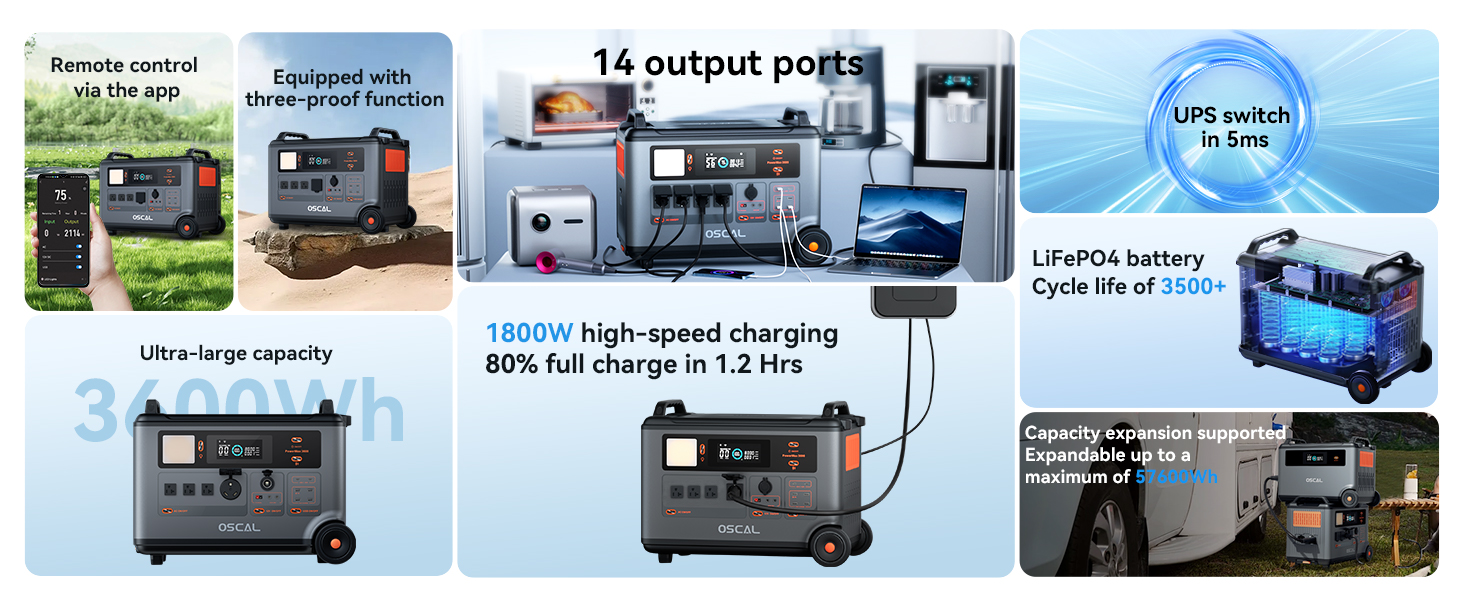
- Vysoká kapacita a výkon: 3600Wh capacity with 6000W (9000W surge) AC output, supporting 120V/240V dual voltage.
- Rychlé nabíjení: Achieves a full charge in approximately 1.96 hours via dual solar panels and AC power.
- LiFePO4 baterie: Durable and stable LiFePO4 cells with 3500+ charge cycles, ensuring a long service life.
- Nepřerušitelný zdroj napájení (UPS): 5-8ms fast switchover for seamless power during outages.
- Chytré dálkové ovládání: Monitor and control the unit via the OSCAL application using Wi-Fi or Bluetooth.
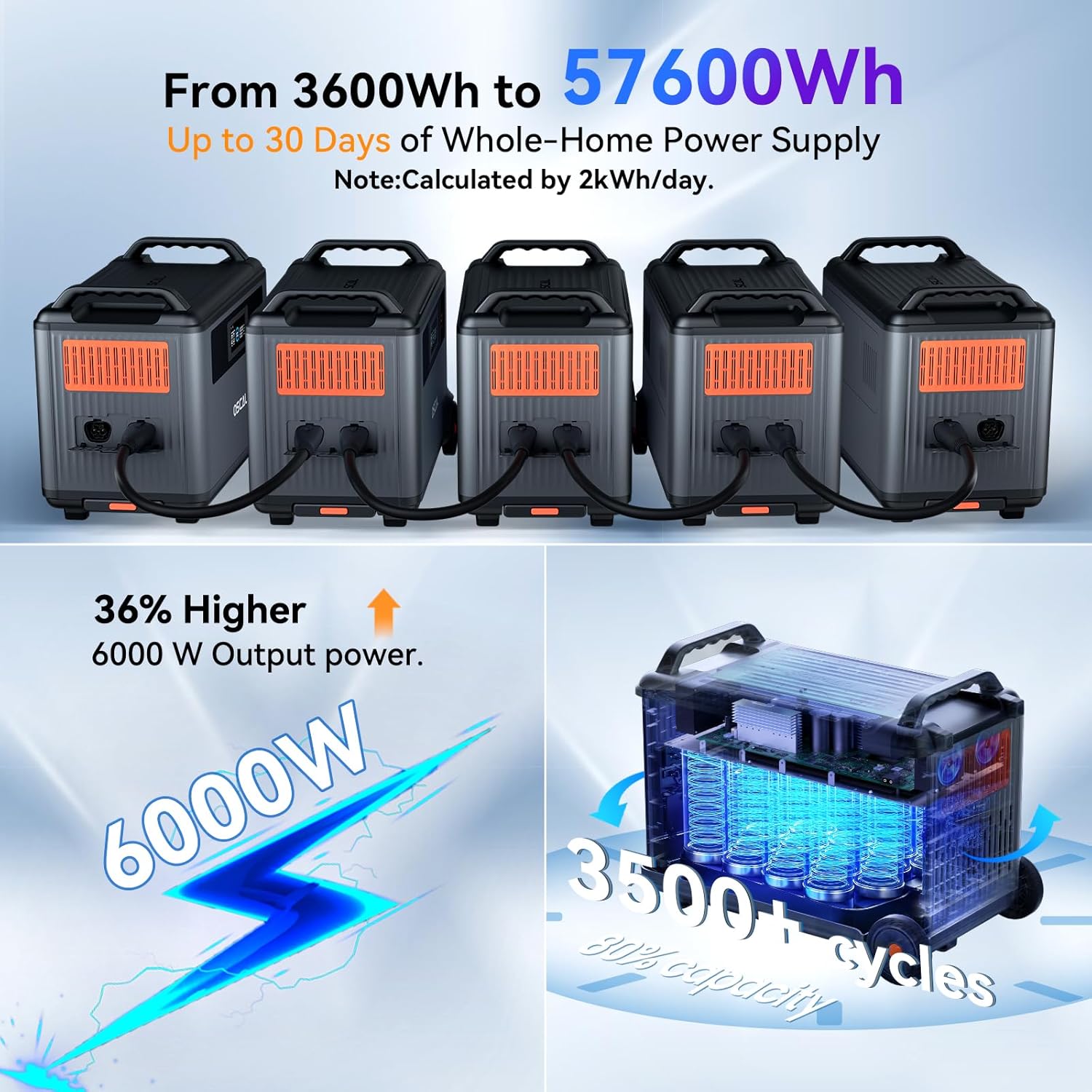
- Rozšiřitelná kapacita: Can be expanded up to 57600Wh with dedicated batteries (sold separately).
4. Nastavení
Počáteční poplatek:
Before first use, it is recommended to fully charge the PowerMax 6000. Connect the provided AC charging cable to a wall outlet and the power station. The display will indicate charging status. A full charge takes approximately 1.96 hours.
Smart APP Control Setup:
The OSCAL PowerMax 6000 can be controlled remotely via a smartphone application. Follow these steps to set up the app:
- Download the 'OSCAL' application from your smartphone's app store (iOS or Android).
- Ensure the PowerMax 6000 is powered on.
- Open the OSCAL app and follow the on-screen instructions to pair your device via Wi-Fi or Bluetooth.
- Once paired, you can monitor power usage, battery status, and control various functions remotely.
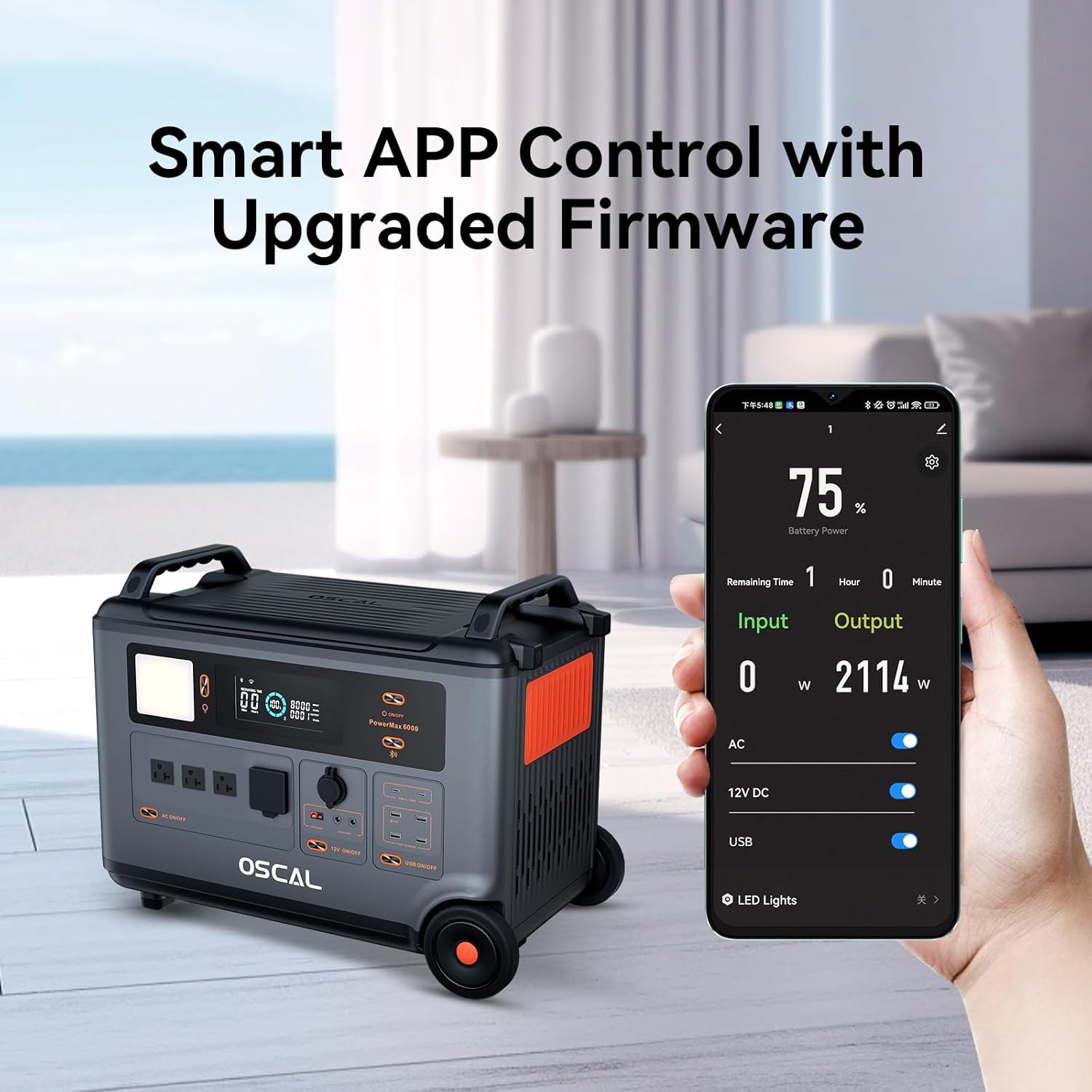
Obrázek 4.1: Demonstrates the OSCAL PowerMax 6000 being controlled via its dedicated smartphone application, showing battery percentage and power input/output.
5. Návod k obsluze
Zapnutí/vypnutí:
Press and hold the main power button for a few seconds to turn the unit on or off. The display screen will illuminate, showing battery level and output status.
Připojovací zařízení:
The PowerMax 6000 offers various output ports:
- AC zásuvky: Plug in your AC-powered appliances. Ensure the total wattage nepřesahuje 6000W.
- USB-A/USB-C Ports: Connect your smartphones, tablets, laptops, and other USB-powered devices.
- DC výstup: Use for compatible DC devices.
Activate the desired output group (AC, DC, USB) by pressing the corresponding button on the control panel.
Funkce nepřerušitelného napájení (UPS):
The PowerMax 6000 features a fast UPS function. When connected to an AC power source and simultaneously powering devices, it will automatically switch to battery power within 5-8 milliseconds in the event of a power outage. This ensures continuous operation for critical equipment like computers, medical devices (e.g., CPAP machines), and network equipment.
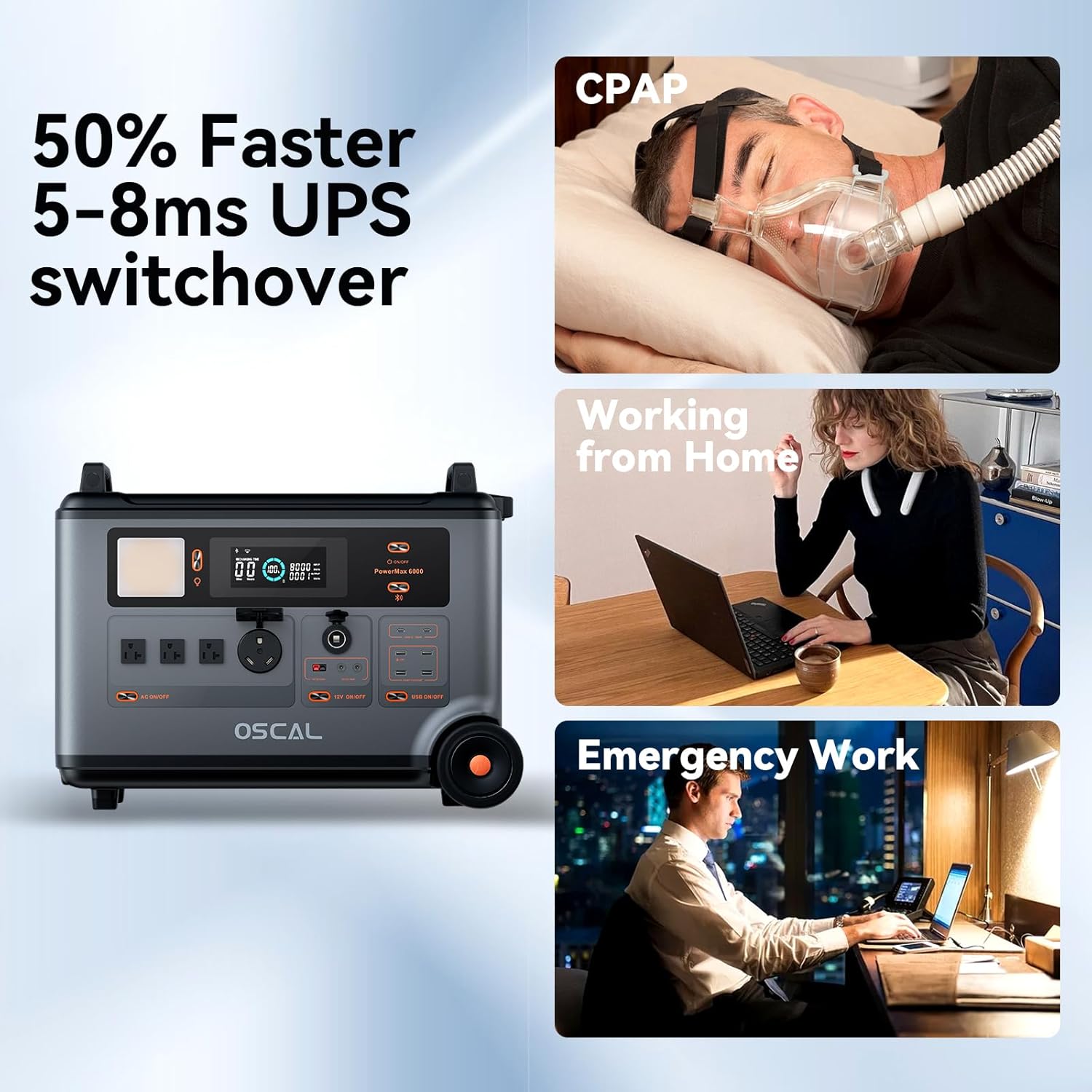
Obrázek 5.1: Illustrates the 5-8ms fast UPS switchover capability of the PowerMax 6000, highlighting its utility for CPAP machines, remote work, and emergency operations.
6. Způsoby nabíjení
The OSCAL PowerMax 6000 supports multiple charging methods to ensure you always have power available.
AC nástěnné nabíjení:
Connect the provided AC charging cable to a standard wall outlet. The PowerMax 6000 can be fully charged in approximately 1.96 hours. It supports 1800W high-speed AC charging.

Obrázek 6.1: Depicts the PowerMax 6000 being charged via an AC wall outlet, emphasizing its 1800W high-speed charging capability.
Nabíjení solárního panelu:
Connect compatible solar panels (sold separately) to the PowerMax 6000 using the provided solar charging cable. The unit supports a maximum solar input of 2400W. Combining AC and solar charging can achieve a full charge in 1.2 hours.
Obrázek 6.2: Shows the PowerMax 6000 simultaneously charging from an AC outlet and solar panels, illustrating its dual charging capability.
EV Station Charging:
The PowerMax 6000 can be charged at EV stations nationwide, supporting fast charging at 220W. A full charge can be achieved in approximately 1.57 hours.
Obrázek 6.3: The PowerMax 6000 connected to an EV charging station, demonstrating its compatibility with public charging infrastructure.
Nabíjení auta:
Use the provided car charging cable to charge the PowerMax 6000 from your vehicle's 12V cigarette lighter port. This method is convenient for charging on the go.

Obrázek 6.4: The PowerMax 6000 being charged inside a car, illustrating its portability and convenience for travel.
Nabíjení olověných baterií:
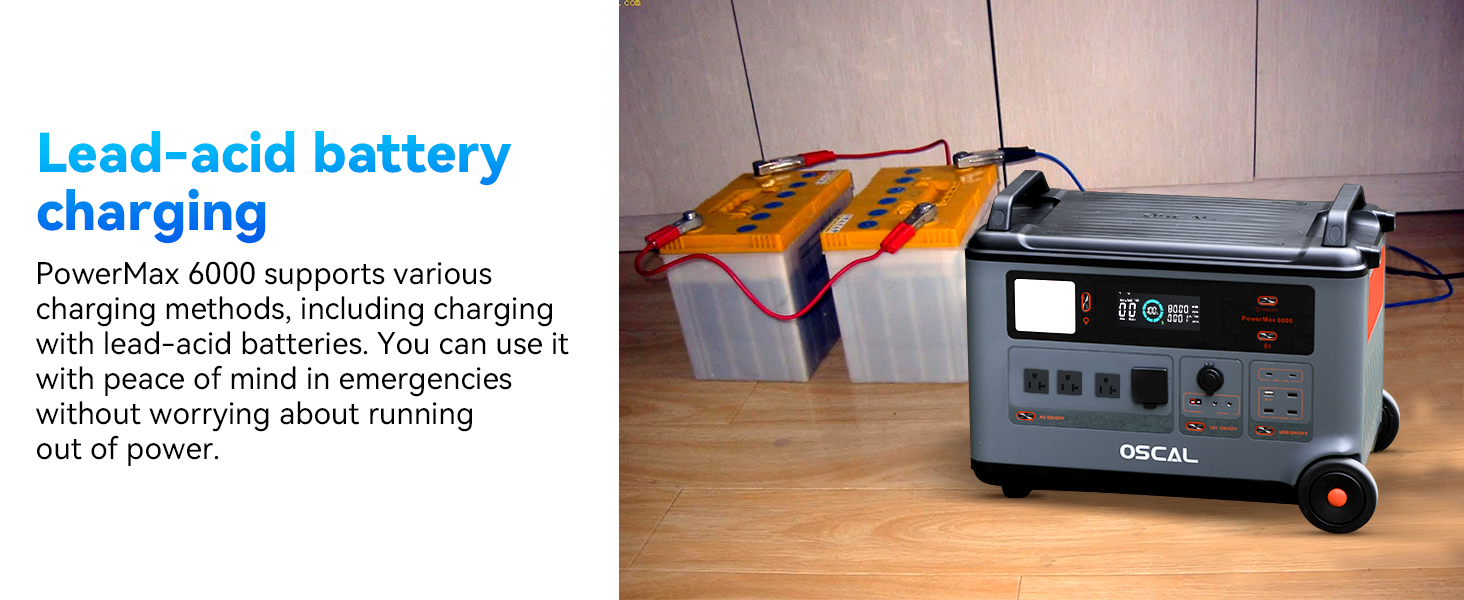
The PowerMax 6000 supports charging from lead-acid batteries, providing an additional flexible charging option, especially useful in emergency situations.
Obrázek 6.5: The PowerMax 6000 connected to and charging from two lead-acid batteries, demonstrating its versatile charging capabilities.
7. Informace o baterii
The OSCAL PowerMax 6000 utilizes a highly safe and durable LiFePO4 (Lithium Iron Phosphate) battery. This battery chemistry offers superior safety, longer lifespan, and better thermal stability compared to other lithium-ion batteries.
- Životnost cyklu: The LiFePO4 battery is rated for over 3500 charge-discharge cycles to 80% capacity.
- Životnost: With daily use, the battery can maintain approximately 80% of its factory-shipped capacity for up to 10 years, ensuring a total service life of up to 25 years.
Obrázek 7.1: An X-ray view of the PowerMax 6000, highlighting the internal structure and the robust LiFePO4 battery cells, emphasizing their long lifespan.
8. Expandable Capacity
The OSCAL PowerMax 6000's capacity can be significantly expanded by connecting additional dedicated battery packs (sold separately). This allows you to scale your power storage to meet larger demands.
- Maximální rozšíření: The system can be expanded to a maximum high capacity of 57600Wh.
- Extended Power Supply: This expanded capacity can provide approximately 30 days of home power supply during extended outages (calculated based on 2kWh/day usage).
Obrázek 8.1: Multiple PowerMax 6000 units connected to demonstrate the expandable capacity feature, allowing for a larger total energy storage.
9. Ochranné prvky
The PowerMax 6000 is equipped with an advanced Battery Management System (BMS) that provides comprehensive protection functions to ensure safe and reliable operation.
- Nadproudová ochrana
- Ochrana proti přetížení
- Ochrana proti zkratu
- Přepětítage Ochrana
- Ochrana před nadproudem
- Podpětítage Ochrana
- Nízkoteplotní ochrana
- Ochrana proti vysoké teplotě
- Ochrana proti přebití

Obrázek 9.1: Illustrates the various protection mechanisms integrated into the PowerMax 6000's advanced BMS, ensuring user safety and product longevity.
10. Performance & Usage Examples
Výstup čisté sinusové vlny:
The PowerMax 6000 provides a pure sine wave output, which is crucial for sensitive electronics. This ensures stable and clean power, preventing damage to your devices. The frequency is switchable between 50Hz and 60Hz.

Obrázek 10.1: A graphical representation of a pure sine wave, indicating the stable and clean power output provided by the PowerMax 6000, suitable for all household appliances.
Appliance Compatibility & Run Times:
The PowerMax 6000 can power a wide range of appliances. Below are some examples of estimated run times:

Obrázek 10.2: The PowerMax 6000 connected to and powering multiple household appliances, including a coffee maker, electric lawn mower, toaster, and washer, demonstrating its versatility.

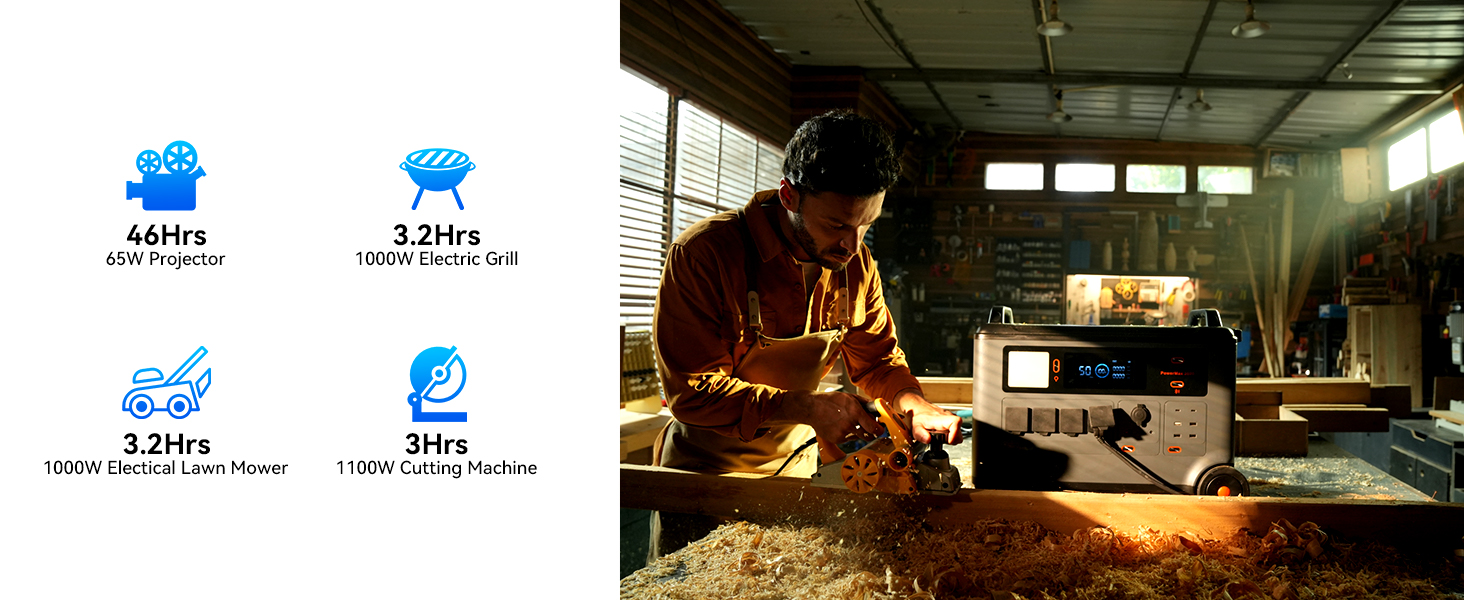
Obrázek 10.3: A user operating power tools with the PowerMax 6000, illustrating its capability to support high-wattage devices for extended periods.
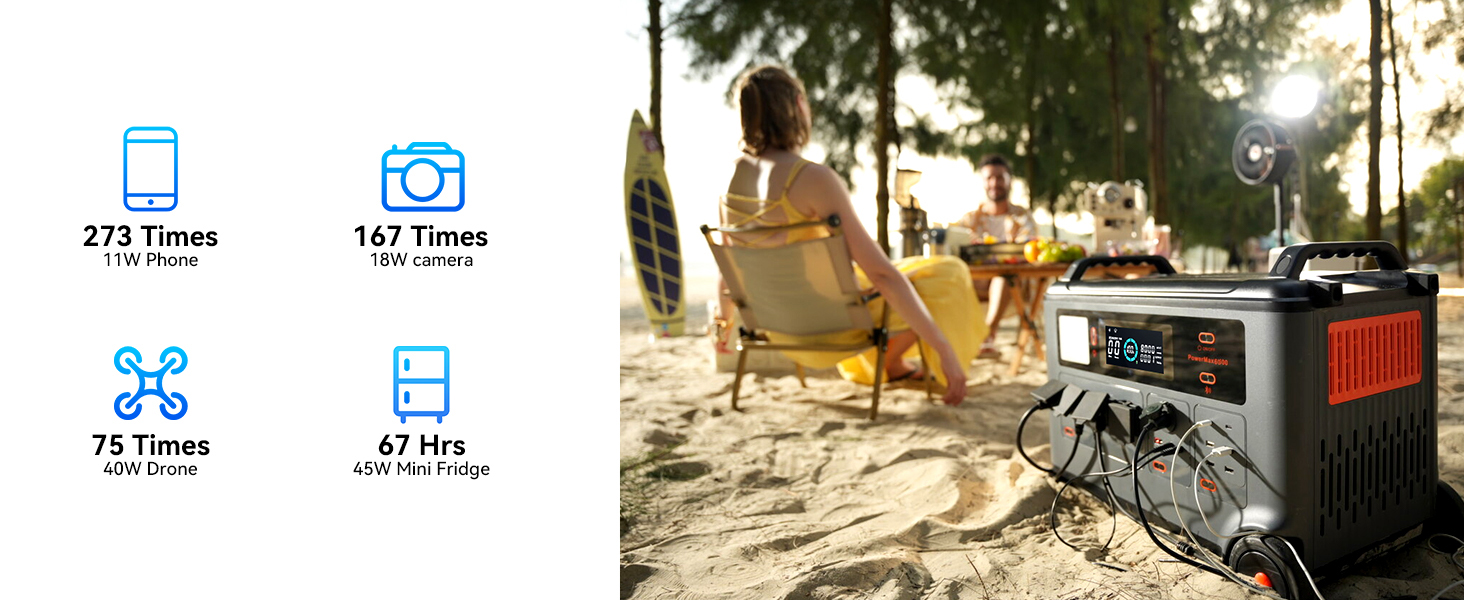
Obrázek 10.4: The PowerMax 6000 in an outdoor setting, powering small electronic devices like phones, cameras, drones, and a mini-fridge, showcasing its utility for campa outdoorové aktivity.

Obrázek 10.5: The PowerMax 6000 powering various kitchen appliances, including a coffee maker, electric skillet, washer, and toaster, demonstrating its capacity for essential home use.
- Coffee Maker (800W): ~3.8 Hours
- Electric Lawn Mower (1000W): ~3.8 Hours
- Toaster (800W): ~3.8 Hours
- Washer (500W): ~6 Hours
- 65W Projector: ~46 Hours
- 1000W Electric Grill: ~3.2 Hours
- 11W Phone: ~273 Charges
- 18W Camera: ~167 Charges
- 40W Drone: ~75 Charges
- 45W Mini Fridge: ~67 Hours
11. Údržba
Proper maintenance ensures the longevity and optimal performance of your PowerMax 6000.
- Čištění: Use a dry, soft cloth to wipe the exterior of the unit. Do not use abrasive cleaners or solvents. Ensure all ports are free of dust and debris.
- Skladování: If storing for an extended period, charge the unit to approximately 50-80% every 3-6 months. Store in a cool, dry place away from direct sunlight and extreme temperatures.
- Větrání: Always ensure the ventilation openings are clear during operation and storage to prevent overheating.
- Péče o baterie: Avoid completely draining the battery frequently. While the LiFePO4 battery is robust, maintaining a charge above 20% when possible can extend its overall life.
12. Řešení problémů
If you encounter issues with your PowerMax 6000, refer to the following common problems and solutions:
| Problém | Možná příčina | Řešení |
|---|---|---|
| Jednotka se nezapne. | Battery is completely drained; Power button not pressed long enough. | Charge the unit using an AC adapter; Press and hold the power button for 3-5 seconds. |
| AC output not working. | AC output not enabled; Overload protection activated; Device wattage příliš vysoká. | Press the AC ON/OFF button; Reduce the total load; Check device wattage against unit's maximum output. |
| Jednotka se nenabíjí. | Charging cable loose or damaged; Charger not connected properly; Extreme temperature. | Ensure all connections are secure; Try a different outlet/charger; Move unit to a suitable charging temperature range (0°C to 40°C). |
| Displej zobrazuje chybový kód. | Internal fault or protection activation. | Refer to the specific error code in the full user manual (if available) or contact customer support. Try restarting the unit. |
| Problémy s připojením k aplikaci. | Bluetooth/Wi-Fi off; App not updated; Unit not in pairing mode. | Ensure Bluetooth/Wi-Fi is enabled on your phone and unit; Update the app; Follow app pairing instructions carefully. |
If the problem persists after trying these solutions, please contact OSCAL customer support for further assistance.
13. Specifikace
Detailed technical specifications for the OSCAL PowerMax 6000 Portable Power Station:
| Funkce | Specifikace |
|---|---|
| Značka | OSCAL |
| Název modelu | PM6000 |
| Číslo modelu položky | PowerMax6000-400*2 |
| Typ baterie | LiFePO4 (Lithium Polymer) |
| Kapacita | 3600 Wh |
| AC výstup | 6000W (Rated), 9000W (Surge) |
| svtage | 120V / 240V Dual Voltage Výstup |
| Celkové elektrické zásuvky | 8 |
| Doba nabíjení (AC) | Approx. 1.96 hours (Full Charge) |
| Zdroj napájení | Solar Powered, AC Powered |
| Doba přepnutí UPS | 5-8 ms |
| Rozměry produktu | 23.3 cm D x 13.8 cm Š x 17.3 cm V |
| Speciální funkce | Automatic Idle Control, Smart APP Control |
| UPC | 810175528113 |
14. Záruka a podpora
OSCAL stands behind the quality of its products. The PowerMax 6000 Portable Power Station comes with a comprehensive warranty to ensure your peace of mind.
- Záruční doba: Your purchase is backed by a 2-letá záruka od data nákupu.
- Krytí: The warranty covers defects in materials and workmanship under normal use. It does not cover damage caused by misuse, accidents, unauthorized modifications, or natural disasters.
- Proces reklamace: To make a warranty claim, please retain your proof of purchase and contact OSCAL customer support.
Zákaznická podpora:
For any questions, technical assistance, or warranty inquiries, please contact OSCAL customer support through the following channels:
- Webmísto: Visit the official OSCAL webweb s nejčastějšími dotazy, zdroji podpory a kontaktními formuláři.
- E-mail: [Insert Customer Support Email Here - if available]
- Telefon: [Insert Customer Support Phone Number Here - if available]
Please have your product model number (PowerMax6000-400*2) and purchase date ready when contacting support.


