1. Důležité bezpečnostní informace
Před použitím tohoto produktu si pečlivě přečtěte všechny pokyny. Uschovejte si tento návod pro budoucí použití.
- Neblokujte větrací otvory. Zajistěte dostatečné proudění vzduchu kolem projektoru.
- Nevystavujte projektor dešti nebo vlhkosti, aby nedošlo k požáru nebo úrazu elektrickým proudem.
- Používejte pouze nástavce/příslušenství specifikované výrobcem.
- Během bouřek nebo pokud projektor delší dobu nepoužíváte, odpojte jej ze zásuvky.
- Veškeré opravy svěřte kvalifikovanému servisnímu personálu.
2. Obsah balení
Ověřte, zda jsou v balení přítomny všechny položky:
- WEWATCH S3 4K Portable Projector
- Dálkové ovládání
- Napájecí kabel
- HDMI kabel
- Uživatelská příručka
3. Konec produktuview
Familiarize yourself with the components and ports of your WEWATCH S3 projector.

Obrázek: Přední strana view of the WEWATCH S3 4K Portable Projector, showcasinjeho elegantní design a objektiv.
3.1. Porty a připojení
The projector features various ports for versatile connectivity:

Obrázek: Zadní view of the WEWATCH S3 projector, highlighting its various input and output ports including LAN, USB, HDMI, and audio jacks.
- LAN (x1): Pro kabelové síťové připojení.
- USB (2x): Pro připojení USB disků nebo jiných USB zařízení.
- HDMI (x2): For connecting external devices like laptops, gaming consoles, or streaming sticks.
- AU (Audio Out x1): Pro připojení externích audio zařízení.
- AX (Audio In x1): Pro audio vstup.
4. Nastavení
Follow these steps to set up your projector for the first time:
- Umístění: Place the projector on a stable, flat surface or mount it securely. Ensure it is positioned to project onto a suitable screen or wall.
- Připojení napájení: Připojte napájecí kabel k napájecímu vstupu projektoru a poté do elektrické zásuvky.
- Zapnutí: Stisknutím tlačítka napájení na projektoru nebo na dálkovém ovladači zapněte zařízení.

Image: The WEWATCH S3 projector set up in a living room environment, projecting an image onto a screen, demonstrating typical home usage.
5. Návod k obsluze
5.1. Android TV Operating System
The WEWATCH S3 features an integrated Android TV system, providing direct access to popular streaming applications.

Image: A person using the remote control to navigate the Android TV interface projected onto a large screen, showing various streaming app icons like Prime Video, YouTube, and Netflix.
- Navigace: Use the remote control's directional buttons and OK button to navigate the Android TV interface.
- Použití aplikace: For optimal experience with certain applications (e.g., Netflix, YouTube), it is recommended to switch the remote control to mouse mode. After using the application, switch back to normal mode.
6. Konektivita
6.1. Wi-Fi Connection (2.4G + 5G)
Connect your projector to a wireless network for internet access and screen mirroring.
- Navigate to the Wi-Fi settings in the Android TV menu.
- Vyberte požadovanou síť a zadejte heslo.
- The projector supports both 2.4G and 5G Wi-Fi bands for fast and stable connections.
6.2. Připojení Bluetooth
Connect external Bluetooth speakers or headphones for enhanced audio, or use the projector as a Bluetooth speaker.

Image: A smartphone wirelessly connected to the WEWATCH S3 projector, demonstrating the 2.4G/5G Wi-Fi and Bluetooth dual-channel capabilities for seamless content streaming.
- Přejděte do nastavení Bluetooth.
- Spárujte se svým zařízením Bluetooth.
- The projector can also function as a standalone Bluetooth speaker when connected to a phone.
6.3. HDMI and USB Connections
Připojte externí zařízení přes porty HDMI nebo USB.
- Insert the HDMI cable into one of the projector's HDMI ports and the other end into your device (e.g., laptop, game console).
- Vložte USB disk do USB portu pro přístup k médiím files.
7. Klíčové vlastnosti
7.1. Electronic Focus
Adjust the image clarity easily using the remote control.

Image: A hand holding the projector's remote control, pointing to the F+/F- buttons used for electronic focus adjustment, with a clear projected image of a tiger cub.
- Použijte F+ a F- buttons on the remote control to fine-tune the focus until the image is sharp.
7.2. 4-Point Keystone Correction
Correct distorted images to achieve a perfectly rectangular projection, regardless of the projector's angle.
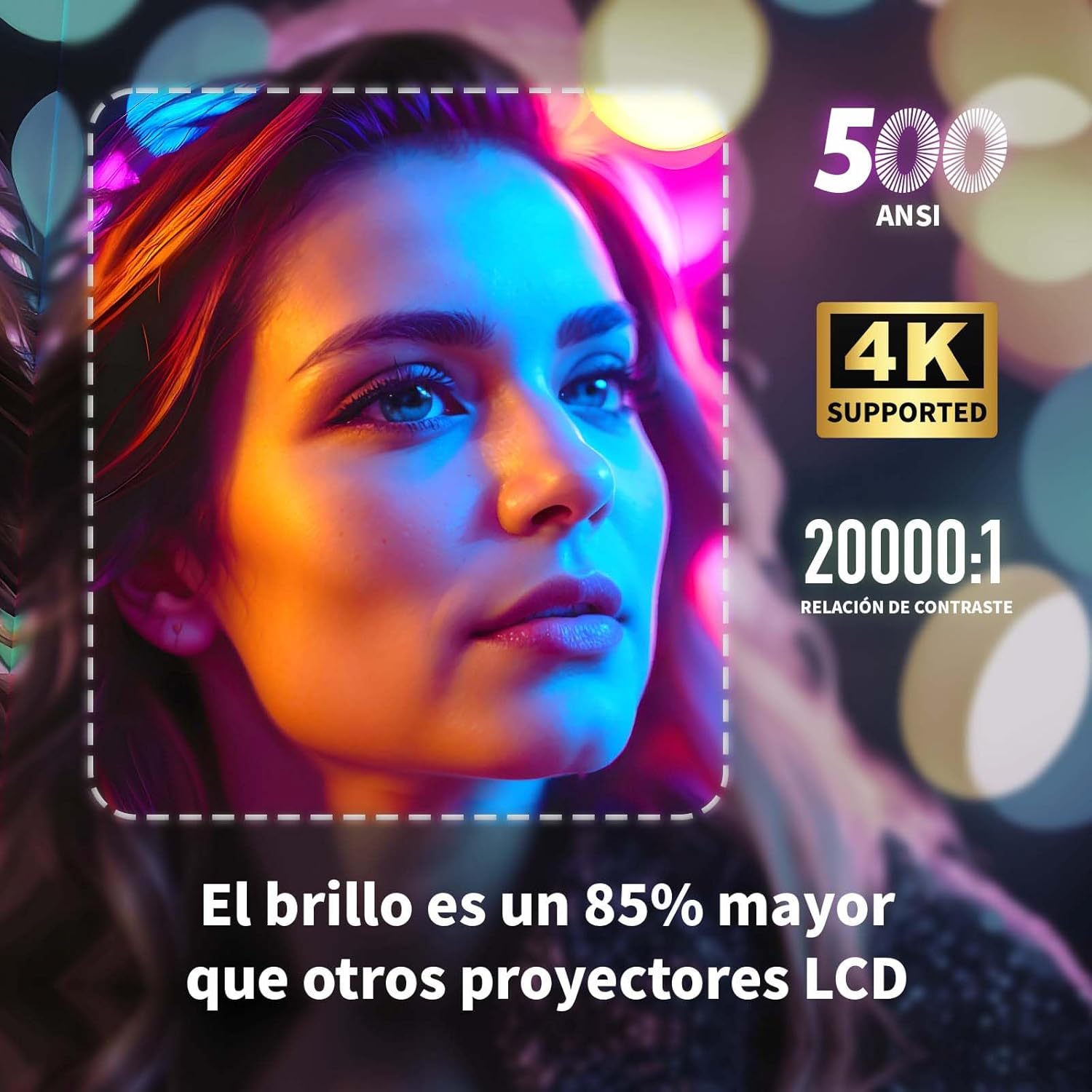
Image: A projected image of a woman's face with a dotted outline demonstrating how 4-point keystone correction adjusts the image to be perfectly rectangular, even when projected at an angle.
- Access the keystone correction settings in the menu to adjust each corner of the image independently.
- The projector also supports automatic vertical keystone correction.
7.3. Funkce zoomu
Upravte velikost obrazu bez nutnosti pohybu projektoru.

Image: A visual representation of the projector's zoom function, showing how the image size can be reduced from 100% to 50% without physically moving the projector.
- The zoom function allows you to reduce the image size from 100% to 80%.
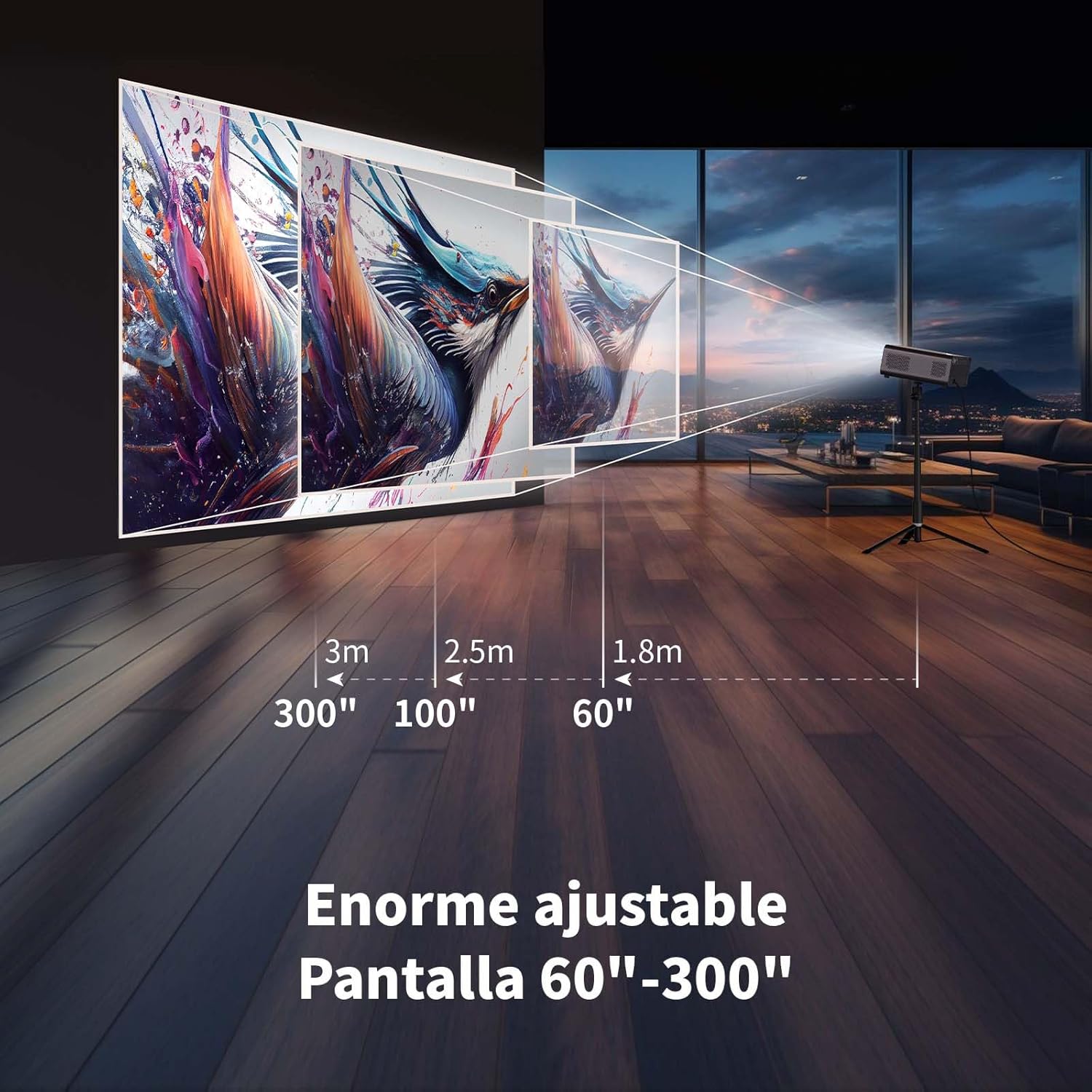
7.4. Large Screen Projection
Zažijte pohlcující zážitek viewing with a large adjustable screen size.

Image: A large projected image of an astronaut on a snowboard, illustrating the 300-inch screen capability of the projector in a home cinema setting.
- The projector can produce an adjustable screen size from 60 inches to 300 inches, suitable for various viewprostředí.
8. Údržba
8.1. Dust-Proof Design and Cleaning
The projector features a dust-proof design with a hidden dust box to prevent dust accumulation.
Obrázek: Detailní záběr view of the projector's hidden dust box, showing the filter inside, and an illustration of airflow, emphasizing the importance of regular cleaning to prevent dust from entering the device.
- Regularly clean the dust box to maintain optimal performance and prevent dust from affecting the image quality.
- K čištění vnější strany projektoru použijte měkký, suchý hadřík.
- Nepoužívejte tekuté čisticí prostředky ani aerosoly.
9. Řešení problémů
Pokud se s projektorem setkáte s problémy, podívejte se na následující běžné problémy a jejich řešení:
| Problém | Možné řešení |
|---|---|
| Žádný promítaný obraz | Check power connection. Ensure input source is correctly selected (HDMI, USB, etc.). Verify lens cap is removed. |
| Obraz je rozmazaný | Adjust electronic focus using the F+/F- buttons on the remote. Ensure the projection surface is flat. |
| Obraz je zkreslený (lichoběžníkový tvar) | Use 4-point keystone correction in the settings menu to adjust the image corners. Check for automatic vertical correction. |
| Žádný zvuk | Check volume settings on the projector and connected device. Ensure external speakers are properly connected or Bluetooth is paired. |
| Problémy s připojením Wi-Fi | Ensure Wi-Fi is enabled. Re-enter Wi-Fi password. Restart the projector and router. Try connecting to a different Wi-Fi band (2.4G or 5G). |
10. Specifikace
Key technical specifications for the WEWATCH S3 Projector:
- Značka: SLEDUJEME
- Číslo modelu: S3
- Barva: Smoked Grey
- Typ produktu: Přenosný projektor
- Jas: 500 ANSI Lumens
- Native Display Resolution: 1920 x 1080 (Full HD)
- Maximální rozlišení displeje: 3840 × 2160 (podpora 4K)
- Kontrastní poměr: 20000:1
- Typ displeje: LED
- Technologie připojení: Bluetooth, Ethernet, HDMI, USB, Wi-Fi (2.4G/5G)
- Speciální vlastnosti: Wi-Fi Compatible, Digital Keystone Correction, Built-in Speaker, Auto Focus, Portable
- Kompatibilní zařízení: Speaker, Laptop, Smartphone, Tablet
- Rozměry produktu: 24.3 l x 24.9 š x 10.5 v centimetrů
- Doporučená použití: Domácí kino, Videohry, Profesionální, Vzdělávací
11. Záruka a podpora
The WEWATCH S3 Projector comes with a manufacturer's warranty to ensure your peace of mind.
- Záruka výrobce: 2 roky
- For technical support or warranty claims, please refer to the contact information provided with your purchase documentation or visit the official WEWATCH webmísto.


