1. Úvod
This manual provides detailed instructions for the safe and efficient use of your Phomemo A30 Thermal Transfer Label Printer. Please read this manual thoroughly before operating the device and retain it for future reference.
Konec produktuview
The Phomemo A30 is a compact, portable thermal transfer label printer designed for various labeling needs. It connects wirelessly via Bluetooth to smartphones and tablets, offering ink-free printing with customizable designs.

Image 1.1: The Phomemo A30 Label Printer, showcasing its design and various label outputs.
Klíčové vlastnosti
- Termotransferový tisk: Utilizes thermal transfer technology for durable, ink-free labels.
- Bluetooth připojení: Seamless wireless connection to compatible smart devices.
- Přenosný design: Kompaktní a lehký pro snadnou přepravu a použití.
- Dobíjecí baterie: Built-in 1200mAh battery for cordless operation.
- Odolné štítky: Labels are resistant to water, oil, and abrasion, suitable for indoor and outdoor use.
- Versatile Label Types: Supports pre-cut, continuous, patterned, magnetic, fabric iron-on, glitter, and luminous labels.
- Integrace chytrých aplikací: Features the 'Print Master' app with extensive customization options, including fonts, symbols, and templates.
2. Nastavení
2.1 Vybalení a obsah balení
Opatrně vybalte všechny položky z krabice. Ujistěte se, že jsou přítomny následující součásti:
- Phomemo A30 Label Printer
- Roll Paper for Printer (pre-installed or separate)
- Uživatelská příručka (tento dokument)
- USB kabel (typ C)
2.2 Nabíjení tiskárny
Before first use, fully charge the printer. Connect the provided USB Type-C cable to the printer's charging port and a compatible USB power adapter (not included). The indicator light will show charging status.
2.3 Instalace aplikace
The Phomemo A30 operates via the 'Print Master' application. Download the app from your device's app store (iOS or Android) or scan the QR code provided in the quick start guide (if applicable).
2.4 Párování Bluetooth
- Ujistěte se, že je tiskárna zapnutá.
- Povolte Bluetooth na svém smartphonu nebo tabletu.
- Otevřete aplikaci „Print Master“.
- Within the app, search for available devices and select 'Phomemo A30' to connect. The app will indicate a successful connection.

Image 2.1: The Phomemo A30 printer demonstrating intelligent connectivity with a smartphone and laptop.
2.5 Loading Label Cartridge
The A30 printer uses label cartridges. Open the printer cover, insert the label cartridge according to the directional indicators, and ensure it clicks into place. Close the cover. The printer automatically recognizes compatible consumables within the supported size of 12mm (0.47 inch) width.
3. Návod k obsluze
3.1 Zapnutí/vypnutí
- Zapnutí: Stiskněte a podržte tlačítko napájení, dokud se nerozsvítí kontrolka.
- Vypnout: Stiskněte a podržte tlačítko napájení, dokud kontrolka nezhasne.
3.2 Using the 'Print Master' App
The 'Print Master' app is your primary interface for creating and printing labels. It offers a wide range of customization options:
- Zadávání textu: Zadejte požadovaný text pro štítky.
- Fonts & Styles: Choose from over 200 built-in fonts and adjust size, bold, italic, etc.
- Symboly a ikony: Access over 600 symbols to enhance your labels.
- Šablony: Utilize 200+ border templates and various pre-designed label templates for quick creation.
- QR kódy a čárové kódy: Generate and print QR codes or barcodes directly from the app.
- Images & Timestamps: Insert images or add timestampk vašim štítkům.

Image 3.1: The 'Print Master' app interface, illustrating the extensive customization options available.
3.3 Proces tisku
- Design your label within the 'Print Master' app.
- Ensure the printer is connected via Bluetooth.
- Tap the 'Print' button in the app.
- The printer will feed and print the label.
3.4 Používání vestavěné řezačky
After printing, use the integrated paper cutter to cleanly separate the label from the roll. Slide the cutter lever across the label exit slot to achieve a straight edge.
3.5 Podporované typy štítků a aplikace
The A30 supports a wide range of label types, expanding its utility:
- Pre-cut/Continuous Labels: Standard labels for general use.
- Patterned Labels: Labels with decorative designs.
- Refrigerator Magnetic Labels: For organizing items on magnetic surfaces.
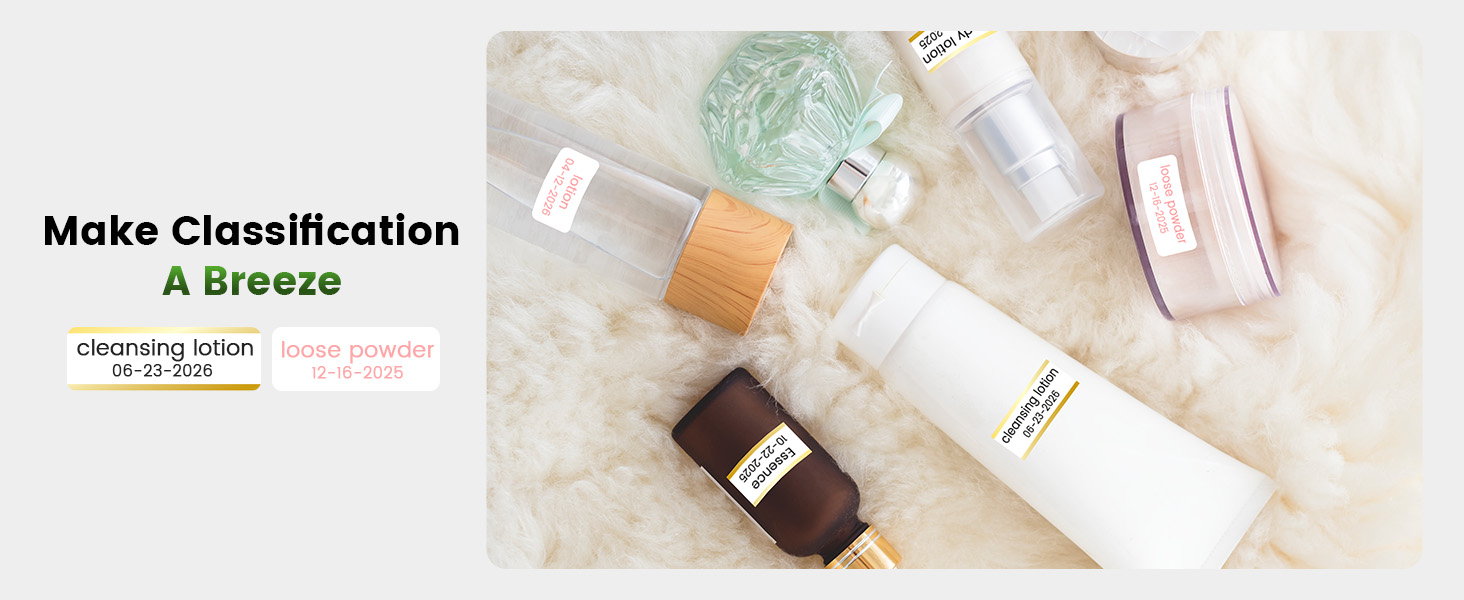
- Fabric Iron-on Labels: For clothing and textile identification.
- Glitter Labels: For decorative purposes.
- Luminous Labels: Labels that glow in the dark for visibility in low light.

Image 3.2: The Phomemo A30 printer customizing gift ribbons with personalized content.
Obrázek 3.3: Příkladample of magnetically sticking labels on a refrigerator for organization.
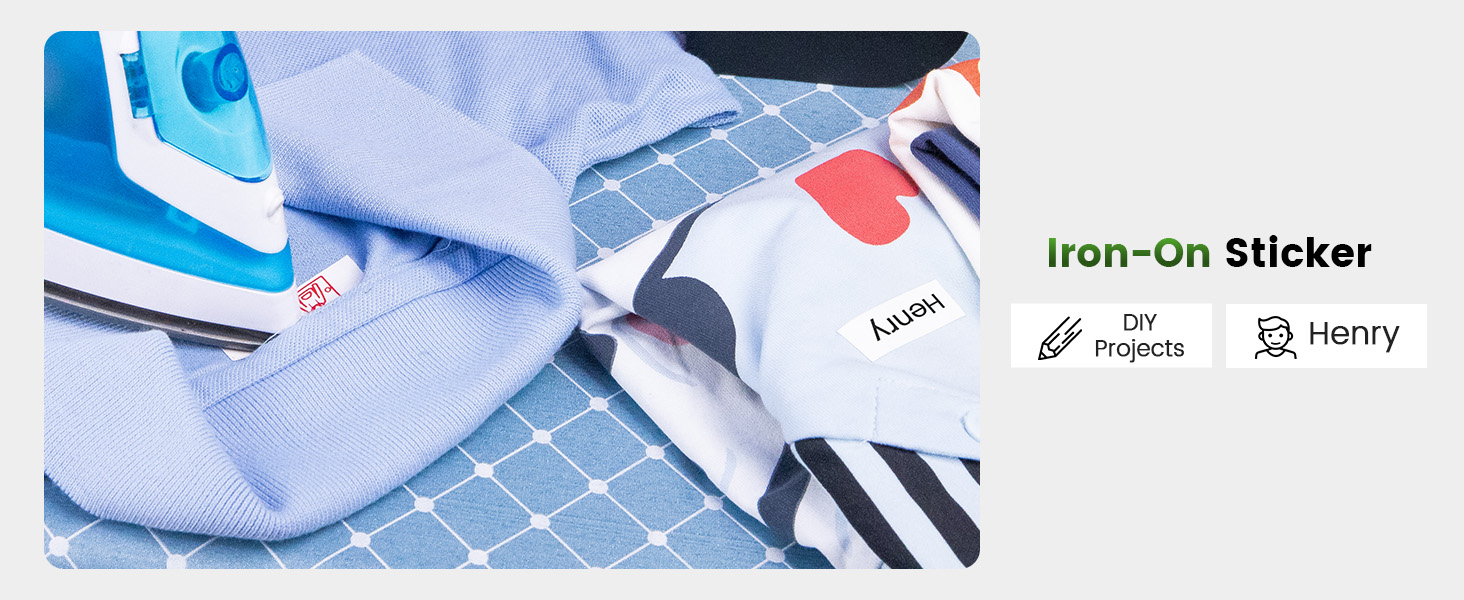
Image 3.4: Luminous labels applied to light switches for easy identification in the dark.

Image 3.5: An iron-on sticker being applied to clothing, demonstrating its use for fabric labeling.
4. Údržba
4.1 Čištění tiskové hlavy
Pro zajištění optimální kvality tisku pravidelně čistěte termotiskovou hlavu. Použijte měkký hadřík, který nepouští vlákna, lehce osušte.ampošetřený isopropylalkoholem. Jemně otřete povrch tiskové hlavy. Před čištěním se ujistěte, že je tiskárna vypnutá a vychladlá.
4.2 Péče o baterii
- Vyhněte se častému úplnému vybíjení baterie.
- Charge the printer regularly, even if not in use, to maintain battery health.
- Do not expose the printer to extreme temperatures, as this can affect battery life.
4.3 Skladování
Store the printer in a cool, dry place away from direct sunlight and excessive dust. If storing for an extended period, ensure the battery is partially charged (around 50%) and recharge every few months.
5. Řešení problémů
This section addresses common issues you might encounter with your Phomemo A30 printer.
| Problém | Možná příčina | Řešení |
|---|---|---|
| Tiskárna se nezapne | Slabá baterie; Tlačítko napájení nebylo správně stisknuto | Charge the printer; Press and hold the power button firmly. |
| Nelze se připojit přes Bluetooth | Bluetooth na zařízení vypnutý; Tiskárna není v režimu párování; Problém s aplikací | Ensure Bluetooth is enabled; Restart printer and app; Try pairing again. |
| Špatná kvalita tisku (bledý, rozmazaný) | Znečištěná tisková hlava; Nesprávný typ štítku; Slabá baterie | Clean the print head (see Section 4.1); Ensure correct thermal transfer labels are used; Charge the printer. |
| Štítky se nepodávají správně | Label cartridge improperly installed; Label jam | Reinstall the label cartridge; Open cover and clear any jammed labels. |
| App features require subscription | Some advanced templates/features are premium | Utilize free features or consider purchasing a subscription if desired. |
If the issue persists, please refer to the 'Print Master' app's help section or contact Phomemo customer support.
6. Specifikace
| Funkce | Detail |
|---|---|
| Značka | Phomemo |
| Název modelu | A30 (M836) |
| Technologie tisku | Thermal Transfer |
| Technologie připojení | Bluetooth |
| Hardwarové rozhraní | USB typ C |
| Tiskový výstup | Monochromatický |
| Maximální rychlost černobílého tisku | 5 ppm |
| Maximální rozlišení černobílého tisku | 203 dpi |
| Kompatibilní zařízení | Chytré telefony, tablety (Android, iOS) |
| Maximální velikost média | 15 mm |
| Velikost listu | 14 milimetru |
| Typ inkoustu do tiskárny | No Ink (Thermal Transfer) |
| Baterie | Vyžaduje 1 A baterii (součástí balení) |
| Rozměry produktu | 8.27 x 1.85 x 2.56 palce |
| Hmotnost položky | 5.6 unce (160 gramů) |
| Zahrnuté komponenty | Label Printer, Roll Paper for Printer, User Manual, USB Cable |
7. Záruka a podpora
7.1 Informace o záruce
The Phomemo A30 Thermal Transfer Label Printer comes with a limited warranty. Please refer to the warranty card included in your package or the official Phomemo webkonkrétní podmínky týkající se záručního krytí a doby trvání naleznete na webových stránkách.
7.2 Zákaznická podpora
For technical assistance, troubleshooting not covered in this manual, or warranty claims, please contact Phomemo customer support through their official webwebu nebo kontaktních informací uvedených v dokumentaci k produktu.


