Zavedení
Welcome to the AWOW Funtab 1003 Kids Tablet user manual. This guide provides essential information for setting up, operating, maintaining, and troubleshooting your new tablet. Designed for children aged 3-7, this 10-inch Android 14 tablet offers a safe and engaging digital experience with robust parental controls and a durable design.
Co je v krabici
Zkontrolujte prosím obsah balení, abyste se ujistili, že jsou přítomny všechny položky:
- 10-inch Tablet
- USB kabel
- Nabíječka
- Stylus
- Nárazuvzdorné pouzdro
- Návod k použití

Obrázek: Overview of the AWOW Funtab 1003 tablet and its included accessories, such as the USB cable, charger, stylus, and shockproof case.
Konec produktuview
The AWOW Funtab 1003 features a 10.1-inch IPS HD display and is encased in a durable, kid-proof silicone case. Familiarize yourself with the tablet's physical components:
- Přední kamera: Located above the screen for video calls and selfies.
- Sluchátkový jack: Standard 3.5mm port for audio output.
- Slot na kartu TF: Pro rozšíření úložiště až na 1 TB.
- Nabíjecí port: Port USB-C pro nabíjení zařízení.
- Vypínač: Zapnutí/vypnutí tabletu nebo jeho přepnutí do režimu spánku.
- Tlačítka hlasitosti: Pro nastavení úrovně zvuku.
- Zadní kamera: Pro pořizování fotografií a videí.
- Řečníci: Integrovaný pro přehrávání zvuku.
- Nastavitelný stojan: Integrated into the case for hands-free viewIng.

Image: The AWOW Funtab 1003 tablet in its protective blue case, displaying the home screen with various applications. This image highlights the overall design and user interface.

Obrázek: Podrobný view of the tablet's shockproof case, emphasizing its robust construction designed to protect against drops and impacts.
Nastavení
1. Počáteční zapnutí
Stiskněte a podržte Tlačítko napájení located on the side of the tablet until the screen lights up. The tablet will guide you through the initial setup process.
2. Language and Wi-Fi Selection
Follow the on-screen prompts to select your preferred language and connect to a Wi-Fi network. A stable Wi-Fi connection is necessary for downloading apps and system updates.
3. Nastavení účtu Google
Sign in with an existing Google account or create a new one. This account is essential for accessing the Google Play Store, Kids Space, and other Google services.
4. Kids Space Configuration
The tablet comes preloaded with Google Kids Space. During the initial setup or later through the Google Family Link app, you can configure Kids Space profiles for your children. This includes setting content filters, screen time limits, and approving apps.
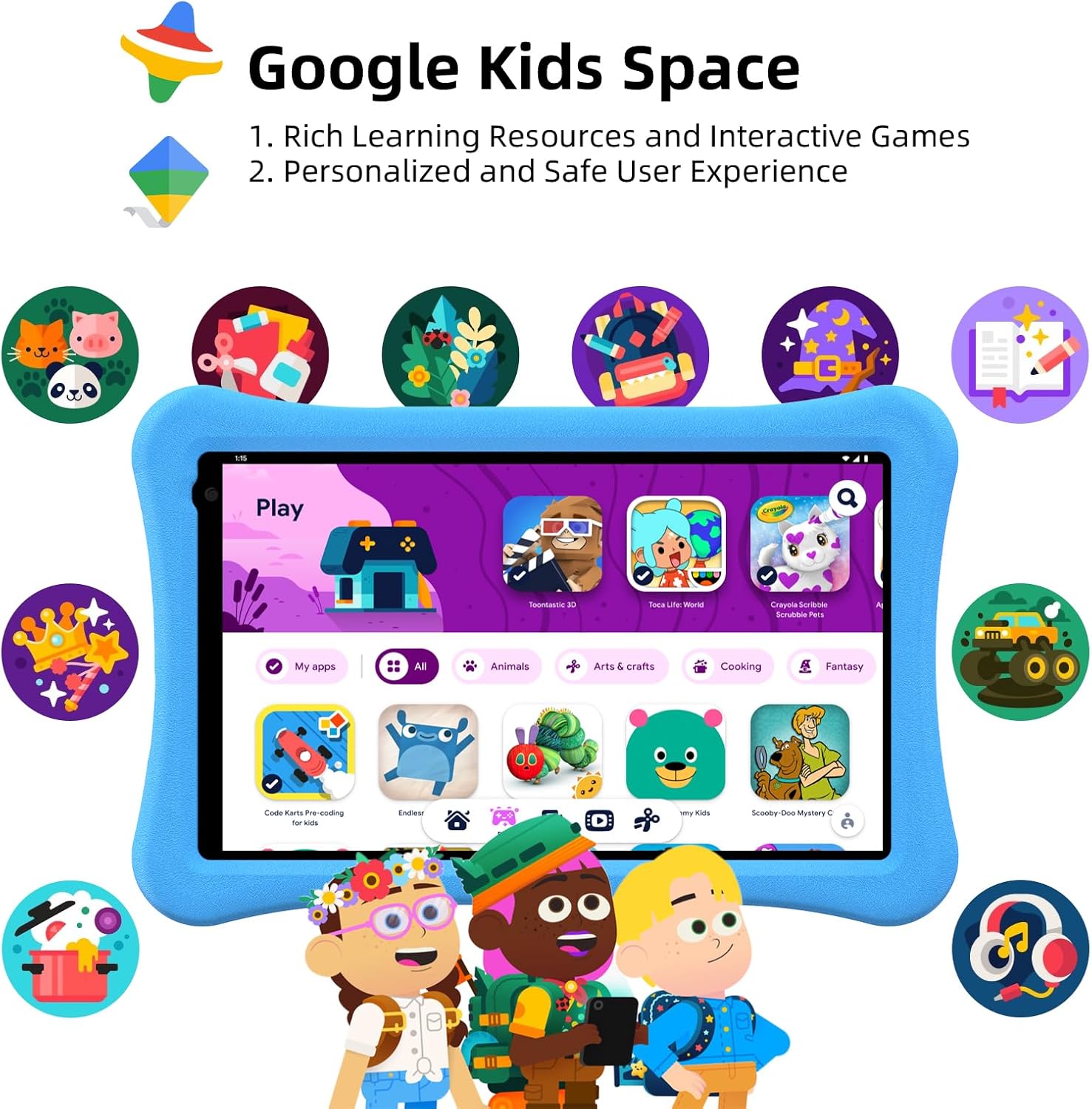
Image: The tablet screen showing the Google Kids Space environment, featuring a selection of child-friendly applications and content.
Návod k obsluze
Systém Android 14
The tablet runs on Android 14, offering enhanced personalization, improved security, and optimized battery life. Navigate the interface using touch gestures: swipe to unlock, tap to open apps, and pinch to zoom.

Obrázek: Zobrazení obrazovky tabletuasing the Android 14 operating system, highlighting its core benefits for users.
Google Kids Space
Google Kids Space provides a curated library of apps, books, and videos suitable for children. It offers a personalized and safe user experience. Content includes cartoons, learning videos, games, crafts, and e-books.

Image: The tablet screen showing the Google Kids Space interface, emphasizing recommended videos and teacher-approved applications for learning and entertainment.
Rodičovská kontrola
The tablet features enhanced parental controls accessible through Kids Mode. Parents can:
- Create and customize child profiles.
- Curate accessible content.
- Set screen time limits.
- Exit Kids Mode with a secure passcode.
- Adjust safety settings as children grow.

Image: A visual representation of the tablet's parental control dashboard, illustrating options for password protection, time limits, app selection, and webfiltrování stránek.
Anti-Blue Light Eye Protection Screen
The 10.1-inch IPS HD display (1280x800) includes automatic brightness adjustment and an anti-blue light design to protect children's eyesight during use.
Video: An official product video from AWOW showcasing the Funtab 1003 Kids Tablet, its features, and how children interact with it. This video demonstrates the tablet's design, user interface, and educational content.
Správa baterie
The tablet is equipped with a 6000mAh battery, providing 8-10 hours of reading or video playback on a full charge. For optimal battery life:
- Před prvním použitím tablet plně nabijte.
- Use the provided charger and USB cable.
- Během nabíjení a používání se vyhýbejte extrémním teplotám.
- Zavřete nepoužívané aplikace, abyste šetřili energii.

Image: A graphic illustrating the extended battery life of the AWOW Funtab 1003 tablet, comparing its 6000mAh capacity to other tablets.
Údržba
To ensure the longevity and optimal performance of your AWOW Funtab 1003 Kids Tablet:
- Čištění: K čištění obrazovky a vnějšího povrchu používejte měkký hadřík, který nepouští vlákna. Nepoužívejte abrazivní čisticí prostředky ani rozpouštědla.
- Skladování: Tabletu skladujte na chladném a suchém místě mimo dosah přímého slunečního záření a extrémních teplot.
- Aktualizace softwaru: Regularly check for and install system updates to ensure the tablet has the latest features and security patches.
- Péče o případ: The shockproof silicone case can be wiped clean with a damp tkanina.
Odstraňování problémů
Pokud se s tabletem setkáte s problémy, podívejte se na následující běžná řešení:
| Problém | Možné řešení |
|---|---|
| Tablet se nezapne | Ensure the tablet is charged. Connect it to the charger for at least 30 minutes, then try pressing the power button again. |
| Obrazovka nereaguje nebo zamrzá | Perform a force restart by pressing and holding the power button for about 10-15 seconds until the tablet restarts. |
| Problémy s připojením Wi-Fi | Zkontrolujte, zda je v nastavení povolena Wi-Fi. Restartujte router a tablet. Ujistěte se, že jste v dosahu signálu Wi-Fi. |
| Aplikace jsou pomalé nebo padají | Close background applications. Clear app cache in settings. Ensure sufficient storage space is available. Restart the tablet. |
| Baterie se rychle vybíjí | Reduce screen brightness. Close unused apps. Disable Wi-Fi or Bluetooth when not in use. Check for apps consuming excessive battery in settings. |
Specifikace
Key technical specifications for the AWOW Funtab 1003 Kids Tablet:
- Operační systém: Android 14
- Procesor: Quad-core, 1.5 GHz (Allwinner)
- BERAN: 8 GB (3+5)
- Interní úložiště: 64 GB
- Rozšiřitelné úložiště: Až 1 TB přes SD kartu
- Velikost obrazovky: 10.1 palce
- Rozlišení obrazovky: 1280 x 800 (HD IPS)
- Typ bezdrátového připojení: 802.11n (Wi-Fi)
- Zadní WebRozlišení kamery: 2 MP
- Baterie: 6000 XNUMX mAh
- Hmotnost položky: 2.34 libry
- Rozměry produktu: 6 x 1 x 6 palce
Záruka a podpora
The AWOW Funtab 1003 Kids Tablet comes with a 1-letá záruka. Additionally, lifetime technical support is provided to assist with any product-related inquiries or issues. For support, please refer to the contact information provided in your product packaging or visit the official AWOW webmísto.


