1. Konec produktuview
This manual provides instructions for the LAMTTO 6.86-inch Wireless CarPlay Android Auto Integrated Car Audio Navigation System, model RC09. This device offers seamless smartphone integration, navigation, media playback, and parking assistance features for an enhanced driving experience.
Klíčové vlastnosti:
- Wireless Apple CarPlay and Android Auto compatibility.
- Wireless Apple Airplay and Android Cast for screen mirroring.
- Bluetooth 5.0 for stable connections, hands-free calling, and music streaming.
- Voice control support via Google Assistant or Siri.
- Integrated 1080P parking assist rear camera with 170° wide-angle and super night vision.
- Multiple audio output options: built-in speaker, FM transmitter, AUX cable, and Bluetooth.
- Easy installation with various mounting options suitable for 90% of car models.
2. Nastavení a instalace
2.1 Obsah balení
Před instalací se ujistěte, že jsou přítomny všechny komponenty:
- LAMTTO 6.86-inch Display Audio Unit
- Parking Assist Rear Camera
- AUX kabel
- Cigarette Adapter (with built-in FM antenna)
- Dashboard Mount Bracket (3M holder)
- Držák na přísavku
- User Manual (Japanese version included, this is the English version)
2.2 Výběr místa montáže
Vyberte si místo na palubní desce nebo čelním skle, které vám nebude překážet view of the road or interfere with airbags. The device operates on 12-24V power, making it compatible with most passenger vehicles, trucks, and RVs.

Obrázek 2.2: Dostupné možnosti montáže
2.3 Instalace hlavní jednotky
- Clean the chosen mounting surface thoroughly to ensure proper adhesion.
- Attach the preferred mounting bracket (3M adhesive or suction cup) to the main unit.
- Secure the main unit to the dashboard or windshield. Adjust the angle for optimal viewIng.
- Connect the cigarette adapter to the unit and plug it into your vehicle's cigarette lighter socket.
2.4 Instalace zadní kamery
The 1080P rear camera is IP67 waterproof and offers a 170° wide-angle view. It is intended for parking assistance only and does not support recording.
- Namontujte zadní kameru na zadní část vozidla a zajistěte si tak jasný obraz view.
- Route the camera cable to the main unit, ensuring it does not interfere with vehicle operations.
- Connect the camera cable to the designated input port on the main unit.

Figure 2.4: Rear Camera Parking Assist View
3. Návod k obsluze
3.1 Zapnutí/vypnutí
The unit powers on automatically when connected to the vehicle's power supply via the cigarette adapter. To power off, disconnect the power adapter.
3.2 Připojení k Apple CarPlay / Android Auto
This device supports wireless Apple CarPlay and Android Auto. Ensure your smartphone's Wi-Fi and Bluetooth are enabled.
- On the unit, select the CarPlay or Android Auto icon.
- On your smartphone, search for the device's Bluetooth name and pair.
- Postupujte podle pokynů na obrazovce zařízení i telefonu a navažte připojení.
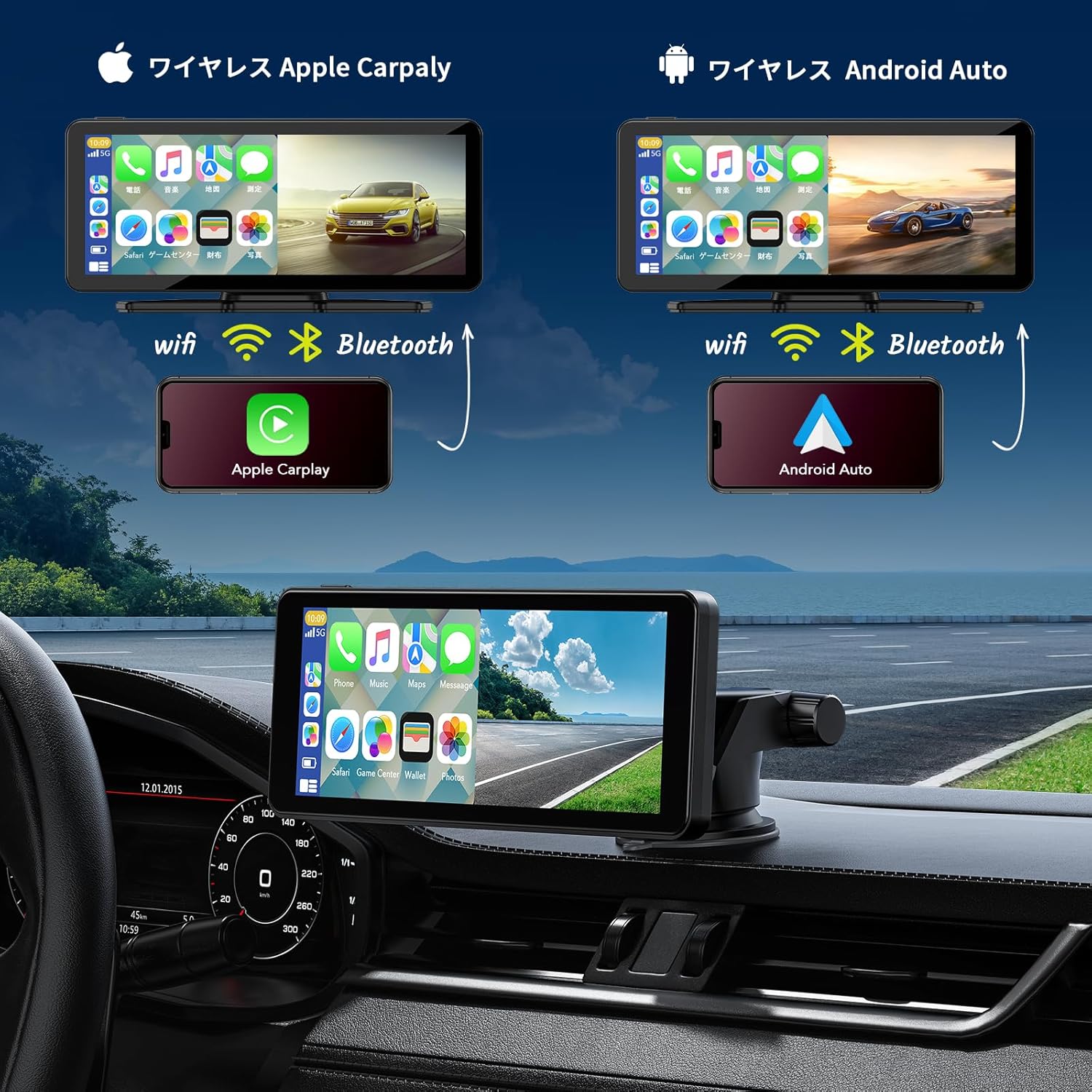
Figure 3.2: Wireless CarPlay and Android Auto Connection
3.3 Using Apple Airplay / Android Cast (Mirroring)
For iPhone users, Airplay allows screen mirroring. For Android users, Android Cast provides mirroring functionality. This feature is ideal for displaying videos or other content from your phone on the unit's screen.
- Select the Airplay or Android Cast option on the unit.
- On your smartphone, enable screen mirroring and select the device.
- Ensure both devices are connected via Wi-Fi for optimal performance.
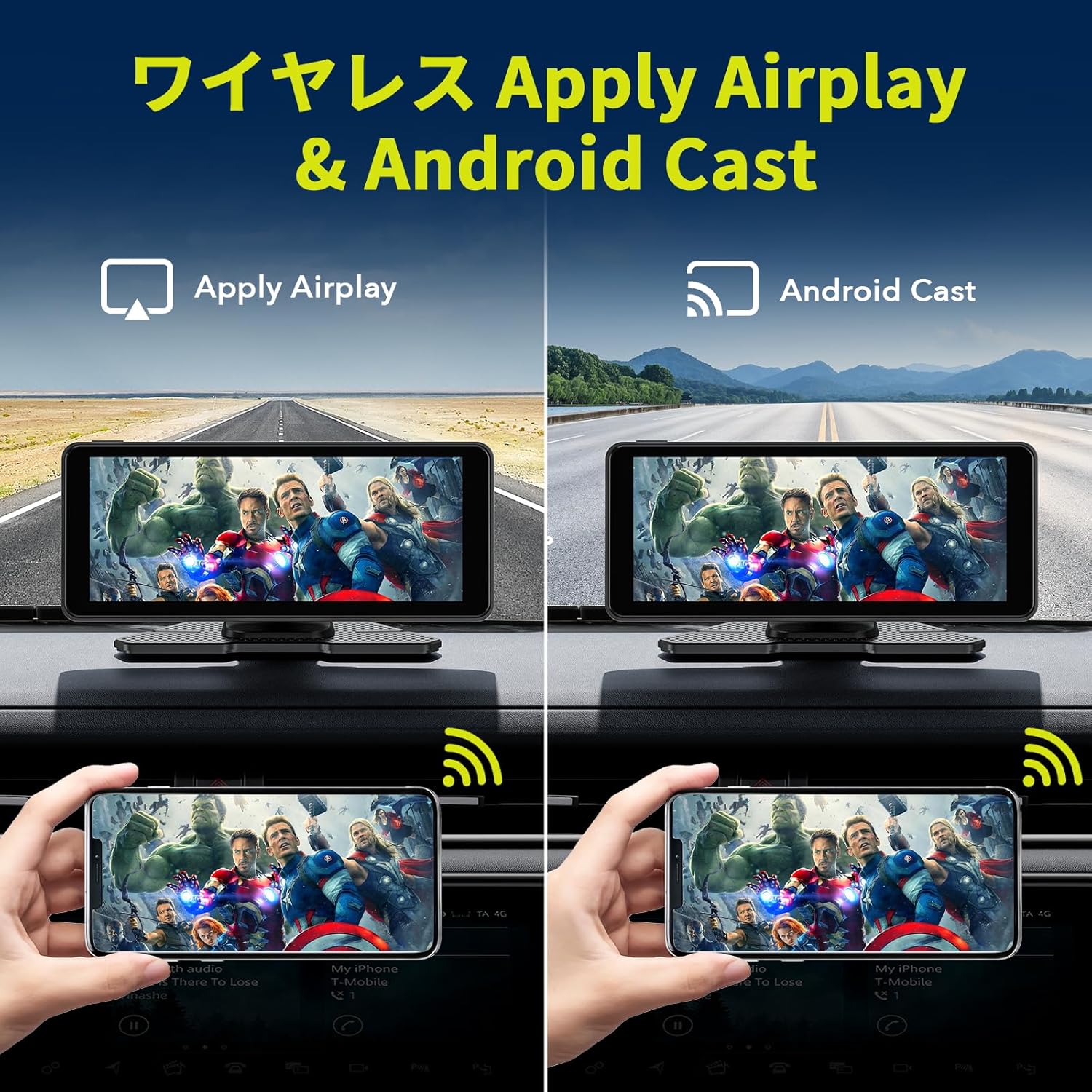
Figure 3.3: Wireless Airplay and Android Cast
3.4 Hlasové ovládání (Siri / Google Assistant)
Utilize your smartphone's voice assistant (Siri for Apple, Google Assistant for Android) for hands-free operation. This allows you to make calls, send messages, get directions, and control music without taking your hands off the wheel.
- Ujistěte se, že je váš telefon připojen přes CarPlay nebo Android Auto.
- Activate the voice assistant using the designated button on the unit (if available) or by saying the wake word ("Hey Siri" or "Hey Google").
- Speak your command clearly into the unit's built-in microphone.
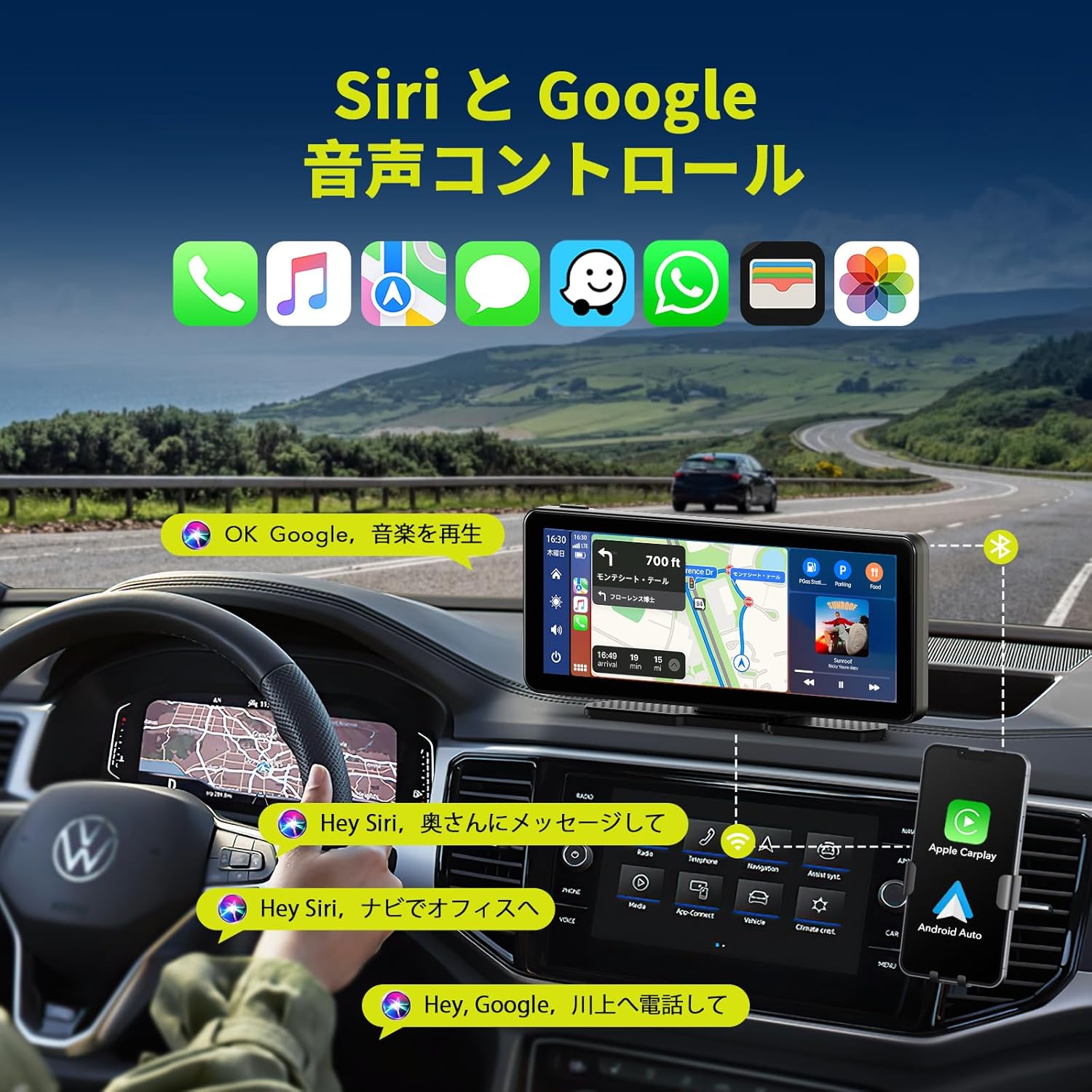
Obrázek 3.4: Hlasové ovládání pomocí Siri a Google Assistant
3.5 Možnosti zvukového výstupu
The unit offers several ways to output audio to your car's sound system:
- Vestavěný reproduktor: The unit has its own speaker for direct audio output.
- FM vysílač: Broadcast audio to your car's FM radio by tuning both devices to the same frequency.
- AUX kabel: Connect the provided AUX cable from the unit to your car's AUX input for a wired audio connection.
- Bluetooth: Stream audio wirelessly to your car's Bluetooth-enabled audio system (if available).

Obrázek 3.5: Metody zvukového výstupu
3.6 Funkce rozdělené obrazovky
The unit supports split-screen display, allowing you to view two applications simultaneously, such as navigation and music playback, or the desktop and the rear camera feed.

Obrázek 3.6: Možnosti zobrazení na rozdělené obrazovce
4. Údržba
- Čištění: K čištění obrazovky a vnější strany jednotky používejte měkký, suchý hadřík. Nepoužívejte abrazivní čisticí prostředky ani rozpouštědla.
- Teplota: Nevystavujte přístroj extrémním teplotám (horkým nebo nízkým) po delší dobu.
- Připojení kabelů: Pravidelně kontrolujte všechna kabelová připojení, abyste se ujistili, že jsou bezpečná.
- Zadní kamera: Keep the rear camera lens clean for clear visibility, especially in adverse weather conditions.
5. Řešení problémů
| Problém | Možná příčina | Řešení |
|---|---|---|
| Jednotka se nezapne. | No power supply; faulty cigarette adapter. | Ensure the cigarette adapter is securely plugged in and the vehicle's power outlet is functional. Check the adapter's fuse if applicable. |
| CarPlay/Android Auto se nepřipojuje. | Bluetooth/Wi-Fi na telefonu vypnuté; nesprávné párování; rušení. | Ensure phone's Bluetooth and Wi-Fi are on. Re-pair the device. Move phone closer to the unit. Restart both phone and unit. |
| Žádný audio výstup. | Incorrect audio output setting; low volume; loose AUX cable. | Check the unit's audio output settings (FM, AUX, Bluetooth, internal speaker). Increase volume. Ensure AUX cable is fully inserted. If using FM, verify frequency match. |
| Zadní kamera se nezobrazuje. | Loose camera connection; faulty camera. | Check the camera cable connection to the main unit. Ensure the camera is powered. |
| Dotykový displej nereaguje. | Dočasná softwarová závada. | Restartujte jednotku odpojením a opětovným připojením napájení. |
6. Specifikace produktu
| Funkce | Detail |
|---|---|
| Značka | LAMTTO |
| Číslo modelu | RC09 |
| Velikost obrazovky | 6.86 palců |
| Typ zobrazení | LCD, dotyková obrazovka |
| Konektivita | Bluetooth 5.0, Wi-Fi, USB, AUX, FM Transmitter |
| Integrace smartphonu | Wireless Apple CarPlay, Wireless Android Auto, Apple Airplay, Android Cast |
| Hlasové ovládání | Siri, Google Assistant |
| Zadní kamera | 1080P, IP67 Waterproof, 170° Wide-angle, Super Night Vision (Parking Assist Only) |
| Provozní svtage | 12-24 V |
| Typ montáže | Dashboard Mount (3M adhesive, Suction Cup) |
| Rozměry (balení) | 22.6 x 14.2 x 10.4 cm |
| Hmotnost | 980 g |
7. Záruka a podpora
LAMTTO products are designed for reliability and performance. For warranty information, please refer to the specific warranty card included with your product or contact LAMTTO customer support.
Zákaznická podpora:
- For technical assistance, troubleshooting, or warranty claims, please contact LAMTTO customer service through the retailer where you purchased the product or visit the official LAMTTO webmísto.
- Please have your model number (RC09) and purchase date ready when contacting support.


