Zavedení
This manual provides detailed instructions for the setup, operation, and maintenance of your innioasis G1 80GB MP3 Player. Please read this guide thoroughly to ensure proper usage and to maximize your device's features. The innioasis G1 is a versatile portable media player equipped with Bluetooth, Wi-Fi, a 4.0-inch touch screen, and pre-installed streaming applications, designed for both music and video playback.
Co je v krabici
Upon unboxing your innioasis G1 MP3 Player, verify that all the following items are included:
- 1 x innioasis G1 MP3 Player
- 1 x 64GB Micro SD Card (pre-installed or separate)
- Nabíjecí kabel 1 x USB-C
- 1 x kabelová sluchátka
- 1 x Uživatelská příručka

Image: Contents of the innioasis G1 MP3 Player package.
Konec produktuview
The innioasis G1 MP3 Player features a compact design with a 4.0-inch IPS full touch LCD screen. It includes physical buttons for power and volume control, along with essential ports for charging and audio output.

Obrázek: Přední a boční view of the innioasis G1 MP3 Player.
Fyzikální rysy
- 4.0-inch IPS Full Touch LCD Screen: For intuitive navigation and media viewIng.
- Boční tlačítka: Zapnutí/vypnutí a ovládání hlasitosti.
- Port USB-C: Pro nabíjení a přenos dat.
- 3.5mm audio jack: Pro drátová sluchátka.
- Slot pro kartu Micro SD: Pro rozšiřitelné úložiště až do 1 TB.
- Vestavěný reproduktor: Umožňuje přehrávání zvuku bez sluchátek.
Nastavení
1. Nabíjení zařízení
Before initial use, fully charge your MP3 player. Connect the provided USB-C cable to the device's charging port and the other end to a compatible USB power adapter (not included) or a computer's USB port. A full charge typically takes approximately 2 hours.
2. Zapnutí/vypnutí
- Zapnutí: Stiskněte a podržte tlačítko napájení umístěné na boku zařízení, dokud se nerozsvítí obrazovka.
- Vypnutí: Press and hold the power button until a power-off menu appears on the screen. Select 'Power Off'.
3. Vložení karty Micro SD
The device comes with a 64GB Micro SD card. To insert or replace the card, locate the Micro SD card slot on the side of the player. Gently push the card into the slot until it clicks into place. Ensure the card is oriented correctly.
4. Připojení k Wi-Fi
To access online streaming services and other internet features, connect your device to a Wi-Fi network.
- Přejít na Nastavení > Síť a internet.
- Přepnout Wi-Fi to 'On'.
- Vyberte ze seznamu požadovanou síť Wi-Fi.
- Pokud se zobrazí výzva, zadejte heslo sítě a klepněte na Připojit.

Image: Wi-Fi connectivity settings on the device.
5. Připojení zařízení Bluetooth
The MP3 player supports Bluetooth for connecting to headphones, speakers, or car audio systems.
- Přejít na Nastavení > Připojená zařízení > Bluetooth.
- Přepnout Bluetooth to 'On'.
- Ujistěte se, že je vaše Bluetooth příslušenství v režimu párování.
- Select your accessory from the list of available devices to pair.

Image: Bluetooth connectivity options for the MP3 player.
Obsluha zařízení
1. Navigace v rozhraní
The device features a full touch screen for easy navigation. Swipe left or right to browse through app pages, tap icons to open applications, and use the navigation buttons at the bottom of the screen for 'Back' and 'Home' functions.

Image: Demonstrating touch screen interaction.
2. Přehrávání hudby
The MP3 player supports various audio formats including MP3, WAV, FLAC, AAC, APE, OGG, M4A, WMA, and MP2. You can load songs from folders, create playlists, and search for music by name.
- Otevřete Hudba aplikace
- Use the music scan feature to quickly add songs from storage.
- Create and manage playlists as desired.
- The device features a noise reduction chip for enhanced sound quality.
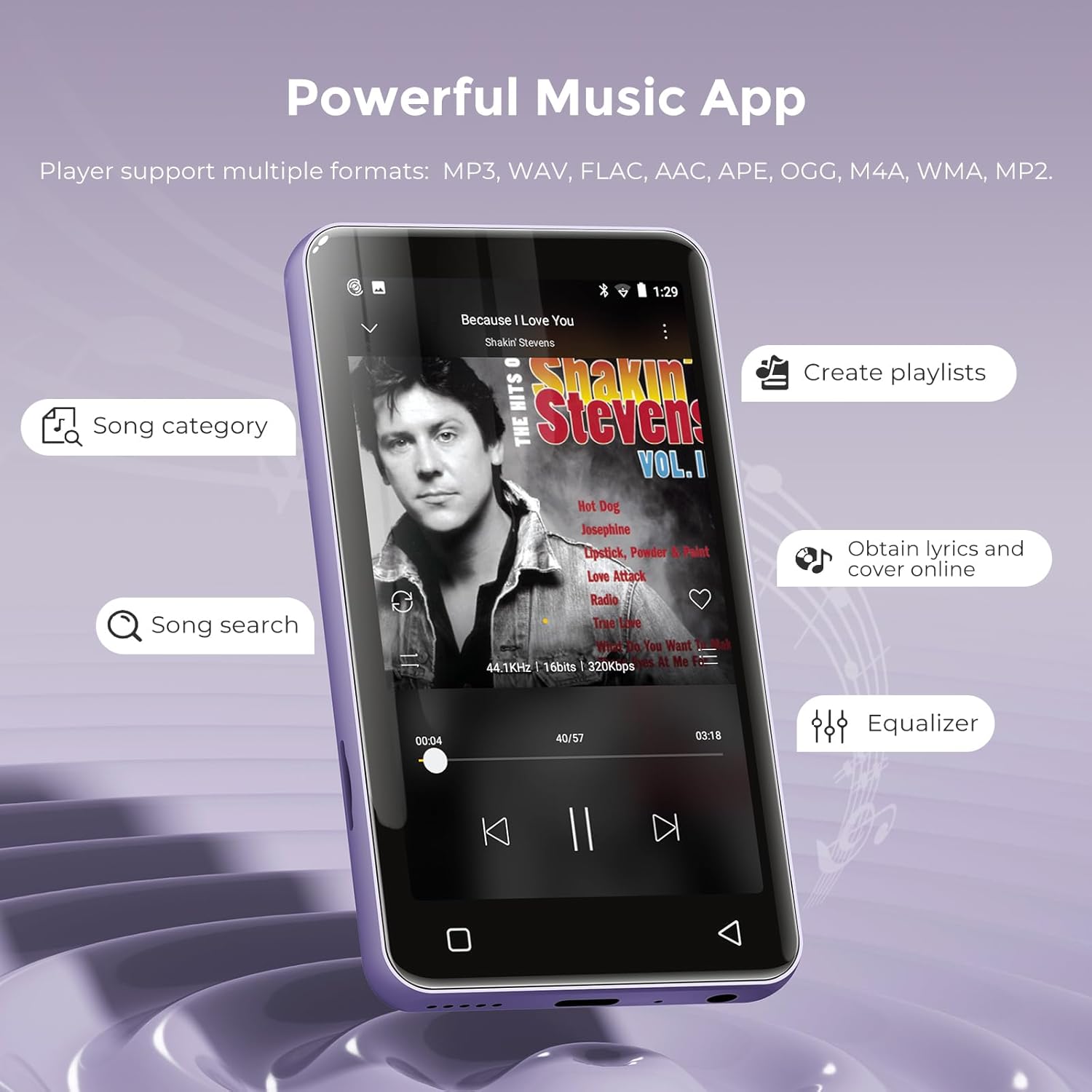
Image: Music playback interface.
3. Přehrávání videa
The device functions as an MP4 player, supporting 480x800 pixel HD video playback. Compatible video formats include RM, AVI, RMVB, FLV, MP4, DAT, MKV, MPG, MOV, TS, and 3GP.
- Otevřete videa aplikace
- Vyberte video file from your storage to play.
- Features include loop, random playback, variable speed, sleep timer, gesture zoom/expansion, and resume last playing.
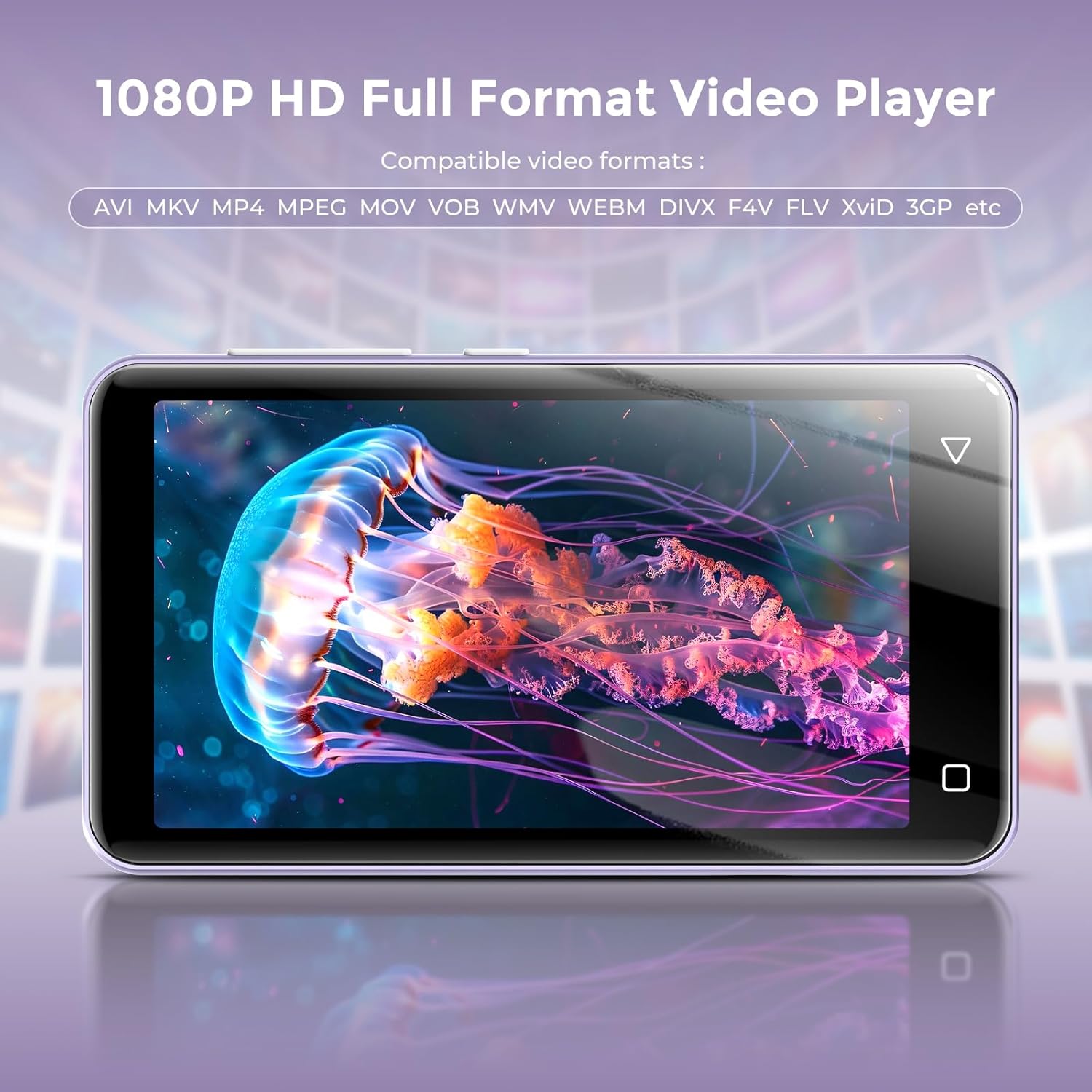
Image: Video playback on the 4-inch screen.
4. Předinstalované aplikace
The MP3 player comes with several popular applications pre-installed for immediate use:
- Hudba: For local music files.
- Pandora: Music streaming service.
- Spotify Kids: Curated music for children.
- Apple Music: Music streaming service.
- Amazon Music: Music streaming service.
- Spotify: Music streaming service.
- Přílivové: High-fidelity music streaming.
- Deezer: Music streaming service.
- Chrome: Web prohlížeč.
- Slyšitelné: Audiobooks.
- Roznítit: E-book reader.
- Facebook: Social media platform.

Image: Home screen displaying pre-installed applications.
5. FM rádio
The device includes an FM radio function. To use the FM radio, you must plug in the wired headphones, as they serve as the antenna.

Obrázek: Rozhraní FM rádia.
6. Other Useful Apps
Beyond media playback, the device offers additional utilities:
- Zapisovač: For voice recordings.
- Ebook: Dedicated e-book reader.
- Hodiny: Time and alarm functions.
- Kalendář: For scheduling and reminders.
- Kalkulačka: Základní aritmetické funkce.
- Galerie: Na view uložené obrázky.
- File Transfer/Manager: For organizing and moving files.
Rodičovská kontrola
The innioasis G1 MP3 Player includes parental control features to manage content access and device usage, making it suitable for younger users.
- Správa aplikací: You can uninstall any pre-installed applications that you do not wish for children to use. The device does not allow the installation of additional apps beyond the pre-installed selection, preventing access to unapproved content.
- Resetovat zámek: Set a reset lock to prevent the device from being restored to factory settings, which would re-enable uninstalled apps.
- Limity použití: Limit the duration of both internet access and overall player usage.

Image: Parental Control settings interface.
Údržba
1. Životnost baterie a nabíjení
The device is equipped with a 1500mAh lithium battery. It offers up to 25 hours of continuous music playback with wired earbuds or 5 hours of video playback on a full charge. Use the provided USB-C cable for charging.
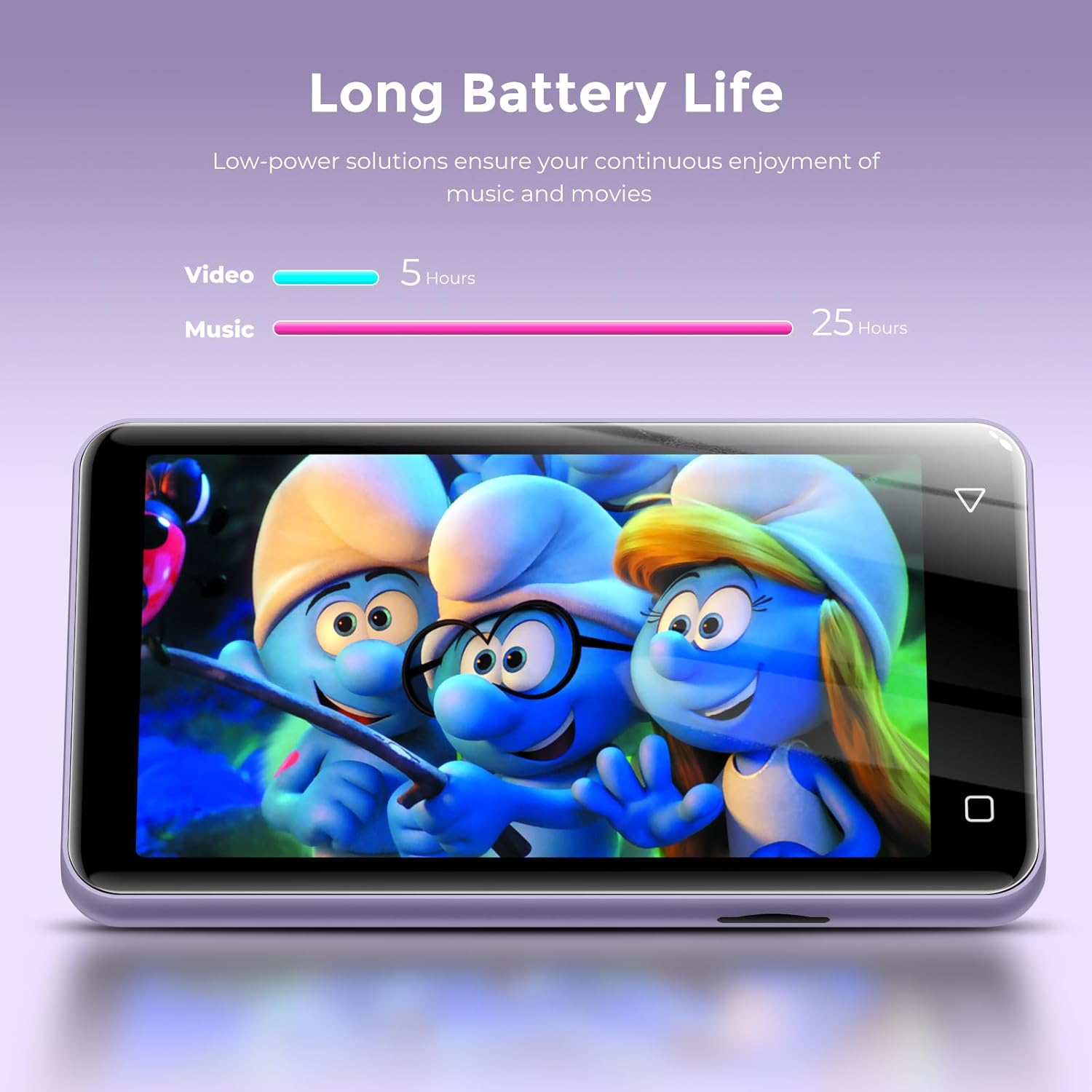
Image: Battery life for music and video playback.
2. Správa úložiště
The innioasis G1 features 16GB of internal ROM and comes with a 64GB memory card, providing a total of 80GB storage. It supports external storage expansion via the Micro SD card slot, allowing for up to 1TB of additional space.

Image: Internal specifications and storage capacity.
Odstraňování problémů
- Zařízení se nezapíná: If the device does not power on, ensure it is fully charged. Try using a different USB-A to USB-C charging cable and a different power adapter to rule out cable or adapter issues.
- Zamrzávání/pády aplikací: If pre-installed apps like Amazon Music or Spotify freeze, try closing and restarting the application. Ensure the device's software is up to date if an update option is available in settings.
- Paměťová karta nebyla rozpoznána: Ensure the Micro SD card is correctly inserted into its slot. Try reinserting the card or testing with a different compatible Micro SD card.
- Špatný příjem FM rádia: Ensure wired headphones are securely plugged into the 3.5mm audio jack, as they function as the antenna for the FM radio.
Specifikace
| Rozměry produktu | 0.39 x 2.36 x 4.33 palce |
| Hmotnost položky | 5.9 unce |
| Výrobce | INNIOÁZA |
| Číslo modelu položky | G1 |
| Baterie | Jsou vyžadovány 1 lithium-iontové baterie (součástí balení) |
| Značka | innioáza |
| Speciální funkce | Vestavěný reproduktor, ekvalizér, FM rádio, přehrávání videa, hlasový záznamník |
| Technologie připojení | Bluetooth, Wi-Fi (Dual-band 2.4GHz and 5GHz) |
| Kapacita paměti | 80 GB (16GB ROM + 64GB SD card), expandable up to 1TB |
| Velikost obrazovky | 4 palce |
| Kompatibilní zařízení | Headphone, Personal Computer |
| Typ média | Micro SD, Micro SDXC, SD Card, SDHC, SDXC |
Záruka a podpora
For warranty information or technical support, please refer to the documentation included with your product or contact innioasis customer service directly. Contact details can typically be found on the manufacturer's official webna místě nebo v obalu produktu.


