1. Úvod
This manual provides essential information for the safe and effective operation of your Heltec HT-CC20ABP Charge/Discharge Capacity Tester. This device is designed for testing the charge and discharge capacity of various battery types, including Lipo, LiFePO4, and Lead Acid battery packs, within a voltage range of 9-99V and a current capacity of 20A.
Please read this manual thoroughly before using the product to ensure proper setup, operation, and maintenance.
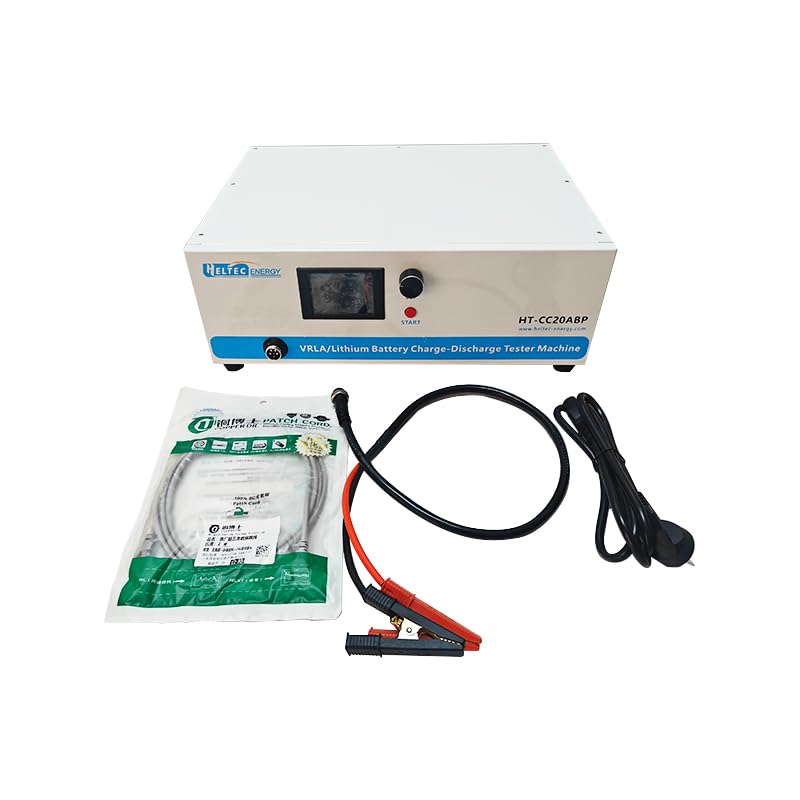
Figure 1: Heltec HT-CC20ABP Capacity Tester and accessories, including power cable and battery connection cables.
2. Konec produktuview
2.1 Klíčové vlastnosti
- Model: HT-CC20ABP
- Charging Test Cut-off Voltage: 9-99V
- Charging Test Voltage: 9-99V
- Discharge Current: 0.5V-20A
- Charge Current: 0.1-10A
- Charge Stepping Current: 0.1A
- Discharge Stepping Current: 0.1A
2.2 Součásti a ovládací prvky
The Heltec HT-CC20ABP features a clear LCD display, control knob, and essential ports for operation.

Figure 2: Front and Back Panel Illustration. Key components include Output Port, LCD, Start Button, Switching/Setting Button, Power Socket, and Switch.

Obrázek 3: Přední strana view of the tester, showing the display, control knob, and connection port.

Obrázek 4: Zadní view of the tester, highlighting the cooling fans for heat dissipation during operation.
3. Nastavení
3.1 Vybalení a kontrola
Carefully unpack the capacity tester and all accessories. Verify that all components listed in the 'What's in the Box' section are present and undamaged. If any items are missing or damaged, contact customer support immediately.
3.2 Připojení testeru
- Place the tester on a stable, flat surface with adequate ventilation.
- Connect the provided power cable to the power socket on the rear of the tester and then to a suitable power outlet.
- Connect the battery connection cables (red for positive, black for negative) to the battery pack you intend to test. Ensure a secure connection.
- Connect the other end of the battery connection cables to the output port on the front of the tester. Observe polarity carefully.

Figure 5: The capacity tester connected to a battery pack, ready for testing.
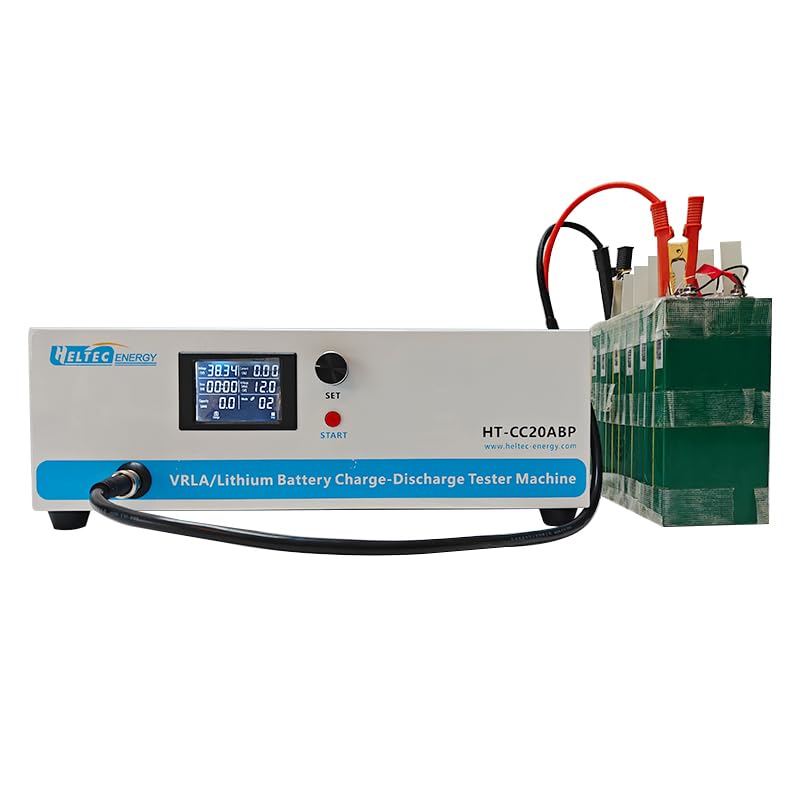
Figure 6: Close-up of the tester's connection cables and clamps, illustrating proper attachment points.
4. Návod k obsluze
4.1 Zapnutí a úvodní zobrazení
After connecting the power and battery, switch on the tester using the power switch on the rear panel. The LCD display will illuminate, showing initial parameters.

Obrázek 7: Detailní view of the LCD screen, showing current voltage, current, time, and capacity readings.
4.2 Setting Test Parameters
- Use the 'SET' button and control knob to navigate through the menu and adjust parameters such as charging voltage, přerušení výboje objtage, charge current, and discharge current.
- Refer to the battery manufacturer's specifications for appropriate voltage a aktuální nastavení.
- Confirm settings before starting any test.
4.3 Spuštění testu
Once parameters are set, press the 'START' button to begin the charge or discharge cycle. The display will show real-time data including current voltage, current, elapsed time, and accumulated capacity.
4.4 Monitoring and Data Logging
The tester can be connected to a computer for advanced monitoring and data logging using dedicated software. This allows for detailed analysis of battery performance over time.

Figure 8: Software interface displaying real-time test data in a list format.

Figure 9: Software interface providing data analysis and summary, including graphical representations of test results.
5. Údržba
5.1 Čištění
Regularly clean the exterior of the tester with a soft, dry cloth. Do not use abrasive cleaners or solvents. Ensure no liquids enter the device.
5.2 Větrání
Ensure that the cooling vents on the rear of the unit are not obstructed. Proper airflow is crucial for maintaining optimal operating temperature and preventing overheating.
5.3 Skladování
When not in use, store the tester in a cool, dry place away from direct sunlight and extreme temperatures. Disconnect all cables before storage.
6. Řešení problémů
6.1 Bez napájení
- Check if the power cable is securely connected to both the tester and the power outlet.
- Ensure the power switch on the rear panel is in the 'ON' position.
- Ověřte funkčnost zásuvky tak, že ji otestujete na jiném zařízení.
6.2 Nesprávné hodnoty
- Ensure battery connection cables are correctly attached with proper polarity (red to positive, black to negative).
- Check for loose connections at both the battery and the tester's output port.
- Verify that the test parameters (voltage, current) are set correctly according to the battery specifications.
6.3 Tester Overheating
- Ensure the tester is placed in a well-ventilated area.
- Check that the cooling vents on the rear are not blocked.
- Reduce the test current if possible, especially during prolonged discharge cycles.
7. Specifikace
| Parametr | Hodnota |
|---|---|
| Číslo modelu | HT-CC20ABP |
| Charging Test Cut-off Voltage | 9-99V |
| Charging Test Voltage | 9-99V |
| Vybíjecí proud | 0.5V-20A |
| Nabíjecí proud | 0.1-10A |
| Charge Stepping Current | 0.1A |
| Discharge Stepping Current | 0.1A |
| Hmotnost položky | 19 kilogramu (41.89 libry) |
| Barva | Bílý |
| UPC | 762716254350 |
7.1 Co je v krabici
- Heltec HT-CC20ABP Capacity Tester
- Napájecí kabel
- Battery Connection Cables with Clamps
8. Záruka a podpora
For warranty information and technical support, please refer to the official Heltec BMS webnebo se obraťte na autorizovaného prodejce. Uschovejte si účtenku jako doklad o koupi.
Manufacturer: heltec bms
Date First Available: August 28, 2024


