Zavedení
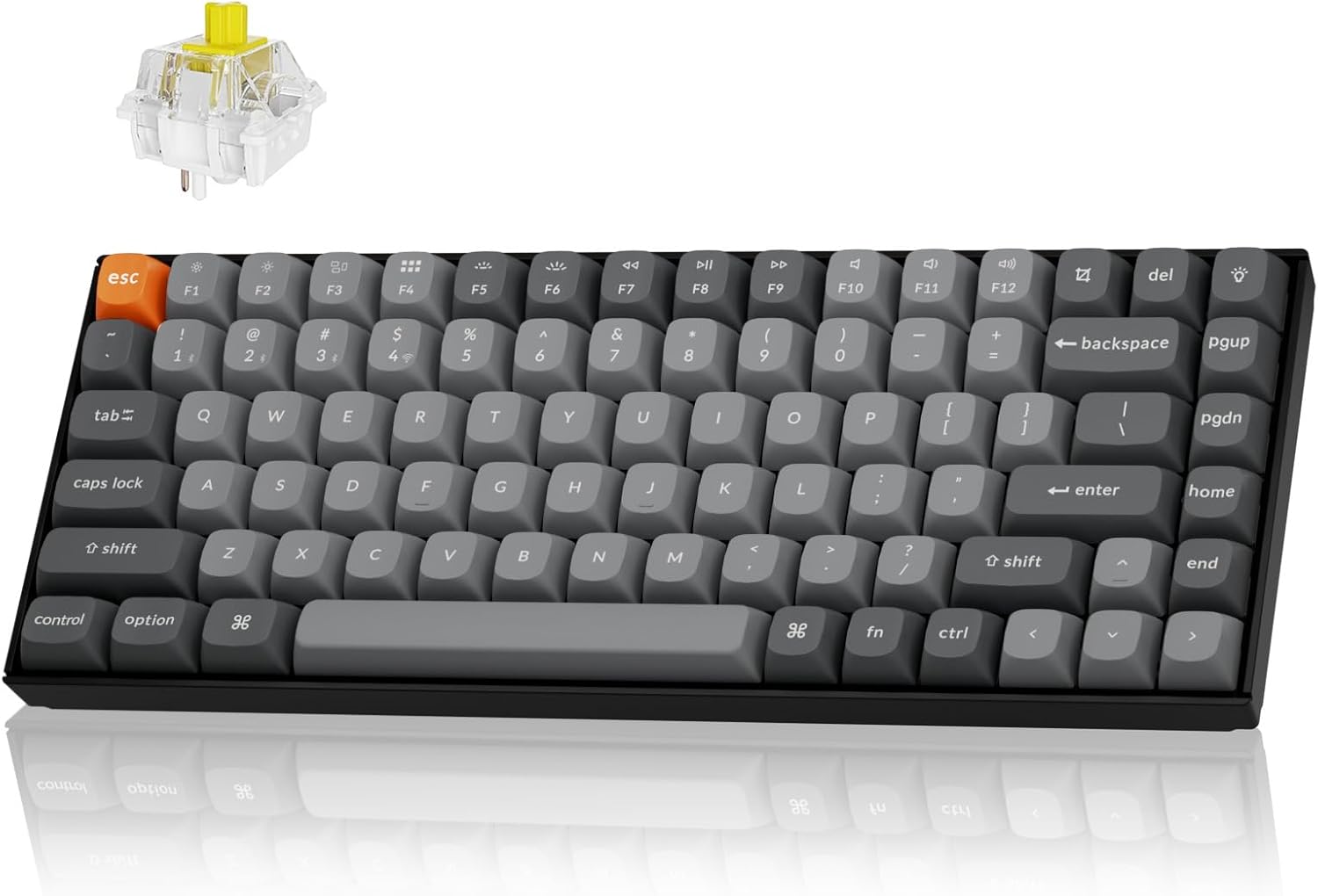
The Keychron K2 Max is a versatile 75% layout mechanical keyboard designed for seamless integration across multiple operating systems and connectivity options. It supports 2.4 GHz wireless, Bluetooth 5.1, and Type-C wired connections, offering a 1000Hz polling rate in 2.4G and wired modes for optimal performance in both gaming and professional environments. This manual provides detailed instructions for setting up, operating, maintaining, and troubleshooting your K2 Max keyboard.
Nastavení
Obsah balení
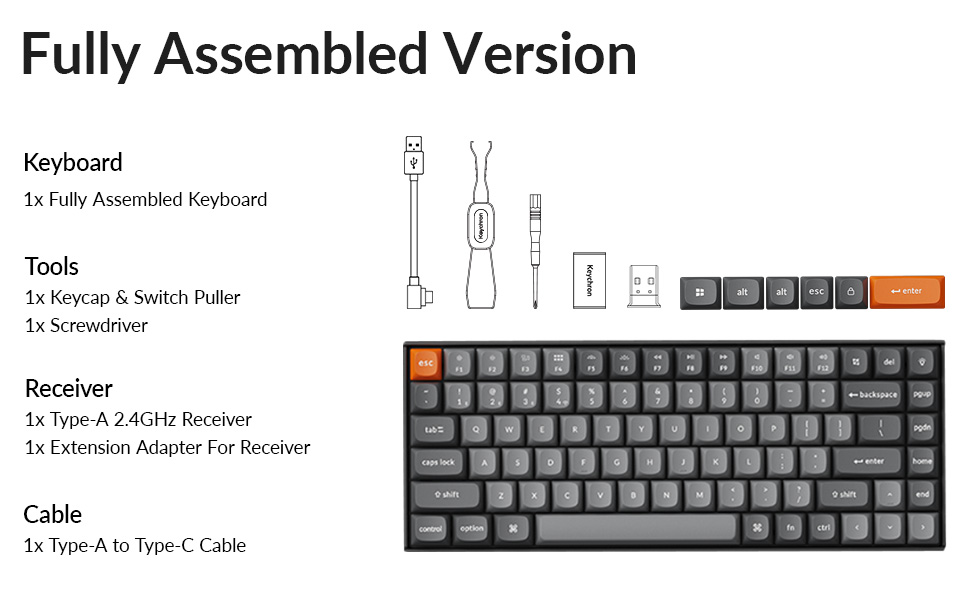
Než začnete, ujistěte se, že máte v balení všechny komponenty:
- 1x plně sestavená klávesnice
- 1x stahovák klíčenky a spínače
- 1x Šroubovák
- 1x přijímač typu A 2.4 GHz
- 1x prodlužovací adaptér pro přijímač
- 1x kabel Type-A to Type-C
- Extra keycaps for Windows layout
Počáteční nabíjení
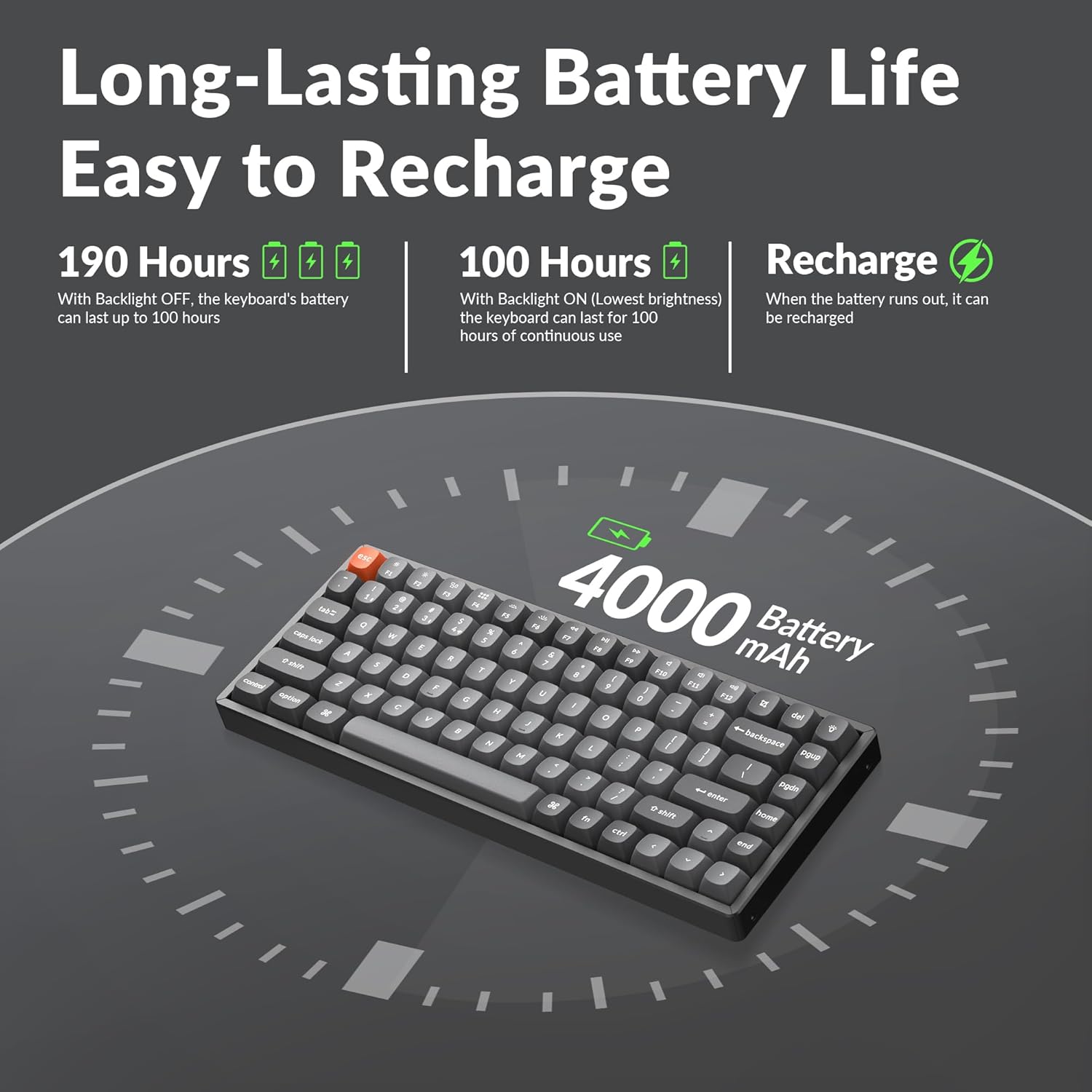
The keyboard comes with a built-in 4000mAh rechargeable battery. For optimal performance, it is recommended to fully charge the keyboard before first use. Connect the provided Type-A to Type-C cable to the keyboard's USB-C port and a power source (e.g., computer USB port or wall adapter).
Možnosti připojení
The K2 Max offers three connection modes:
- Bezdrátové připojení 2.4 GHz: For a stable and fast connection, ideal for gaming. Insert the 2.4GHz receiver into a USB port on your device. The receiver can be stored in a dedicated slot on the keyboard's underside when not in use.
- Bluetooth 5.1: For wireless convenience with up to 3 devices. Pair the keyboard with your laptop, tablet, or smartphone.
- Kabel typu C: For a direct and reliable connection, also allowing charging.


Návod k obsluze
Switching Operating Systems
The K2 Max is optimized for both macOS and Windows. Use the dedicated toggle switch on the keyboard to switch between macOS and Windows layouts. Extra keycaps for Windows are included to match the layout.

Přizpůsobení QMK/VIA
The keyboard supports QMK open-source firmware, allowing extensive customization of key remapping, macros, and shortcuts. Access the Keychron Launcher web app for configuration without requiring any software installation.

Ovládání podsvícení
The K2 Max features South-Facing RGB Backlight. Use the dedicated function keys to cycle through various lighting effects, adjust brightness, and change colors. Refer to the keyboard's quick start guide for specific key combinations.
Správa životnosti baterie
The 4000mAh battery provides long-lasting performance. With the backlight off, the keyboard can last up to 190 hours. At the lowest brightness setting, it can provide approximately 100 hours of continuous use. Recharge the keyboard when the battery indicator shows low power.
Údržba
Čištění klávesnice
Chcete-li klávesnici vyčistit, nejprve ji odpojte od všech zdrojů napájení. Použijte měkký hadřík, který nepouští vlákna, lehce navlhčený.ampened with water or a mild cleaning solution. For cleaning between keycaps, use compressed air or a small brush. Avoid spraying liquids directly onto the keyboard.
Výměna kláves a spínačů
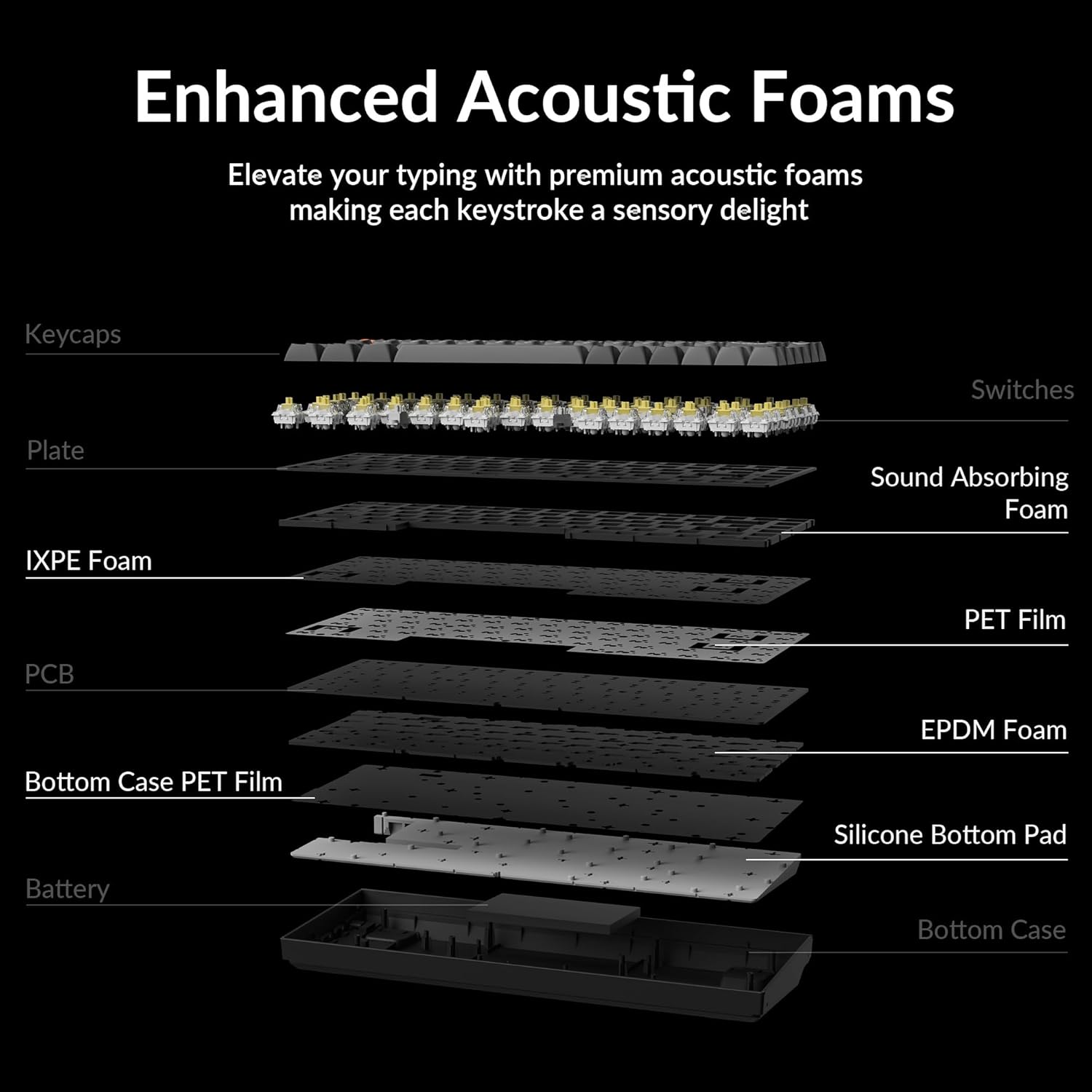
The Keychron K2 Max features hot-swappable switches, allowing you to change switches without soldering. Use the provided keycap and switch puller tools for safe removal and installation.
- Odstranění krytek kláves: Gently pull the keycap straight up using the keycap puller.
- Odstranění spínačů: Insert the switch puller's prongs under the top and bottom clips of the switch and gently rock it while pulling upwards.
- Instalace přepínačů: Zarovnejte piny nového spínače s otvory na desce plošných spojů a pevně zatlačte, dokud nezacvakne. Ujistěte se, že piny nejsou ohnuté.
- Instalace kláves: Align the keycap with the switch stem and press down firmly.


Odstraňování problémů
Problémy s připojením
- Bezdrátové připojení 2.4 GHz: Ensure the receiver is securely plugged into a USB port. Try a different USB port. Ensure the keyboard is in 2.4G mode.
- Bluetooth: Ensure Bluetooth is enabled on your device. Unpair and re-pair the keyboard if connection is lost. Ensure the keyboard is in Bluetooth mode and selected the correct device slot (BT1, BT2, BT3).
- Kabelové: Check the USB-C cable connection at both ends. Try a different USB-C cable or port.
Klávesy nereagují
- If a specific key is not responding, it might be a faulty switch. If your model is hot-swappable, try replacing the switch with a spare one or swapping it with a less frequently used key to diagnose.
- Ensure the keyboard is not in sleep mode.
- Check for any debris under the keycap or switch.
Problémy s podsvícením
- If the backlight is off, check if it's disabled or set to the lowest brightness. Adjust using the backlight control keys.
- Ujistěte se, že má klávesnice dostatečné nabití baterie.
Problémy s nabíjením
- Ujistěte se, že je nabíjecí kabel správně připojen.
- Zkuste jiný port USB nebo napájecí adaptér.
- Allow the keyboard to charge for a few hours.
Specifikace
| Název modelu | K2M-B4 |
| Technologie připojení | 2.4G Wireless, Bluetooth 5.1, Type-C Wired |
| Popis klávesnice | Mechanické |
| Speciální funkce | Backlit (South-Facing RGB) |
| Barva | Keychron Super Banana Switch (Black keyboard chassis) |
| Kompatibilní zařízení | Gaming Console, Laptop, PC (Mac/Windows/Linux) |
| Baterie | 4000mAh lithium-polymerová baterie (součástí balení) |
| Hmotnost položky | 3.08 libry |
| Rozměry balení | 15.27 x 6.42 x 2.24 palce |
| Výrobce | Keychron |
Záruka a podpora
Pro informace o záruce, technickou podporu nebo další pomoc navštivte oficiální stránky Keychron. website or their Amazon store. Keychron offers various protection plans for extended coverage.
Navštivte Obchod Keychron na Amazonu pro více produktů a podpůrných zdrojů.


