1. Úvod
The DEPSTECH DS620TL is a professional-grade triple-lens inspection camera designed for detailed visual inspection in hard-to-reach areas. Featuring a 5-inch IPS display, a 50-foot semi-rigid cable, and IP67 waterproofing, this borescope is suitable for inspecting plumbing, automotive engines, wall structures, and HVAC ducts. This manual provides essential information for the safe and effective operation of your device.
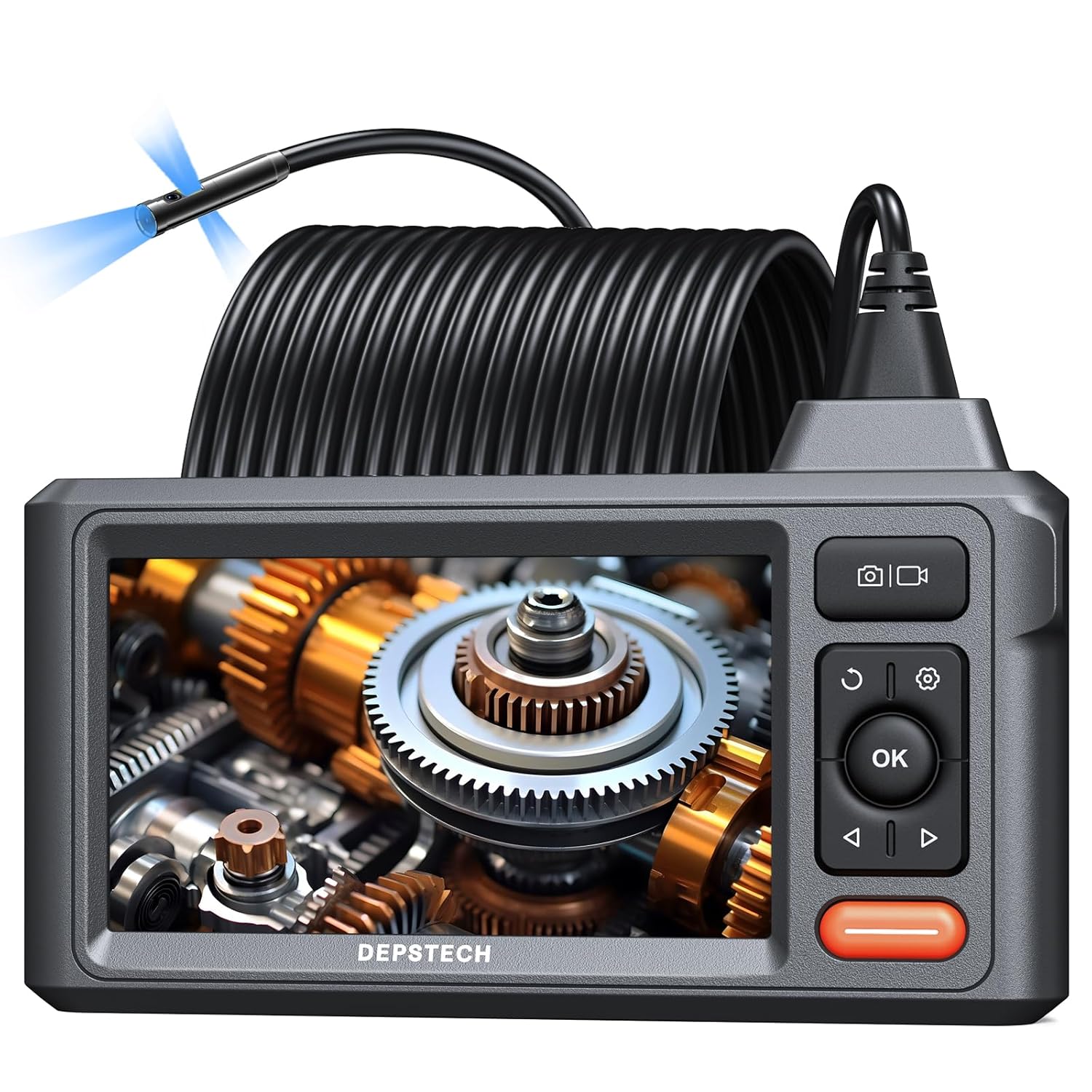
Image 1.1: DEPSTECH DS620TL Triple Lens Sewer Camera. This image shows the main unit with its 5-inch IPS display, control buttons, and the coiled 50-foot inspection cable with the camera head.
2. Bezpečnostní informace
Před použitím zařízení si prosím přečtěte všechny bezpečnostní pokyny, abyste předešli zranění nebo poškození. Uschovejte si tento návod pro budoucí použití.
- Nevystavujte zařízení extrémním teplotám nebo přímému slunečnímu záření.
- Udržujte zařízení mimo dosah silných magnetických polí.
- Ensure the camera probe is clean before and after each use.
- Nepokoušejte se zařízení rozebírat ani upravovat. Opravy by měl provádět pouze autorizovaný personál.
- The camera probe is IP67 waterproof, but the main display unit is not. Avoid submerging the main unit in liquids.
- Používejte pouze dodaný nabíjecí kabel a adaptér.
3. Obsah balení
Ověřte, zda jsou v balení přítomny všechny položky:
- DS620TL Endoscope Unit
- Přenosné pouzdro
- 32GB Micro SD karta
- Hákový nástavec
- Magnetický nástavec
- USB nabíjecí kabel
- Uživatelská příručka

Image 3.1: Package Contents. This image displays the DS620TL endoscope unit, its carrying case, a 32GB Micro SD card, hook and magnet attachments, and the USB charging cable.
4. Konec produktuview
4.1 Hlavní jednotka a displej
The main unit features a 5-inch IPS display for clear viewinspekční footage. Control buttons are located on the right side of the display for easy access to functions such as power, menu navigation, camera switching, and image/video capture.

Image 4.1: 5-inch IPS Display. This image highlights the vibrant 5-inch IPS screen of the borescope, showing its clarity and wide viewúhel.
4.2 Triple Lens Camera Probe
The camera probe is equipped with three lenses: one front-facing camera and two side-facing cameras. This triple-lens design allows for comprehensive observation without needing to maneuver the probe excessively. Adjustable LED lights surround each lens to illuminate dark inspection areas.

Image 4.2: Triple Lens Camera Head. This image details the camera probe, showing the front camera and two side cameras, each with integrated LED illumination.
4.3 50-Foot Semi-Rigid Cable
The 50-foot (15-meter) semi-rigid cable provides extended reach and flexibility, allowing the camera to navigate through various pipes and confined spaces. The cable is IP67 waterproof, making it suitable for wet environments.

Image 4.3: 50-Foot Semi-Rigid Cable. This image illustrates the long, coiled cable, emphasizing its length and semi-rigid nature for effective navigation.
5. Nastavení
5.1 Nabíjení zařízení
Before first use, fully charge the device. Connect the USB charging cable to the main unit's charging port and to a standard USB power adapter (not included). The charging indicator will show the charging status.
5.2 Vložení Micro SD karty
Locate the Micro SD card slot on the side of the main unit. Insert the provided 32GB Micro SD card until it clicks into place. The device requires a Micro SD card to save images and videos.

Image 5.1: Micro SD Card Insertion. This image shows the correct way to insert the Micro SD card into the designated slot on the device.
5.3 Připevnění příslušenství
The hook and magnet attachments can be screwed onto the tip of the camera probe for retrieving small objects or maneuvering the cable. Ensure they are securely fastened before use.

Image 5.2: Hook and Magnet Attachments. This image displays the hook and magnet accessories, demonstrating how they attach to the camera head for retrieval tasks.
6. Návod k obsluze
6.1 Zapnutí/vypnutí
Stiskněte a podržte tlačítko napájení (obvykle označené symbolem napájení) po dobu několika sekund, chcete-li zařízení zapnout nebo vypnout.
6.2 Navigace v nabídce
Use the directional buttons (up, down, left, right) to navigate through menu options. Press the 'OK' button to confirm selections. The 'Return' or 'Back' button (often a curved arrow) will take you to the previous menu or exit the current function.
6.3 Přepínání kamery Views
The DS620TL features three cameras. Press the dedicated camera switch button (often labeled '180°' or with a camera icon) to cycle between the front camera, left side camera, and right side camera views. This allows for comprehensive inspection from multiple angles.
6.4 Nastavení jasu LED diod
Use the LED brightness control button (often a light bulb icon or up/down arrows) to adjust the intensity of the LED lights on the camera probe. This helps optimize visibility in varying light conditions.
6.5 Pořizování obrázků a videí
- Chcete-li zachytit obrázek: Press the 'Photo' button (camera icon) once. The image will be saved to the Micro SD card.
- Chcete-li nahrát video: Press the 'Video' button (video camera icon) once to start recording. Press it again to stop recording. Videos will be saved to the Micro SD card.
6.6 Viewa řízení Files
Access the 'Gallery' or 'Playback' menu option to view captured images and videos. You can delete files from this menu if needed.
6.7 Tips for Cable Navigation
For navigating long or complex pipes, consider taping the borescope cable to a fish tape. This can add stiffness and help guide the cable around bends and through obstructions more effectively.

Image 6.1: Cable Navigation Tip. This image demonstrates how to attach a fish tape to the borescope cable to provide additional rigidity and aid in guiding it through pipes.
7. Údržba
7.1 Cleaning the Camera Lens and Probe
Po každém použití, zejména ve znečištěném nebo mokrém prostředí, jemně otřete objektiv kamery a sondu měkkým hadříkem.amp cloth. For stubborn residue, use a small amount of mild soap and water, then rinse thoroughly and dry. Do not use abrasive cleaners or solvents.
7.2 Skladování
Store the device in its portable carrying case in a cool, dry place, away from direct sunlight and extreme temperatures. Ensure the cable is neatly coiled to prevent kinks or damage.
7.3 Péče o baterii
To prolong battery life, avoid fully discharging the battery frequently. If storing the device for an extended period, charge it to approximately 50% every few months.
8. Řešení problémů
- Zařízení se nezapne: Ensure the battery is charged. If the issue persists, try charging for a longer period.
- Žádný obraz na obrazovce: Zkontrolujte, zda je kabel kamery bezpečně připojen k hlavní jednotce. Ujistěte se, že je zařízení zapnuté.
- Nelze ukládat obrázky/videa: Verify that a Micro SD card is inserted and has sufficient free space. Check if the card is properly formatted (FAT32 recommended).
- Obrázek je rozmazaný nebo tmavý: Adjust the LED brightness. Clean the camera lens if it appears dirty. Ensure the camera is within its optimal focal range (Front Cam A: 1.18-3.93 in; Side Cam B: 0.79-2.36 in; Side Cam C: 0.79-1.57 in).
- Cable is difficult to maneuver: Consider using a fish tape as described in Section 6.7 to provide additional support and guidance.
9. Specifikace
| Funkce | Specifikace |
|---|---|
| Číslo modelu | DS620TL |
| Zobrazit | 5palcový IPS displej |
| Rozlišení fotoaparátu | 1080p (záznam videa) |
| Délka kabelu | 50 stop (přibližně 15 metry) |
| Průměr fotoaparátu | 7.9 mm |
| Hodnocení voděodolnosti | IP67 (Camera Probe Only) |
| Životnost baterie | Až 4 hodin (při plném nabití) |
| Skladování | Micro SD karta (32 GB součástí balení) |
| Rozměry produktu | 13.39 x 8.66 x 2.76 palce; 3.2 libry |
10. Záruka a podpora
DEPSTECH products typically come with a 24-month warranty. For warranty claims, technical support, or any questions regarding your DS620TL borescope, please contact DEPSTECH customer service directly. Refer to the contact information provided on the official DEPSTECH website or the product packaging for the most up-to-date support channels.


