1. Úvod
This manual provides detailed instructions for the E-YOOSO X-45 Ergonomic Vertical Mouse. Designed for comfort and versatility, this mouse offers multiple connectivity options and adjustable sensitivity to enhance your computing experience. Please read this manual thoroughly before using the product to ensure proper operation and longevity.
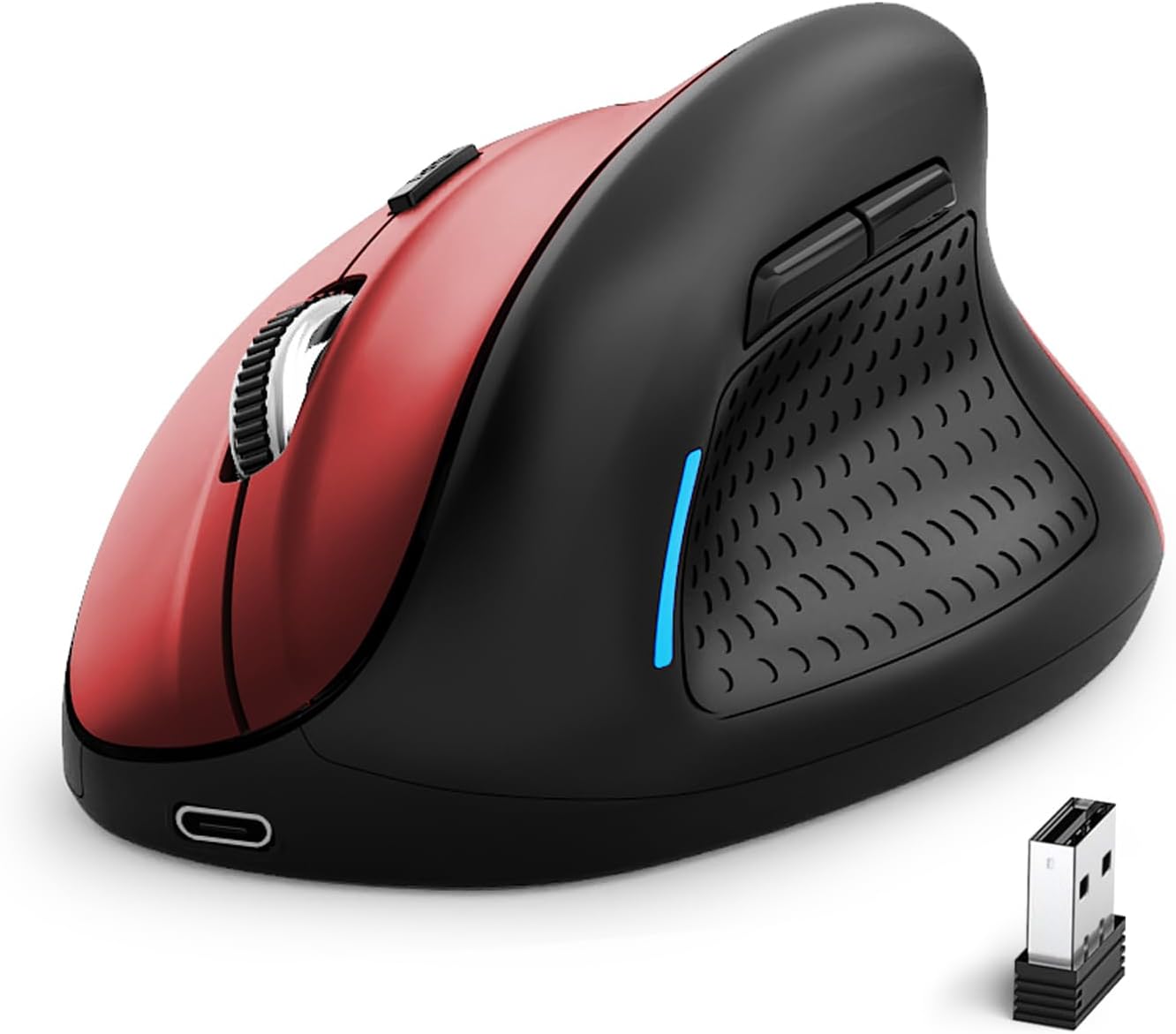
Image 1: E-YOOSO X-45 Ergonomic Vertical Mouse (Red Black)
2. Obsah balení
Ověřte, zda jsou v balení přítomny všechny položky:
- 1 x E-YOOSO X-45 Ergonomic Vertical Mouse
- 1 x USB přijímač (2.4 G)
- Nabíjecí kabel 1 x USB-C
- 1 x Uživatelská příručka (tento dokument)
3. Konec produktuview
Familiarize yourself with the various components of your E-YOOSO X-45 mouse:

Image 2: Labeled components of the E-YOOSO X-45 Vertical Mouse
- Levé tlačítko: Standardní funkce levého kliknutí.
- Tlačítko přepínání DPI: Upravuje citlivost kurzoru (úrovně DPI).
- Rolovací kolečko: Pro vertikální rolování a kliknutí prostředním tlačítkem myši.
- Pravé tlačítko: Standardní funkce kliknutí pravým tlačítkem myši.
- USB přijímač: Stores the 2.4G wireless dongle (located on the bottom of the mouse).
- Tlačítko vpřed: Naviguje vpřed web prohlížeče popř file průzkumníci.
- Tlačítko zpět: Naviguje zpět web prohlížeče popř file průzkumníci.
- Power/Mode Switch Button: Turns the mouse on/off and switches between connection modes.
- Tlačítko párování: Zahájí režim párování Bluetooth.
4. Nastavení
4.1 Nabíjení myši
The E-YOOSO X-45 mouse features a rechargeable battery. Use the provided USB-C cable to charge the mouse. A full charge typically takes 2-3 hours and can provide power for 2-3 months of usage, depending on usage patterns.
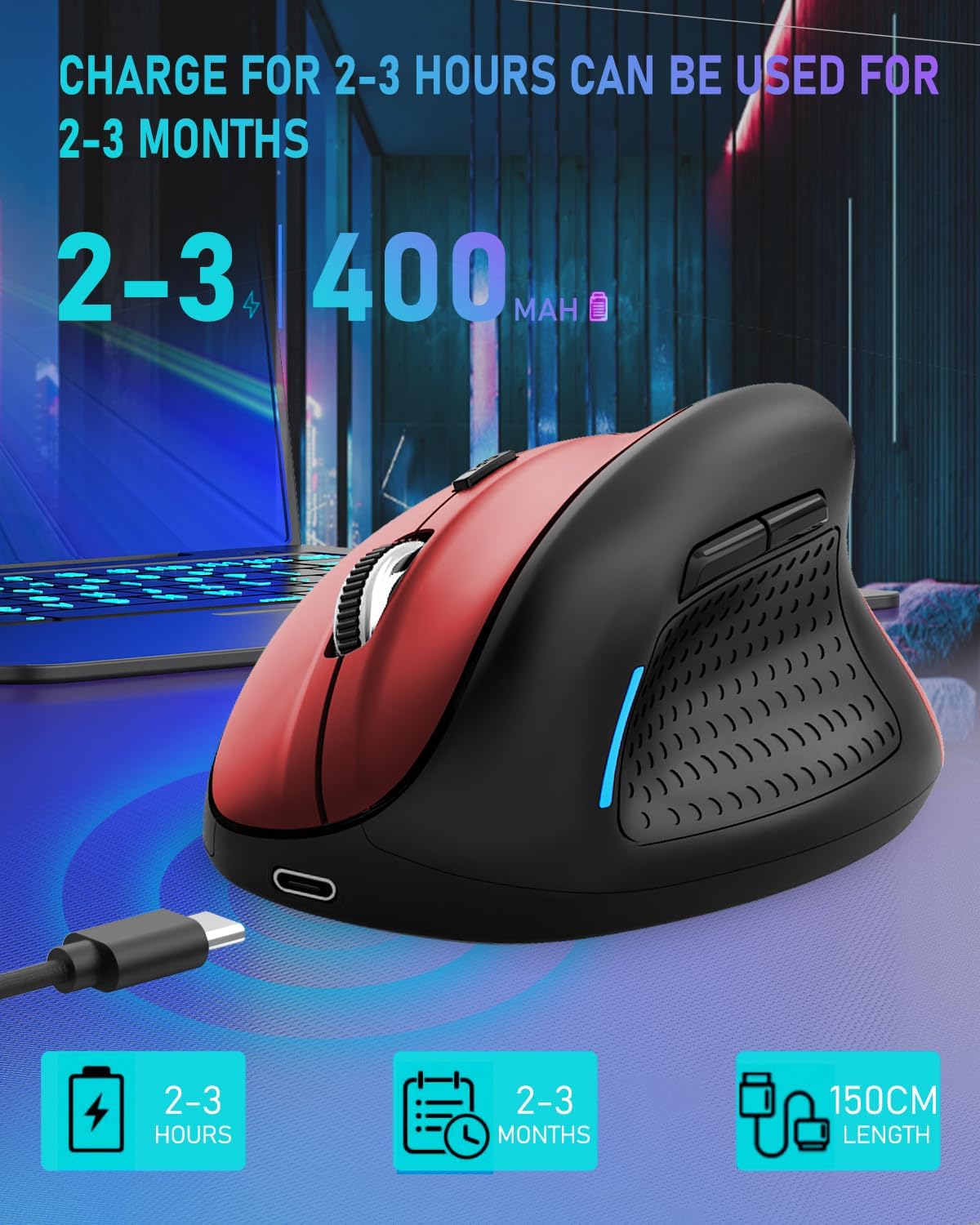
Image 3: Charging the E-YOOSO X-45 mouse
4.2 Režimy připojení
The mouse supports three connection modes: 2.4G Wireless, Bluetooth, and Wired.

Image 4: Tri-Mode Connection Options
4.2.1 Bezdrátové připojení 2.4G
- Vyhledejte USB přijímač uložený v přihrádce na spodní straně myši.
- Zapojte USB přijímač do volného USB portu na vašem počítači.
- Turn on the mouse using the Power/Mode Switch button on the bottom. Select the 2.4G mode.
- Myš by se měla připojit automaticky.
4.2.2 Připojení Bluetooth
- Turn on the mouse using the Power/Mode Switch button on the bottom. Select one of the Bluetooth modes (BT1 or BT2).
- Press and hold the Pairing Button (9) on the bottom of the mouse until the indicator light flashes, indicating it is in pairing mode.
- Na svém zařízení (počítači, tabletu, chytrém telefonu) přejděte do nastavení Bluetooth a vyhledejte nová zařízení.
- Select "E-YOOSO X-45" (or similar name) from the list of available devices to pair.
- Po spárování kontrolka přestane blikat.
4.2.3 Kabelové připojení
- Připojte konec nabíjecího kabelu s konektorem USB-C k myši a konec s konektorem USB-A k počítači.
- The mouse will automatically switch to wired mode and function without needing a battery or wireless connection.
5. Návod k obsluze
5.1 Nastavení DPI
The mouse features 5 adjustable DPI (Dots Per Inch) levels, allowing you to customize cursor sensitivity. Press the DPI Switch Button (2) to cycle through the following settings:
- 800 DPI
- 1200 DPI
- 1600 DPI
- 2000 DPI
- 4800 DPI
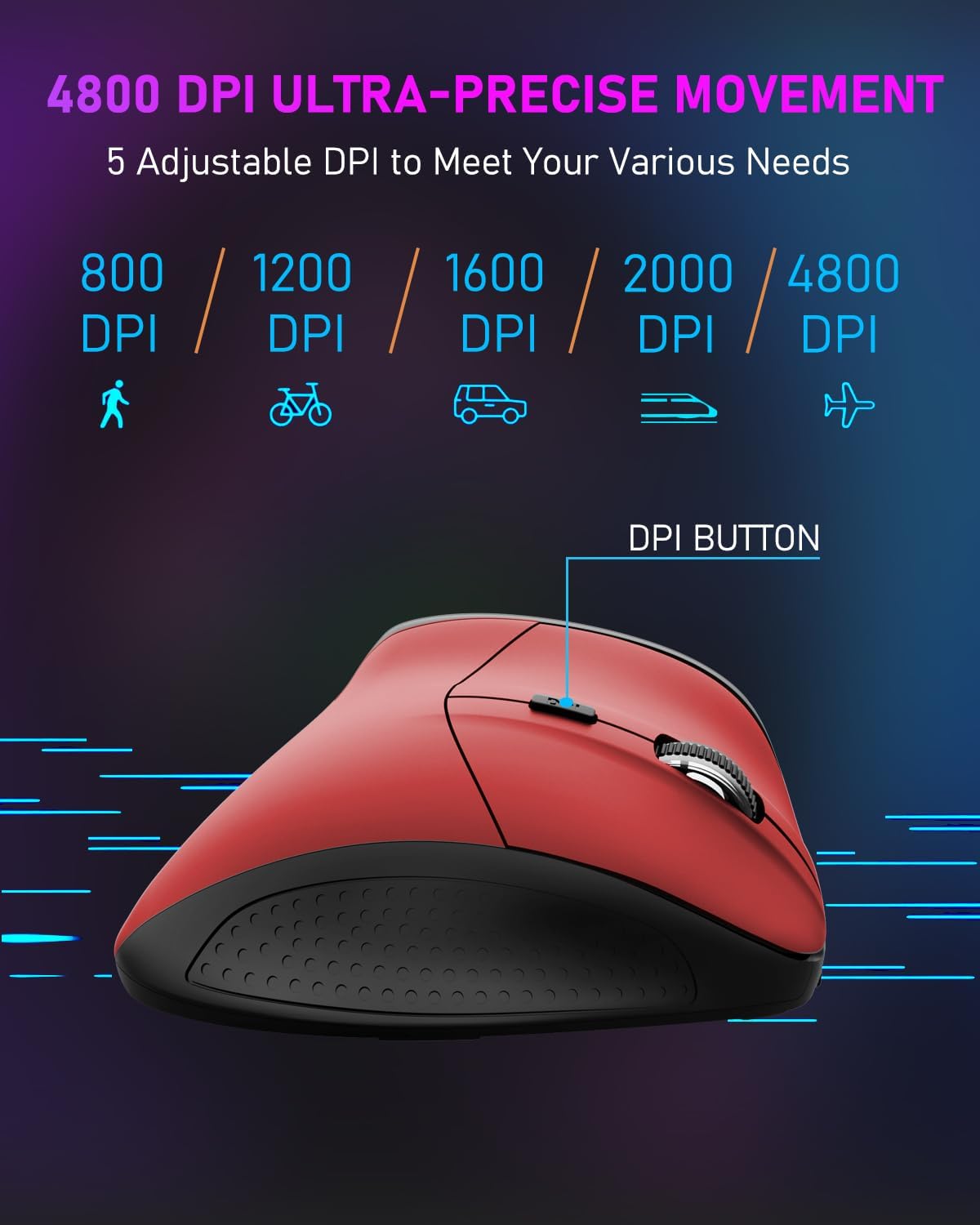
Image 5: DPI Adjustment Levels
5.2 Funkce tlačítek
In addition to standard left and right clicks, the mouse includes:
- Rolovací kolečko (3): For smooth vertical scrolling. Pressing it acts as a middle-click button.
- Forward Button (6): Používá se pro navigaci vpřed web prohlížeče popř file průzkumníci.
- Backward Button (7): Used for navigating backward in web prohlížeče popř file průzkumníci.
5.3 Výhody ergonomického designu
The vertical design of the E-YOOSO X-45 mouse promotes a natural 'handshake' wrist and arm posture, which can help reduce wrist strain and discomfort during prolonged use compared to traditional horizontal mice.
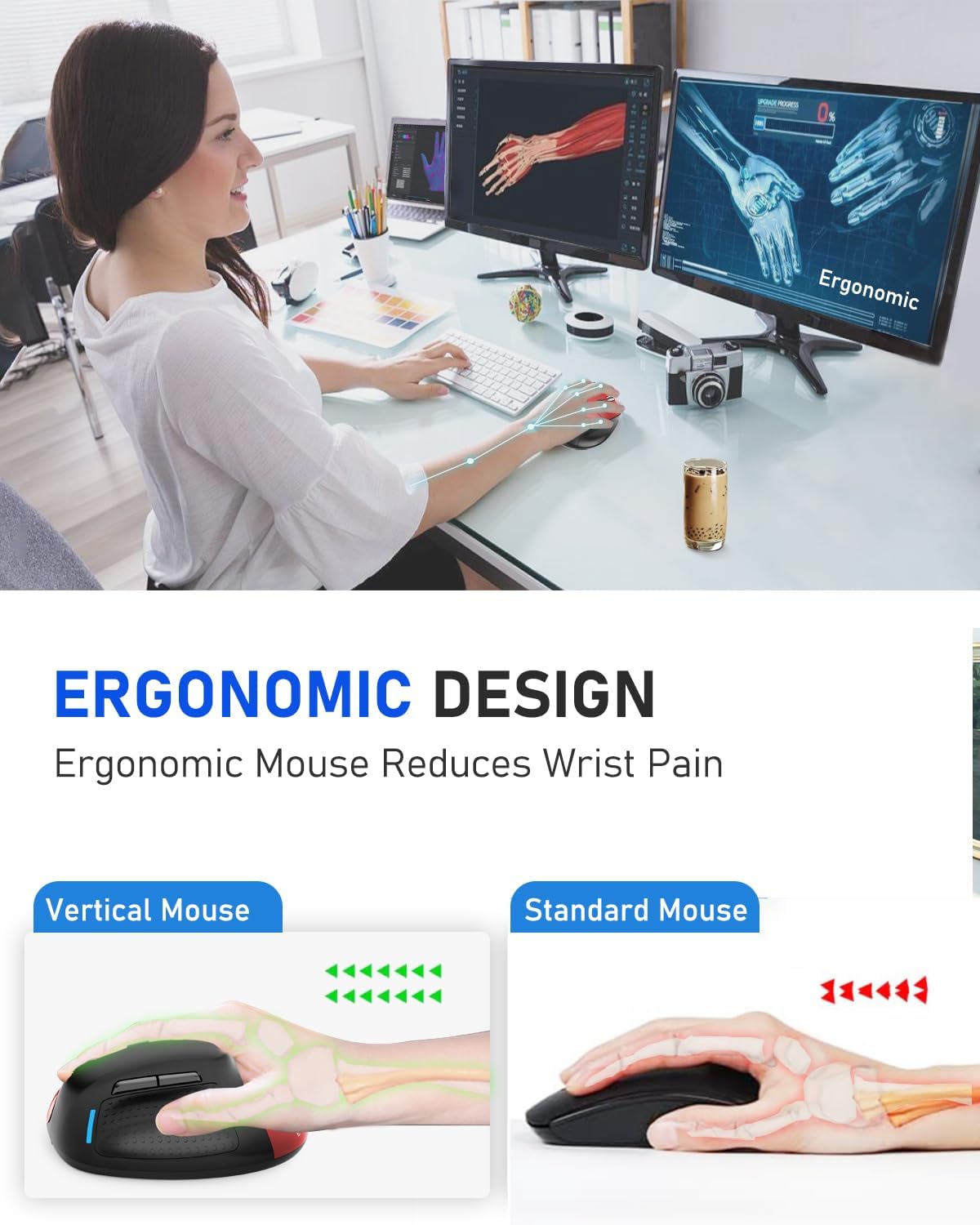
Image 6: Ergonomic Design Reduces Wrist Pain
6. Údržba
To ensure optimal performance and longevity of your E-YOOSO X-45 mouse:
- Čištění: K čištění myši používejte měkký, suchý hadřík. Nepoužívejte agresivní chemikálie ani abrazivní materiály.
- Skladování: When not in use for extended periods, turn off the mouse to conserve battery life. Store in a cool, dry place.
- Péče o baterie: Avoid fully discharging the battery frequently. Charge the mouse when the battery indicator is low.
7. Řešení problémů
If you encounter issues with your E-YOOSO X-45 mouse, refer to the following common solutions:
| Problém | Možná příčina | Řešení |
|---|---|---|
| Myš nereaguje (2.4G) | Slabá baterie; USB přijímač není správně připojen; Vybrán nesprávný režim. | Charge the mouse; Re-insert the USB receiver; Ensure the mouse is in 2.4G mode. |
| Myš nereaguje (Bluetooth) | Slabá baterie; Není spárováno; Vybrán nesprávný režim; Bluetooth zařízení vypnuto. | Charge the mouse; Re-pair the mouse; Ensure the mouse is in BT mode; Enable Bluetooth on your device. |
| Kurzor je nepravidelný nebo nereaguje | Znečištěný optický senzor; Nevhodný povrch; Slabá baterie. | Clean the optical sensor; Use on a mouse pad or smooth, opaque surface; Charge the mouse. |
| Tlačítka nefungují | Software conflict; Low battery. | Restart your computer; Charge the mouse. |
8. Specifikace
Key technical specifications for the E-YOOSO X-45 Ergonomic Vertical Mouse:
- Model: X-45
- Konektivita: 2.4G Wireless, Bluetooth (BT 5.1), Wired (USB)
- Úrovně DPI: 800 / 1200 / 1600 / 2000 / 4800 (Nastavitelné)
- tlačítka: 6 (doleva, doprava, rolovací kolečko, přepínač DPI, vpřed, vzad)
- Detekce pohybu: Optický
- Speciální funkce: Bezhlučné kliknutí
- Rozměry produktu: 4.63 x 3.22 x 0.1 inches (Note: The provided dimension 0.1 inches for height seems incorrect for a vertical mouse, typically it would be larger. Please refer to actual product for accurate height.)
- Hmotnost položky: 6.4 unce
- Výrobce: E-YOOSO
- Kompatibilita: Windows, Mac OS, Linux, Android, Chromebook, Laptops, Desktops
9. Záruka a podpora
E-YOOSO products are designed for reliability and performance. For warranty information, technical support, or customer service inquiries, please refer to the contact details provided on the product packaging or the official E-YOOSO webUschovejte si účtenku jako doklad o koupi pro případ reklamace.


