Zavedení
This manual provides detailed instructions for the safe and efficient operation of your Kuephom Portable Cassette Tape Player Recorder, model CR-4. Please read this manual thoroughly before use and retain it for future reference.
Bezpečnostní informace
Pro zajištění bezpečného provozu a prevenci poškození dodržujte prosím následující bezpečnostní opatření:
- Nevystavujte zařízení vodě, vlhkosti ani extrémním teplotám.
- Zabraňte pádu zařízení nebo jeho vystavení silným nárazům.
- Use only the provided AC power cord or specified battery type.
- Udržujte zařízení mimo dosah zdrojů tepla a přímého slunečního záření.
- Nepokoušejte se jednotku rozebírat ani opravovat sami. Veškerý servis svěřte kvalifikovanému personálu.
Obsah balení
Ověřte, zda jsou v balení přítomny všechny položky:
- Kuephom Portable Cassette Tape Player Recorder (CR-4) x1
- Napájecí kabel x1
- Operating Manual x1
Konec produktuview
Familiarize yourself with the main components of your CR-4 unit.
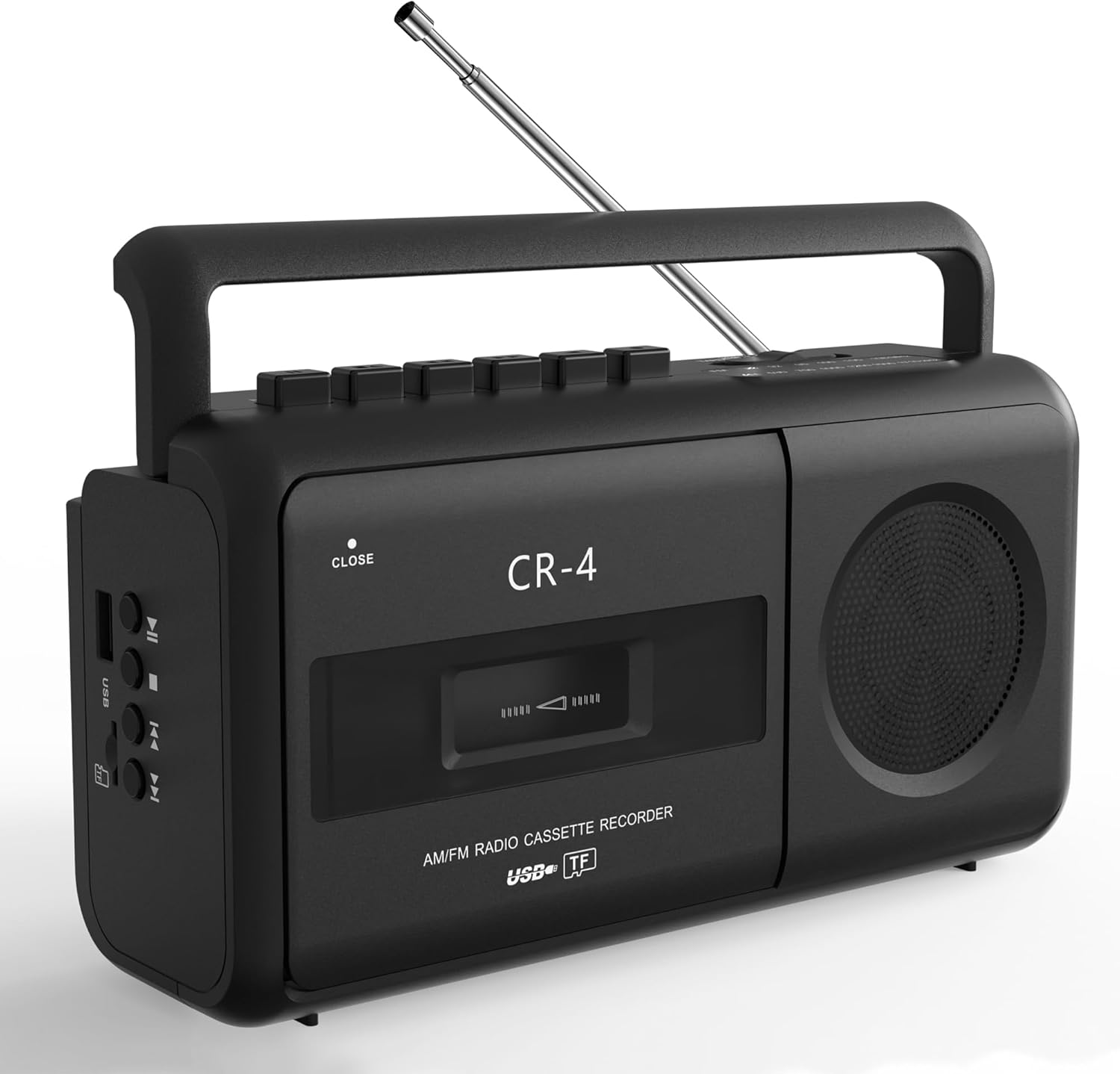
Přední view of the Kuephom CR-4 Portable Cassette Tape Player Recorder, showing the cassette deck, speaker, and control buttons.
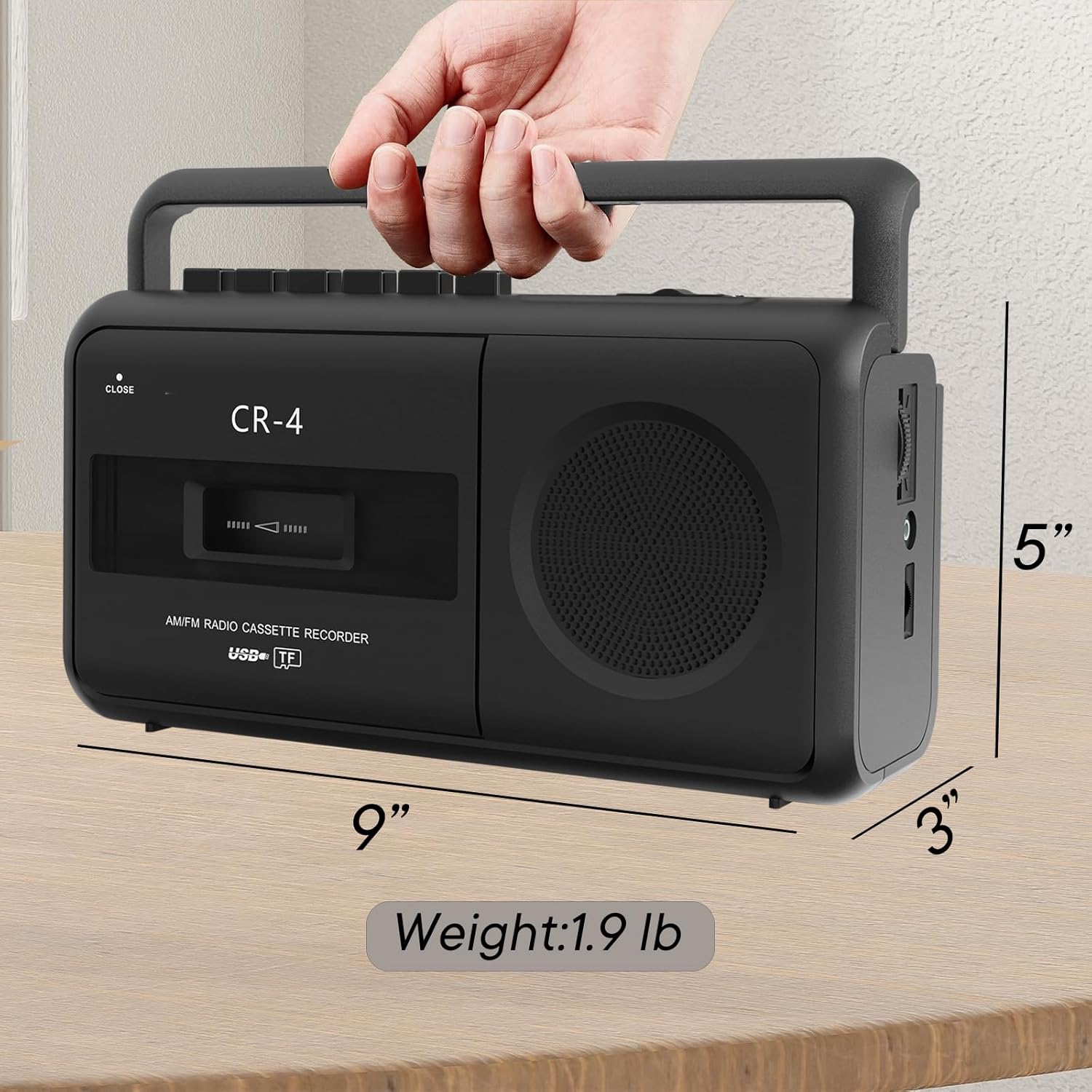
Image illustrating the dimensions (8.85 x 3 x 4.7 inches) and weight (1.9 lbs) of the Kuephom CR-4 Portable Cassette Tape Player Recorder.
Nastavení
Napájení zařízení
The CR-4 can be powered by either AC electricity or batteries.
- Napájení střídavým proudem: Connect the included AC power cord to the 'AC IN' jack on the unit and then to a standard wall outlet.
- Napájení baterie: Open the battery compartment on the bottom of the unit. Insert 4 C-size batteries, ensuring correct polarity (+/-). Close the compartment securely.

Diagram showing the two power options for the Kuephom CR-4: AC power via the included cord and DC power using 4 C-size batteries.
Inserting a Cassette Tape
- Press the 'STOP/EJECT' button to open the cassette deck door.
- Insert a cassette tape with the open edge facing upwards and the tape side facing you.
- Gently close the cassette deck door until it clicks shut.

The Kuephom CR-4 Portable Cassette Tape Player Recorder with its tape deck open, ready for cassette insertion or removal.
Návod k obsluze
Přehrávání kazet
- Ensure a cassette tape is properly inserted.
- Stiskněte tlačítko „PLAY“ pro spuštění přehrávání.
- Adjust the volume using the volume knob on the side of the unit.
- Pro navigaci na pásku použijte tlačítka „FF“ (Rychlé převíjení vpřed) a „REW“ (Převíjení vzad).
- Stisknutím tlačítka „STOP“ zastavíte přehrávání.
Nahrávání na kazetu
Recording from Built-in Microphone
- Vložte prázdnou kazetu.
- Press the 'RECORD' button (this will also engage 'PLAY' simultaneously).
- Speak clearly into the built-in microphone located on the unit.
- Stisknutím tlačítka „STOP“ ukončíte nahrávání.
Recording from Radio
- Vložte prázdnou kazetu.
- Switch the function selector to 'RADIO' and tune to your desired AM/FM station.
- Press the 'RECORD' button to begin recording the radio broadcast to tape.
- Stisknutím tlačítka „STOP“ ukončíte nahrávání.
Recording from USB/MP3 to Tape
- Vložte prázdnou kazetu.
- Insert a USB drive or TF card with MP3/WMA audio filedo příslušného slotu.
- Switch the function selector to 'USB/TF'.
- Start playback of the desired audio file from the USB/TF card.
- Press the 'RECORD' button to begin recording the digital audio to tape.
- Stisknutím tlačítka „STOP“ ukončíte nahrávání.

Shora dolů view of the Kuephom CR-4, highlighting the control buttons, built-in microphone, and USB/TF card slots.
Provoz rádia (AM/FM)
- Switch the function selector to 'RADIO'.
- Pro optimální příjem FM vysuňte teleskopickou anténu.
- Rotate the 'TUNING' knob to select your desired AM or FM radio station.
- Upravte hlasitost pomocí ovladače hlasitosti.

Close-up of the manual tuning knob on the Kuephom CR-4, used for selecting AM/FM radio stations.

Image showing the telescopic antenna extended for improved FM radio reception on the Kuephom CR-4.
Přehrávání USB/TF karty
- Insert a USB drive or TF card (up to 32GB, supporting MP3/WMA formats) into the corresponding slot.
- Switch the function selector to 'USB/TF'.
- Zařízení automaticky začne přehrávat zvuk files. Use the playback control buttons (Play/Pause, Next, Previous) to manage your music.
- Upravte hlasitost pomocí ovladače hlasitosti.
Používání konektoru pro sluchátka
For private listening, connect standard 3.5mm headphones (not included) to the earphone jack located on the side of the unit. The built-in speaker will automatically mute when headphones are connected.

An individual listening to the Kuephom CR-4 using headphones connected to the earphone jack for private audio enjoyment.
Údržba
- Čištění: Use a soft, dry cloth to clean the exterior of the unit. Do not use abrasive cleaners or solvents. For the cassette head, use a specialized tape head cleaning kit periodically.
- Skladování: Pokud přístroj delší dobu nepoužíváte, vyjměte baterie a uložte jej na chladném a suchém místě mimo dosah přímého slunečního záření.
- Výměna baterie: Replace all 4 C-size batteries simultaneously when the unit's performance degrades or if it fails to power on. Do not mix old and new batteries or different types of batteries.
Odstraňování problémů
| Problém | Možná příčina | Řešení |
|---|---|---|
| Jednotka se nezapne. | No power, dead batteries, or faulty AC connection. | Check AC cord connection or replace batteries. |
| Z reproduktoru není slyšet žádný zvuk. | Volume too low, headphones connected, or function selector incorrect. | Increase volume, disconnect headphones, or select correct function (Tape/Radio/USB/TF). |
| Špatný příjem rádia. | Anténa není vysunutá, signál je slabý nebo je rušená. | Extend telescopic antenna, reposition unit, or try tuning to a stronger station. |
| Cassette tape not playing/recording. | Tape incorrectly inserted, tape damaged, or mechanism issue. | Reinsert tape correctly, try a different tape, or ensure 'PLAY'/'RECORD' button is fully pressed. |
| USB/TF karta nebyla rozpoznána. | Card not inserted correctly, unsupported format, or card capacity too large. | Reinsert card, ensure files are MP3/WMA, or use a card up to 32GB. |
Specifikace
- Model: CR-4
- Značka: Kuephom
- Rozměry produktu: 8.85 x 3 x 4.7 palce
- Hmotnost položky: 1.9 libry
- Technologie připojení: USB
- Barva: Černý
- Typ reproduktoru: Stereo
- Zdroj napájení: AC Powered (cord included) or 4 x C-size Batteries (not included)
- Podporovaná média: Cassette Tapes, USB drives (MP3/WMA, up to 32GB), TF cards (MP3/WMA, up to 32GB)
- Rádiové frekvence: AM/FM
Záruka a podpora
This product comes with a standard manufacturer's warranty. Please refer to the warranty card included in your package for specific terms and conditions. For technical support, troubleshooting assistance, or warranty claims, please contact Kuephom customer service through the retailer where the product was purchased or visit the official Kuephom webmísto.
We are committed to providing high-quality products and support. If you encounter any issues, please do not hesitate to reach out.


