1. Úvod
Thank you for choosing the EDUP Mini USB WiFi 6 Adapter Bluetooth 5.3 Dongle. This device provides ultra-fast dual-band Wi-Fi 6 (802.11ax) connectivity and Bluetooth 5.3 capabilities for your Windows 11/10 desktop or laptop PC. It is designed to offer stable, high-speed data transfer and low-energy connectivity, enhancing your network and peripheral experience.
This manual will guide you through the installation, operation, and maintenance of your new adapter, ensuring optimal performance.
2. Bezpečnostní informace
- Keep the device away from water, fire, excessive humidity, or hot environments.
- Nepokoušejte se zařízení rozebírat, opravovat nebo upravovat.
- Používejte zařízení v rámci jeho specifikovaného provozního rozsahu teploty a vlhkosti.
- Během používání zajistěte dostatečné větrání kolem zařízení.
3. Obsah balení
Pečlivě zkontrolujte obsah balení. Pokud některá položka chybí nebo je poškozena, kontaktujte svého prodejce.
- 1 x USB Bluetooth WiFi Adapter
- 1 x Uživatelská příručka
4. Konec produktuview
The EDUP Mini USB WiFi 6 Adapter is a compact and portable device designed for seamless integration with your computer. Its small form factor allows it to remain discreetly plugged into a USB port.

Figure 4.1: EDUP Mini USB WiFi 6 Adapter Bluetooth 5.3 Dongle
This image shows the compact black USB adapter with the EDUP logo and a blue indicator light. It features a standard USB-A connector.

Obrázek 4.2: Klíčové vlastnostiview
This graphic highlights the adapter's main features: AX900, 900Mbps, USB 2.0 interface, Bluetooth 5.3, Wi-Fi 6, 2.4G/5G Dual Band, 802.11AX standard, Windows 10/11 compatibility, and easy driver installation.
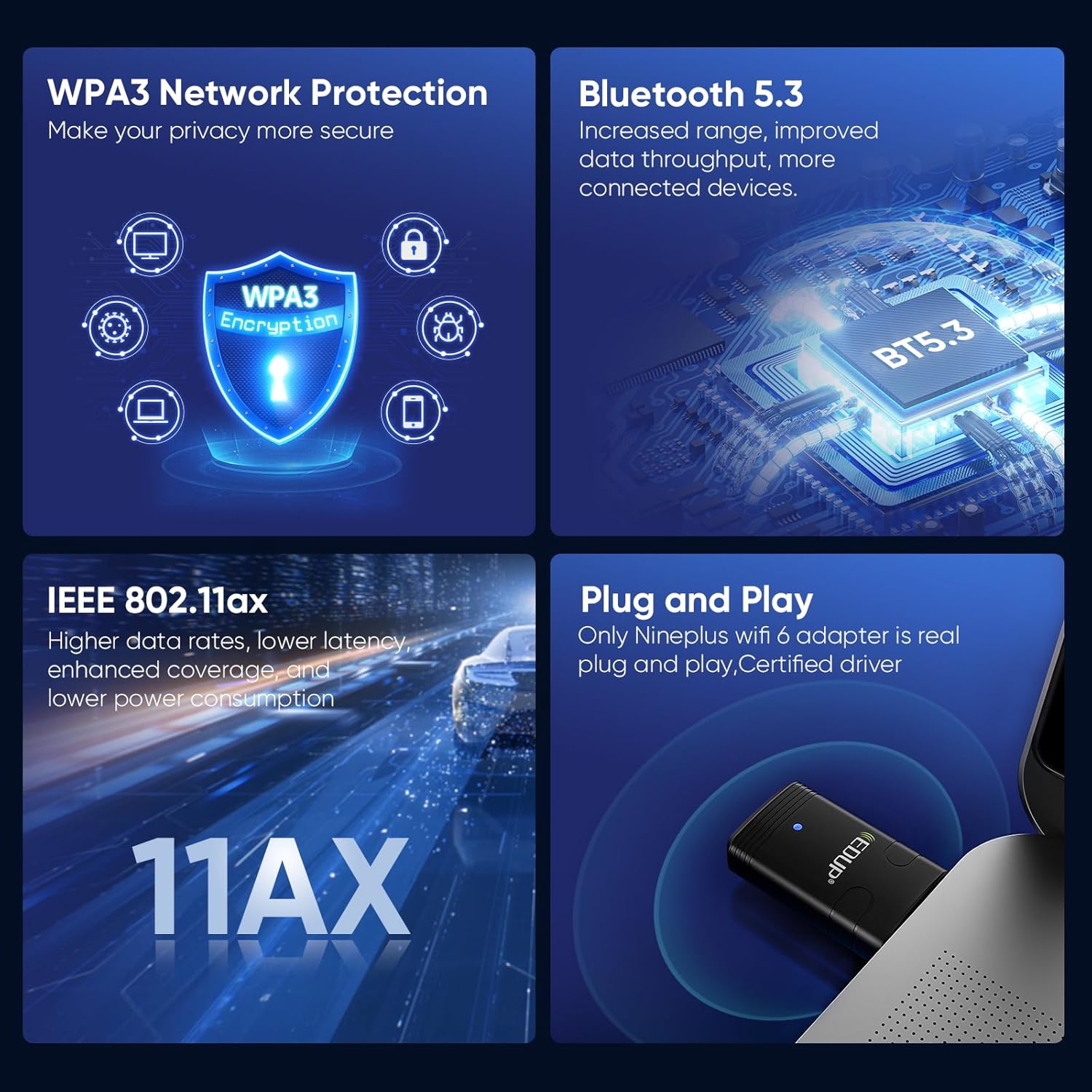
Figure 4.3: Convenient and Portable Design
This image illustrates the adapter's small dimensions (20mm width, 44mm length) when plugged into a laptop, emphasizing its portability.
5. Průvodce nastavením
5.1 Systémové požadavky
- Operating System: Windows 11 or Windows 10 (64-bit recommended).
- K dispozici je port USB 2.0 nebo 3.0.

Obrázek 5.1: Podporované operační systémy
This image displays the logos for Windows 10 and Windows 11, indicating compatibility with these operating systems.
5.2 Instalace ovladače
The EDUP Mini USB WiFi 6 Adapter requires driver installation for full functionality. Drivers are provided on a U disk included with your purchase, or can be downloaded from the official EDUP webmísto.
- Vložte adaptér: Plug the EDUP Mini USB WiFi 6 Adapter into an available USB port on your desktop or laptop PC.
- Nainstalujte ovladače:
- Option A (U Disk): Insert the provided U disk into a USB port. Navigate to the U disk drive in File Explorer and run the driver setup executable (e.g., "autorun.exe" or similar).
- Option B (Online Download - Recommended for latest drivers):
- Otevřete svůj web browser and go to the EDUP webmísto: szedup.com/usb-adapters/EPAX910.html.
- Navigate to the "Download Center" or "Support" section.
- Locate and download the latest drivers for model EP-AX910 (or EP-AX900/910 Driver) compatible with Windows 10/11. The file will likely be a compressed ZIP file.
- Extrahujte stažené ZIP file do složky ve vašem počítači.
- Run the setup executable (e.g., "setup.exe" or "autorun.exe") from the extracted folder and follow the on-screen instructions.
- Kompletní instalace: Follow the prompts in the installation wizard. You may be asked to restart your computer after installation is complete.
Video 5.1: EDUP USB WiFi 6 Adapter Bluetooth 5.3 Dongle Driver Installation Guide
This video demonstrates the process of downloading and installing the drivers for the EDUP USB WiFi 6 Adapter from the official EDUP website. It shows navigating to the download center, selecting the correct driver, downloading the file, and running the installation wizard.

Figure 5.2: Adapter Connected to a Mini PC
This image shows the compact EDUP USB WiFi 6 Adapter plugged into a USB port on a mini PC, illustrating its discreet integration.
6. Návod k obsluze
6.1 Připojení k Wi-Fi
Once the drivers are successfully installed, your computer will recognize the Wi-Fi capabilities of the adapter.
- Klikněte na ikonu Wi-Fi v systémové liště (obvykle v pravém dolním rohu obrazovky).
- Vyberte požadovanou síť Wi-Fi ze seznamu dostupných sítí.
- Pokud se zobrazí výzva, zadejte bezpečnostní klíč sítě (heslo).
- Click "Connect". Your computer should now be connected to the internet via the EDUP adapter.

Figure 6.1: Wi-Fi 6 Speed Capabilities
This image illustrates the potential Wi-Fi 6 speeds: up to 600 Mbps on the 5GHz band and up to 286 Mbps on the 2.4GHz band, offering faster performance compared to previous Wi-Fi generations.
6.2 Připojení zařízení Bluetooth
The adapter also enables Bluetooth 5.3 connectivity for various peripherals.
- Přejděte do Nastavení systému Windows > Zařízení > Bluetooth a další zařízení.
- Ujistěte se, že je Bluetooth zapnutý.
- Klikněte na „Přidat Bluetooth nebo jiné zařízení“ a vyberte „Bluetooth“.
- Přepněte zařízení Bluetooth (např. sluchátka, klávesnici, myš) do režimu párování.
- Vyberte zařízení ze seznamu a dokončete proces párování podle pokynů na obrazovce.

Obrázek 6.2: Připojení Bluetooth 5.3
This diagram illustrates how the EDUP adapter facilitates connections to various Bluetooth devices, including keyboards, mice, printers, audio devices, and earphones, from a desktop, PC, or laptop.
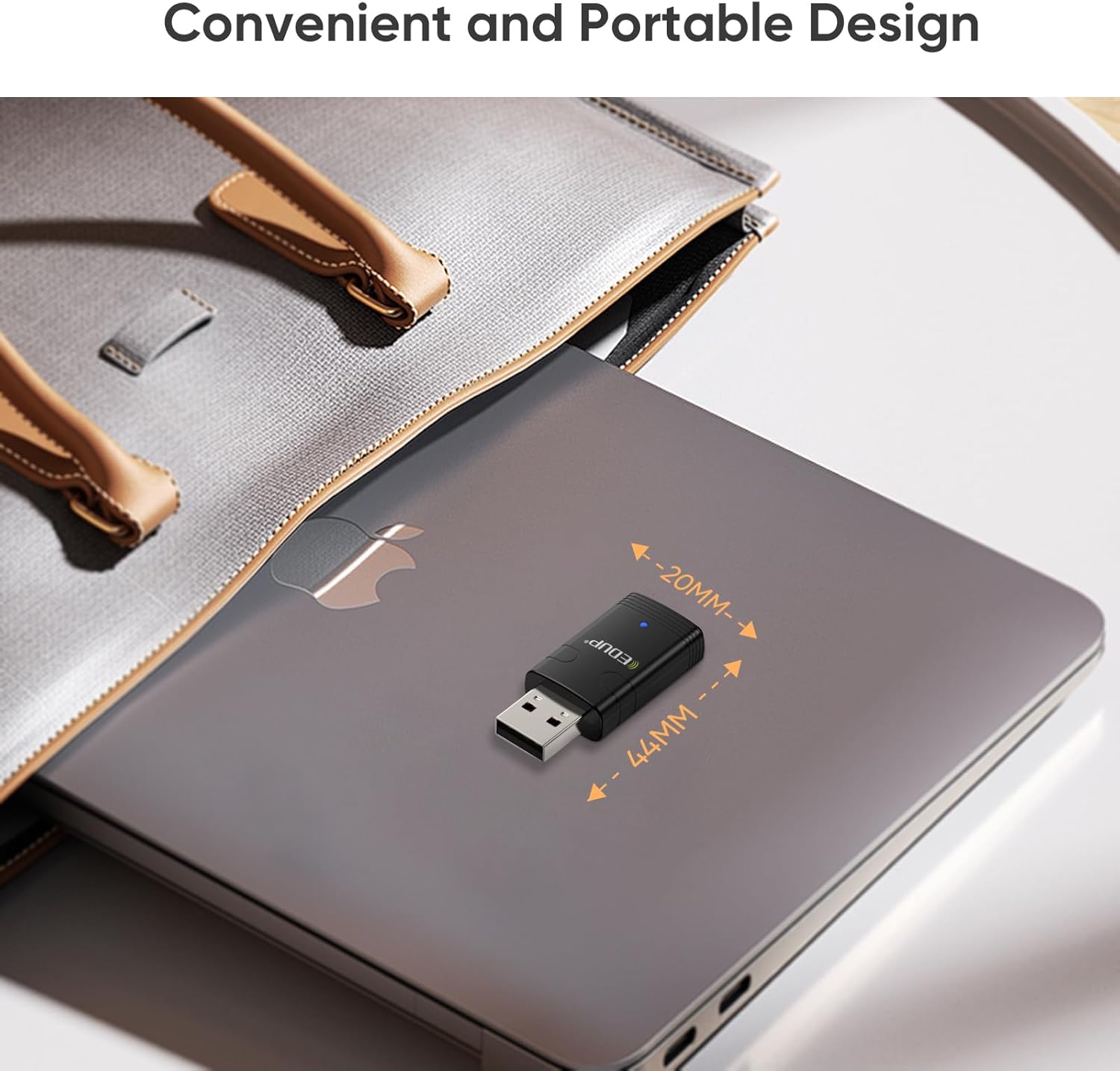
Obrázek 6.3: Pokročilé funkce
This image highlights key features such as WPA3 Network Protection for enhanced security, Bluetooth 5.3 for increased range and throughput, IEEE 802.11ax for higher data rates and lower latency, and the plug-and-play nature with certified drivers.
7. Údržba
- Udržujte adaptér čistý otíráním měkkým, suchým hadříkem.
- Nevystavujte adaptér extrémním teplotám nebo přímému slunečnímu záření.
- When transporting a laptop, it is advisable to remove the dongle to prevent accidental damage.
- Periodically check the EDUP webweb s aktualizovanými ovladači pro zajištění optimálního výkonu a kompatibility.
8. Řešení problémů
8.1 Adaptér nebyl detekován nebo nefunguje
- Zkontrolujte USB port: Zkuste zapojit adaptér do jiného USB portu na počítači.
- Instalace ovladače: Ensure that the drivers are correctly installed. If you used the U disk, consider downloading the latest drivers from the EDUP webweb (szedup.com/usb-adapters/EPAX910.html) as they may be more up-to-date.
- Restartujte počítač: A system restart can often resolve detection issues after driver installation.
- Správce zařízení: Open Device Manager (search for it in Windows) and check if the adapter is listed under "Network adapters" and "Bluetooth". Look for any yellow exclamation marks, which indicate a driver issue. Right-click and select "Update driver" or "Uninstall device" and then reinstall the driver.
8.2 Problémy s připojením k Wi-Fi
- Síla signálu: Ujistěte se, že jste v dosahu vašeho Wi-Fi routeru.
- Nesprávné heslo: Zkontrolujte znovu heslo k Wi-Fi.
- Restart routeru: Zkuste restartovat Wi-Fi router.
- Síťové pásmo: Confirm your router is broadcasting on 2.4GHz or 5GHz. The adapter supports both.
8.3 Problémy s párováním Bluetooth
- Režim párování zařízení: Ensure your Bluetooth device is in proper pairing mode. Refer to your device's manual.
- Vzdálenost: Keep the Bluetooth device close to the adapter during pairing.
- Rušení: Přesuňte se dále od jiných bezdrátových zařízení, která mohou způsobovat rušení.
- Odebrat existující párování: If the device was previously paired with another computer or phone, unpair it first.
9. Specifikace
| Funkce | Specifikace |
|---|---|
| Číslo modelu | EP-AX910 |
| Rozměry produktu | 0.7 x 0.3 x 1.65 palce (0.7"D x 0.3"Š x 1.65"V) |
| Hmotnost položky | 1.44 unce |
| Hardwarové rozhraní | USB 2.0 |
| Barva | Černý |
| Kompatibilní zařízení | Notebook, stolní počítač, tablet |
| Kompatibilní operační systém | Windows 11, Windows 10 |
| Data Link Protocol | Ethernet, IEEE 802.11ax (Wi-Fi 6) |
| Rychlost přenosu dat | Up to 900 Mbps (2.4G ax: 286Mbps; 5G ax: 600Mbps) |
| Verze Bluetooth | Bluetooth 5.3 |
| Bezpečnostní protokol | WPA3 |
10. Záruka a podpora
EDUP provides a 3-year manufacturer replacement warranty for this product. Additionally, a 90-day no-questions-asked return policy is offered.
For any assistance, technical support, or warranty claims, please feel free to contact us via Amazon message. Our support team is ready to help you with any inquiries or issues you may encounter.


