1. Úvod
The MOOKA PR1 Air Purifier is designed to improve indoor air quality by effectively removing various airborne pollutants. Featuring a multi-stage filtration system, including a washable pre-filter, PM2.5 sensor, and specialized modes for pets, this device is suitable for large rooms up to 2200 sq.ft. This manual provides essential information for the safe and efficient operation and maintenance of your air purifier.

Image 1.1: The MOOKA PR1 Air Purifier, designed for home use, shown next to a dog, illustrating its effectiveness in pet-friendly environments.
2. Bezpečnostní pokyny
Před použitím spotřebiče si pečlivě přečtěte všechny bezpečnostní pokyny, abyste předešli zranění nebo poškození.
- Před přemisťováním, čištěním nebo jakoukoli údržbou vždy odpojte čističku vzduchu ze zásuvky.
- Do not operate the appliance with a damaged cord or plug. If the cord or plug is damaged, contact customer support.
- Chraňte čističku vzduchu před vodou nebo jinými kapalinami. Nepoužívejte ji ve vlhkém prostředí, jako jsou koupelny.
- Ensure the air inlet and outlet are not blocked. Maintain at least 15 cm (6 inches) clearance from walls and furniture.
- Nevkládejte prsty ani cizí předměty do vstupních ani výstupních otvorů vzduchu.
- Tento spotřebič není určen k tomu, aby ho používaly osoby (včetně dětí) se sníženými fyzickými, smyslovými nebo duševními schopnostmi nebo nedostatkem zkušeností a znalostí, pokud na ně nebude dohlíženo nebo na ně nebude dohlížet osoba odpovědná za jejich bezpečnost nebo je poučit o používání spotřebiče. .
- Use only MOOKA official replacement filters.
3. Komponenty produktu
The MOOKA PR1 Air Purifier consists of the main unit, a multi-layer filter, and a control panel.
- Hlavní jednotka: Houses the fan, motor, and air quality sensor.
- Ovládací panel: Located on the top of the unit, with touch-sensitive buttons and a digital display.
- Filtrační přihrádka: Located at the back/bottom for filter installation and replacement.

Image 3.1: An internal diagram of the air purifier, highlighting the high CADR, quiet operation, and extra-large fan for efficient air circulation.
4. Nastavení
4.1 Vybalení
- Opatrně vyjměte čističku vzduchu z obalu.
- Remove all plastic wrapping from the unit and the filter.
4.2 Instalace filtru
The filter comes pre-installed but is wrapped in plastic for protection during shipping. This plastic must be removed before first use.
- Turn the air purifier upside down or open the back cover (depending on model design).
- Otočte kryt filtru proti směru hodinových ručiček, abyste jej odemkli a vyjmuli.
- Take out the filter and remove the plastic bag.
- Vložte filtr zpět do jednotky a ujistěte se, že je správně usazen.
- Nasaďte kryt filtru a otočte jím ve směru hodinových ručiček, abyste jej bezpečně zajistili.
4.3 Umístění
For optimal performance, place the air purifier on a flat, stable surface in the room where purification is desired. Ensure there is adequate space around the unit for proper airflow.
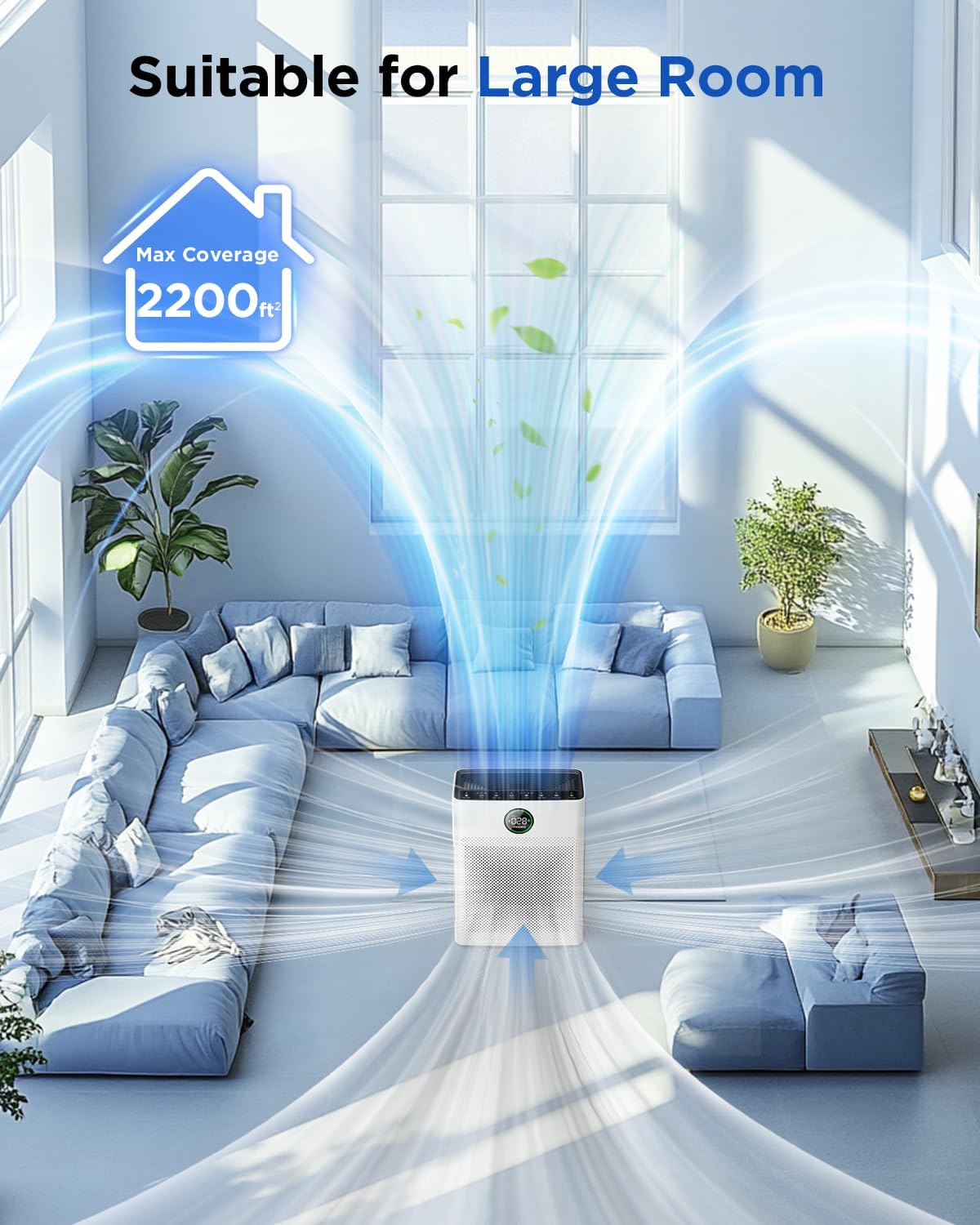
Image 4.1: The MOOKA PR1 Air Purifier positioned in a spacious living area, demonstrating its capability to purify air in large rooms up to 2200 sq.ft.
5. Návod k obsluze
Seznamte se s ovládacím panelem a jeho funkcemi.
5.1 Zapnutí/vypnutí
- Zapojte napájecí kabel do vhodné elektrické zásuvky.
- Stiskněte tlačítko Moc tlačítko pro zapnutí nebo vypnutí jednotky.
5.2 Fan Speed Modes
The air purifier offers 6 adjustable fan speed modes:
- Režim spánku: Operates at the lowest fan speed (26dB) for quiet operation during rest.
- I, II, III: Manual fan speed settings from low to high.
- Automatický režim: Rychlost ventilátoru se automaticky upravuje na základě detekované kvality vzduchu.
- Režim pro domácí mazlíčky: Increases purification effect to capture pet hair and odors faster.
Stiskněte tlačítko Rychlost tlačítko pro procházení dostupných režimů.

Image 5.1: The MOOKA PR1 Air Purifier with a dog, emphasizing the 'Pet Mode' feature on the control panel, designed for pet owners.
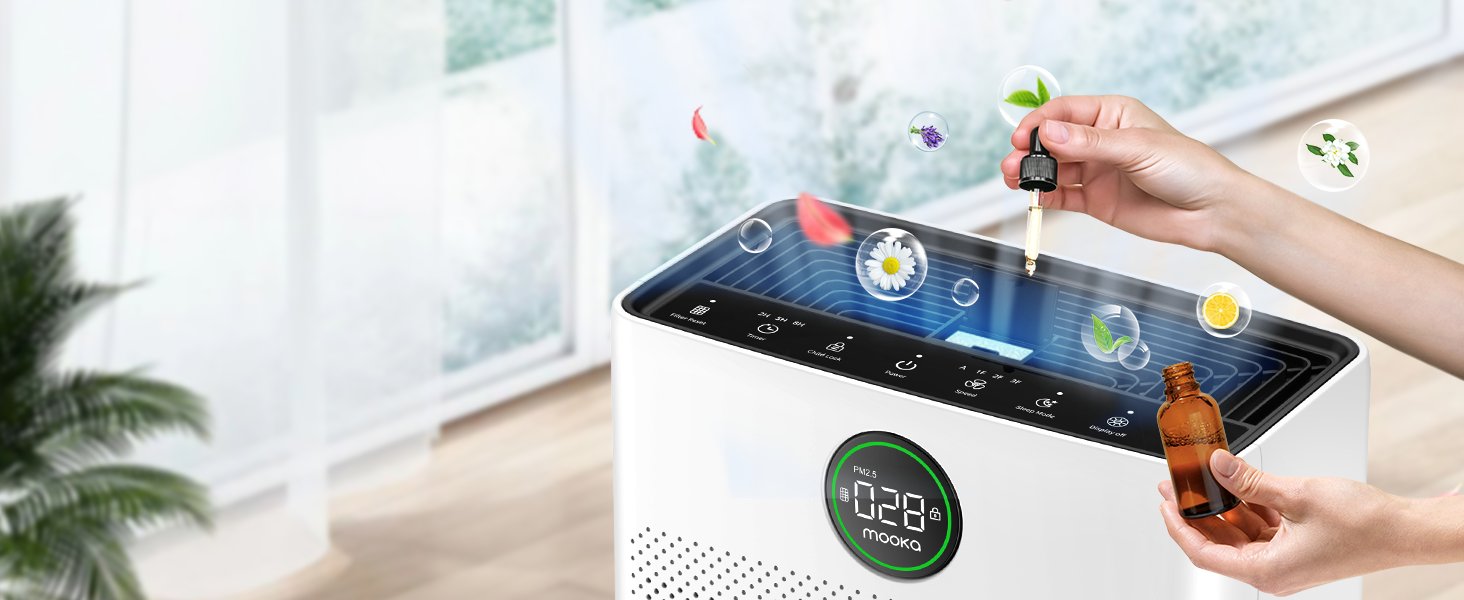
Image 5.2: The air purifier operating quietly in a bedroom at 26dB, indicating its suitability for undisturbed sleep.
5.3 Air Quality Display
The PR1 is equipped with a PM2.5 sensor that displays real-time air quality levels on the screen. The indicator light changes color to reflect air quality:
- Zelený: Good air quality (0-75 PM2.5)
- Pomerančový: Střední kvalita ovzduší (76–150 PM2.5)
- Červený: Poor air quality (>150 PM2.5)
Upon powering on, the air purifier enters a preheating state, and the indicator light will flash for approximately one minute before displaying the current air quality.

Image 5.3: The air quality sensor display on the MOOKA PR1, showing PM2.5 levels and their corresponding color-coded air quality ratings.
5.4 Funkce časovače
The timer allows you to set the air purifier to operate for a specific duration before automatically turning off.
- Stiskněte tlačítko Časovač button to select desired operating hours (e.g., 2H, 5H, 8H).
5.5 Dětská pojistka
The Child Lock feature prevents accidental changes to settings.
- Stiskněte a podržte Dětský zámek button for 3 seconds to activate or deactivate.
5.6 Funkce aroma
The air purifier includes an aroma function to diffuse essential oils.
- Locate the aroma pad compartment.
- Add a few drops of essential oil to the aroma pad. For first-time use, moisten the pad with more essential oil.
- Zavřete přihrádku.

Image 5.4: A user adding essential oils to the aroma diffuser compartment of the air purifier, demonstrating the aromatherapy feature.
6. Údržba
Pravidelná údržba zajišťuje optimální výkon a prodlužuje životnost čističky vzduchu.
6.1 Čištění omyvatelného předfiltru
The pre-filter can be cleaned to maintain efficiency.
- Odpojte čističku vzduchu.
- Remove the pre-filter (refer to Filter Installation section).
- Rinse the pre-filter under running water to remove accumulated pet hair and dust.
- Allow the pre-filter to air dry completely in the shade before re-installing.

Image 6.1: The washable pre-filter, illustrating its ability to capture pet hair and the ease of cleaning under water.
6.2 Výměna filtru
The air purifier has a filter replacement reminder function. The filter indicator light will illuminate when it's time to replace the filter.
- Recommended replacement frequency: Every 3-6 months for optimal purification.
- To reset the filter reminder: After replacing the filter, press and hold the Resetování filtru tlačítko na 3 sekund.
- Model náhradního filtru: Hledat B0DD3ZZ7ZV.

Image 6.2: The 'Pet Owners Choice' filter, designed to effectively filter pet dander, fluff, pollen, and absorb unwanted odors.
6.3 Čištění snímače
Regularly clean the PM2.5 sensor to maintain accurate air quality readings.
- The air quality sensor is located on the left back position of the unit.
- Gently wipe the sensor opening with a dry cotton swab or soft cloth to remove any dust accumulation.
7. Řešení problémů
Tato část se zabývá běžnými problémy, se kterými se můžete setkat.
7.1 Why does the screen show 005 air quality?
If the screen consistently displays '005' or an unexpectedly low reading, consider the following:
- Umístění senzoru: The air quality sensor is located on the left back position of the unit. Ensure this area is not obstructed.
- Čistota senzoru: Dust accumulation on the sensor can affect its accuracy. Refer to Section 6.3 for sensor cleaning instructions.
- Předehřívání: After powering on, the air purifier is in a preheating state for about one minute, during which the indicator light flashes. Wait for this process to complete for accurate readings.
- Environmentální faktory: In very clean environments, a low reading is normal.
7.2 Jednotka se nezapíná
- Zkontrolujte, zda je napájecí kabel bezpečně zapojený do jednotky i do elektrické zásuvky.
- Ensure the electrical outlet is functioning by testing it with another appliance.
7.3 Poor Air Purification
- Check if the filter's plastic packaging has been removed.
- Ensure the filter is correctly installed and not clogged. Replace if necessary (refer to Section 6.2).
- Verify that the air inlet and outlet are not obstructed.
- Select an appropriate fan speed or Auto/Pet mode for the room size and air quality.
8. Specifikace
| Funkce | Specifikace |
|---|---|
| Číslo modelu | PR1 |
| Rozměry produktu | 12.3"H x 6.4"Š x 16.3"V |
| Hmotnost | 8.93 libry |
| Pokrytí podlahové plochy | Až 2200 XNUMX čtverečních stop |
| Hladina hluku (režim spánku) | 26 dB |
| Barva | Bílý |
| Certifikace | CARB, ETL, DOE, FCC |
| Ozone Release | Žádný |
| UV světlo | Žádný |
9. Záruka a podpora
MOOKA products are designed for long-term use and safety. This product is backed by authoritative certifications.
- For any questions or concerns regarding your MOOKA PR1 Air Purifier, please contact MOOKA customer support.
- Konkrétní informace o záruce naleznete v dokumentaci k nákupu.


