Zavedení
Thank you for choosing the Quntis Under Cabinet Motion Sensor Light. This rechargeable, dimmable LED light is designed to provide convenient and efficient illumination for various indoor spaces such as kitchens, closets, hallways, and stairs. Featuring an advanced motion sensor, adjustable brightness, and multiple operating modes, this light offers a versatile lighting solution. Please read this manual thoroughly before installation and use to ensure proper operation and longevity of your product.

Obrázek 1: The Quntis Under Cabinet Motion Sensor Light is suitable for diverse indoor environments including kitchens, bedrooms, wardrobes, and more, providing illumination where needed.
1. Nastavení a instalace
1.1 Obsah balení
- Quntis Under Cabinet Motion Sensor Light (2 units)
- Nabíjecí kabel USB-C
- Adhesive Metal Plates (for non-magnetic surfaces)
- Uživatelská příručka
1.2 Nabíjení zařízení
Before first use, fully charge the light. Connect the provided USB-C cable to the charging port on the light and to a standard USB power adapter (not included). The indicator light will show charging status and turn off when fully charged. A full charge typically takes approximately 3 hours.
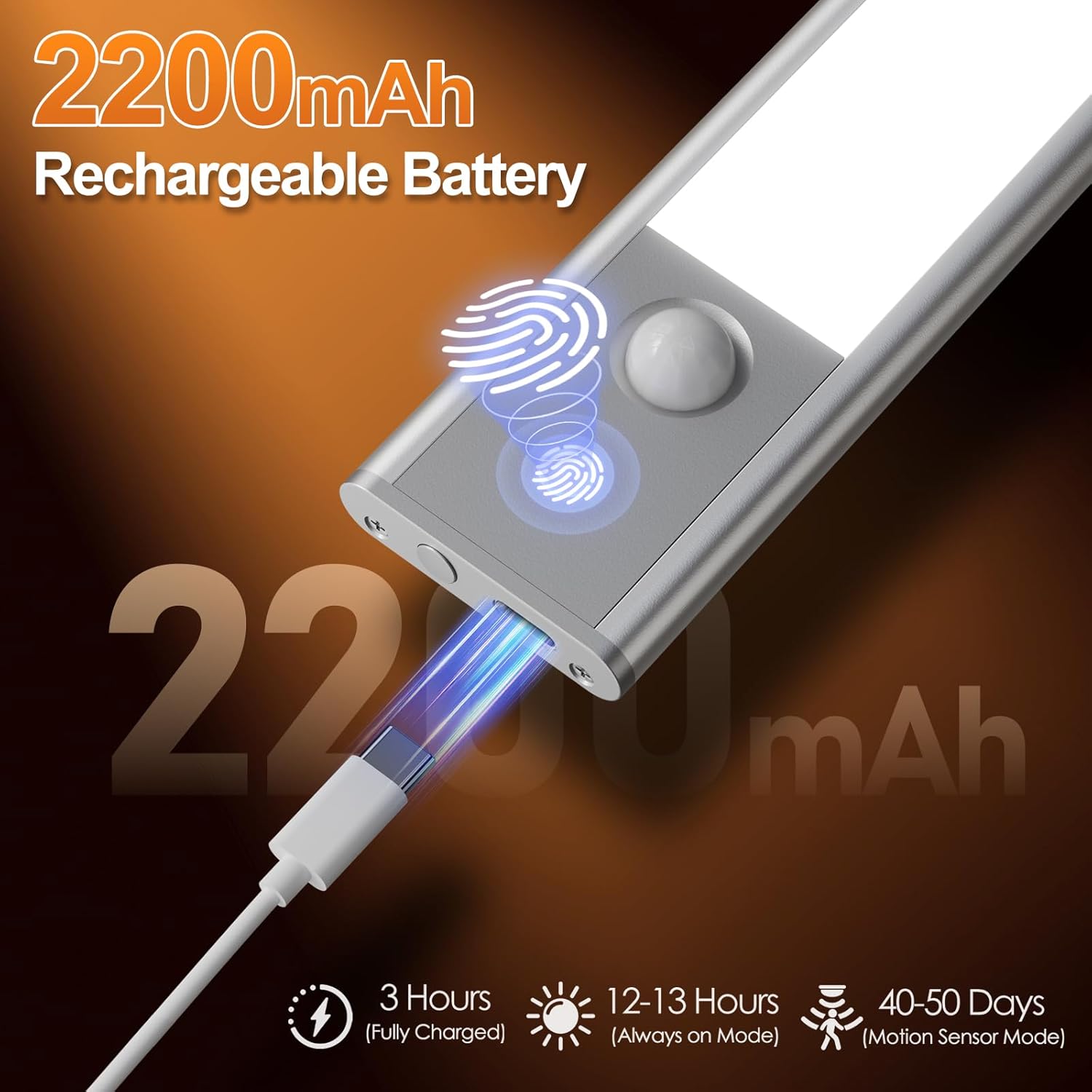
Obrázek 2: Connect the USB-C cable to the charging port for convenient recharging. A full charge provides extended operation.
1.3 Způsoby instalace
The Quntis light offers two flexible installation options:
- Magnetický nástavec: The light has built-in magnets. Simply attach it directly to any metallic surface.
- Samolepicí kovové destičky: For non-metallic surfaces (e.g., wood, plastic), use the included adhesive metal plates. Clean the desired surface, peel off the protective film from the adhesive plate, firmly press the plate onto the surface, and then magnetically attach the light to the plate. Ensure the surface is clean and dry for optimal adhesion.

Obrázek 3: Choose between direct magnetic attachment or using adhesive metal plates for versatile placement.
2. Návod k obsluze
The light features a multi-functional button and a motion sensor for various operating modes.
2.1 Výběr režimu
Press the control button to cycle through the following modes:
- Jeden klik: Constant Light Mode (Always-On) - The light remains continuously on.
- Dvojí poklepání: Night Sensing Mode - The light activates only in dark environments when motion is detected.
- Tři kliknutí: All-Day Sensing Mode - The light activates whenever motion is detected, regardless of ambient light conditions.
- Four Taps: Off - Turns the light off.

Obrázek 4: Easily switch between constant light, night sensing, and all-day sensing modes with simple button presses.
2.2 Funkce pohybového senzoru
The integrated PIR motion sensor detects human movement within a 120° angle and a range of 10-16 feet (approximately 3-5 meters). In sensing modes, the light will automatically turn on when motion is detected and turn off after approximately 20 seconds of no motion.

Obrázek 5: The motion sensor provides a wide detection range for automatic illumination.
2.3 Nastavení jasu (plynulé stmívání)
When the light is on, press and hold the control button to activate stepless dimming. The brightness will gradually increase or decrease. Release the button at your desired brightness level.

Obrázek 6: Adjust the brightness seamlessly to suit your needs, from gentle night light to full illumination.
2.4 Nastavení teploty barev
When the light is on, short press the control button (do not hold) to cycle through the available color temperatures: Warm Light (3000K), Neutral Light (4500K), and White Light (6000K).

Obrázek 7: Select from Warm, Neutral, or White light to match your preference or environment.
3. Údržba
3.1 Čištění
To clean the light, gently wipe the surface with a soft, dry cloth. Do not use abrasive cleaners, solvents, or immerse the device in water, as this may damage the electronics.
3.2 Péče o baterii
To prolong battery life, avoid fully discharging the light frequently. Recharge the light when the brightness noticeably diminishes. Store the light in a cool, dry place if not in use for an extended period, and recharge it every 3-6 months to maintain battery health.
4. Řešení problémů
| Problém | Možná příčina | Řešení |
|---|---|---|
| Světlo se nerozsvítí. | Baterie je vybitá. | Plně nabijte světlo. |
| Byl vybrán nesprávný režim. | Ensure the light is not in 'Off' mode. Cycle through modes to 'Constant Light' or a sensing mode. | |
| Nefunkční senzor pohybu. | Not in a sensing mode. | Switch to 'Night Sensing Mode' or 'All-Day Sensing Mode'. |
| Ambient light is too bright (for Night Sensing Mode). | Test in a darker environment or switch to 'All-Day Sensing Mode'. | |
| Obstruction blocking sensor. | Ensure the sensor is clear of any obstructions. | |
| Světlo bliká nebo je tlumené. | Slabá baterie. | Nabijte světlo. |
| Jas nastavený příliš nízko. | Adjust brightness using stepless dimming. |
5. Specifikace
| Funkce | Detail |
|---|---|
| Číslo modelu | SVR-H4015-PIR20 |
| Rozměry | 20D x 4Š x 1V cm (7.9D x 1.6Š x 0.4V palce) |
| Hmotnost | Přibližně 300 g |
| Kapacita baterie | 2200 XNUMX mAh |
| Nabíjecí port | USB-C |
| Doba nabíjení | Přibližně 3 hodin (při plném nabití) |
| Operating Time (Always-On) | 12-13 hodin |
| Operating Time (Motion Sensor Mode) | 40-50 days (based on average use) |
| Úhel pohybového senzoru | 120° |
| Rozsah snímače pohybu | 10-16 stop (3-5 metrů) |
| LED diody | 40 energeticky úsporných LED diod |
| Teploty barev | 3000K (Warm White), 4500K (Neutral White), 6000K (Cold White) |
| Materiál | Hliníková slitina, plast |

Obrázek 8: Key dimensions and battery performance details of the Quntis Under Cabinet Light.
6. Informace o záruce
Quntis products are manufactured to high-quality standards. This product comes with a standard manufacturer's warranty against defects in materials and workmanship. Please refer to the product packaging or contact Quntis customer support for specific warranty terms and conditions applicable to your region.
7. Zákaznická podpora
If you encounter any issues or have questions regarding your Quntis Under Cabinet Motion Sensor Light, please do not hesitate to contact our customer support team. For the most up-to-date contact information, please visit the official Quntis webwebu nebo se podívejte na kontaktní údaje uvedené na obalu produktu.
Webmísto: Quntis Official Store on Amazon


