Zavedení
Thank you for choosing Docooler BT5.4 Wireless Earhook Headphones. This manual provides essential information for the proper setup, operation, and maintenance of your new headphones. Please read it carefully before use and retain it for future reference.

Image: The Docooler BT5.4 Wireless Earhook Headphones with their charging case, showcasing ergonomický design.
Nastavení
1. Nabíjení sluchátek a pouzdra
Před prvním použitím se ujistěte, že jsou sluchátka i nabíjecí pouzdro plně nabité.
- Doba nabíjení sluchátek: Přibližně 40 minut.
- Nabíjecí pouzdro Doba nabíjení: Přibližně 1 hodina.
Connect the provided charging cable to the charging case and a compatible USB power source. The charging case display will indicate the charging status.
2. Počáteční párování
The Docooler BT5.4 headphones feature automatic power-on and fast pairing.
- Vyjměte obě sluchátka z nabíjecího pouzdra. Automaticky se zapnou a pokusí se o vzájemné spárování.
- On your Bluetooth-enabled audio device (smartphone, tablet, etc.), go to the Bluetooth settings.
- Hledat available devices and select "Docooler BT5.4" (or similar name) from the list.
- Po připojení uslyšíte potvrzovací tón a sluchátka budou připravena k použití.
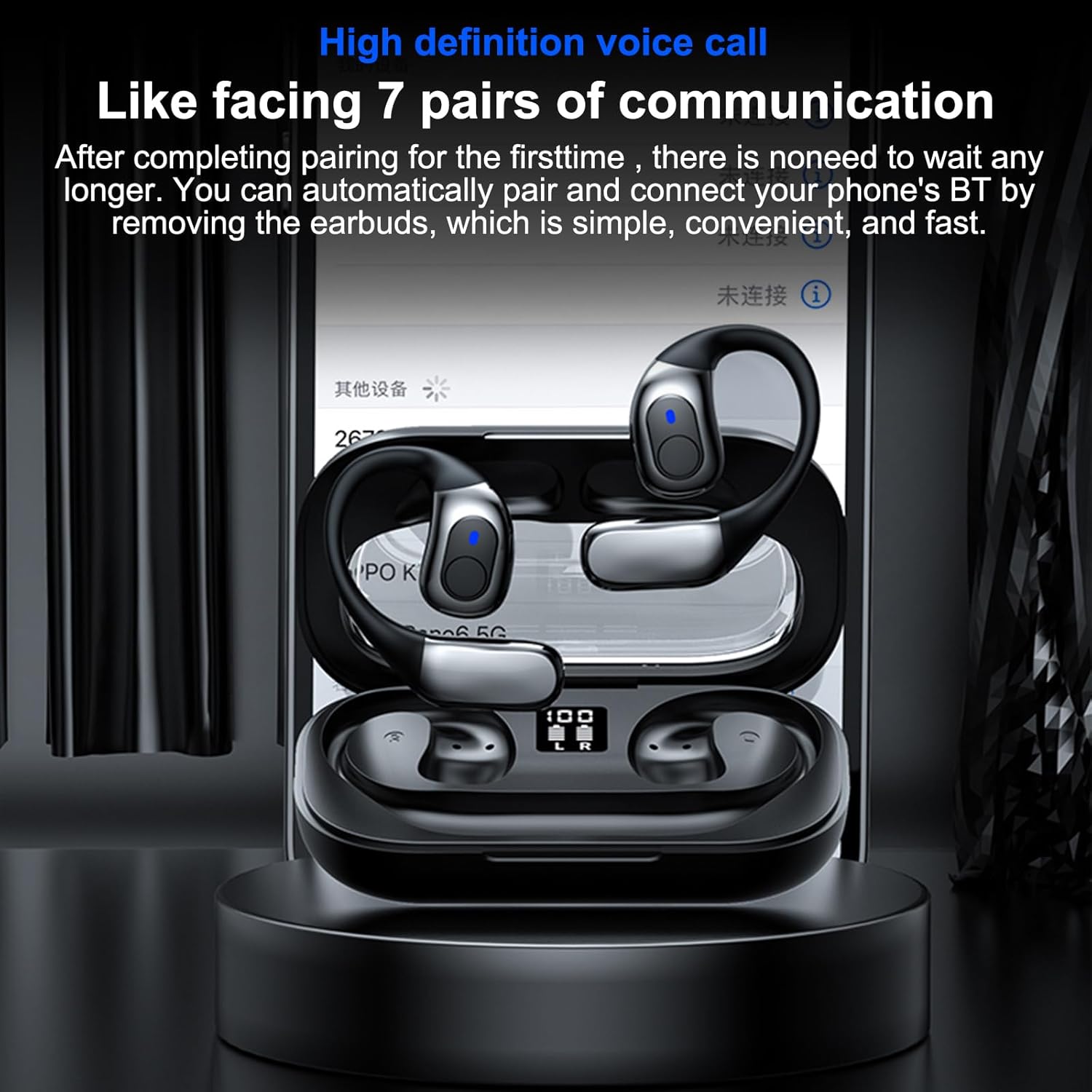
Image: The headphones in their charging case, illustrating the high-definition voice call feature and automatic pairing with a mobile device.
3. Automatické opětovné připojení
After the initial pairing, the headphones will automatically connect to your last paired device when removed from the charging case, provided Bluetooth is enabled on your device.
Návod k obsluze
1. Nošení sluchátek
The ergonomic earhook design ensures a secure and comfortable fit. Place the earhook over your ear, positioning the earbud speaker towards your ear canal. The design allows for comfortable wear during various activities.

Obrázek: Detailní záběr view of the earhook design, highlighting its comfortable and non-intrusive fit for extended wear.
2. Základní funkce
- Zapnutí/vypnutí: Automatically power on when removed from the case, and power off when placed back into the case.
- Přehrát/pozastavit: Jednou klepněte na oblast dotykového ovládání na kterémkoli sluchátku.
- Další skladba: Dvakrát klepněte na oblast dotykového ovládání na pravém sluchátku.
- Předchozí skladba: Dvakrát klepněte na oblast dotykového ovládání na levém sluchátku.
- Přijmout/ukončit hovor: Během příchozího hovoru jednou klepněte na dotykovou ovládací oblast na kterémkoli ze sluchátek.
- Odmítnout hovor: Během příchozího hovoru stiskněte a podržte dotykovou ovládací oblast na kterémkoli sluchátku po dobu 2 sekund.
- Aktivovat Voice Assistant: Třikrát klepněte na oblast dotykového ovládání na kterémkoli sluchátku.
3. Single Earbud Use
The headphones support true wireless stereo (TWS) and can be used individually. Simply remove one earbud from the charging case, and it will connect to your device. The other earbud can remain in the case or be used separately.
4. Low Latency Gaming Mode
Equipped with BT 5.4 technology, these headphones offer ultra-low latency, providing synchronized audio and video for an enhanced gaming experience. This feature minimizes delay, ensuring sound effects like gunshots and footsteps are heard in real-time.

Image: The headphones displayed with a mobile gaming interface, highlighting the ultra-low latency feature for synchronized audio and video during gameplay.
Údržba
1. Čištění
The headphones are IPX5 life-grade waterproof, making them resistant to sweat and splashes. To clean, gently wipe the earbuds and charging case with a soft, damp cloth. Do not use abrasive cleaners or immerse the charging case in water.

Image: The headphones and charging case with water droplets, demonstrating their IPX5 waterproof and splash-proof capabilities, suitable for exercise.
2. Skladování
Pokud sluchátka nepoužíváte, uložte je do nabíjecího pouzdra, aby byly chráněny před prachem a poškozením. Skladujte na chladném a suchém místě mimo dosah přímého slunečního záření a extrémních teplot.
3. Péče o baterie
Chcete-li prodloužit životnost baterie, vyvarujte se častého úplného vybíjení sluchátek a nabíjecího pouzdra. Pravidelně je nabíjejte, i když je nepoužíváte neustále.
Odstraňování problémů
If you encounter issues with your Docooler BT5.4 Wireless Earhook Headphones, please refer to the following common solutions:
- Žádný zvuk:
- Ensure the headphones are charged and properly paired with your device.
- Zkontrolujte úroveň hlasitosti na zařízení i ve sluchátkách.
- Try reconnecting the headphones by placing them back in the case and taking them out again.
- Problémy s párováním:
- Make sure Bluetooth is enabled on your device and the headphones are within range (up to 10m).
- Zapomeňte na zařízení z nastavení Bluetooth v telefonu a zkuste jej znovu spárovat.
- Ensure both earbuds are removed from the charging case for initial pairing.
- Sluchátka se nenabíjejí:
- Ověřte, zda je nabíjecí kabel bezpečně připojen k pouzdru i ke zdroji napájení.
- Zkontrolujte, zda je samotné nabíjecí pouzdro napájeno.
- Ensure the earbuds are correctly seated in the charging case, and the charging contacts are clean.
- Přerušované připojení:
- Move closer to your audio device to ensure you are within the 10m transmission range.
- Avoid environments with significant wireless interference (e.g., crowded Wi-Fi areas).
- Restartujte zařízení i sluchátka.
Specifikace
| Funkce | Specifikace |
|---|---|
| Verze Bluetooth | 5.4 |
| Přenosová vzdálenost | Až 10 m (bez překážek) |
| Průměr pohonu | 14 mm |
| Frekvenční rozsah | 15-20 kHz |
| Impedance | 32Ω |
| Kapacita baterie nabíjecího pouzdra | 3.7V 400mAh |
| Kapacita baterie sluchátek (každé) | 3.7V 50mAh |
| Doba přehrávání hudby | Approximately 5 hours (depends on music volume) |
| Doba nabíjení sluchátek | Přibližně 40 minut |
| Nabíjecí pouzdro Doba nabíjení | Přibližně 1 hodina |
| Hodnocení voděodolnosti | IPX5 |
| Rozměry balení | 6.18 x 3.94 x 1.77 palce |
| Hmotnost položky | 5 unce |
| Výrobce | Docooler |
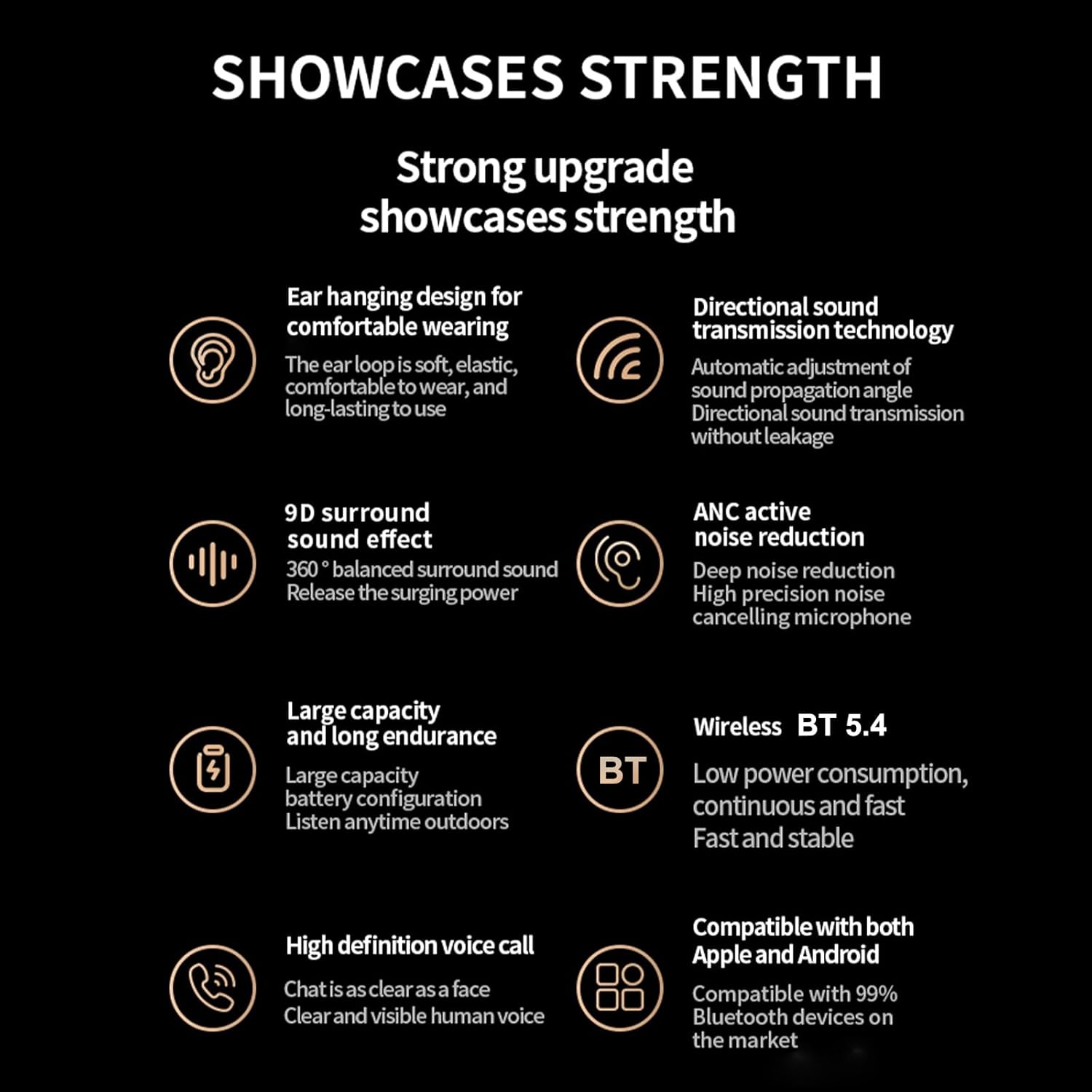
Obrázek: Overview of the headphones' key features, including BT 5.4, 9D surround sound, ANC, and high-definition voice calls.
Záruka a podpora
For warranty information and customer support, please refer to the documentation included with your purchase or visit the official Docooler webUschovejte si doklad o koupi pro případ reklamace.


