Zavedení
This manual provides detailed instructions for the safe and efficient operation of your Longer Ray5 20000mW Laser Engraver with Air Assist Kit. Please read this manual thoroughly before using the device to ensure proper setup, operation, and maintenance. Retain this manual for future reference.
Bezpečnostní informace
VAROVÁNÍ: Laser engravers are powerful tools that can cause serious injury if not used correctly. Always follow these safety guidelines:
- Při obsluze stroje vždy používejte vhodné ochranné brýle proti laseru.
- Nikdy se nedívejte přímo do laserového paprsku ani na jeho odraz.
- Zajistěte dobré větrání pracovního prostoru, aby se rozptýlily výpary a kouř.
- Udržujte hořlavé materiály mimo dosah laseru.
- Nenechávejte stroj během provozu bez dozoru.
- Ujistěte se, že je stroj umístěn na stabilním, rovném povrchu.
- Udržujte děti a domácí zvířata mimo provozní oblast.
- Před prováděním jakékoli údržby nebo seřizování odpojte napájení.
- Seznamte se s postupy nouzového vypnutí.
Obsah balení
Ověřte, zda jsou v balení přítomny všechny komponenty:
- Longer Ray5 20000mW Laser Engraver Unit
- Air Assist Pump
- Air Assist Nozzle and Tubing
- Napájecí adaptér
- USB kabel
- Ochranné brýle
- Uživatelská příručka (tento dokument)
- Materiál Samples (může se lišit)

Image: Air assist kit components including the pump, nozzle, and tubing.
Nastavení
- Rozbalení: Opatrně vyjměte všechny součásti z obalu.
- Shromáždění: Follow the included quick start guide for assembling the main laser engraver frame and attaching the laser module.
- Air Assist Installation:
- Connect the air assist pump to the designated port on the laser module using the provided tubing.
- Ensure the air assist nozzle is securely attached to direct airflow to the engraving/cutting point.
- Připojení napájení: Připojte napájecí adaptér k gravírce a poté do vhodné elektrické zásuvky.
- Připojení k počítači: Connect the engraver to your computer via USB, or prepare for Wi-Fi/TF card connection.

Image: The Longer Ray5 laser engraver with the air assist pump connected and ready for operation.
Návod k obsluze
1. Software and Connectivity
The Longer Ray5 supports various software and connection methods:
- Kompatibilní software: LaserGRBL and LightBurn.
- Operační systémy: Supports Windows 7+, MacOS, and Linux.
- Způsoby připojení: Wi-Fi, USB, App, and TF card.
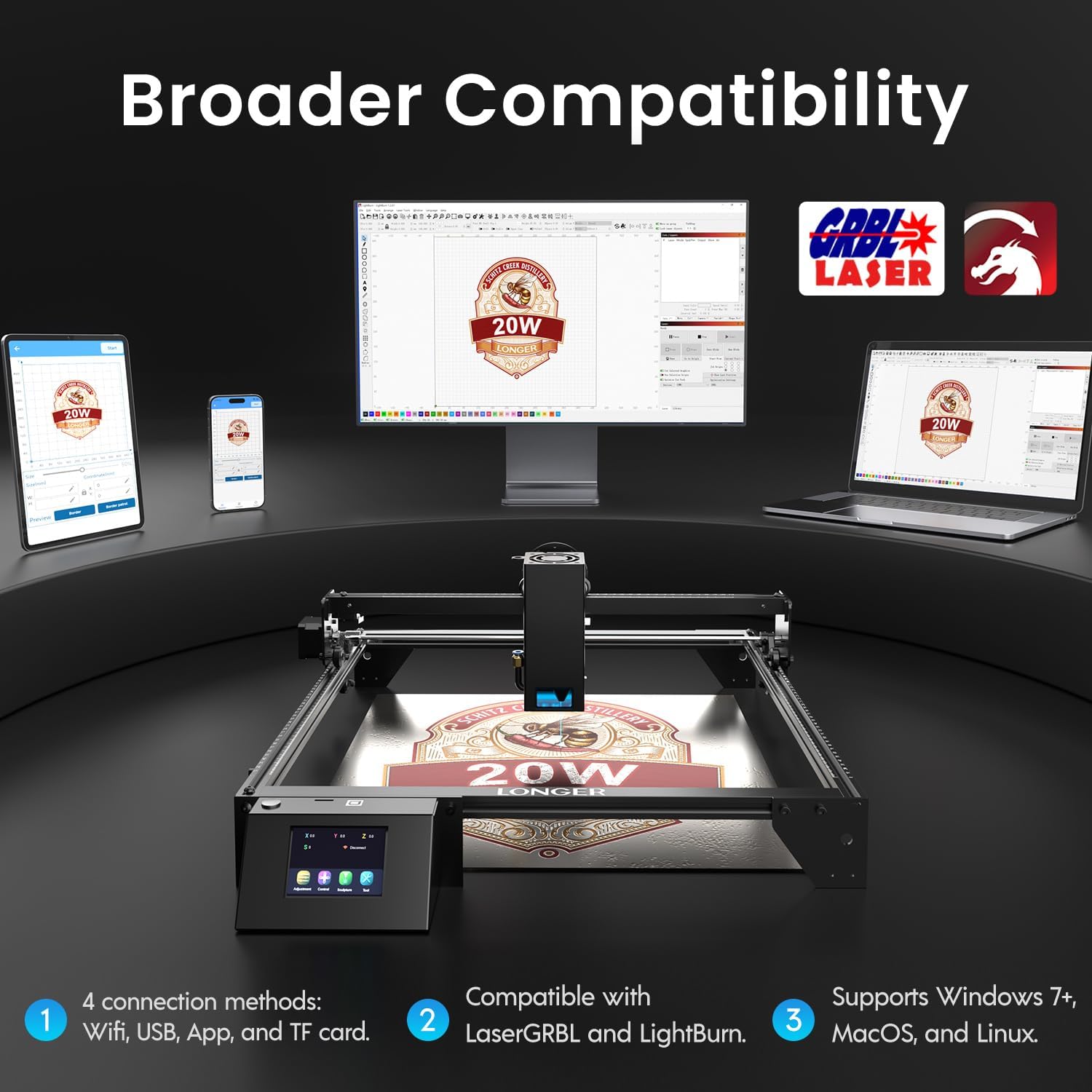
Image: Display showing the Longer Ray5's compatibility with LaserGRBL and LightBurn software, and various connection options including Wi-Fi, USB, App, and TF card across Windows, MacOS, and Linux operating systems.
2. Gravírovací a řezací schopnosti
The 20W diode laser offers high-efficiency performance for various materials.
- Řezání: Capable of cutting up to 25mm of wood and 35mm of acrylic. It can also cut 0.05mm metal.
- Rytina: Engrave hundreds of colors on metallic steel and a wide range of other materials.
- Materiály: Acrylic, metal, wood, stainless steel, and more.
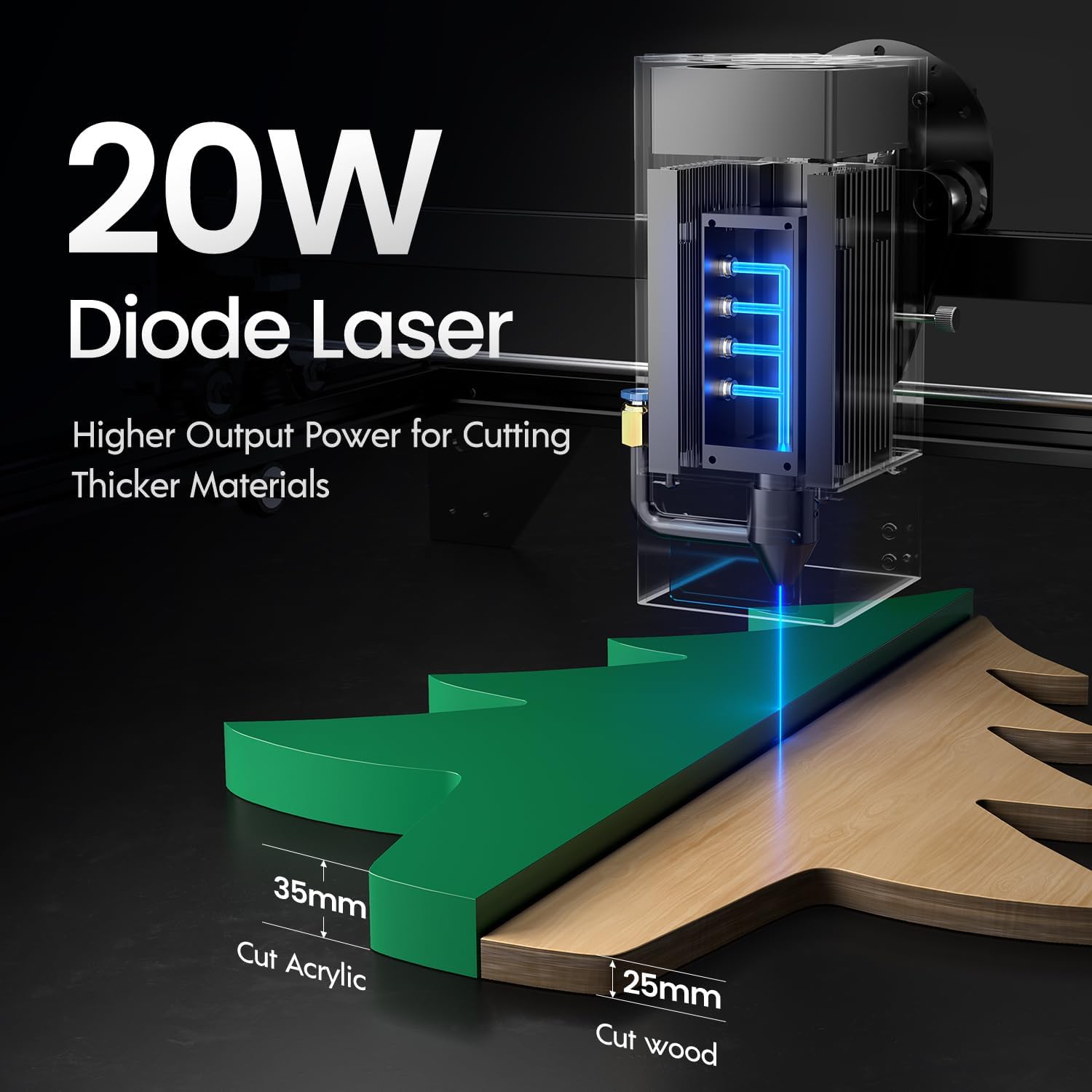
Image: Illustration demonstrating the 20W diode laser's capability to cut 25mm wood and 35mm acrylic.

Obrázek: Přamples of engraving capabilities, showcasing over 380 colors on metallic surfaces and other DIY artworks.

Image: A collection of various items demonstrating the versatile material selection for engraving and cutting, including wood, metal, and acrylic.
3. Funkce podpory proudění vzduchu
The integrated air assist kit significantly improves cutting and engraving quality.
- Enhanced Cutting: The adjustable airflow (10-30L/min) suppresses smoke and dust, preventing laser energy attenuation and ensuring cleaner, smoother edges.
- Reduced Yellowing: Air assist helps prevent charring and yellowing on materials during laser processing, especially for wood and acrylic.

Image: A visual comparison showing the benefits of air assist, resulting in cleaner cuts and reduced processing time (e.g., 12 minutes with air assist vs. 20 minutes without).
4. Nepřetržitý provoz
The Longer Ray5 is designed for powerful continuous working capacity, supporting 24/7 continuous engraving. A single computer can control multiple machines.

Image: Depiction of multiple Longer Ray5 machines working simultaneously, illustrating continuous operation and the ability for one computer to control several units.
Údržba
Pravidelná údržba zajišťuje optimální výkon a prodlužuje životnost vašeho laserového gravírovacího stroje.
- Čištění laserové čočky: Periodically clean the laser lens with a soft, lint-free cloth and lens cleaning solution to maintain beam quality.
- Vyčistit trosky: Remove any accumulated dust or debris from the work area and machine components.
- Zkontrolujte řemeny a kolejnice: Inspect drive belts for tension and wear. Keep linear rails clean and lubricated as per manufacturer recommendations.
- Filtr pomocného vzduchu: If your air assist pump has a filter, clean or replace it regularly to ensure efficient airflow.
- Aktualizace firmwaru: Zkontrolujte výrobce webna webu, kde najdete dostupné aktualizace firmwaru pro zlepšení výkonu nebo přidání funkcí.
Odstraňování problémů
Tato část se zabývá běžnými problémy, se kterými se můžete setkat.
| Problém | Možná příčina | Řešení |
|---|---|---|
| Laser nestřílí | Power not connected, software error, laser module fault. | Check power connections. Verify software settings. Contact support if laser module is suspected faulty. |
| Špatná kvalita gravírování/řezání | Incorrect focus, dirty lens, wrong power/speed settings, material issues, no air assist. | Adjust laser focus. Clean the laser lens. Optimize power/speed settings for the material. Ensure air assist is active. |
| Stroj se nepřipojuje k počítači | USB cable issue, driver not installed, Wi-Fi configuration error. | Try a different USB port/cable. Install necessary drivers. Reconfigure Wi-Fi connection. |
| Excessive smoke/fumes | Insufficient ventilation, air assist not active or weak. | Ensure proper ventilation. Check air assist pump and tubing for blockages. Increase air assist flow. |
Specifikace
| Funkce | Detail |
|---|---|
| Číslo modelu | RAY5 |
| Výstupní výkon laseru | 20000 mW (20 W) |
| Typ laseru | Diodový laser |
| Hloubka řezu (dřevo) | Až 25 mm |
| Cutting Depth (Acrylic) | Až 35 mm |
| Metal Cutting Capability | 0.05 mm |
| Air Assist Flow | 10-30 L/min (Adjustable) |
| Dotyková obrazovka | 3.5 palců |
| Konektivita | Wi-Fi, USB, App, TF Card |
| Kompatibilní software | LaserGRBL, LightBurn |
| Podporovaný OS | Windows 7+, MacOS, Linux |
| Výrobce | Delší |
| Datum první dostupnosti | 1. srpna 2024 |
Záruka a podpora
For warranty information and technical support, please refer to the official Longer webnebo se obraťte přímo na jejich zákaznický servis. Uschovejte si účtenku jako doklad o koupi pro případ reklamace.
Online zdroje: Navštivte Delší obchod na Amazonu pro další informace o produktu a podporu.


