Zavedení
The Stetsom Strobo RGB LED Lights system provides dynamic and customizable lighting for various applications, including car audio setups, home decor, and studios. This system features a central control unit and four high-quality LED pods, offering 16 million colors and multiple lighting modes controllable via a dedicated smartphone application. It is compatible with 2811 LED strips and can manage up to 600 headlights per channel, allowing for extensive lighting configurations.
Bezpečnostní informace
- Ujistěte se, že všechna připojení jsou bezpečná a řádně izolovaná, aby se zabránilo zkratu.
- Do not expose the control unit or LED pods to extreme temperatures or direct water immersion, as they are water-resistant but not waterproof.
- Před zahájením jakékoli instalace, údržby nebo řešení problémů vždy odpojte napájení.
- Pokud si nejste jisti elektrickým zapojením, měl by instalaci provést kvalifikovaný odborník.
- Uchovávejte mimo dosah dětí.
Co je v krabici
Your Stetsom Strobo RGB LED Lights package includes the following components:
- 1 x STR 2 Channel Controller (Central Unit)
- 4 x LED Headlights (2.5W each)
Konec produktuview
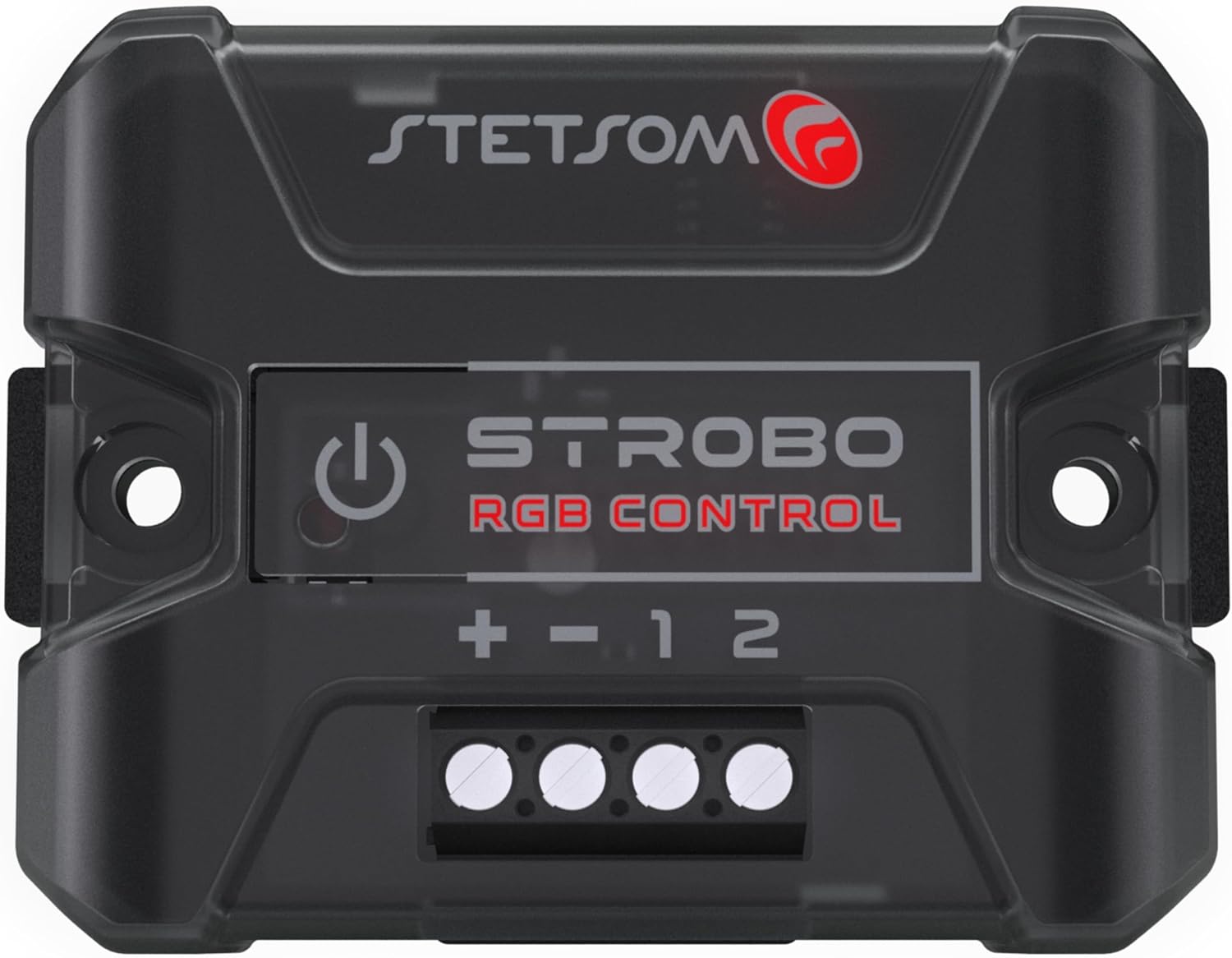
The Stetsom Strobo system consists of a compact control unit and four high-quality LED pods designed for versatile lighting effects.


Pokyny pro nastavení
1. Wiring the Control Unit
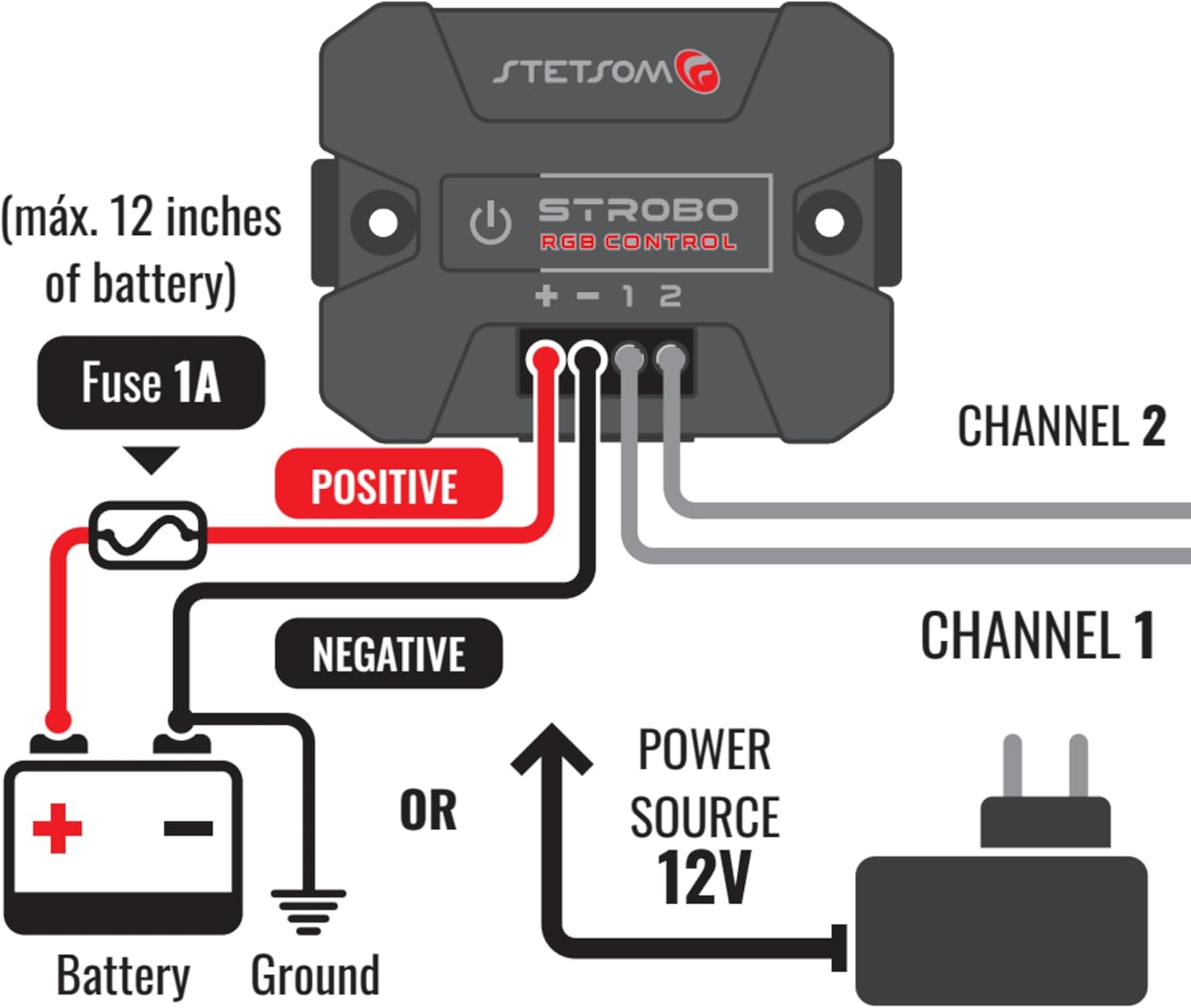
Connect the central control unit to a 12V power source. Ensure proper polarity: connect the positive (+) wire to the positive terminal and the negative (-) wire to the negative terminal. A 1A fuse should be installed on the positive line, within 12 inches of the battery, for protection.
2. Connecting LED Pods/Strips
The control unit features two independent channels. Connect your LED headlights or 2811 LED strips to either Channel 1 or Channel 2. Each channel can control up to 600 individual headlights or equivalent LED chips (e.g., if a 2811 LED strip has 6 LEDs per chip, one chip counts as one headlight). You can mix headlights and LED strips across the two channels.
3. Instalace aplikace
Download the "Stetsom Strobo RGB" application from your smartphone's app store (available for Android and iOS). Ensure Bluetooth is enabled on your device before opening the app to connect to the control unit.
Návod k obsluze
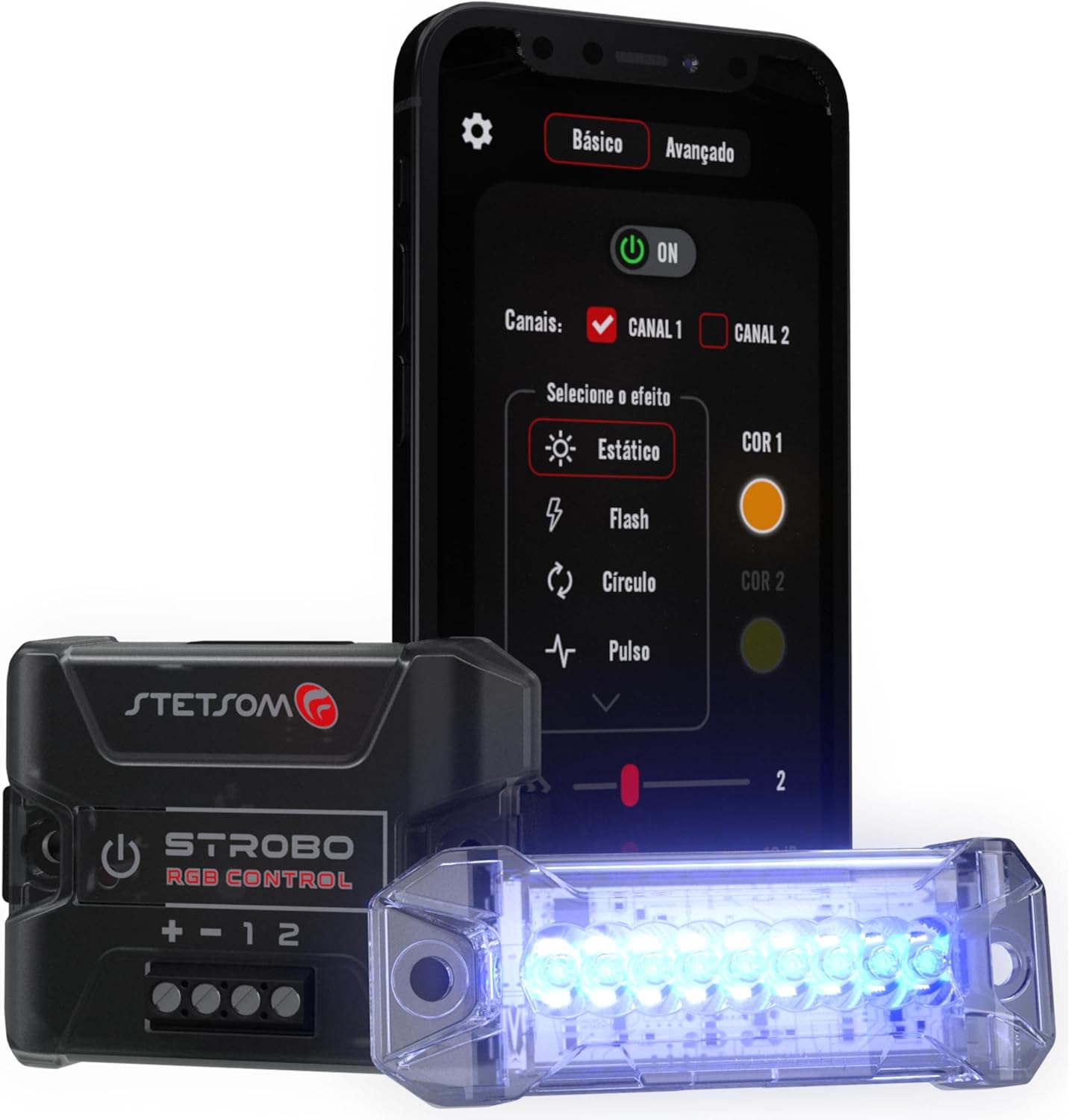
The Stetsom Strobo system is primarily controlled via the dedicated smartphone application, offering extensive customization options.
1. Připojení k aplikaci
- Ensure the Stetsom Strobo control unit is powered on.
- Povolte na svém smartphonu Bluetooth.
- Open the "Stetsom Strobo RGB" app. The app will search for available devices.
- Select your Stetsom Strobo device from the list to establish a connection.
2. Adjusting Lighting Effects
Once connected, you can control various aspects of your lighting:
- Výběr barvy: Choose from 16 million colors using the color picker within the app.
- Režimy osvětlení: Select from 12 different modes, including:
- Static (Solid Color)
- Blikat
- Puls
- Běh
- Záloha
- Čelit
- Kometa
- Duha
- Music Mode (lights react to music beat)
- Flashing with Pause
- Points Race
- Advance without Trail
- Jas/rychlost: Adjust the glowing speed or brightness from 0 to 100% to customize the effect.
- Ovládání kanálů: Independently control Channel 1, Channel 2, or both simultaneously.
3. Official Product Video: Using the Stetsom Strobo
This video demonstrates the functionality and control of the Stetsom Strobo RGB LED system, including how to use the mobile application to change colors and lighting modes. It provides a visual guide to operating the device.
Údržba
The Stetsom Strobo RGB LED system is designed for durability and requires minimal maintenance.
- Čištění: Use a soft, dry cloth to clean the control unit and LED pods. Do not use abrasive cleaners or solvents.
- Spojení: Pravidelně kontrolujte všechna kabelová spojení, abyste se ujistili, že jsou bezpečná a bez koroze.
- Skladování: Pokud budete jednotku skladovat delší dobu, odpojte ji od zdroje napájení a uložte ji na chladném a suchém místě.
Odstraňování problémů
| Problém | Možná příčina | Řešení |
|---|---|---|
| Světla se nerozsvítí. | Žádné napájení, uvolněné spojení, spálená pojistka. | Check power source, verify all wiring connections, inspect and replace fuse if necessary. |
| Nelze se připojit k aplikaci přes Bluetooth. | Bluetooth disabled, app issue, device out of range. | Ensure Bluetooth is enabled on your phone, restart the app, move closer to the control unit. |
| Lights are not responding to app commands. | App not properly connected, firmware issue. | Reconnect the app, restart the control unit (power cycle), check for app updates. |
| Some LEDs are not working. | Damaged LED pod/strip, faulty connection to a specific pod. | Check the wiring to the affected pod/strip. If damaged, replacement may be necessary. |
Specifikace
| Funkce | Detail |
|---|---|
| Značka | Stetsom |
| Model | STR04 STROBO KIT |
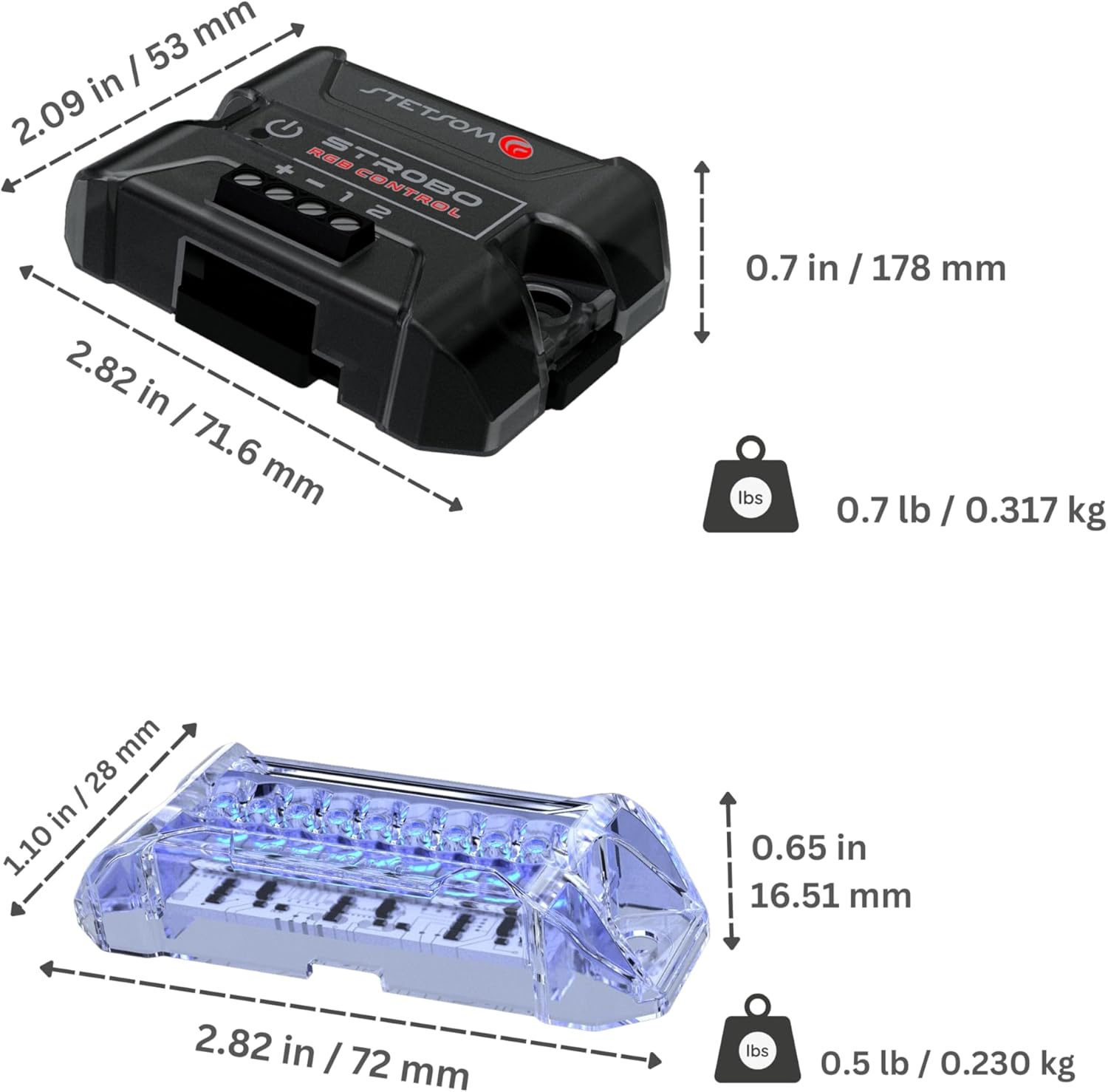
| Rozměry položky (D x Š x V) | Control Unit: 2.82 x 2.09 x 0.7 inches |
| Hmotnost položky | Control Unit: 5.3 ounces |
| Barva | Vícebarevné (RGB) |
| Technologie připojení | Bluetooth |
| Materiál | Polykarbonát (PC) |
| Úroveň odolnosti proti vodě | Vodě odolný |
| Počet kanálů | 2 nezávislé kanály |
| Max Lights per Channel | Up to 600 headlights/LED chips |
| LED Pod Wattage | 2.31W per headlight |
| Životnost LED | 50,000 hodin |
| Kompatibilita | 2811 LED Strips, Universal Headlights |
Záruka a podpora
For warranty information and technical support, please refer to the official Stetsom webnebo se obraťte přímo na jejich zákaznický servis. Uschovejte si účtenku jako doklad o koupi pro případné reklamace.
Stetsom Official Webmísto: www.stetsom.com.br


