1. Úvod
Děkuji za nákupasing the Yottamaster PF20 Portable SSD. This device is designed to provide high-speed, reliable external storage for a wide range of devices, including smartphones, tablets, and computers. Its compact, magnetic design makes it ideal for on-the-go use, especially for high-resolution video recording.
Klíčové vlastnosti:
- Vysokorychlostní přenos dat: Achieves up to 2000MB/s transfer speeds with USB 3.2 Gen 2x2 compatible interfaces.
- Nahrávání videa v rozlišení 4K ProRes: Directly supports 4K ProRes video recording for compatible iPhone models (iPhone 16/17 Pro/Max).
- Magnetický design: Features a strong magnetic attachment, compatible with MagSafe-enabled devices, and includes a magnetic ring for other devices.
- Multiple Capacity Options: Available in 512GB, 1TB, and 2TB to suit various storage needs.
- Široká kompatibilita: Supports Windows, macOS, Android, Xbox, PS5, Steam Deck, and other devices.
2. Obsah balení
Zkontrolujte prosím balení, zda jsou všechny položky přítomny:
- Yottamaster PF20 Portable SSD
- Datový kabel USB Type-C
- Magnetický kroužek (pro zařízení bez MagSafe)
- Uživatelská příručka
3. Konec produktuview
The Yottamaster PF20 is a compact and lightweight external solid-state drive. Its sleek design integrates seamlessly with modern devices.
Fyzické vlastnosti:
- Rozměry: Přibližně 15 x 10.8 x 2.1 cm
- Hmotnost: Přibližně 90 g
- Rozhraní: Port USB Type-C
- Speciální vlastnosti: Magnetic attachment for secure mounting.

Figure 3.1: Yottamaster PF20 Portable SSD with its USB-C cable.
4. Nastavení
4.1 Připojení k zařízením
The Yottamaster PF20 Portable SSD is designed for plug-and-play functionality. Simply connect the provided USB Type-C data cable to the SSD and then to your compatible device.
- Pro chytré telefony/tablety: Connect the USB Type-C cable to your device's USB-C port. The SSD should be recognized automatically.
- For PCs/Laptops: Connect the USB Type-C cable to an available USB-C port on your computer.

Figure 4.1: Connecting the Yottamaster PF20 Portable SSD to a laptop.
4.2 Magnetické uchycení
The PF20 features a magnetic design for secure attachment to compatible devices.
- MagSafe Compatible Devices: The SSD can be directly attached to the back of MagSafe-enabled iPhones (e.g., iPhone 16/17 Pro/Max).
- Zařízení bez MagSafe: For devices without MagSafe, use the included magnetic ring. Attach the magnetic ring to the back of your device or phone case, then attach the SSD to the ring.
Pozor:
- If using a phone case, ensure the magnetic attraction is strong enough to prevent accidental detachment. It is recommended to use the included magnetic ring for added security.
- The PF20 Portable SSD is not compatible with iPhone 14 and earlier models.
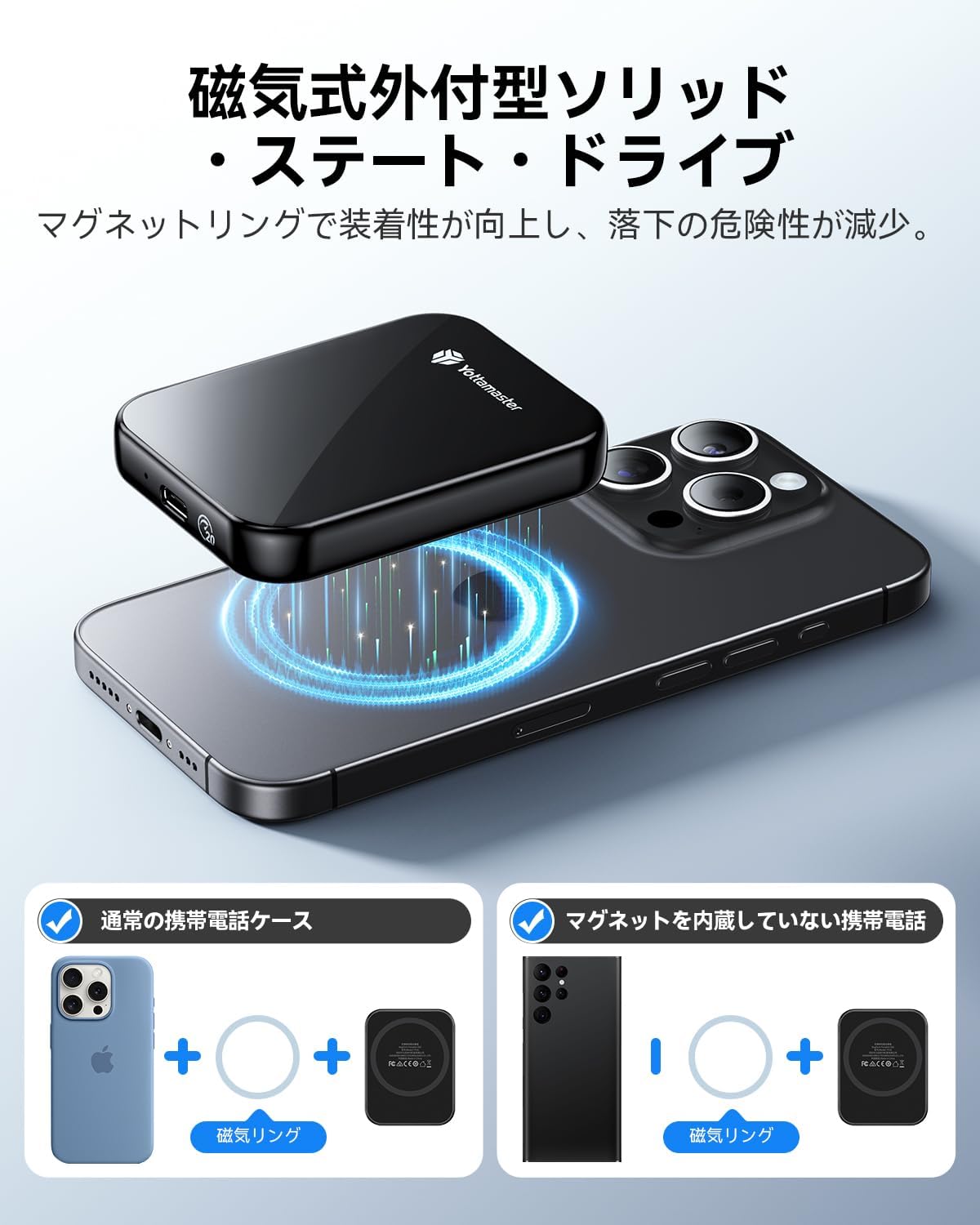
Figure 4.2: Magnetic attachment of the SSD to an iPhone.
4.3 Initial Formatting
The SSD comes pre-formatted, typically with exFAT, for broad compatibility across Windows, macOS, and Android systems. If you need to reformat the drive for specific use cases (e.g., APFS for macOS, NTFS for Windows), please use your operating system's disk utility tool.
5. Návod k obsluze
5.1 Přenos dat
To achieve the maximum transfer speed of 2000MB/s (20Gbps), ensure your device supports USB 3.2 Gen 2x2 and you are using a compatible 20Gbps data cable. The connected device's interface must also be capable of read/write speeds of 2000MB/s.
- Note for Apple Devices: Due to compatibility considerations with Apple's Thunderbolt interface, the maximum transfer speed when using the external SSD with Apple devices is limited to 10Gbps.
- For iPhone 16/16 Plus: Transfer speed is limited to 480 Mbps (USB 2.0).
Jednoduše přetáhněte files between your device and the SSD, or use your device's file management system to copy and paste data.
Video 5.1: Demonstration of the Yottamaster PF20 Portable SSD's features, including magnetic attachment and data transfer.
5.2 4K ProRes Video Recording (iPhone)
The Yottamaster PF20 Portable SSD supports direct 4K ProRes video recording and saving from compatible iPhone models (iPhone 17/16 Pro/Max). This allows for real-time recording and storage without needing to transfer files later, significantly expanding your device's recording capabilities.
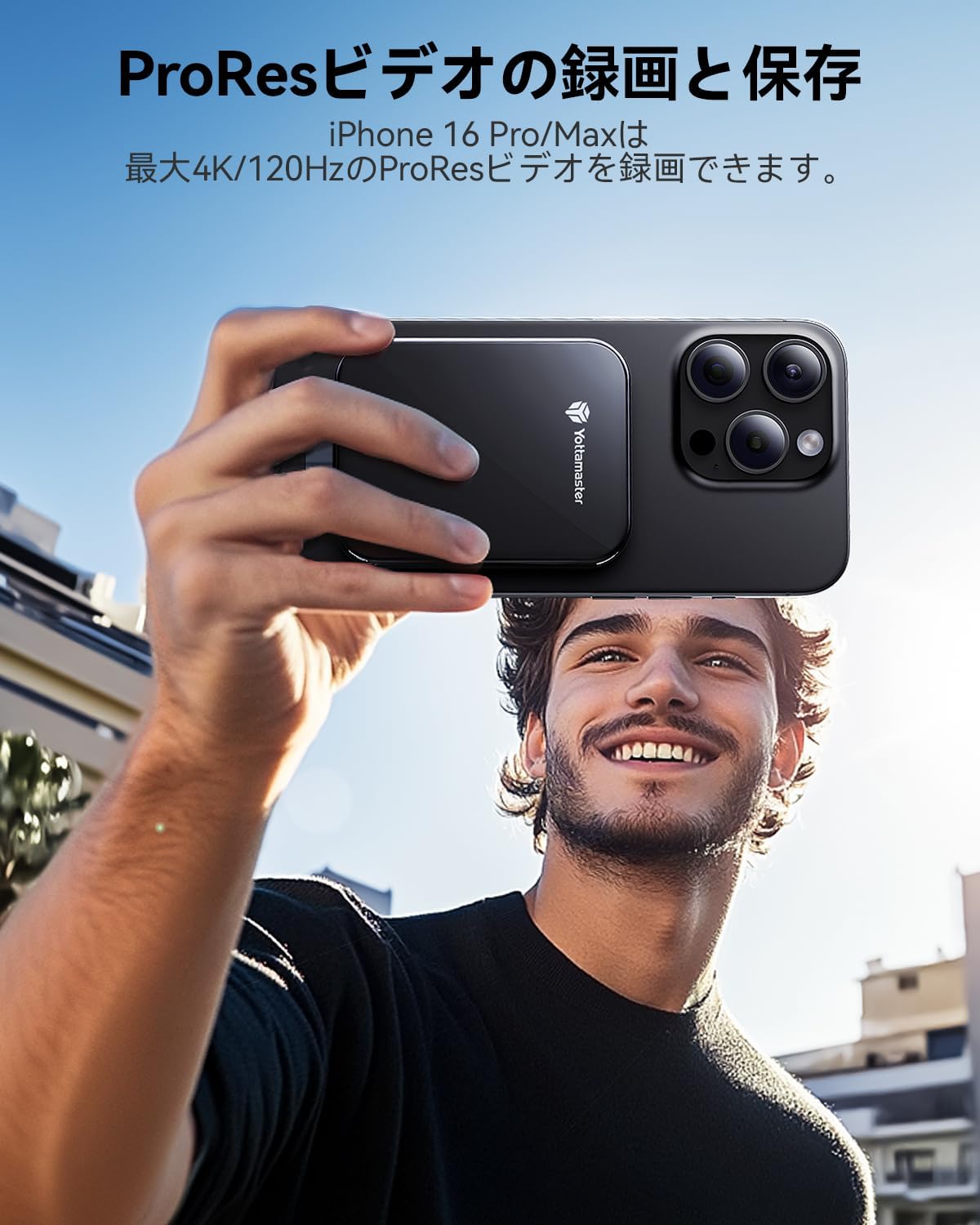
Figure 5.2: Recording 4K ProRes video directly to the SSD with an iPhone.
5.3 Using with Various Platforms
The PF20 Portable SSD offers broad compatibility:
- Operační systémy: Windows, macOS, Android, Linux.
- Zařízení: Smartphones, MacBooks, Xbox, PS5, Steam Deck, Tablets, Laptops, Desktop PCs.

Figure 5.3: The SSD's compatibility with various devices and platforms.
6. Údržba
6.1 Péče a manipulace
- Avoid dropping or subjecting the SSD to strong impacts.
- Keep the SSD away from extreme temperatures, direct sunlight, and moisture.
- Zařízení čistěte měkkým, suchým hadříkem. Nepoužívejte tekuté čisticí prostředky.
- Ensure the USB port is free from dust and debris before connecting the cable.
6.2 Safe Disconnection
Always safely eject the SSD from your operating system before physically disconnecting it to prevent data corruption. This typically involves right-clicking the drive icon and selecting 'Eject' or 'Safely Remove Hardware'.
7. Řešení problémů
7.1 SSD disk nebyl rozpoznán
- Zkontrolujte kabelové připojení: Ensure the USB Type-C cable is securely connected to both the SSD and your device.
- Zkuste jiný port/kabel: Test with a different USB-C port on your device or a different USB-C cable to rule out port or cable issues.
- Restartovat zařízení: Někdy může problémy s rozpoznáváním vyřešit jednoduchý restart počítače nebo smartphonu.
- Zkontrolujte Správu disků (Windows) / Diskovou utilitu (macOS): Verify if the drive appears in your operating system's disk management tools. If it appears but is unallocated, you may need to initialize and format it.
7.2 Pomalé přenosové rychlosti
- Verify USB Standard: Ensure your device's USB-C port supports USB 3.2 Gen 2x2 (20Gbps) for maximum speed. Older USB standards (e.g., USB 3.0/3.1 Gen 1 at 5Gbps, USB 3.1/3.2 Gen 2 at 10Gbps, USB 2.0 at 480Mbps) will result in lower speeds.
- Použijte dodaný kabel: Always use the high-speed USB Type-C cable provided with the SSD.
- Zavřít aplikace na pozadí: Other applications or processes running in the background can consume system resources and affect transfer speeds.
- File Typ: Přenos mnoha malých files je obecně pomalejší než přenos několika velkých files.
7.3 Problémy s magnetickým uchycením
- Phone Case Thickness: Thick phone cases can weaken the magnetic connection. Consider using the included magnetic ring for better adhesion.
- Kompatibilita zařízení: Ensure your device is MagSafe compatible or that the magnetic ring is properly applied to a non-MagSafe device.
8. Specifikace
| Funkce | Specifikace |
|---|---|
| Značka | Yottamaster |
| Model | PF20 |
| Digitální kapacita úložiště | 1 TB (also available in 512GB, 2TB) |
| Typ pevného disku | Solid State Drive (SSD) |
| Technologie připojení | USB Type-C |
| Rozhraní | USB 3.2 Gen 2x2 |
| Maximální rychlost čtení | Až 2000 XNUMX MB/s |
| Speciální funkce | Portable, Magnetic Attachment |
| Kompatibilní zařízení | iPhone 16 Pro Max, iPhone 17 Pro Max, Tablets, Desktop PCs, Laptops, Smartphones (USB-C enabled) |
| Rozměry | 15 x 10.8 x 2.1 cm |
| Hmotnost položky | 90 g |
9. Záruka a podpora
9.1 Informace o záruce
Yottamaster products come with a standard manufacturer's warranty. Please refer to the warranty card included in your package or visit the official Yottamaster webpodrobné záruční podmínky naleznete na webu.
9.2 Zákaznická podpora
If you encounter any issues or have questions regarding your Yottamaster PF20 Portable SSD, please contact our customer support team:
- E-mail: support@yottamaster.com (Napřample)
- Webmísto: www.yottamaster.com (Napřample)
Než budete kontaktovat podporu, mějte prosím připravený model produktu a informace o nákupu.