Zavedení
The ROCAM Loud Vibrating Alarm Clock with Bed Shaker is designed to provide a reliable and effective wake-up solution for all users, especially heavy sleepers, the hearing impaired, and deaf individuals. This alarm clock offers multiple wake-up modes, including a loud alarm, a powerful bed shaker, and a combination of both. With dual alarm settings, adjustable volume and display brightness, and a convenient USB charging port, it integrates seamlessly into your daily routine to ensure you wake up on time.
Nastavení
1. Připojení napájení
Connect the alarm clock to an AC power outlet using the provided power adapter. The clock is designed for outlet power only and is not battery-operated for primary function.

Image: The alarm clock requires AC power for operation. It also features a USB port for charging external devices.
2. Záložní baterie (volitelné)
Pro zálohování během napájenítages, insert 2 AAA batteries (not included) into the battery compartment located on the back of the unit. These batteries will preserve time and alarm settings but will not power the display or alarm functions.

Image: The battery backup feature ensures your settings are saved during power interruptions.
3. Bed Shaker Connection and Placement
Plug the bed shaker cable into the designated port on the back of the alarm clock. For optimal vibration, place the bed shaker under your pillow or under the fitted sheet of your mattress.

Image: Proper placement of the bed shaker maximizes its effectiveness for waking heavy sleepers.
Návod k obsluze
1. Nastavení času a data
- Stiskněte tlačítko ČAS tlačítko pro vstup do režimu nastavení času.
- Použijte + or - tlačítka pro nastavení hodiny a poté stiskněte ČAS znovu pro potvrzení a přechod na minuty.
- Opakujte několik minut a poté stiskněte ČAS to set the year, month, and day.
- Stiskněte ČAS naposledy pro ukončení režimu nastavení.
2. Nastavení duálních alarmů
The clock supports two independent alarms (AL1 and AL2) with flexible scheduling.

Image: Set two separate alarms with options for everyday, weekday, or weekend wake-up.
- Stiskněte tlačítko AL1 or AL2 vyberte budík, který chcete nastavit.
- Použijte + or - tlačítky pro nastavení času budíku.
- Press the respective alarm button (AL1 or AL2) repeatedly to cycle through alarm modes: 7-day (Mon-Sun), 5-day (Mon-Fri), or 2-day (Sat-Sun).
- Chcete-li aktivovat nebo deaktivovat budík, stiskněte tlačítko AL1 or AL2 button until the alarm icon appears or disappears on the display.
3. Wake-Up Modes
Vyberte si ze tří různých režimů buzení:
- Ringing Alarm Only: Standard audible alarm.
- Pouze třepačka postele: Silent vibration for discreet waking.
- Kombinovaný režim: Both audible alarm and bed shaker activate simultaneously.

Image: Select your preferred wake-up method from three available modes.
4. Adjusting Volume and Vibration
The alarm clock features 5 adjustable volume levels (up to 116dB) and 3 vibration levels for the bed shaker.

Image: Customize the alarm's loudness and bed shaker intensity to suit your needs.
- Stiskněte tlačítko VOL button to cycle through the 5 volume levels.
- Stiskněte tlačítko VIB button to cycle through the 3 vibration levels.
5. Funkce odložení buzení
Když zazvoní budík, stiskněte velké SNOOZE/OK/- button on top of the clock to activate a 9-minute snooze. The alarm will sound again after 9 minutes.
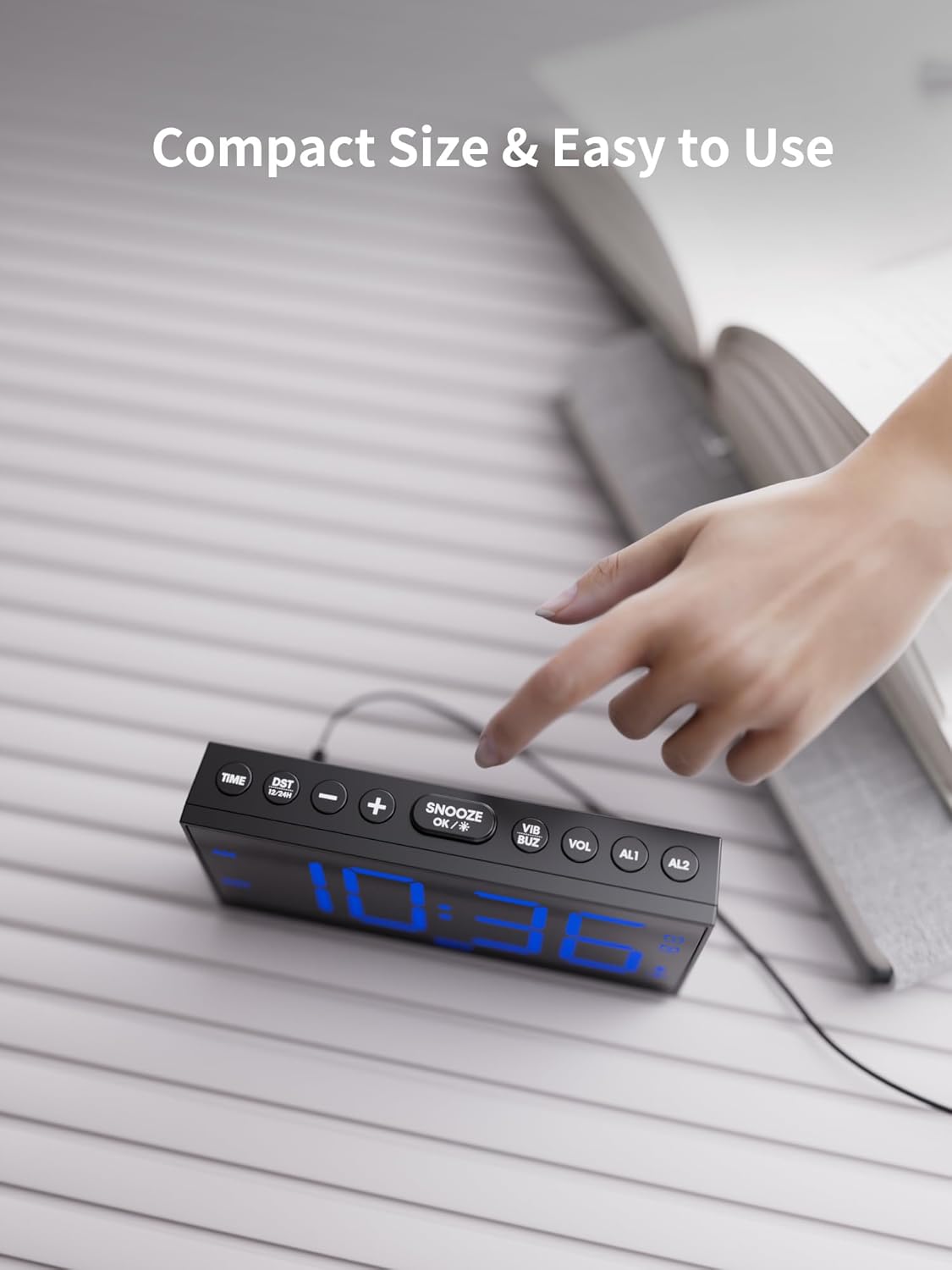
Image: The easily accessible snooze button provides an extra 9 minutes of rest.
6. Zobrazte jas
The 7.5-inch LED display features 5 levels of adjustable brightness.

Image: Adjust the display brightness to your comfort level for day or night viewIng.
- Stiskněte tlačítko ZTLUMIT button to cycle through the 5 brightness levels.
7. Formát času a letní čas
Switch between 12-hour and 24-hour time formats, and enable/disable Daylight Saving Time (DST).
- Stiskněte tlačítko 12/24hodinový letní čas tlačítko pro přepínání mezi 12hodinovým a 24hodinovým formátem času.
- Stiskněte a podržte 12/24hodinový letní čas button to activate or deactivate DST.
8. USB nabíjecí port
The alarm clock includes two USB ports for charging your phone or tablet.

Image: Conveniently charge your mobile devices directly from the alarm clock.
Údržba
- Budík a třepačku čistěte měkkým, suchým hadříkem. Nepoužívejte tekuté čisticí prostředky ani abrazivní materiály.
- Chraňte zařízení před vodou, vysokými teplotami a přímým slunečním zářením.
- Zajistěte řádné větrání kolem jednotky.
Odstraňování problémů
| Problém | Možná příčina | Řešení |
|---|---|---|
| Budík nezvoní/nevibruje. | Alarm not activated, incorrect mode, or volume/vibration too low. | Ensure alarm is ON (icon displayed). Check wake-up mode settings. Increase volume/vibration level. |
| Displej je prázdný. | No power, or brightness set to lowest level. | Check AC power connection. Press ZTLUMIT tlačítko pro zvýšení jasu. |
| Čas/nastavení se resetují po výpadku napájenítage. | Záložní baterie nejsou nainstalovány nebo jsou vybité. | Vložte nebo vyměňte 2 záložní baterie typu AAA. |
| Nabíjení přes USB nefunguje. | Device not properly connected, or cable issue. | Ensure USB cable is securely connected to both the clock and your device. Try a different USB cable. |
Specifikace
- Značka: ROCAM
- Model: CR1001EM-PRO
- Typ displeje: Digitální LED
- Rozměry produktu: 6.81 cm Š x 3.43 cm V
- Zdroj napájení: Elektrický kabel
- Záložní baterie: 2 x AAA (nejsou součástí balení)
- Materiál: Plast
- Hmotnost položky: 14.4 unce
- Speciální vlastnosti: Adjustable Brightness, Adjustable Volume, USB Charging Port, Large Display, Loud Alarm, Bed Shaker
Záruka a podpora
ROCAM is committed to providing high-performance, reliable products and excellent customer service. We offer comprehensive support for your alarm clock:

Image: ROCAM's commitment to customer satisfaction and product support.
- Rychlá odezva do 24 hodin: V případě jakýchkoli dotazů nebo problémů očekávejte rychlou odpověď e-mailem.
- 30denní lhůta pro vrácení zboží bez udání důvodu: Enjoy peace of mind with our flexible return policy.
- 18-Month Replacement or Partial Refund: We stand by the quality of our products.
- Doživotní podpora: Receive ongoing support and satisfactory solutions for the lifespan of your product.
For assistance, please contact ROCAM customer support through the contact information provided with your product packaging or visit the official ROCAM store online.


