1. Úvod
This manual provides essential information for the safe and efficient operation of your TESLA QLED Smart TV, Model Q55S939GUS. Please read these instructions thoroughly before using your television and retain them for future reference. This television features a 55-inch (140 cm) QLED display, Google TV operating system, Ultra HD resolution, HDR10, Dolby Atmos audio, built-in Wi-Fi, Bluetooth, and Chromecast.

Obrázek 1.1: Přední strana view of the TESLA QLED Smart TV, highlighting key features.
2. Bezpečnostní informace
Always follow basic safety precautions when using this television to reduce the risk of fire, electric shock, and injury. Keep the television away from moisture and heat sources. Ensure proper ventilation. Do not block ventilation openings. Use only attachments/accessories specified by the manufacturer. Refer all servicing to qualified service personnel.
3. Obsah balení
Ověřte, zda jsou v balení přítomny všechny položky:
- TESLA QLED Smart TV (Model Q55S939GUS)
- Dálkové ovládání
- Napájecí kabely
- TV Stand/Base
- Baterie pro dálkové ovládání
- Uživatelská příručka (tento dokument)
4. Nastavení
4.1 Fyzické nastavení
Připevnění stojanu: Carefully place the TV screen-down on a soft, flat surface. Align the stand with the mounting holes on the bottom of the TV and secure it with the provided screws. Ensure the stand is firmly attached before placing the TV upright.

Image 4.1: TESLA QLED Smart TV with stand.
Montáž na stěnu: If you plan to wall mount the TV, refer to the instructions provided with your wall mount kit. Ensure the wall mount is compatible with the VESA mounting pattern of your TV. The back of the TV includes mounting points for this purpose.
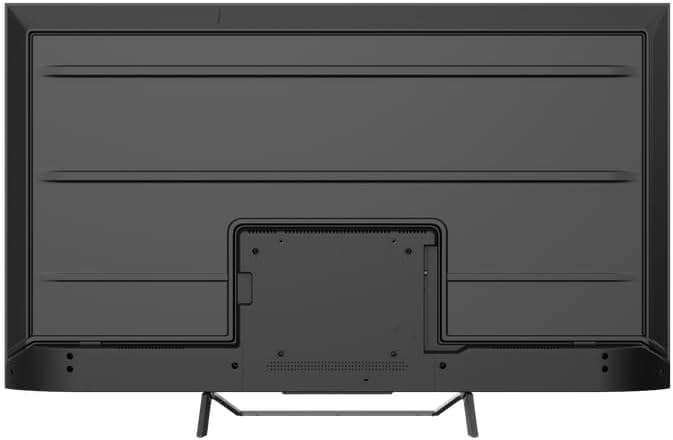
Obrázek 4.2: Zadní strana view of the TV, indicating mounting points.
4.2 První zapnutí a připojení k síti
- Připojte napájecí kabel k televizoru a poté do elektrické zásuvky.
- Stiskněte tlačítko napájení na dálkovém ovladači nebo na samotném televizoru.
- Follow the on-screen instructions to select your language, country, and connect to your Wi-Fi network. You can also connect via Ethernet for a wired connection.
4.3 Nastavení Google TV
During the initial setup, you will be guided through setting up your Google TV account. This allows access to Google Assistant, Google Play Store apps, and personalized content recommendations. You will need a Google account to fully utilize these features.
5. Ovládání televizoru
5.1 Dálkové ovládání Overview
The remote control provides access to all TV functions. Insert the provided batteries into the remote control. Familiarize yourself with the button layout for easy navigation.

Image 5.1: TESLA Smart TV Remote Control.
5.2 Základní funkce
- Moc: Stisknutím tlačítka napájení zapnete nebo vypnete televizor.
- Objem: Use the VOL +/- buttons to adjust the sound level.
- kanály: Use the P +/- buttons to change channels.
- Navigace: Use the directional pad and OK button to navigate menus and select options.
- Domov: Stisknutím tlačítka Domů se vrátíte na domovskou obrazovku Google TV.
5.3 Smart TV Features (Google TV, Apps, Chromecast)
Your TESLA QLED Smart TV runs on Google TV, offering an intuitive interface and access to a vast library of content.
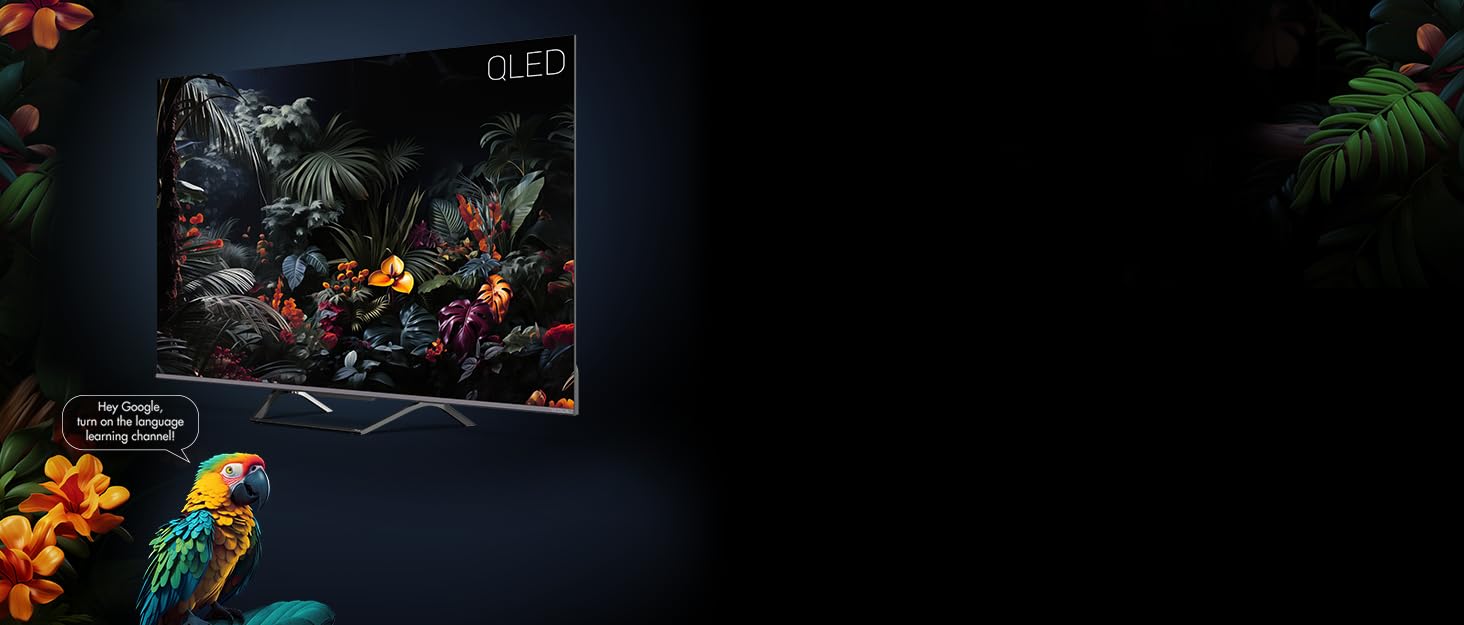
Image 5.2: Google Assistant integration on TESLA QLED TV.
- Rozhraní Google TV: The home screen provides personalized recommendations, quick access to installed apps like Netflix, YouTube, and Prime Video, and live TV options.
- Asistent Google: Pomocí hlasových příkazů na dálkovém ovladači můžete vyhledávat obsah, ovládat chytrá domácí zařízení, získávat odpovědi a mnoho dalšího.
- Vestavěný Chromecast: Cast content (videos, photos, music) directly from your compatible mobile devices or computer to the TV screen.
- Obchod Google Play: Download and install over 10,000 additional applications and games.
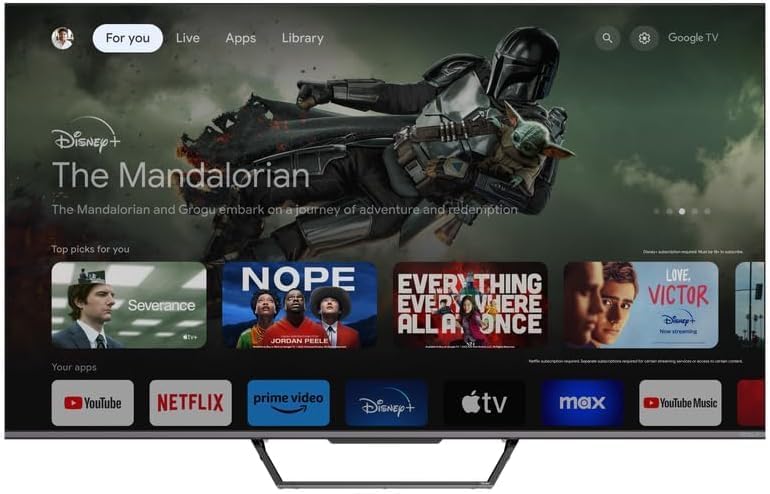
Image 5.3: Google TV home screen with app access.
5.4 Konektivita
Televizor nabízí různé porty pro připojení externích zařízení:
- HDMI porty (x3): Connect gaming consoles, Blu-ray players, soundbars, and other HDMI-enabled devices.
- USB porty (x2): Připojte USB disky pro přehrávání médií nebo externí úložiště.
- Wi-Fi: Connect wirelessly to your home network for internet access.
- Bluetooth: Connect wireless headphones, speakers, or other Bluetooth accessories.
- Ethernet: Pro stabilní kabelové připojení k internetu.
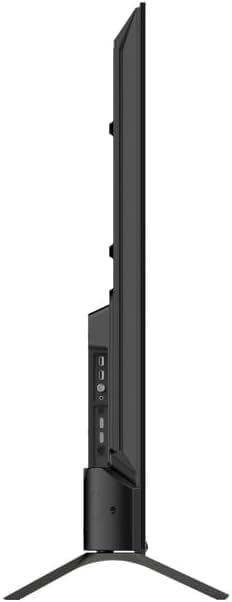
Obrázek 5.4: Boční strana view of TV with connectivity ports.
5.5 Audio and Picture Settings
- Dolby Atmos & Ultra Surround: Experience immersive, three-dimensional audio. Adjust audio settings in the TV menu to optimize sound for your environment.
- Technologie QLED: Quantum Dot technology delivers over a billion shades of color, enhanced brightness, and superior contrast.
- HDR10: High Dynamic Range 10 provides a wider range of colors and contrasts, resulting in a more realistic image.
- Obrazové režimy: Select from various preset picture modes (e.g., Standard, Vivid, Movie, Game) or customize settings like brightness, contrast, color, and sharpness to suit your preferences.
6. Údržba
6.1 Čištění
Always unplug the TV before cleaning. Use a soft, dry cloth to wipe the screen and cabinet. For stubborn marks, lightly dampen the cloth with water or a specialized screen cleaner. Never use abrasive cleaners, waxes, or solvents.
6.2 Aktualizace softwaru
Your Google TV will periodically receive software updates to improve performance and add new features. Ensure your TV is connected to the internet to receive these updates. You can check for updates manually in the TV's settings menu.
7. Řešení problémů
Pokud se s televizorem setkáte s problémy, podívejte se na následující běžné problémy a jejich řešení:
| Problém | Možné řešení |
|---|---|
| Žádná síla | Check if the power cable is securely connected to the TV and the power outlet. Ensure the outlet is working. |
| Žádný obraz, ale zvuk je přítomný | Zkontrolujte vstupní zdroj. Ujistěte se, že jsou externí zařízení správně připojena a zapnuta. |
| Žádný zvuk, ale obraz je přítomen | Zkontrolujte úroveň hlasitosti. Ujistěte se, že není aktivováno ztlumení zvuku. Zkontrolujte nastavení zvukového výstupu. |
| Dálkové ovládání nefunguje | Vyměňte baterie. Ujistěte se, že mezi dálkovým ovladačem a televizorem nejsou žádné překážky. |
| Nelze se připojit k Wi-Fi | Check your router and internet connection. Re-enter the Wi-Fi password. Try restarting the TV and router. |
For further assistance, consult the TESLA support webnebo kontaktujte zákaznický servis.
8. Specifikace
Key technical specifications for the TESLA QLED Smart TV Model Q55S939GUS:
| Funkce | Specifikace |
|---|---|
| Značka | TESLA |
| Číslo modelu | Q55S939GUS |
| Velikost obrazovky | 55 palce (140 cm) |
| Technologie displeje | QLED |
| Rezoluce | 4K (3840 x 2160) |
| Operační systém | Google TV |
| Obnovovací frekvence | 60 Hz |
| Speciální funkce | Chromecast, Built-in Speaker, Game Mode, Flat Panel, Wide Color Enhancer |
| Audio technologie | Dolby Atmos, Ultra Surround, 2 x 10W Speakers |
| Konektivita | Bluetooth, HDMI (x3), RF, USB (x2), Wi-Fi, Ethernet |
| Rozměry produktu (D x Š x V) | 26.5 x 122.5 x 72 cm |
| Barva | Stříbrná metalíza |

Image 8.1: Illustrative diagram of TV dimensions and remote control. Note: This product is 55 inches, not 75 inches as shown in the diagram.
9. Záruka a podpora
For warranty information, please refer to the warranty card included with your product or visit the official TESLA website. Keep your proof of purchase for warranty claims. For technical support, troubleshooting assistance, or service requests, please contact TESLA customer support through their official channels.


