1. Úvod
This manual provides essential information for the safe and efficient installation, operation, and maintenance of your Victron Energy MultiPlus 12/500/20-16 120V VE.Bus Inverter/Charger. Please read this manual thoroughly before using the product.
2. Bezpečnostní informace
VAROVÁNÍ: Incorrect installation can be hazardous. Always consult a licensed professional and follow all applicable electrical codes during installation. Ensure adequate ventilation during charging to prevent flames and sparks. This unit is UL-Certified.
- Always disconnect the power supply before making or breaking connections to the battery.
- Charge lead-acid or Li-ion batteries only.
- Zajistěte správné uzemnění jednotky.
- Nevystavujte jednotku dešti nebo vlhkosti.
3. Konec produktuview
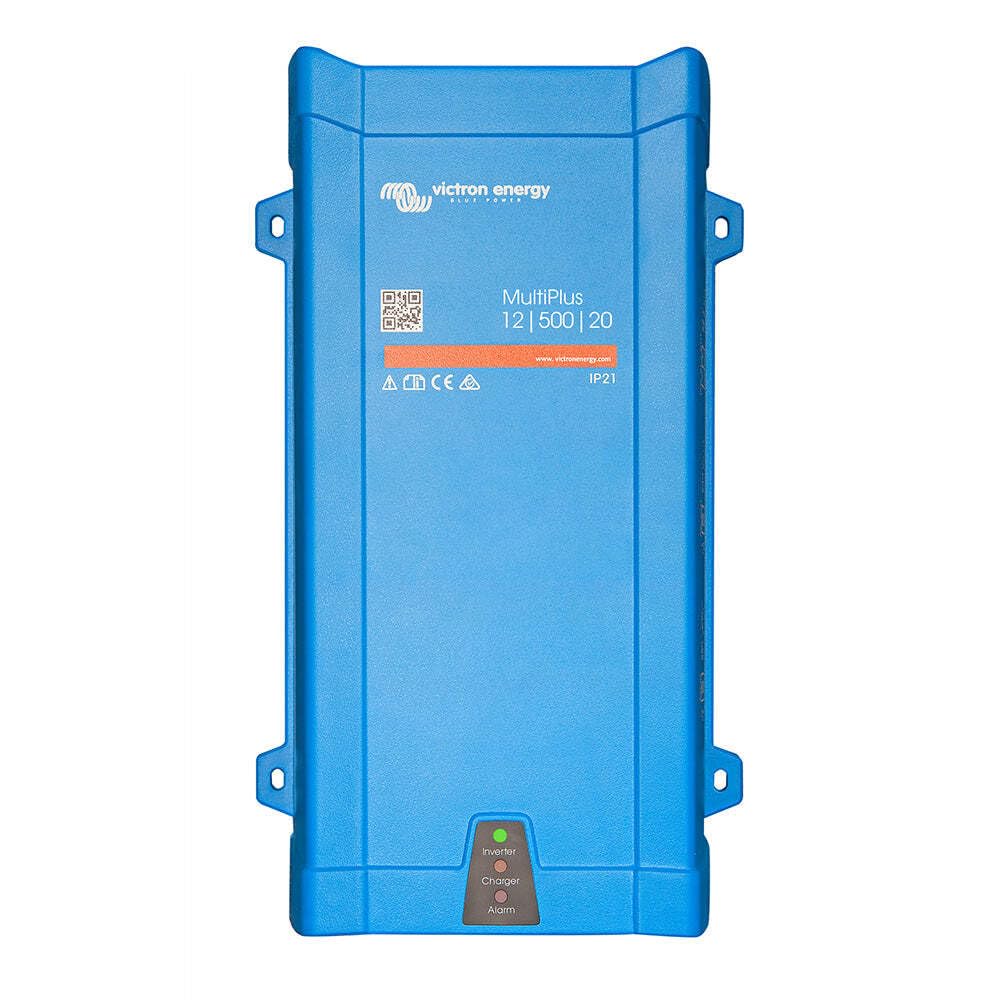
The Victron Energy MultiPlus 12/500/20-16 120V VE.Bus is a versatile device combining a true sine wave inverter, a sophisticated battery charger with adaptive charge technology, and a high-speed AC transfer switch within a single compact enclosure. It is designed to provide reliable power for various applications including RVs, boats, backup power systems, and off-grid cabins.
Klíčové vlastnosti:
- Měnič s čistou sinusovou vlnou: Delivers high-quality AC power suitable for sensitive electronics.
- Adaptive Charge Technology: Ensures optimal charging for various battery types.
- PowerAssist Technology: Prevents overload of a limited AC source (e.g., generator or shore power) by supplementing with power from the battery.
- High-Speed AC Transfer Switch: Provides uninterrupted power by switching to inverter mode within 20ms during grid failure or power disconnection.
- Paralelní provoz: Up to 6 MultiPlus units can operate in parallel for increased power output. Three units can be configured for three-phase output.
- Certifikováno UL: Meets safety standards for peace of mind.
Obrázek 1: Zadní view of the Victron Energy MultiPlus Inverter/Charger, highlighting AC input, AC output, ON/OFF/CHR switch, NEG (-) and POS (+) battery terminals, SETTINGS, VE.BUS, ON/REMOTE/TEMP, and ALARM ports.
4. Nastavení
The MultiPlus is designed for easy wall mounting and connection. Follow these steps for proper installation.
4.1. Montáž na zeď
The unit comes with a wall mount plate. Secure the plate to a sturdy surface, then hang the MultiPlus unit onto the plate using the hook at the back of its casing.
4.2. Accessing Connections
To access the connection terminals, unscrew the screws at the bottom of the enclosure and remove the service panel.
Obrázek 2: Detailní view of the MultiPlus connection panel, showing AC INPUT, AC OUTPUT, ON/OFF/CHR switch, NEG (-) POS (+) battery terminals, SETTINGS port, VE.BUS port, ON/REMOTE/TEMP terminals, and COM NC NO ALARM terminals.
4.3. Připojení baterie
Connect the battery cables to the NEG (-) and POS (+) terminals. Use a torque wrench with an insulated box spanner to tighten connections to a maximum of 7 Newton-meters to avoid shorting the battery.
4.4. AC Mains and Load Connection
Connect the AC mains input and AC loads to the designated terminals on the service panel. Ensure all connections are secure and comply with local electrical codes.
4.5. Připojení příslušenství
Connect any desired accessories such as a Venus GX, Color Control GX, or optional current transformer to their respective ports (e.g., VE.Bus, Remote, Temp, Alarm). These accessories enable advanced monitoring and control.
4.6. Securing the Service Panel
Once all connections are made, reattach the service panel and secure it with its fixing screws.
4.7. Počáteční zapnutí
Locate the ON/OFF/CHR switch at the bottom of the unit. Switch it to the "ON" position (position I) to power on the inverter/charger. Position "OFF" (position 0) turns the unit off, and "CHR" (position II) activates charger-only mode.
Video průvodce nastavením:
Video 1: Introduction to the Victron Energy MultiPlus-II, demonstrating key features and installation steps. This video provides a visual guide for mounting, connecting cables, and powering on the unit.
5. Návod k obsluze
The MultiPlus offers various operating modes and monitoring options to optimize your power system.
5.1. Provozní režimy
- ZAPNUTO (I): The unit functions as both an inverter and a charger, providing AC power from the battery and charging the battery when AC input is available.
- VYP (0): The unit is completely off.
- CHARGER ONLY (II): The unit only functions as a battery charger, passing through AC input to loads but not inverting.
5.2. PowerAssist Functionality
The unique PowerAssist feature prevents overload of a limited AC source (such as a generator or shore power connection). If the AC load exceeds the capacity of the external source, the MultiPlus will automatically supplement the power from the battery. When the load reduces, surplus power is used to recharge the battery.
5.3. Monitorování a kontrola
For comprehensive monitoring and control of your MultiPlus and entire power system, Victron Energy offers several accessories and software solutions:
- Aplikace VictronConnect: Use with a BMV-712 Smart Battery Monitor (or other compatible devices) for instant access to battery voltage, current, power, and more via Bluetooth.
- Venus GX / Color Control GX: These devices allow for remote configuration and monitoring when connected to the internet via the free Victron Remote Management (VRM) website. They store and display your installation data.
Understanding Standby Power Consumption (ECO Mode):
Inverters consume some power even when no load is connected (no-load consumption or standby power). The MultiPlus-II has a low standby power consumption of just 11 Watts, less than half of previous MultiPlus models. To further reduce power consumption in no-load situations, the unit can be configured with an ECO mode (Automatic Energy Saver - AES).
Video 2: Explains how to reduce inverter power consumption in standby mode using the Automatic Energy Saver (AES) function, also known as ECO mode.
The AES function can be configured via VE.Configure software or the VictronConnect app (for Smart models). It offers two modes:
- Modified Sine Wave: Reduces consumption by about 20% by lowering the amount of time the FETs are switching. This results in a less perfect sine wave.
- Režim vyhledávání: Changes the frequency to 1Hz, switching only once per second and producing one sine wave per second. This uses significantly less energy (about 70% less than normal consumption). When a load is applied, the inverter returns to normal operation.
Be aware that using AES modes, especially search mode, can affect certain appliances (e.g., slowing down a microwave clock or reducing light bulb output). Always choose the smallest possible inverter for your system to maximize efficiency.
6. Údržba
Regular maintenance ensures the longevity and optimal performance of your MultiPlus unit.
- Čištění: Udržujte jednotku čistou a bez prachu a nečistot. Ujistěte se, že větrací otvory nejsou zablokované.
- Spojení: Periodically check all electrical connections (battery, AC input, AC output) for tightness and corrosion. Tighten as necessary.
- Stav baterie: Monitor baterie voltage and state of charge regularly, especially if using lead-acid batteries, to prevent deep discharge.
7. Řešení problémů
If you encounter issues with your MultiPlus, refer to the following basic troubleshooting steps:
- Žádný výkon:
- Check if the unit is switched to "ON" (I) or "CHARGER ONLY" (II) mode.
- Zkontrolujte, zda jsou připojení baterie bezpečné a zda je baterie nabitá.tage je dostatečné.
- Check AC input and output connections.
- Baterie se nenabíjí:
- Ensure AC input is present and the unit is in "ON" (I) or "CHARGER ONLY" (II) mode.
- Check AC input circuit breakers.
- Ověřte připojení baterie.
- Overload/Shutdown:
- Reduce the connected AC load.
- Check for short circuits in the AC output wiring.
- Allow the unit to cool down if it has overheated.
For more detailed troubleshooting, consult the full Victron Energy MultiPlus manual available on the manufacturer's webnebo kontaktujte podporu společnosti Victron Energy.
8. Specifikace
| Funkce | Detail |
|---|---|
| Značka | Energie Victron |
| Název modelu | Victron Energy MultiPlus |
| Číslo modelu položky | MultiPlus 12/500/20-16 120V VE.Bus |
| Rozměry produktu | 12.2 x 7.2 x 3.9 palce |
| Hmotnost položky | 11.8 libry |
| Zdroj napájení | Solární a bateriové napájení |
| Wattage | 400 wattů |
| Doporučená použití | RV, Boat, Backup Power, Off-grid Cabin |
| Datum první dostupnosti | 11. července 2024 |
9. Záruka a podpora
This product is manufactured by Victron Energy. For warranty information, technical support, or service, please refer to the official Victron Energy website or contact their customer service directly. Always provide your product model number (MultiPlus 12/500/20-16 120V VE.Bus) and serial number when seeking support.
You can visit the Victron Energy Store on Amazon for more products and information: Victron Energy Store