1. Úvod
This manual provides instructions for the ALLIMITY AXD7534 Replacement Remote Control. This infrared remote is designed to function as a direct replacement for the original Pioneer AV Receiver / Audio/Video Multi-channel Receiver remote control model AXD7534. Please read these instructions carefully before using the remote control.
2. Nastavení
2.1 Instalace baterie
To begin using your remote control, you must first install two (2) AAA alkaline batteries (not included). Ensure correct polarity (+/-) when inserting the batteries.
- Otevřete kryt přihrádky na baterie, který se nachází na zadní straně dálkového ovladače.
- Insert two new AAA alkaline batteries, matching the polarity indicators inside the compartment.
- Bezpečně zavřete kryt bateriového prostoru.

3. Návod k obsluze
The AXD7534 remote control operates using infrared (IR) signals. For optimal performance, follow these guidelines:
- Zaměřování: Point the remote control directly towards the infrared sensor on your Pioneer AV Receiver.
- Překážky: Ensure there are no physical obstructions (e.g., furniture, objects) between the remote control and the receiver's sensor.
- Vzdálenost: Operate the remote within a reasonable distance from the receiver.
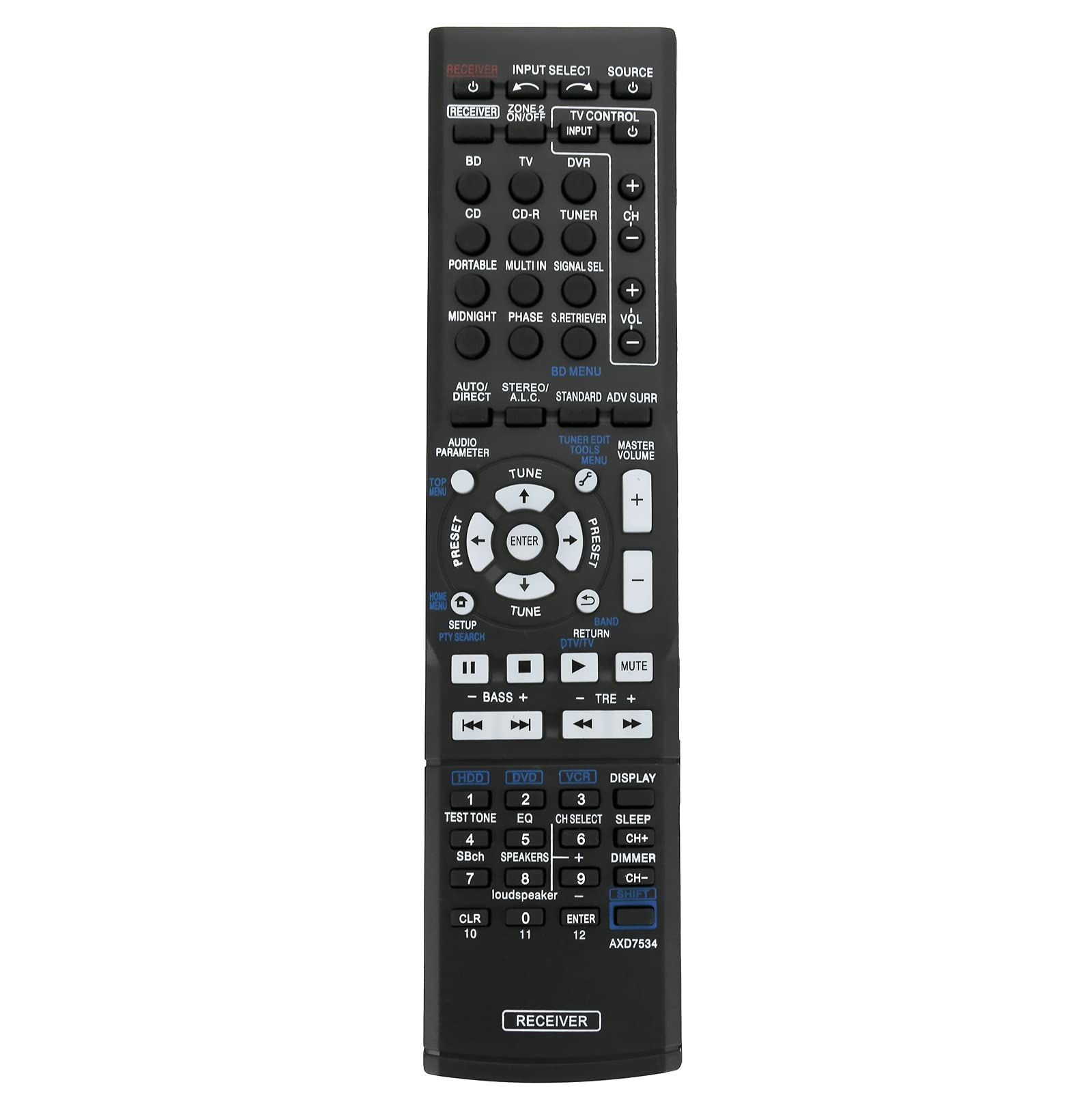
3.1 klíčové funkce
The remote control features various buttons for controlling your Pioneer AV Receiver. Refer to your receiver's manual for specific functions of each button. Common functions include:
- Zapnutí/vypnutí: Controls the power state of the receiver.
- Výběr vstupu: Switches between different audio/video input sources (e.g., BD, TV, CD, DVR).
- Ovládání hlasitosti: Upravuje hlavní úroveň hlasitosti.
- Navigace: Arrow keys and ENTER button for menu navigation.
- Zvukové režimy: Buttons for various audio processing modes (e.g., AUTO/DIRECT, STANDARD, ADV SURR).
4. Kompatibilní modely
This replacement remote control is compatible with the following Pioneer AV Receiver models:
- SX-319V
- VSX-529-K
- VSX-520
- VSX-912A-H
- VSX-920-K
- VSX-520K
- VSX-519
- VSX-923
- VSX-828-K
If your specific Pioneer AV Receiver model is not listed above, please contact customer support for assistance in verifying compatibility.
5. Údržba
To ensure the longevity and proper functioning of your remote control, follow these maintenance tips:
- Čištění: Dálkový ovladač otírejte měkkým, suchým hadříkem. Nepoužívejte tekuté čisticí prostředky ani abrazivní materiály.
- Výměna baterie: Pokud se výkon dálkového ovladače sníží, ihned baterie vyměňte. Pokud dálkový ovladač nebudete delší dobu používat, vyjměte baterie, abyste zabránili jejich vytečení.
- Skladování: Dálkový ovladač skladujte na chladném a suchém místě, mimo dosah přímého slunečního záření a extrémních teplot.
6. Řešení problémů
Pokud máte problémy s dálkovým ovladačem, zkuste následující kroky pro řešení potíží:
- Dálkové ovládání nereaguje:
- Ujistěte se, že jsou nové alkalické baterie správně vloženy.
- Verify that the remote is pointed directly at the receiver's IR sensor.
- Zkontrolujte, zda se mezi dálkovým ovladačem a přijímačem nenacházejí nějaké překážky.
- Try replacing the batteries with a fresh set.
- Přerušovaná funkce:
- This may indicate low battery power; replace batteries.
- Ensure consistent line of sight to the receiver.
Pokud problémy přetrvávají i po vyzkoušení těchto kroků, kontaktujte prosím zákaznickou podporu.
7. Specifikace
| Funkce | Detail |
|---|---|
| Číslo modelu | AXD7534 (ZCM-AXD7534) |
| Rozměry produktu | 5 x 2 x 0.6 palce (přibližně 12.7 x 5.08 x 1.52 cm) |
| Hmotnost položky | 1 ounce (approximately 28 grams) |
| Zdroj napájení | 2 x alkalické baterie AAA (nejsou součástí balení) |
| Barva | Černý |
| Speciální funkce | Ergonomický design |

8. Podpora a záruka
For any questions, concerns, or if your specific AV receiver model is not listed as compatible, please contact ALLIMITY customer support. While specific warranty details are not provided in this manual, please refer to your purchase documentation or contact the seller for information regarding warranty coverage and return policies.
