Důležité bezpečnostní informace
Please read all safety instructions before using your homary Smart Nightstand.
- Always unplug the wireless charger when not in use.
- Do not place heavy objects on the nightstand that could cause it to tip over.
- Keep the nightstand away from heat sources and liquids to prevent damage to the electrical components.
- Ujistěte se, že noční stolek je umístěn na stabilním a rovném povrchu.
- Avoid exposing the nightstand to direct sunlight or extreme temperatures.
Konec produktuview
The homary Smart Nightstand (Model GY-J040528) is a modern bedside table designed for convenience and style. It features integrated charging capabilities and ampúložiště.
- Bezdrátová nabíjecí podložka: Nachází se na horní straně pro kompatibilní zařízení.
- USB and Type-C Ports: For wired charging of various devices.
- Two Storage Drawers: Provides organized storage for personal items.
- Odolná konstrukce: Crafted from engineered wood with a faux leather finish.
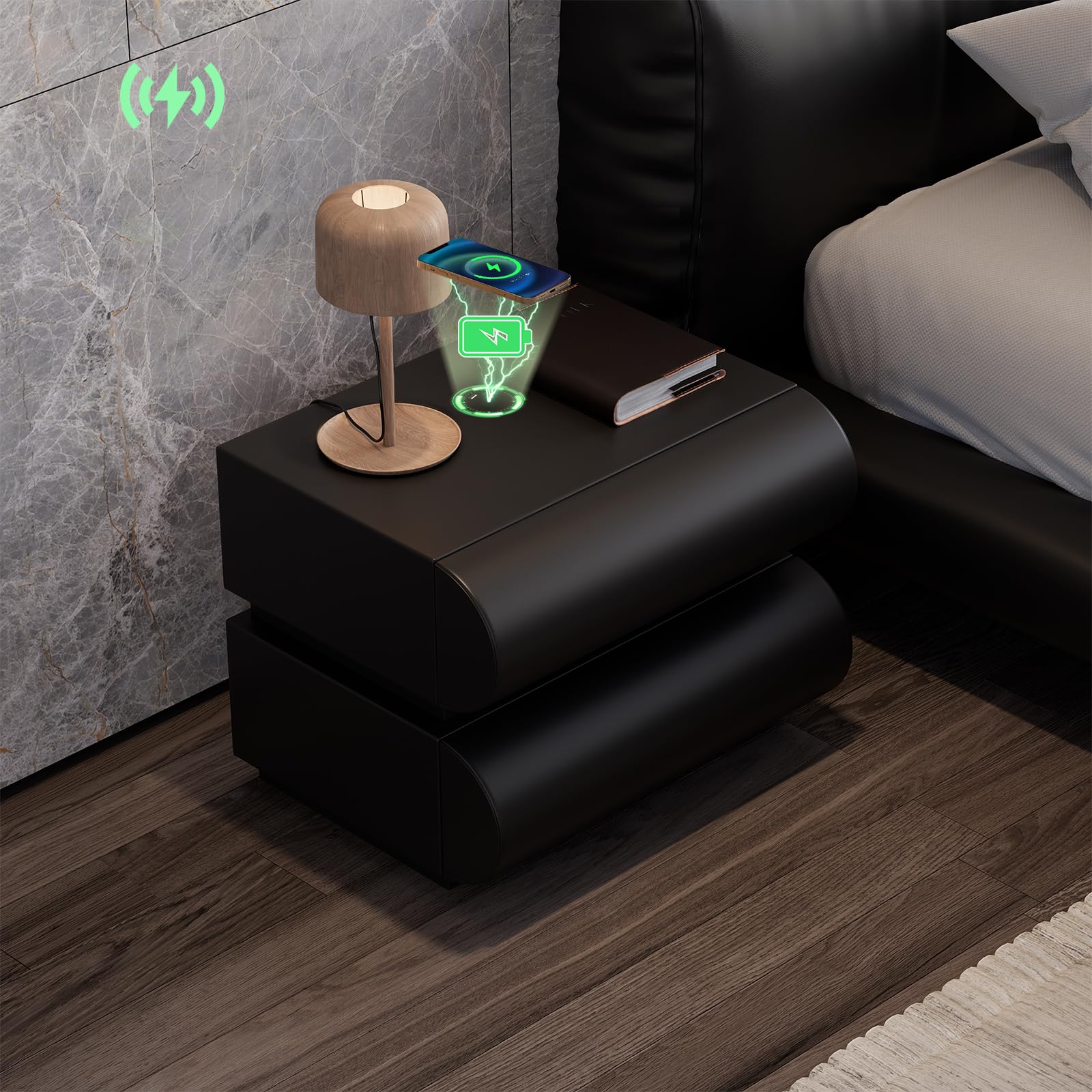
Image: The homary Smart Nightstand in black, showcasing its modern design and two drawers.
Nastavení
The homary Smart Nightstand comes fully assembled, requiring no complex setup.
- Rozbalení: Carefully remove the nightstand from its packaging. Inspect for any shipping damage.
- Umístění: Position the nightstand on a stable, level surface next to your bed or desired location. Ensure adequate space for drawer operation.
- Připojení napájení: Locate the power cable for the charging station. Connect it to a suitable wall outlet. The nightstand's smart features (wireless charger, USB/Type-C ports) will now be active.

Image: A person standing next to the nightstand with a drawer open, demonstrating its height and drawer access.
Návod k obsluze
Bezdrátové nabíjení
The nightstand features a built-in wireless charging pad on its top surface.
- Ensure the nightstand is plugged into a power source.
- Place your Qi-compatible device (e.g., smartphone) directly onto the designated wireless charging area on the nightstand's top surface.
- The device should indicate that it is charging. If not, adjust its position on the pad until charging begins.

Image: A smartphone charging wirelessly on the nightstand's surface, with charging icons visible.
Nabíjecí porty USB a typu C
For devices not compatible with wireless charging, or for faster charging, use the integrated USB and Type-C ports.
- Ensure the nightstand is plugged into a power source.
- Connect your device's charging cable to the appropriate USB or Type-C port on the nightstand.
- Připojte druhý konec kabelu k zařízení.
- Vaše zařízení by se mělo začít nabíjet.
Obsluha zásuvky
The nightstand features two smooth-gliding drawers for storage.
- Chcete-li zásuvku otevřít, jemně zatáhněte za přední panel.
- Pro zavření pevně zatlačte zásuvku, dokud zcela nezapadne.
- Avoid overloading drawers to ensure smooth operation and prevent damage.

Image: An open drawer of the nightstand, highlighting its construction and storage capacity.
Údržba
Proper care will ensure the longevity and appearance of your homary Smart Nightstand.
- Čištění: Otřete povrch z umělé kůže měkkým, damp hadříkem. Nepoužívejte abrazivní čisticí prostředky ani agresivní chemikálie, protože by mohly poškodit povrchovou úpravu.
- Rozlití: Immediately wipe up any spills to prevent staining, especially on the faux leather.
- Utírat prach: Regularly dust the nightstand with a dry, soft cloth.
- Posuvy zásuvek: Pokud zásuvky ztuhnou, lze na kluzáky nanést malé množství maziva na bázi silikonu.
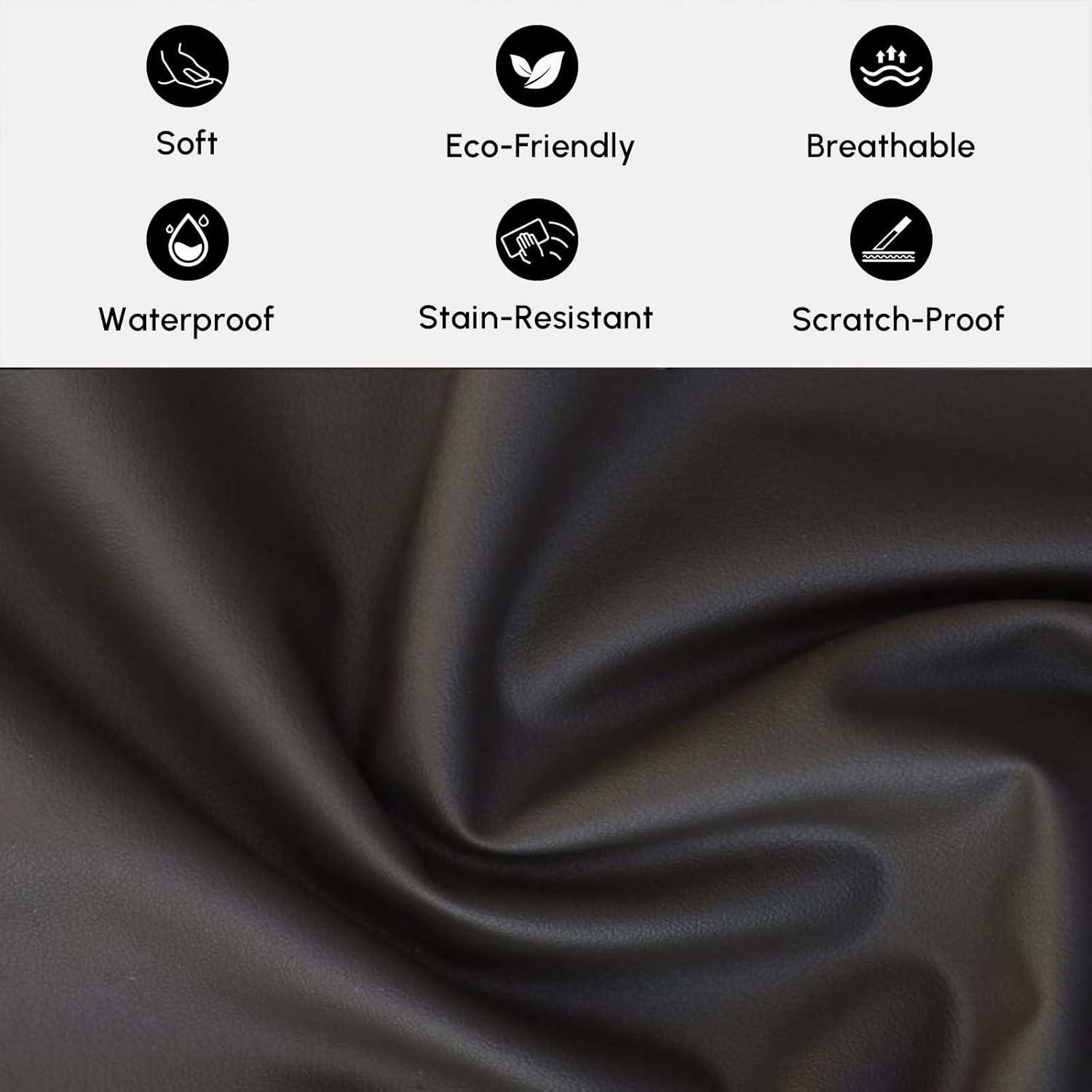
Obrázek: Detailní záběr view of the faux leather material, illustrating its texture and properties like being soft, eco-friendly, breathable, waterproof, stain-resistant, and scratch-proof.
Odstraňování problémů
Wireless Charger Not Working
- Zkontrolujte napájení: Ensure the nightstand is properly plugged into a functional wall outlet.
- Kompatibilita zařízení: Verify that your device is Qi-compatible for wireless charging.
- Umístění zařízení: Adjust the device's position on the charging pad. It may need to be precisely centered.
- překážky: Remove any thick phone cases or metallic objects between the device and the charging pad.
USB/Type-C Ports Not Charging
- Zkontrolujte napájení: Ensure the nightstand is plugged in.
- Integrita kabelu: Zkuste jiný nabíjecí kabel, abyste vyloučili vadný kabel.
- Port Condition: Inspect the ports for any debris or damage.
Drawers Sticking or Not Opening Smoothly
- Přetížení: Snižte hmotnost nebo objem předmětů v zásuvce.
- Obstrukce: Check for any objects blocking the drawer slides.
- Úroveň povrchu: Ensure the nightstand is on a level surface, as unevenness can affect drawer alignment.
Specifikace
| Značka | humři |
| Název modelu | GY-J040528 |
| Barva | Černý |
| Typ materiálu | Faux Leather; MDF |
| Materiál rámu | Umělé dřevo |
| Počet zásuvek | 2 |
| Rozměry položky (D x Š x V) | 15.7 x 19.7 x 19.7 palce (400 x 500 x 500 mm) |
| Hmotnost položky (přibližně) | 33 lb (15 kg) |
| Max Load Capacity (Approx.) | 66 lb (30 kg) |
| Montáž Vyžadována | Žádný |

Image: Detailed dimensions and weight specifications for the nightstand and its drawers.
Informace o záruce
Specific warranty details for the homary Smart Nightstand (Model GY-J040528) may vary. Please refer to the warranty card included with your product or contact homary customer support for detailed information regarding warranty coverage and terms.
Zákaznická podpora
If you have any questions, require assistance, or need to report an issue, please contact homary customer support.
- E-mail: service@homary.com
- Please include your order number when contacting support via email.
- Customer service typically responds within 24 hours, excluding public holidays.

Image: Homary customer support details, including email and response time.


