Zavedení
The UCOCARE 4G LTE Mini Security Camera (Model CA-5100C-R) provides seamless remote surveillance through a 4G LTE network, eliminating the need for Wi-Fi connectivity. This portable, battery-powered camera is designed for easy installation and reliable monitoring in various indoor and outdoor environments, including vehicles, remote cabins, and camping sites. Its compact size and robust features make it suitable for recording daily life or professional activities.
This manual will guide you through the setup, operation, maintenance, and troubleshooting of your UCOCARE security camera to ensure optimal performance and security.

Image: UCOCARE 4G LTE Mini Security Camera and its components, including a SIM card and a smartphone displaying live footage.
Obsah balení
Prosím, ověřte, zda jsou v balení přítomny všechny položky:
- UCOCARE 4G LTE Mini Security Camera
- 4G SIM Card (includes 300MB free trial data)
- Montážní konzola
- Šroubovák
- Uživatelská příručka (tento dokument)
- USB Type-C Charging Cable (not explicitly listed but implied for charging)

Image: Key features of the UCOCARE 4G LTE Mini Security Camera, highlighting 4G LTE connectivity, 5200mAh battery, portability, 1080P HD resolution, 10m night vision, remote viewing, motion detection, adjustable sensitivity, local/cloud storage, and multi-user access.
Průvodce nastavením
1. Nabíjení fotoaparátu
Before initial use, fully charge the camera using the provided USB Type-C cable. The camera features a 5200mAh rechargeable battery designed for extended operation with advanced low-power technology.
2. Instalace SIM karty
- Vyhledejte slot pro SIM kartu ve fotoaparátu.
- Insert the provided 4G SIM card into the slot. Ensure it is inserted correctly according to the diagram in the quick start guide.
- After insertion, a blue indicator light will illuminate, signifying a successful connection to the 4G network. If the light does not turn blue after a few minutes, refer to the Troubleshooting section.
3. Stažení aplikace a párování zařízení
- Download the 'UBox' application from your smartphone's app store (iOS or Android).
- Vytvořte si účet a přihlaste se.
- Postupujte podle pokynů v aplikaci a přidejte novou kameru. Obvykle to zahrnuje naskenování QR kódu na kameře nebo ruční zadání jejího ID.
- Po spárování budete moci view the live feed and configure settings through the app.
4. Montáž kamery
Kamera nabízí flexibilní možnosti montáže:
- Montáž na stěnu/strop: Use the included mounting bracket and screw pack to securely attach the camera to a wall or ceiling.
- Tabletop/Adhesive Mount: For temporary or non-invasive placement, use the 3M adhesive sticker on the base of the bracket to place the camera on a flat surface or cabinet.
Installation is designed to be quick and easy, typically taking about one minute without requiring professional assistance or wiring.

Image: Demonstration of the UCOCARE 4G LTE Mini Security Camera's compact size and ease of portability, showing it being held in a hand, placed in a pocket, and mounted on a wall and ceiling.
Návod k obsluze
1. Živě View
Open the UBox app on your smartphone. Select your camera from the device list to access the live 1080P HD video feed. You can monitor your property in real-time from anywhere with 4G LTE coverage.
2. Detekce pohybu a upozornění
The camera utilizes smart AI to detect people, vehicles, and pets, reducing false alarms. When motion is detected, you will receive instant alerts on your smartphone. Event recordings are saved to your chosen storage option. You can customize alert sensitivity levels and time schedules within the app to avoid unnecessary interruptions.

Image: Depiction of the UCOCARE 4G LTE Mini Security Camera's accurate motion detection and instant alert system, showing a detected intruder and a smartphone notification.
3. Obousměrný zvuk
Engage in real-time two-way communication through the camera using the UBox app. This feature allows you to speak to and hear from anyone near the camera, regardless of your distance.

Image: Illustration of the two-way audio feature of the UCOCARE 4G LTE Mini Security Camera, showing a person communicating through a smartphone app with the camera.
4. Záznam a ukládání
Kamera podporuje dva způsoby ukládání:
- Místní úložiště: Insert a TF (Micro SD) card (not included, up to 128GB) into the camera's slot. Recordings will be stored locally.
- Cloudové úložiště: A 30-day free trial of cloud storage is available. After the trial, subscription plans are offered through the app.
When storage is full, the camera automatically overwrites the oldest recordings, so manual deletion is not required.

Obrázek: Overview of the secure and flexible storage options for the UCOCARE 4G LTE Mini Security Camera, including local SD card storage (up to 128GB, not included) and cloud storage (with a 30-day free trial), with automatic overwriting of old recordings.
5. Noční vidění
Equipped with enhanced IR LEDs, the camera provides clear night vision up to 10 meters, ensuring reliable surveillance even in complete darkness.
6. Digital Zoom and Wide Angle
The camera features a 160° ultra-wide-angle lens and 10x digital zoom, allowing for broad coverage and the ability to focus on specific details within the frame. Advanced image processing technology ensures sharp 1080P HD images up to 40 meters.
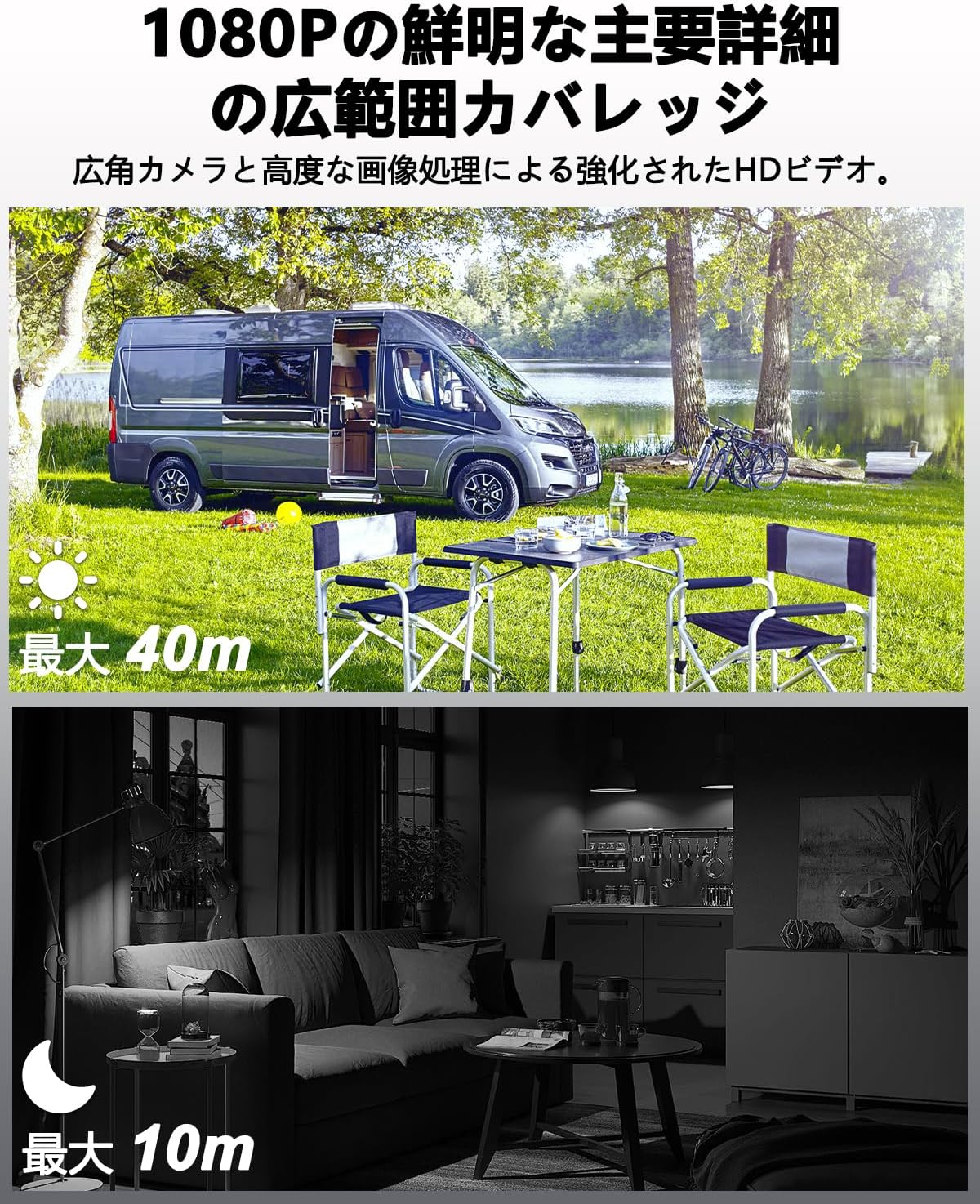
Image: Visual representation of the UCOCARE 4G LTE Mini Security Camera's 1080P HD video quality, showing clear daytime footage with a 40m visible range and effective 10m night vision in a dark environment.
Údržba
1. Péče o baterie
- Pro maximalizaci životnosti baterie se vyhněte extrémním teplotám.
- Fotoaparát pravidelně nabíjejte, zejména pokud bude skladován po delší dobu.
- Use only the provided charging cable or a certified USB Type-C cable.

Image: Illustration of the UCOCARE 4G LTE Mini Security Camera's powerful 5200mAh rechargeable battery, emphasizing its low power consumption technology for extended use.
2. Čištění
- Gently wipe the camera lens with a soft, lint-free cloth to ensure clear image quality.
- Tělo fotoaparátu čistěte suchým nebo lehce navlhčeným hadříkem.amp tkanina. Vyhněte se používání agresivních chemikálií nebo abrazivních materiálů.
3. Skladování
Pokud fotoaparát nepoužíváte, skladujte jej na chladném a suchém místě mimo dosah přímého slunečního záření a extrémních teplot.
Odstraňování problémů
1. Camera Not Connecting to 4G Network (Blue Light Not On)
- Ensure the SIM card is correctly inserted. Remove and reinsert it firmly.
- Check if the SIM card has active data. The included SIM card comes with 300MB trial data.
- Verify 4G LTE signal strength in the camera's location. Move the camera to an area with better signal if necessary.
- Perform a device reset. Refer to the quick start guide for the reset button location and procedure.
- If using your own SIM card, ensure it is compatible with 4G LTE networks and properly configured (APN settings may be required, refer to your SIM provider's instructions).
2. Problémy s připojením aplikace
- Ujistěte se, že váš smartphone má stabilní připojení k internetu (Wi-Fi nebo mobilní data).
- Restart the UBox app.
- If the camera is offline, check its battery level and 4G connection.
3. SD Card Not Recording or Recognized
- Ensure the TF (Micro SD) card is inserted correctly and fully.
- Check if the SD card is formatted to a compatible file system (e.g., FAT32). Format it if necessary (this can usually be done via the app or a computer).
- Verify that the SD card is not full. The camera supports automatic overwriting, but a faulty card might prevent this.
- Use a high-quality TF card (Class 10 or higher) up to 128GB.
4. Špatná kvalita obrazu
- Očistěte objektiv fotoaparátu, abyste odstranili prach nebo šmouhy.
- Ensure adequate lighting during the day. For night vision, confirm the IR LEDs are active.
- Check the camera's position to avoid direct glare or reflections.

Image: Various application scenarios for the UCOCARE 4G LTE Mini Security Camera, such as in a vehicle, remote cabin, motorhome, and camping site, demonstrating its versatility in environments without Wi-Fi.
Specifikace
| Funkce | Detail |
|---|---|
| Název modelu | CA-5100C-R |
| Technologie připojení | Wireless (4G LTE) |
| Rozlišení záznamu videa | 1080p |
| Efektivní rozlišení videa | 1080 |
| Pole View | 160 stupňů |
| Rozsah nočního vidění | 10 metrů |
| Snímková frekvence | 15 snímků za sekundu |
| Kapacita baterie | 5200 XNUMX mAh |
| Zdroj napájení | Napájení z baterie |
| svtage | 5 voltů |
| Typ montáže | Wall Mount, Ceiling Mount, Tabletop Mount |
| Typ instalace | Screw-in, Freestanding, Adhesive |
| Materiál | Plast |
| Rozměry produktu (DxŠxV) | 5.5 x 4.2 x 3.8 cm |
| Hmotnost produktu | 230 g |
| Doporučená použití | Baby Monitor, Pet Monitor, Indoor Security, Outdoor Security, Vehicle Monitoring, Wildlife Monitoring |
| Speciální funkce | Two-way audio, HD high quality resolution, 40 meter visible range, 160 degree wide field of view, 10x digital zoom, image sensor, motion detection, event recording, instant alert, manual recording, 10 meter night vision, wireless portable |
| Vnitřní/venkovní použití | Uvnitř, venku |
| Kompatibilní zařízení | Smartphone |
| Typ ovladače | Aplikace UBox |
Informace o záruce
UCOCARE provides a 3letá záruka kvality for this product. This warranty covers manufacturing defects and ensures the product meets its specified performance standards under normal use.
Zákaznická podpora
For any questions or assistance regarding your UCOCARE 4G LTE Mini Security Camera, please do not hesitate to contact our customer support team. We offer 24-hour support via Amazon messaging and email. Multi-language support is available.
Contact us through your Amazon order page or the contact information provided in the product packaging.


