1. Úvod
This manual provides essential information for setting up, operating, and maintaining your NIMO Mini-PC MPL2R. Please read it thoroughly before use to ensure optimal performance and longevity of your device.

Obrázek 1.1: Přední a zadní strana view of the NIMO Mini-PC MPL2R, showcasinjeho kompaktní design a různé porty.
The NIMO Mini-PC MPL2R is a compact and powerful computing solution, equipped with a 12th Gen Intel N100 processor, 16GB DDR5 RAM, and 768GB storage (512GB M.2 SSD + 256GB Micro SD). It supports triple 4K display output, WiFi 6, and Bluetooth 5.2, making it suitable for a variety of applications from home entertainment to business and educational tasks.

Obrázek 1.2: Konecview of key features including Intel 12th Gen N100 processor, 4K triple-screen display support, Bluetooth 5.2, LPDDR5 RAM, WiFi 6, and PCIe SSD.
2. Co je v krabici
Po otevření balení ověřte, zda jsou v něm obsaženy všechny následující položky:
- NIMO Mini-PC MPL2R
- Napájecí adaptér
- VESA Mount
- Uživatelská příručka

Image 2.1: Visual representation of the items included in the NIMO Mini-PC MPL2R packaging: the Mini PC unit, power adapter, VESA mount, and user guide.
3. Průvodce nastavením
3.1 Připojení k displeji
- Connect one end of an HDMI cable to an HDMI port on the NIMO Mini-PC.
- Connect the other end of the HDMI cable to an HDMI input on your monitor or TV.
- For triple display setup, use the second HDMI port and the full-function Type-C port with appropriate adapters/cables.

Image 3.1: The NIMO Mini-PC MPL2R connected to three external monitors, demonstrating its triple 4K display capability.
3.2 Připojení periferních zařízení
- Zařízení USB: Connect your keyboard, mouse, and other USB devices to the available USB 3.0 ports.
- Zvuk: Connect speakers or headphones to the 3.5mm audio jack.
- Síť: For a wired connection, connect an Ethernet cable to the Gigabit Ethernet port.
3.3 Připojení napájení
- Connect the power adapter to the DC input port on the Mini-PC.
- Zapojte napájecí adaptér do elektrické zásuvky.
3.4 Instalace držáku VESA (volitelné)
The included VESA mount allows you to attach the Mini-PC to the back of a compatible monitor, saving desk space.
- Attach the VESA mount bracket to the back of your monitor using the provided screws.
- Slide the NIMO Mini-PC onto the mounted bracket until it clicks securely into place.
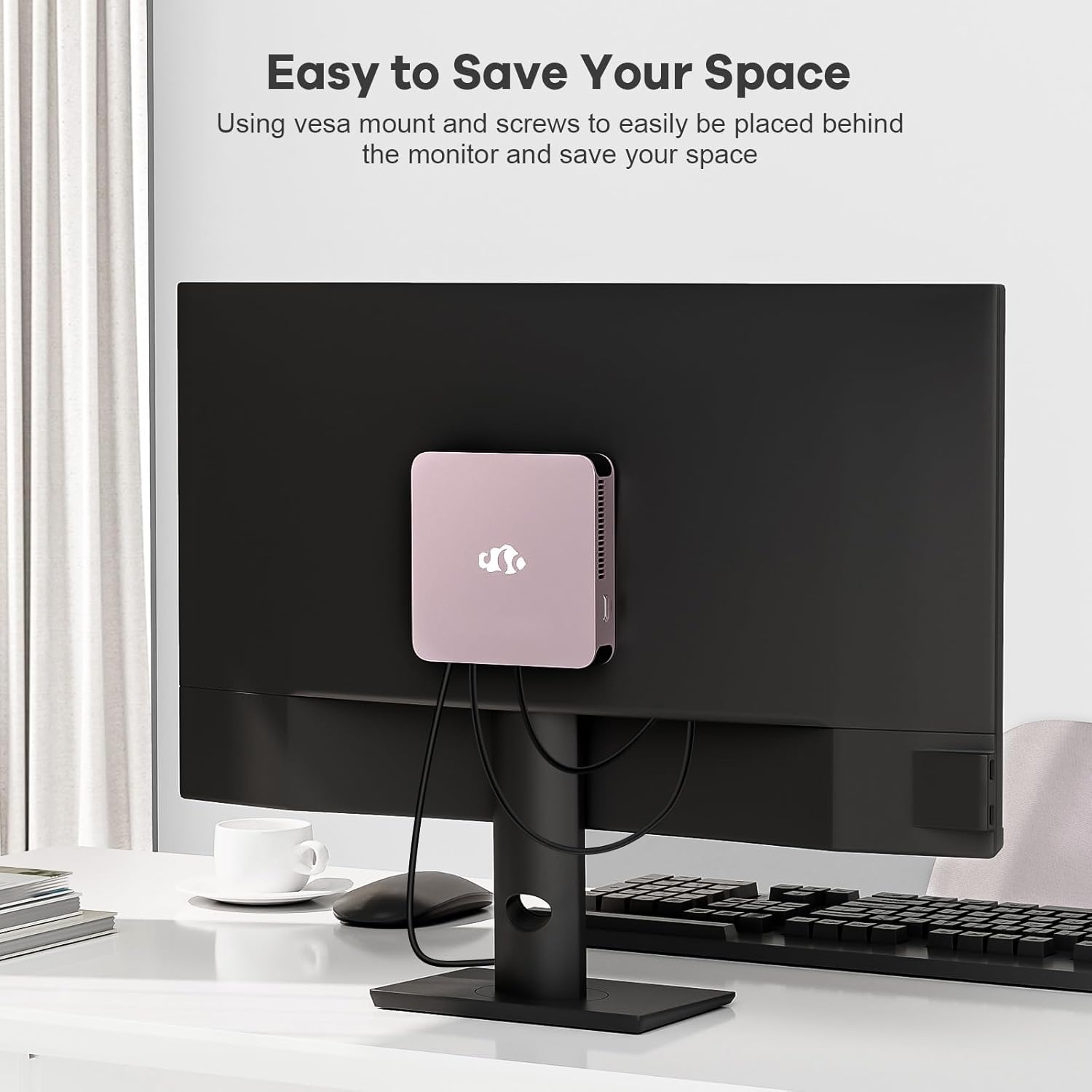
Image 3.2: The NIMO Mini-PC MPL2R shown mounted on the back of a monitor, illustrating its space-saving VESA mount capability.
4. Návod k obsluze
4.1 Zapnutí/vypnutí
- Zapnutí: Press the power button located on the front of the Mini-PC. The power indicator light will illuminate.
- Vypnout: Chcete-li systém vypnout, použijte funkci vypnutí operačního systému. Pro nucené vypnutí stiskněte a podržte tlačítko napájení po dobu přibližně 5 sekund.
4.2 Initial Boot and Operating System
The NIMO Mini-PC comes with a pre-installed operating system. Upon first boot, follow the on-screen instructions to complete the initial setup, including language selection, network configuration, and user account creation.
4.3 Bezdrátové připojení
- WiFi 6: To connect to a wireless network, access the network settings in your operating system, select your desired WiFi network, and enter the password.
- Bluetooth 5.2: To pair Bluetooth devices (e.g., keyboard, mouse, headphones), enable Bluetooth in your operating system settings and follow the pairing instructions for your specific device.

Image 4.1: The NIMO Mini-PC MPL2R depicted in multiple usage scenarios, including business meetings, graphic design, home theater, and office work, highlighting its versatility.
5. Specifikace
Detailed technical specifications for the NIMO Mini-PC MPL2R:
| Funkce | Specifikace |
|---|---|
| Procesor | Intel N100 (4 Cores, 4 Threads, up to 3.4GHz, 6MB Cache) |
| Grafika | Intel UHD Graphics (up to 750MHz) |
| BERAN | 16GB DDR5 (LPDDR5) |
| Skladování | 512GB M.2 SSD (PCIe x2) + 256GB Micro SD |
| Zobrazení výstupu | 2x HDMI (4K@60Hz), 1x Full-function Type-C (4K@60Hz) - Triple Display Support |
| Bezdrátové připojení | WiFi 6, Bluetooth 5.2 |
| Porty | 4x USB 3.0, 1x Full-function Type-C, 2x HDMI, 1x Gigabit Ethernet, 1x 3.5mm Audio Jack, 1x Micro SD Card Slot |
| Operační systém | System (Pre-installed) |
| Rozměry (DxŠxV) | 4.72 x 4.72 x 0.91 palce |
| Hmotnost položky | 1.65 libry |
| Zdroj napájení | DC |

Image 5.1: Dimensions of the NIMO Mini-PC MPL2R, illustrating its compact size relative to common objects like a pen and a coin.

Image 5.2: Diagram illustrating the internal cooling structure of the NIMO Mini-PC MPL2R, featuring a fan with speeds up to 5300 RPM for efficient heat dissipation.
6. Údržba
- Čištění: Use a soft, dry cloth to clean the exterior of the Mini-PC. Avoid using liquid cleaners or abrasive materials. Ensure ventilation openings are free from dust and debris.
- Aktualizace softwaru: Pravidelně aktualizujte operační systém a ovladače, abyste zajistili optimální výkon a zabezpečení.
- Větrání: Ensure the Mini-PC is placed in a well-ventilated area to prevent overheating. Do not block the air vents.
- Skladování: Avoid placing heavy objects on the Mini-PC. Store it in a cool, dry environment when not in use.
7. Řešení problémů
This section addresses common issues you might encounter with your NIMO Mini-PC.
7.1 Bez napájení
- Ensure the power adapter is securely connected to both the Mini-PC and a working power outlet.
- Ověřte funkčnost elektrické zásuvky zapojením jiného zařízení.
7.2 Žádný výstup na displej
- Check that the HDMI or Type-C cable is firmly connected to both the Mini-PC and the monitor.
- Ujistěte se, že je monitor zapnutý a nastavený na správný vstupní zdroj (např. HDMI 1, HDMI 2).
- Zkuste se připojit k jinému displeji nebo použít jiný kabel, abyste vyloučili vadné komponenty.
7.3 Žádné připojení k internetu
- Kabelové: Ujistěte se, že je ethernetový kabel správně připojen a váš router funguje.
- Bezdrátový: Verify that WiFi is enabled in the operating system, you are connected to the correct network, and the password is entered correctly. Restart your router if necessary.
7.4 Periferie nereagují
- Try connecting USB devices to different USB ports.
- For Bluetooth devices, ensure they are in pairing mode and Bluetooth is enabled on the Mini-PC.
- Check device drivers in the operating system's device manager.
8. Záruka a podpora
NIMO is committed to providing reliable products and excellent customer service.
8.1 Informace o záruce
Your NIMO Mini-PC MPL2R comes with a 2-year technical support warranty. This warranty covers manufacturing defects and technical issues under normal use conditions.
8.2 Zásady vrácení
A 90denní zásada vrácení is offered, allowing for returns or exchanges within 90 days of purchase.
8.3 Technická podpora
If you encounter any problems or have questions regarding your NIMO Mini-PC, please contact our professional after-sales team. Our computer experts are available to provide technical support and repair services.
- Kontaktní email: service@nimopc.com
- Dostupnost služby: 24hodinová služba

Obrázek 8.1: Konecview of NIMO's customer service, highlighting domestically partial assembly, 90-day returns, and 2-year support.


