1. Úvod
This manual provides essential information for setting up, operating, and maintaining your Sony 77-inch Class BRAVIA 8 OLED 4K UHD Smart Google TV (Model K77XR80). This television delivers pure black OLED contrast with over 8 million self-lit pixels for high brightness and billions of accurate real-world colors via XR Triluminos Pro. The powerful XR Processor enhances every scene in real-time, boosting color, contrast, and clarity.
Access all your favorite streaming apps, including Netflix, Prime Video, Disney+, YouTube, and the Apple TV app, through Google TV. Utilize Google Assistant for voice commands. The TV supports AirPlay 2 and Chromecast built-in for effortless streaming. Enjoy high-bitrate 4K UHD movies with the SONY PICTURES CORE app, and experience studio-calibrated picture modes for optimal viewIng.
For an immersive cinematic experience, the TV supports Dolby Vision and Atmos, IMAX Enhanced, and DTS:X. XR Clear Image upscales HD content, and XR OLED Motion ensures blur-free action. Acoustic Surface Audio+ provides immersive sound directly from the screen, with Voice Zoom 3 for clear dialogue.
2. Nastavení
2.1 Vybalení a instalace stojanu
Carefully remove the TV from its packaging. It is recommended to have at least two people for safe handling due to the size and weight of the unit. Follow the included setup guide for installing the TV stand. Ensure all screws are securely fastened.

Figure 1: Bottom left view of the Sony BRAVIA 8 TV with its stand.
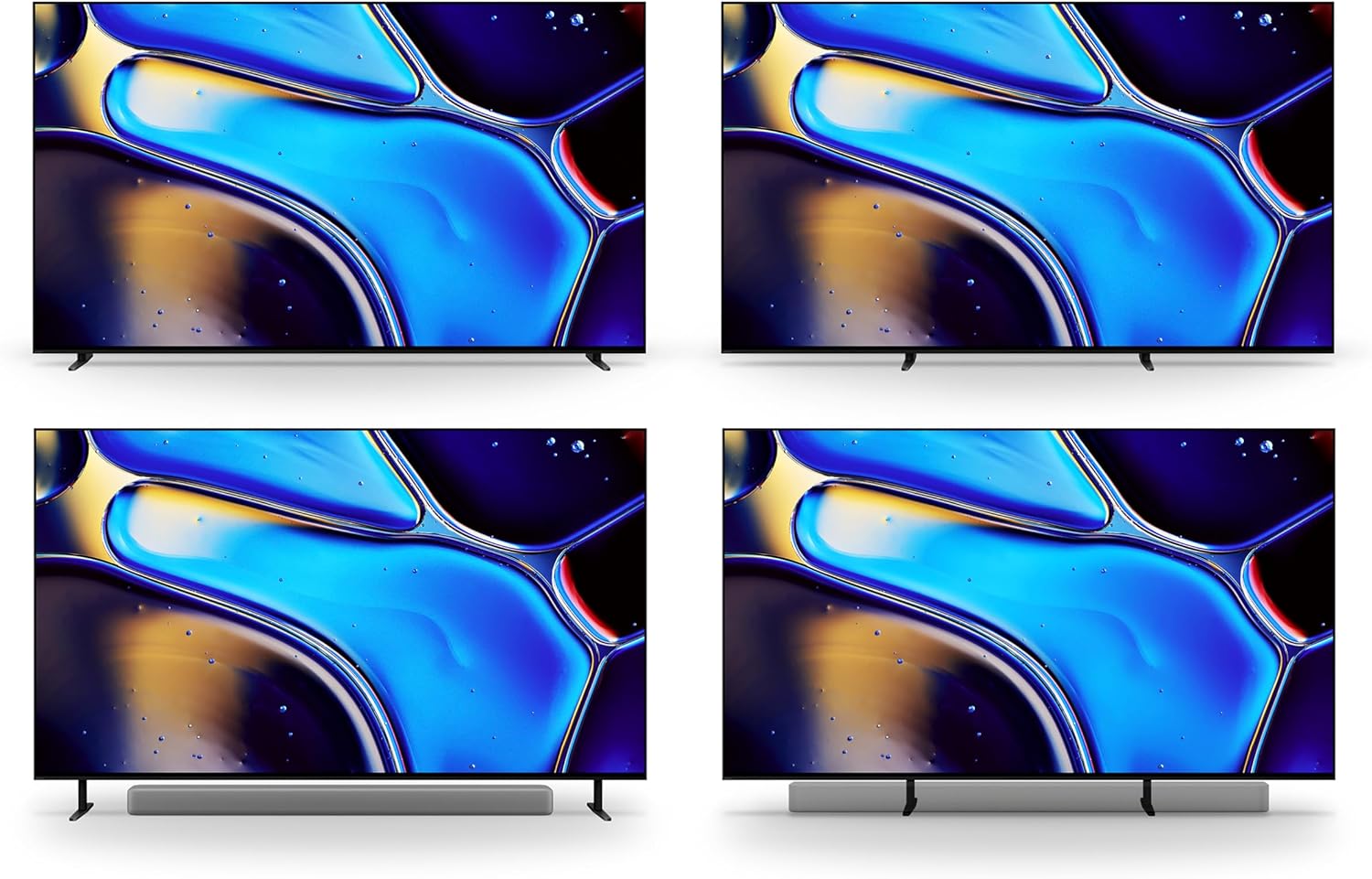
Figure 2: Various stand configurations for the Sony BRAVIA 8 TV, offering flexibility for placement.
2.2 Připojení periferních zařízení
Connect your external devices (e.g., cable box, gaming console, sound system) to the appropriate HDMI ports on the back of the TV. For optimal performance with gaming consoles and other high-bandwidth devices, use the HDMI 2.1 ports. Ensure all cables are securely connected.

Obrázek 3: Zadní view of the Sony BRAVIA 8 TV, highlighting the arrangement of HDMI, USB, and other connectivity ports.
2.3 Počáteční zapnutí a nastavení sítě
Plug the power cable into the TV and a wall outlet. Press the power button on the remote control. Follow the on-screen instructions to complete the initial setup, including connecting to your Wi-Fi network and logging into your Google account.
3. Ovládání vašeho televizoru
3.1 Funkce dálkového ovládání
The included remote control provides easy access to all TV functions. Use the directional pad to navigate menus, and the dedicated buttons for quick access to streaming services like Netflix, Prime Video, Disney+, YouTube, and Sony Pictures Core. The remote also features a microphone for Google Assistant voice commands.

Figure 4: The remote control for the Sony BRAVIA 8 TV, featuring buttons for power, volume, channel, navigation, and direct access to popular streaming applications.
3.2 Rozhraní Google TV
Google TV organizes your favorite content from various streaming services into a single, easy-to-navigate interface. Explore personalized recommendations, browse live TV, and manage your apps. Use the Google Assistant button on your remote to search for content, control smart home devices, and get information using your voice.
3.3 Acoustic Surface Audio+
The BRAVIA 8 TV utilizes Acoustic Surface Audio+, where the screen itself acts as a speaker. This technology delivers sound that precisely matches the action on screen, creating a highly immersive audio experience. Voice Zoom 3 further enhances dialogue clarity, even in dynamic scenes.
4. Údržba
To ensure the longevity and optimal performance of your Sony BRAVIA 8 TV, regularly clean the screen with a soft, dry cloth. Avoid using harsh chemicals or abrasive materials. Keep ventilation openings clear to prevent overheating. For detailed cleaning instructions, refer to the full user manual.
5. Řešení problémů
If you encounter any issues with your TV, try the following basic troubleshooting steps:
- Bez napájení: Ujistěte se, že je napájecí kabel bezpečně připojen k televizoru i k funkční zásuvce. Zkuste jinou zásuvku.
- Žádný obraz/zvuk: Zkontrolujte všechna kabelová připojení (HDMI, audio). Ujistěte se, že je na televizoru vybrán správný vstupní zdroj.
- Špatná kvalita obrazu: Verify your content source is high-resolution. Adjust picture settings (brightness, contrast, color) in the TV menu.
- Dálkové ovládání nereaguje: Check the remote control batteries. Ensure there are no obstructions between the remote and the TV.
- Problémy s připojením k síti: Restart your Wi-Fi router. Reconnect the TV to your Wi-Fi network through the settings menu.
For more comprehensive troubleshooting, consult the full digital manual available through the Google TV interface or Sony's support webmísto.
6. Specifikace
| Funkce | Specifikace |
|---|---|
| Značka | Sony |
| Číslo modelu | K77XR80 |
| Velikost obrazovky | 76.7 palce (třída 77 palců) |
| Technologie displeje | OLED |
| Rezoluce | 4K UHD |
| Obnovovací frekvence | 120 Hz |
| Rozměry produktu | 16"H x 67.5"Š x 39.88"V |
| Hmotnost položky | 1 Pounds (Note: This is likely packaging weight, actual TV weight will be higher) |
| Technologie připojení | Bluetooth, WiFi |
| Speciální funkce | Acoustic Surface Audio+, AirPlay 2, Chromecast Built-in, Google TV, Google Assistant, XR Triluminos Pro, XR Processor, XR Clear Image, XR OLED Motion, HDR10, HLG, Dolby Vision Compatible |

Figure 5: Sony BRAVIA 8 TV with key dimensions indicated for planning placement.
7. Co je v krabici
Your Sony BRAVIA 8 OLED TV package includes the following items:
- Napájecí kabel
- Dálkové ovládání
- Komponenty stojanu
- Manuals (including this instruction manual)
8. Záruka a podpora
This Certified Refurbished product is manufacturer refurbished, shows limited or no wear, and includes all original accessories plus a 90-day limited hardware warranty. For technical support, warranty claims, or additional assistance, please refer to the contact information provided in your full user manual or visit the official Sony support webmísto.
9. Produktové video
Video 1: Oficiální video s produktemasing the Sony XR80 Series TV features and design.


