1. Úvod
The ARROWMAX SGS PRO Smart Mini Electric Engraving and Polishing Pen is a versatile tool designed for precision work on various materials. It is suitable for refreshing, customizing, and creating intricate designs on plastic, wood, stone, steel, aluminum, gold, glass, ceramics, jade, and other crystals/minerals. This tool is ideal for craftwork, including miniatures, jewelry, prototypes, sculptures, and detailed art or design projects.
Key features include a diamond-tipped engraving head for precise designs, a magnetic USB charging system for convenience, and a smart motion system that adjusts speed based on the tool's angle. The device also offers optional app customization for precise speed and direction control.
2. Obsah balení
Ověřte, zda jsou v balení obsaženy všechny níže uvedené položky:
- 1 x SGS PRO Electric Engraving and Polishing Pen
- 30 x gravírovacích bitů
- 12 lešticích bitů
- 1 x úložný sáček
- 1 x USB nabíjecí kabel
- 1 x Uživatelská příručka (tento dokument)

Figure 2.1: Complete set of ARROWMAX SGS PRO included items.
3. Konec produktuview
Familiarize yourself with the components of the SGS PRO engraving pen:
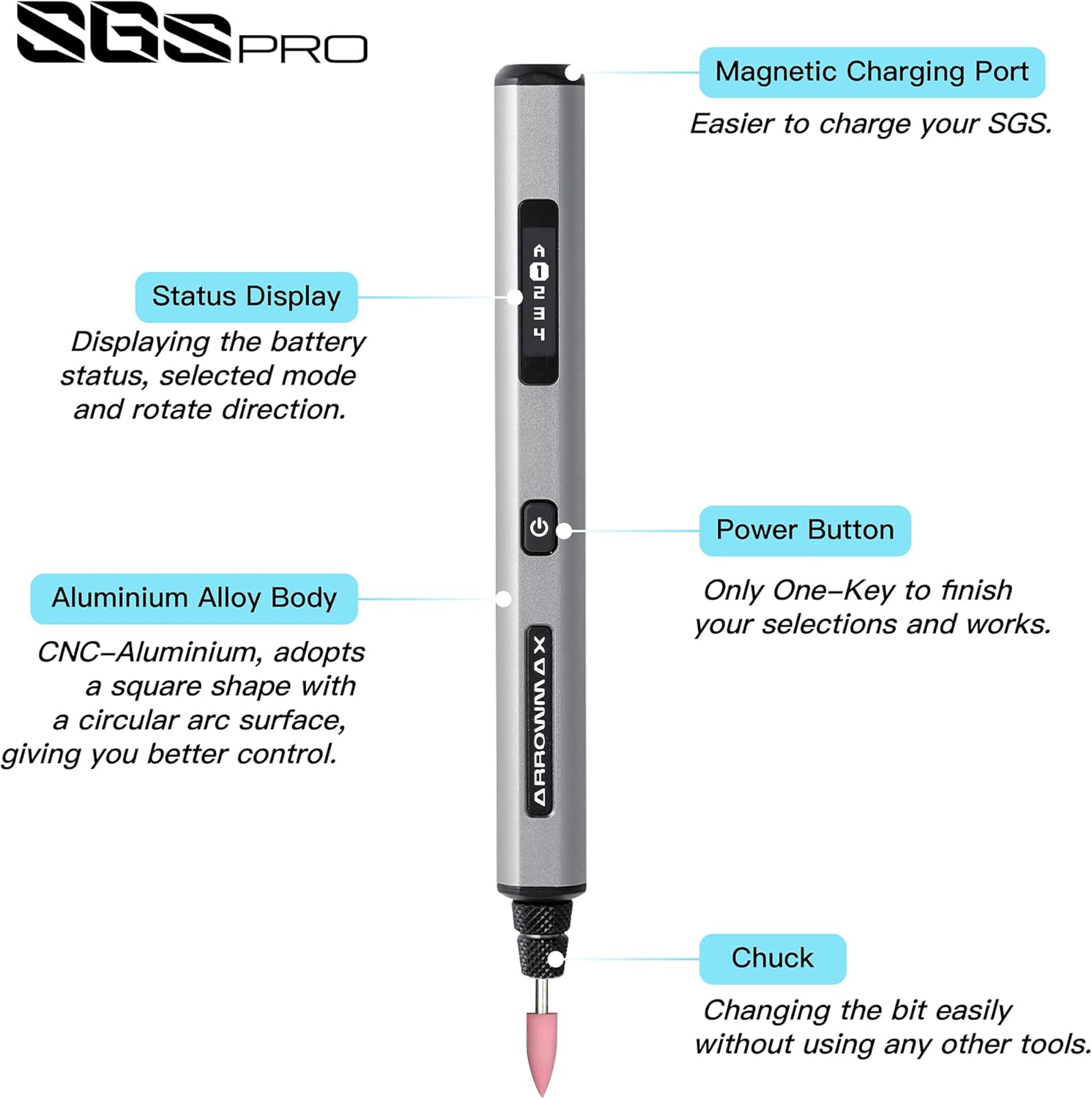
Figure 3.1: SGS PRO Component Diagram.
- Magnetický nabíjecí port: Located at the top, this port allows for convenient magnetic USB charging.
- Zobrazení stavu: An OLED screen that shows battery status, selected mode, and rotation direction.
- Tělo z hliníkové slitiny: The main body of the pen, designed for durability and comfortable grip.
- Vypínač: Used to power the device on/off and to cycle through modes or confirm selections.
- sklíčidlo: The mechanism at the tip where engraving and polishing bits are inserted and secured.
4. Nastavení
4.1 Nabíjení zařízení
Before first use, fully charge the SGS PRO pen. The device features a 4V rechargeable battery that provides approximately 90 minutes of operation on a full charge.
- Connect the provided USB charging cable to the magnetic charging port on the top of the pen.
- Druhý konec kabelu USB připojte ke kompatibilnímu zdroji napájení USB (např. k portu USB počítače, síťovému adaptéru USB).
- The Status Display will indicate the charging progress. Once fully charged, the display will show a full battery icon.

Figure 4.1: Charging the SGS PRO pen.
4.2 Installing Engraving/Polishing Bits
The SGS PRO comes with 30 engraving bits and 12 polishing bits. Select the appropriate bit for your task.
- Ujistěte se, že je zařízení vypnuté.
- Gently insert the shaft of the desired engraving or polishing bit into the chuck at the tip of the pen.
- Push the bit firmly until it is securely seated. The chuck is designed for easy bit changes without additional tools.
- To remove a bit, gently pull it straight out from the chuck.

Figure 4.2: Assortment of engraving and polishing bits.
5. Návod k obsluze
5.1 Powering On/Off and Basic Operation
- To power on the device, press and hold the Power Button until the Status Display illuminates.
- The display will show the current speed mode and rotation direction.
- Press the Power Button briefly to cycle through the preset speed modes.
- To power off, press and hold the Power Button until the display turns off.
5.2 Smart Motion System
The SGS PRO features a smart motion system that automatically adjusts the tool's speed based on the angle of the twist. This allows for precise and consistent engraving and polishing results, adapting to your hand movements during operation.
5.3 App Customization (Optional)
For advanced control, the ARROWMAX smartphone app (available for Android and iOS) allows precise customization of speed and direction. The app allows for speeds up to 30,000 RPM, with adjustments in 500 RPM increments.
- Download the "Arrowmax" app from your device's app store.
- Ensure Bluetooth is enabled on your smartphone and the SGS PRO pen is powered on.
- Open the app and follow the on-screen instructions to pair with your SGS PRO device.
- Within the app, you can precisely adjust the speed and switch between forward and reverse rotation directions for each mode.

Figure 5.1: ARROWMAX App Interface for customization.
5.4 Material Compatibility and Applications
The SGS PRO is designed for use on a wide range of materials, including but not limited to:
- Plast
- Dřevo
- Kámen
- Ocel
- Hliník
- Gold and other metals
- Sklo
- Keramika
- Crystals and minerals (e.g., jade)
Mezi běžné aplikace patří:
- Engraving and carving intricate designs
- Polishing surfaces
- Grinding and shaping
- Model making and prototyping
- Customizing personal items

Obrázek 5.2: Přamples of material customization.

Figure 5.3: SGS PRO features in use.
6. Údržba
Proper maintenance ensures the longevity and optimal performance of your SGS PRO pen.
- Čištění: After each use, gently wipe the pen body with a soft, dry cloth to remove dust and debris. Use a small brush to clean around the chuck area, ensuring no material residue accumulates. Do not use harsh chemicals or abrasive cleaners.
- Péče o udidlo: Inspect engraving and polishing bits regularly for wear and tear. Replace dull or damaged bits to maintain precision and prevent damage to the workpiece or the tool. Store bits in their designated slots within the aluminum case to prevent loss and damage.
- Skladování: When not in use, store the SGS PRO pen and its accessories in the provided aluminum case in a cool, dry place, away from direct sunlight and extreme temperatures.
- Nabíjení: Avoid overcharging the battery. Disconnect the charger once the battery is full. If storing for extended periods, charge the battery to approximately 50% to prolong its lifespan.
7. Řešení problémů
If you encounter issues with your SGS PRO pen, refer to the following common problems and solutions:
| Problém | Možná příčina | Řešení |
|---|---|---|
| Zařízení se nezapne. | Baterie je vybitá. | Zařízení plně nabijte pomocí dodaného kabelu USB. |
| Zařízení se nenabíjí. | Problém s nabíjecím kabelem nebo zdrojem napájení. | Ensure the USB cable is securely connected. Try a different USB port or power adapter. Verify the magnetic connection is clean and secure. |
| Bit je uvolněný nebo vypadává. | Bit not inserted correctly or chuck is worn. | Ensure the bit is pushed firmly into the chuck until it is secure. If the problem persists, contact customer support. |
| Inconsistent speed or performance. | Low battery, incorrect mode, or app connection issue. | Charge the battery. Check the Status Display for the current mode. If using the app, ensure a stable Bluetooth connection. |
| Aplikace se nemůže připojit k zařízení. | Bluetooth is off, device is off, or app issue. | Ensure Bluetooth is enabled on your phone and the SGS PRO is powered on. Restart the app and/or the device. |
| Device does not rotate in reverse. | Direction setting not activated. | Use the ARROWMAX app to select the reverse rotation direction. |
8. Specifikace
| Funkce | Detail |
|---|---|
| Číslo modelu | AM-199213 |
| Značka | ARROWMAX |
| svtage | 4 voltů |
| Zdroj napájení | Napájení z baterie |
| Typ baterie | 1 lithium-polymerová baterie (součástí balení) |
| Provozní doba | Přibližně 90 minut (po plném nabití) |
| Doporučená použití | Engraving, Polishing |
| Speciální funkce | Rechargeable, Smart Motion System, App Customization (Optional) |
| Hmotnost položky | 13.4 unce |
| Rozměry balení | 8.82 x 3.11 x 1.26 palce |
| Výrobce | Freemax Technology Company Limited (IMPORT) |
| Datum první dostupnosti | 4. července 2024 |
9. Bezpečnostní informace
Please read and understand all safety warnings and instructions before operating the SGS PRO pen to prevent electric shock, fire, and serious injury.
- Always wear appropriate personal protective equipment (PPE), such as safety glasses, to protect your eyes from flying debris.
- Ensure your work area is well-lit and clean. Cluttered or dark areas invite accidents.
- Při práci s nářadím držte děti a přihlížející mimo dosah. Rozptylování může způsobit ztrátu kontroly.
- Nepracujte s elektrickým nářadím ve výbušném prostředí, například v přítomnosti hořlavých kapalin, plynů nebo prachu.
- Zabraňte náhodnému spuštění. Před připojením akumulátoru, zvednutím nebo přenášením nářadí se ujistěte, že je vypínač v poloze vypnuto.
- Netlačte na nástroj násilím. Použijte správný nástroj pro vaši aplikaci. Správný nástroj bude dělat práci lépe a bezpečněji při rychlosti, pro kterou byl navržen.
- Před prováděním jakýchkoli úprav, výměnou příslušenství nebo uložením elektrického nářadí odpojte baterii od nářadí.
- Nepoužívané elektrické nářadí skladujte mimo dosah dětí a nedovolte osobám, které nejsou obeznámeny s elektrickým nářadím nebo s těmito pokyny, aby s elektrickým nářadím pracovaly.
- Údržba elektrického nářadí a příslušenství. Zkontrolujte, zda nejsou pohyblivé části vychýleny nebo zablokovány, zda nejsou některé části zlomené a zda nejsou jiné podmínky, které by mohly ovlivnit činnost elektrického nářadí. Je-li poškozeno, nechte elektrické nářadí před použitím opravit.
- Používejte elektrické nářadí, příslušenství, násadce atd. v souladu s těmito pokyny, s ohledem na pracovní podmínky a práci, kterou budete provádět. Použití elektrického nářadí k jiným než určeným činnostem může vést k nebezpečné situaci.
- Nevystavujte nářadí dešti nebo mokru. Voda vnikající do elektrického nářadí zvyšuje riziko úrazu elektrickým proudem.
- Only use the charger specified by the manufacturer. A charger that is suitable for one type of battery pack may create a risk of fire when used with another battery pack.
- Používejte elektrické nářadí pouze se speciálně určenými akumulátory. Použití jiných baterií může způsobit zranění a požár.
10. Záruka a podpora
The ARROWMAX SGS PRO Electric Engraving and Polishing Pen is manufactured by Freemax Technology Company Limited (IMPORT).
For product support, warranty inquiries, or technical assistance, please contact the manufacturer directly using the information below:
- Výrobce: Freemax Technology Company Limited (IMPORT)
- Adresa: Room 1203, 12F, Wah Shing Centre, 11-13 Shing Yip Street, Kwun Tong, Hong Kong
- Webmísto: arrowmax-rc.com
- E-mail: info@arrowmax-rc.com
- Telefon: +852 3590 9790
Uschovejte si prosím doklad o koupi pro případné reklamace.
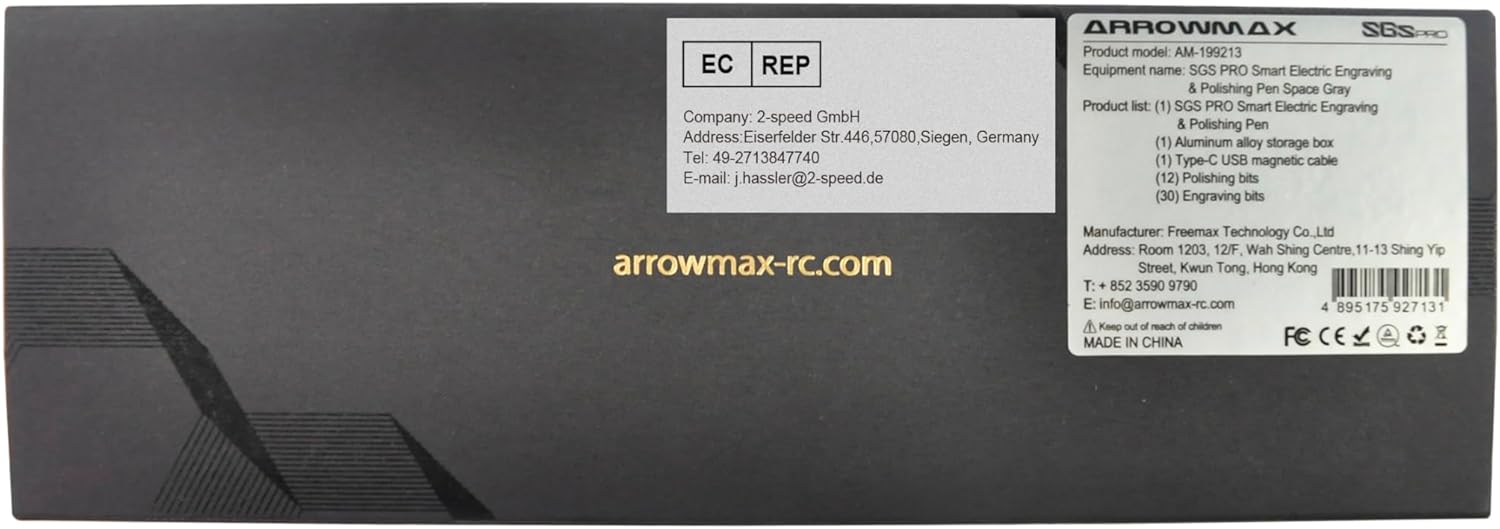
Figure 10.1: Manufacturer and contact information from product packaging.


