1. Úvod
This manual provides detailed instructions for the setup, operation, and maintenance of your EDUP Wireless HDMI Transmitter and Receiver Kit (Model EH-WD9910). This kit enables wireless transmission of high-definition audio and video signals, offering a flexible solution for various display needs.
2. Obsah balení
Ověřte, zda jsou v balení obsaženy všechny níže uvedené položky:
- 1 x Bezdrátový HDMI vysílač (TX)
- 1 x Bezdrátový HDMI přijímač (RX)
- 2 x odpojitelné antény
- 2 x Type-C Power Cables
- 1 x HDMI Dual Female Adapter
- 1 x Uživatelská příručka (tento dokument)

Image: Contents of the EDUP Wireless HDMI Kit. This image displays the transmitter, receiver, two detachable antennas, two USB-C power cables, an HDMI dual female adapter, and the user manual, all neatly arranged.
3. Konec produktuview
The EDUP Wireless HDMI Kit consists of a Transmitter (TX) and a Receiver (RX), designed for easy plug-and-play operation without the need for apps or Bluetooth. Each unit features an HDMI connector and a Type-C port for power.
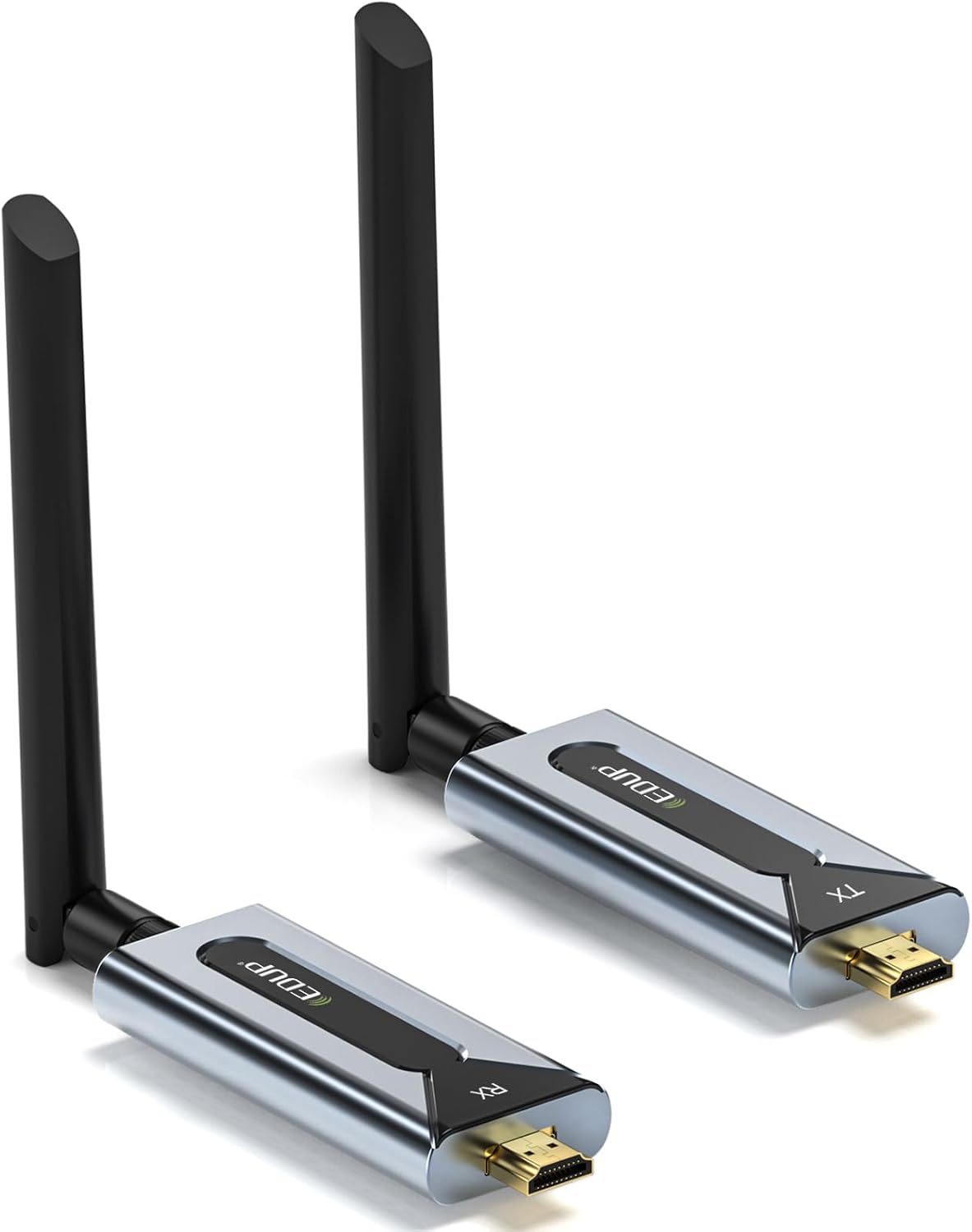
Image: EDUP Wireless HDMI Transmitter and Receiver. This image shows both the transmitter (TX) and receiver (RX) units, each with an attached antenna, highlighting their compact design.
4. Pokyny k nastavení
Follow these steps to set up your EDUP Wireless HDMI Kit:
- Připojit antény: Screw the detachable antennas onto both the Transmitter (TX) and Receiver (RX) units. Ensure they are securely fastened.
- Power and Pair TX & RX:
- Connect the provided Type-C power cables to both the Transmitter (TX) and Receiver (RX) units.
- Connect the other end of the Type-C cables to a 5V/1A power source (e.g., USB port on a laptop, TV, power adapter, or power bank).
- Press and hold the pairing button on each unit for approximately 5 seconds until the LED indicator flashes, then release. This initiates the pairing process.
Image: Powering and Pairing the TX and RX units. This image illustrates connecting the Type-C power cable to the transmitter unit and highlights the pairing button.
- Connect with Dual-Female Adapter (Optional): If direct connection is not feasible due to space, attach the HDMI dual-female adapter to the Transmitter or Receiver. A steady light on the TX and a flashing LED on the RX indicate a successful pair.
Image: Connecting with the HDMI Dual-Female Adapter. This image shows the transmitter unit connected to an HDMI dual-female adapter, with LED indicators visible.
- Připojit k zařízením:
- Connect the Transmitter (TX) to your HDMI source device (e.g., PC, laptop, game console, set-top box).
- Connect the Receiver (RX) to your display device (e.g., HDTV, projector, monitor).
- Ensure both TX and RX units remain powered. A steady green light on the Transmitter and a blinking green light on the Receiver indicate proper connection and signal transmission.
Image: Connecting to Source and Display Devices. This image shows the transmitter connected to a source device and the receiver connected to a display, with LED indicators for status.
5. Návod k obsluze
Once setup is complete, the system operates automatically. The kit supports both duplicate and extend modes for computers/laptops.
- Duplicitní režim: The display on your source device is mirrored on the connected display.
- Rozšířený režim: The connected display acts as an extension of your source device's screen, allowing for more desktop space. This mode is typically configured through your computer's display settings.
Důležité úvahy:
- For optimal signal transfer, use the devices in an open space.
- Re-pair the units if adding new TX or RX units to the system.
- Avoid extreme temperatures or humidity to ensure longevity and performance.
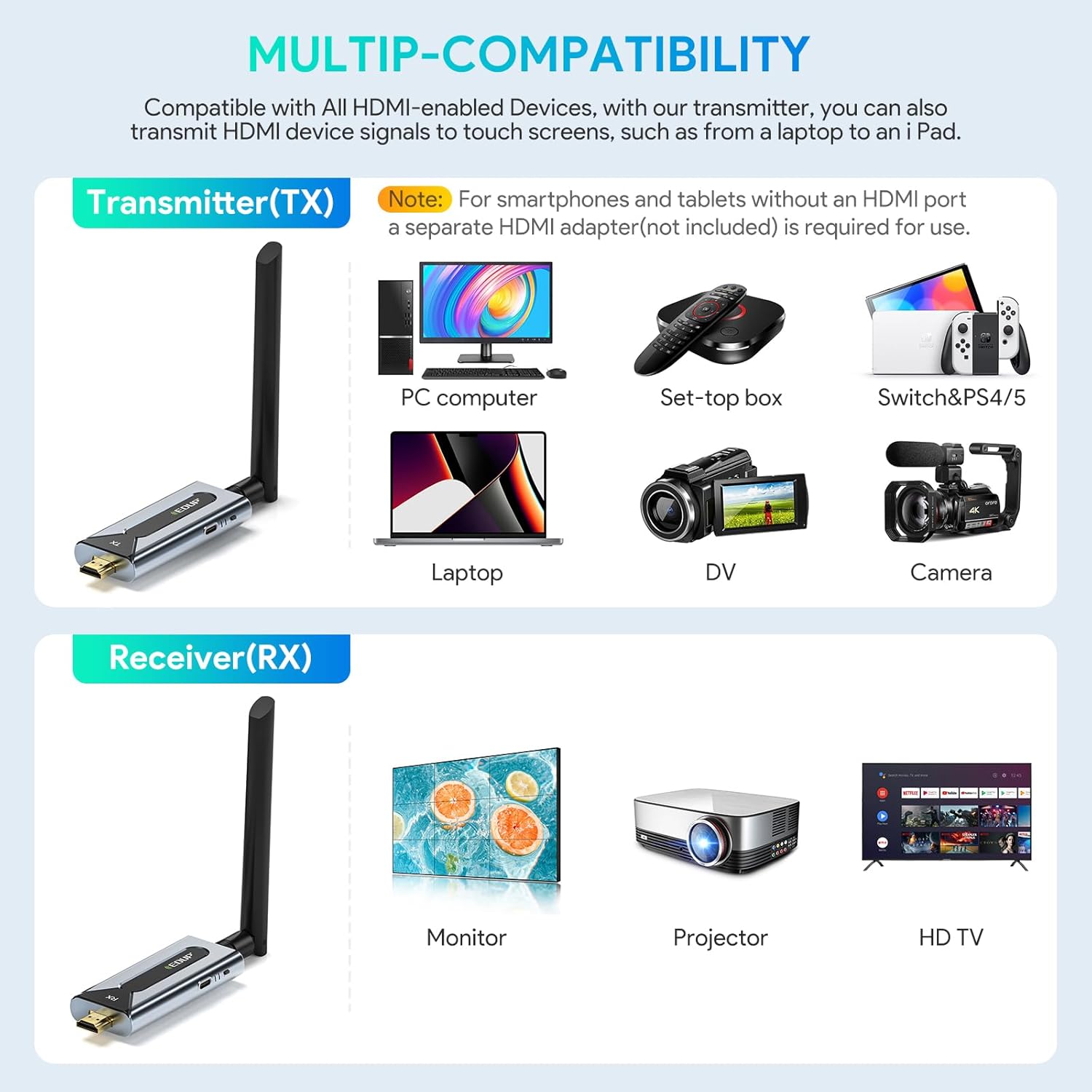
Image: Multi-Scenario Application. This image illustrates various uses for the wireless HDMI kit, including outdoor events, meeting presentations, home entertainment, and streaming video.
6. Údržba
To ensure the longevity and optimal performance of your EDUP Wireless HDMI Kit, follow these maintenance guidelines:
- Čištění: Use a soft, dry cloth to clean the units. Avoid liquid cleaners or abrasive materials.
- Skladování: Pokud sadu nepoužíváte, skladujte ji na chladném a suchém místě mimo dosah přímého slunečního záření a extrémních teplot.
- Péče o kabely: Handle the Type-C power cables and HDMI adapter with care to prevent damage. Do not bend cables sharply.
- Antén: Ensure antennas are not bent or damaged. Proper antenna orientation can improve signal strength.
7. Řešení problémů
If you encounter issues with your EDUP Wireless HDMI Kit, refer to the following common solutions:
| Problém | Možná příčina | Řešení |
|---|---|---|
| Na displeji není žádný signál. |
|
|
| Špatná kvalita videa nebo blikání. |
|
|
| Zvuk, ale ne video, nebo naopak. |
|
|
8. Specifikace
| Funkce | Detail |
|---|---|
| Číslo modelu | EH-WD9910 |
| Přenosová technologie | Bezdrátové připojení 5.8G |
| Rozlišení videa | Až 1920x1080p@60Hz |
| Dosah venkovního přenosu | Až 150 metrů (492 stop) |
| Indoor Transmission Range (Line of Sight) | Až 50 metrů (164 stop) |
| Indoor Transmission Range (Through Walls) | 32–82 stop (přibližně 10–25 metrů) |
| Latence | Zero Latency |
| Požadavek na napájení | 5V/1A (přes port typu C) |
| Kódování videa | H.264, H.265/HEVC |
| Režim zvukového výstupu | Surround |
| Konfigurace kanálů prostorového zvuku | 5.1 |
| Compatible Devices (TX) | PC, Laptop, Set-top box, Game Consoles (Switch, PS4/5), DVD/Blu-ray players, Cameras, any HDMI-enabled device. |
| Compatible Devices (RX) | HDTV, Projector, Monitor, any HDMI-enabled display. |
| Rozměry | Approx. 5 x 5 x 2 inches (per unit, without antenna) |
| Hmotnost | Approx. 6.4 ounces (per unit) |
9. Záruka a podpora
EDUP provides the following support for this product:
- Záruka vrácení peněz: 30denní záruka vrácení peněz od data nákupu.
- Záruka: 1-year limited warranty covering manufacturing defects.
- Technická podpora: Lifetime technical support is available. For assistance, please contact EDUP customer service through the official webweb nebo vaše nákupní platforma.
Další informace nebo podporu získáte na adrese EDUP Store on Amazon.


